
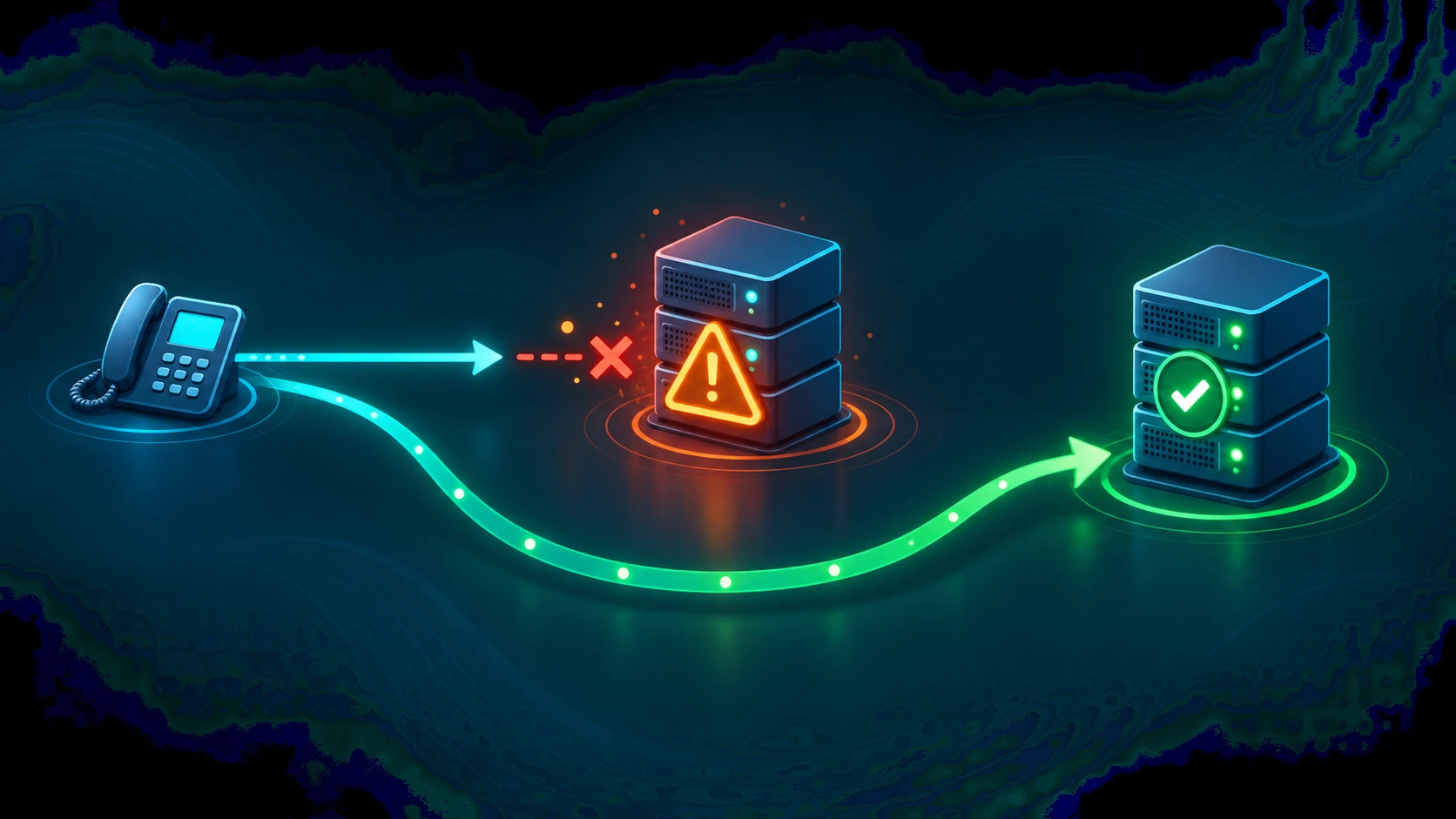
When a SIP server cannot handle an incoming request right now, it returns a 503 Service Unavailable response. The number is familiar from HTTP — it carries the same core meaning in SIP: the server is reachable, but it is not in a position to process your request at this moment. Crucially, 503 is a temporary condition. That single word shapes everything about how clients, proxies, and redundancy configurations respond to it.
For anyone operating a business phone system, a SIP trunk, or a contact center platform, understanding 503 matters because it is the standard signal that drives automatic failover. A well-configured SIP stack treats a 503 as an instruction: try somewhere else. This article explains what the response means under RFC 3261, why it differs from 500 and 504, what causes it, and how to diagnose it when it starts appearing in your logs.
Definition: SIP 503 Service Unavailable is a server-side response code defined in RFC 3261 §21.5.4. It indicates that the server — which may be a proxy, registrar, or user agent — is temporarily unable to process the request due to a transient condition such as overload or maintenance. The RFC states that if the server knows when the condition will clear, it SHOULD include a Retry-After header with the number of seconds the client should wait. Clients receiving 503 SHOULD try an alternate server if one is available.
Why "Temporarily" Is the Important Word
RFC 3261 is precise about the semantics: 503 is a temporary unavailability, not a permanent one. This distinction has concrete operational consequences. When a client receives a 503, the protocol's guidance is not to give up — it is to try again, either after waiting (if a Retry-After header is present) or by trying a different server immediately.
Contrast this with a 4xx error, which indicates something wrong with the request itself. A 4xx response tells the client that retrying the same request to the same server will produce the same result. A 503 tells the client the opposite: the problem is on the server side and is expected to resolve. The request itself is fine.
This is why properly designed SIP infrastructure uses 503 — rather than other 5xx codes — as the signal for "capacity exhausted" or "in maintenance." It gives downstream clients the correct instruction: failover or wait, do not abandon.
The Retry-After Header
A server returning 503 MAY include a Retry-After header specifying how many seconds the client should wait before retrying. This header is the fastest way to distinguish a transient hiccup from a structural problem:
- Short Retry-After (5–60 seconds) — typically signals a momentary overload condition. The server expects to recover quickly. The client should wait the specified interval, then retry the same server or try an alternate.
- Long Retry-After (several minutes or hours) — typically signals scheduled maintenance. The carrier has taken the server offline intentionally and will bring it back at a known time.
- No Retry-After present — the server either does not know when it will recover or is not implementing the header. Treat this as a signal to fail over to an alternate server immediately rather than waiting. Absence of
Retry-Aftershould not be interpreted as "retry immediately and repeatedly" — that would worsen an overload condition.
In practice, many SIP implementations do not include Retry-After even when they should. Check your SIP traces — if the header is absent on a 503 you receive from a carrier, check the carrier's status page rather than inferring timing from the response itself.
503 vs 500 vs 504: What the Differences Mean
All three are server-side errors, but they call for different responses. Treating them identically — retrying all of them, or failing over on all of them — leads to the wrong behavior.
| Code | Name | When it fires | Retry behavior |
|---|---|---|---|
| 500 | Internal Server Error | The server encountered an unexpected software fault, misconfiguration, or internal failure it cannot recover from immediately | Do not retry blindly — the same request will likely fail again until the underlying bug or config issue is fixed |
| 503 | Service Unavailable | The server is temporarily overloaded, in maintenance, or otherwise transiently unable to handle the request | Try an alternate server immediately (preferred), or wait the Retry-After interval and retry. This is the standard failover trigger. |
| 504 | Server Time-Out | A downstream server in the signaling chain did not respond within the expected time — the server that returned 504 was waiting on something else | Retry may succeed if the downstream timeout was transient; investigate the signaling path to identify which hop timed out |
7 Common Causes of SIP 503
503 can arrive from different points in the signaling chain — the carrier proxy, a registrar, an intermediate proxy, or a downstream UA — and each point has different likely causes.
- 1. Server overload. The SIP proxy or registrar is receiving more concurrent INVITE or REGISTER requests than it can process. This is especially common in outbound contact centers running predictive dialers at high calls-per-second (CPS) rates. The server throttles excess traffic by returning 503. The fix is reducing the CPS rate, spreading load across multiple trunks, or upgrading capacity. See SIP trunk capacity planning for how to size correctly.
- 2. SIP proxy or carrier outage. The upstream carrier's SIP infrastructure is down or degraded. The proxy is reachable at the network level but is not processing requests. This shows as 503 without a
Retry-Afterheader (or with a long one). The correct response is failover to a secondary trunk provider. Check the carrier's status page to confirm. - 3. Network partition. Connectivity between your PBX and the SIP trunk provider has been interrupted — a BGP route withdrawal, a data center network failure, or an ISP outage. If the provider's SBC cannot be reached at all, you will see connection timeouts rather than 503 responses. If the provider's edge SBC is reachable but cannot reach its own backend, it returns 503 on behalf of the unavailable upstream.
- 4. Trunk quota or CPS rate limit exceeded. Many SIP trunk providers enforce per-account rate limits: a maximum number of concurrent channels, or a maximum calls-per-second rate. When your traffic exceeds the provisioned limit, the provider's SBC returns 503 to throttle the excess. This appears as 503 on individual calls while other calls on the same trunk are completing normally — a reliable indicator of quota exhaustion rather than an outage.
- 5. Registration failure. If a SIP user agent has not maintained its registration with the registrar, the registrar considers it unavailable. Attempts to reach that UA via the proxy return 503. Common causes: the UA's re-REGISTER interval elapsed without renewal (often a NAT timeout issue), the network between the UA and the registrar was interrupted, or the UA's credentials were changed without updating the device configuration. For trunk-level failures, see SIP trunk registration failure.
- 6. TLS certificate issue. When a SIP connection requires TLS and the server's certificate is expired, self-signed without a trusted root, or has a hostname mismatch, the handshake fails before any SIP signaling can complete. Depending on implementation, the server may respond with 503 to indicate it cannot service the connection in this state rather than a more specific transport-layer error.
- 7. Scheduled maintenance. The carrier has taken a server offline intentionally for maintenance and is returning 503 with a
Retry-Afterheader specifying when service will resume. This is the intended use of 503 for planned downtime — it signals to clients that the situation is expected and temporary, and gives them a precise time to retry rather than causing them to flood the server with retry attempts.
How 503 Triggers SIP Failover
The failover behavior triggered by 503 is one of the most important features of the SIP protocol's design. RFC 3261 states that clients SHOULD try an alternate server when they receive 503. This instruction is what makes 503 the correct response for any server that wants clients to go elsewhere temporarily.
In practice, failover on 503 works through two common mechanisms:
- DNS SRV records. SIP trunk providers publish DNS SRV records that list multiple SIP proxy addresses with priority and weight values. The SIP client resolves these records, contacts the highest-priority server, and — upon receiving 503 — moves to the next record in the list. This happens automatically at the DNS level with no manual intervention. A primary trunk that returns 503 causes the client to immediately retry against the secondary proxy address in the SRV record.
- Explicit primary/secondary trunk configuration. Many PBX systems and SBCs allow you to configure a primary SIP trunk and one or more failover trunks. When the primary trunk returns 503 (or fails to respond within a timeout), the system routes subsequent calls through the failover trunk. This requires configuration at the PBX or SBC level rather than relying on DNS, and it gives you explicit control over which provider handles failover traffic.
The key point: 503 from the primary server is not an end state for the call — it is a routing instruction. A well-configured redundancy setup means that the caller may never notice the 503 at all, because the system has already retried on a different path before the call setup timer expires. For more on how to structure SIP connectivity for redundancy, see the SIP trunking guide.
CDR Impact of 503 Responses
503 responses are logged as failed call attempts in call detail records (CDRs). If your system retries automatically and the retry succeeds — either via failover to a secondary trunk or a successful retry after a short delay — the final CDR for the successful call may not reflect the initial 503. However, the failed attempt itself is typically still logged as a separate CDR entry with a 503 disposition code.
This creates a pattern worth monitoring: a sudden increase in 503 CDR entries, followed by successful completions a few seconds later, indicates that failover is working but the primary trunk is degraded. High 503 rates without subsequent completions indicate that failover is not configured or is also failing. Separating these two patterns in your CDR data is the first step in diagnosing whether a 503 spike is a nuisance (failover handled it) or an incident (calls are not completing).
How to Diagnose SIP 503
When 503 appears in your SIP logs, work through this diagnostic sequence:
- Check the Retry-After header. If present, it tells you whether this is a short transient condition or a longer maintenance window. A short Retry-After (under 60 seconds) suggests overload. A long Retry-After suggests planned maintenance. No Retry-After suggests the server does not know when it will recover — treat as an outage and fail over.
- Identify which server returned the 503. Inspect the SIP trace to determine whether the 503 came from your own SBC, the carrier's SBC, or an intermediate proxy. The source determines where the problem is. A 503 from your own SBC usually means local overload or a misconfiguration. A 503 from the carrier means the problem is upstream.
- Check the carrier's status page. Most SIP trunk providers publish a real-time status page. A 503 with no obvious local cause almost always resolves to a carrier incident or maintenance window listed there.
- Check UA registration status. If the 503 affects inbound calls to specific extensions but not general trunk traffic, the affected UAs may have lost their registration. Check the registrar's active registration table for those extensions and verify whether their re-REGISTER cycles are completing.
- Check TLS certificates. If the SIP connection uses TLS, verify that the server certificate has not expired and that the hostname matches the certificate's common name or SAN. An expired cert on a Monday morning after a weekend maintenance window is a common source of Monday-morning 503 spikes.
- Review CPS and channel utilization. If 503 appears on individual calls while most calls are completing normally, pull CPS and concurrent channel metrics. If either metric is at or near the provisioned limit, quota exhaustion is the cause. The fix is increasing the provisioned limit with the carrier or reducing the traffic rate.


