
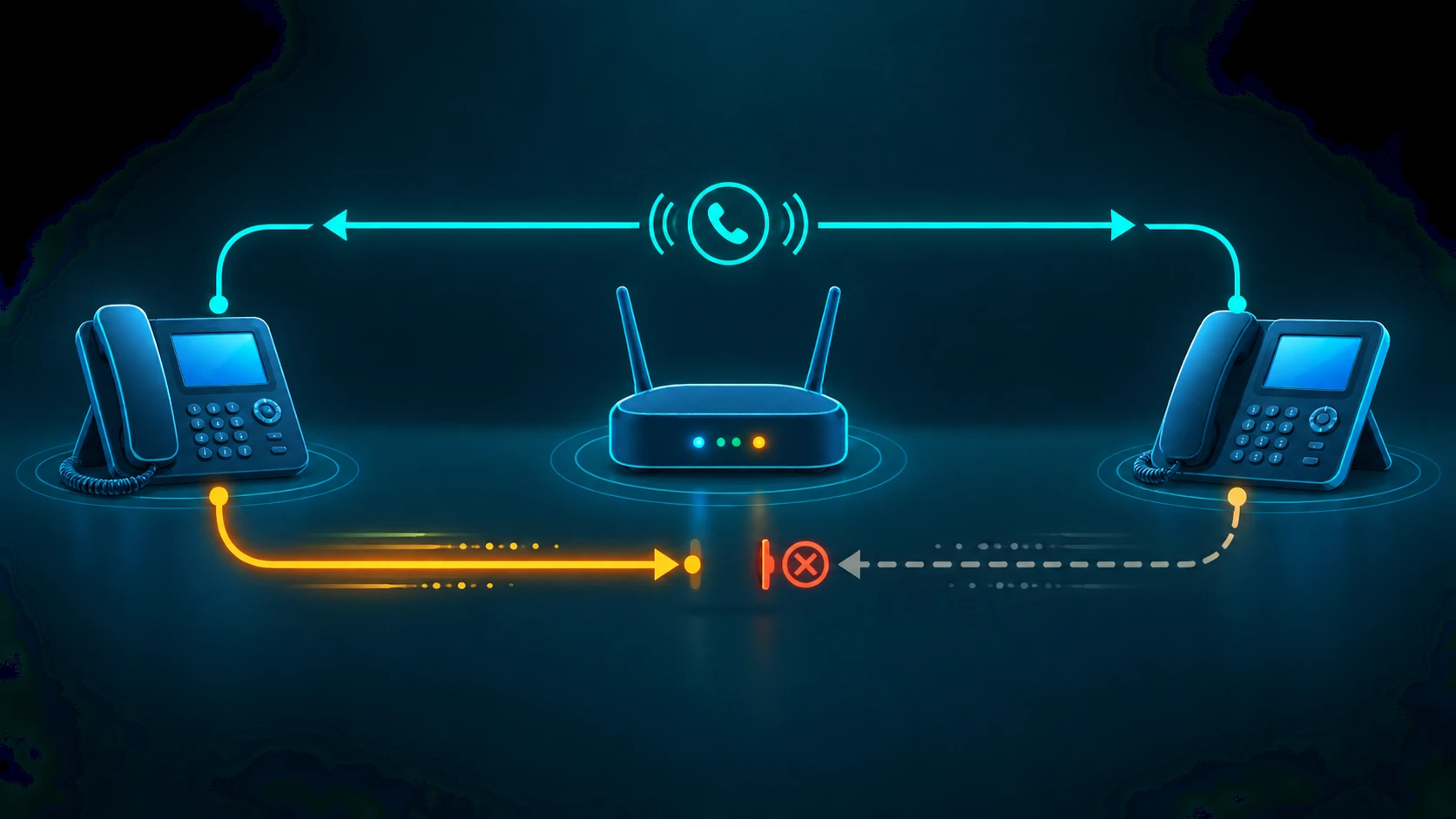
One-way audio is one of the most reliably frustrating VoIP problems: the call connects, SIP signaling completes without error, and yet one party can hear the other while the reverse direction is completely silent. The caller hears the agent perfectly. The agent hears nothing. Or vice versa. The call looks successful from every signaling metric while being functionally useless.
The root cause is almost always a NAT traversal failure at the media layer — not a signaling failure, not a codec mismatch, and not a carrier problem. Understanding why requires a brief detour into how SIP and RTP actually work together, and where they can come apart.
One-Way Audio Defined: One-way audio in VoIP is a condition where RTP (Real-time Transport Protocol) — the protocol that carries the actual voice data — flows successfully in only one direction between two endpoints. SIP signaling (INVITE / 200 OK / ACK) completes normally, meaning the call appears to connect, but audio is asymmetric: one party hears the other while the reverse media stream is lost, misdirected, or blocked.
SIP and RTP: Two Separate Protocols, Two Separate Problems
A common misconception is that a VoIP call is a single stream. In practice, a SIP-based call uses two entirely separate protocols for two entirely separate jobs.
SIP handles signaling: the INVITE that initiates the call, the 200 OK that accepts it, the ACK that confirms the exchange, and the BYE that ends it. SIP messages travel between the SIP endpoints (phones, PBX, carrier) and establish the parameters of the call.
RTP handles media: the actual digitized audio packets sent in real time from one endpoint to the other. RTP runs on UDP, and it flows directly between the two media endpoints — which may be different network nodes from the SIP signaling path. Each direction of the audio call is a separate RTP stream. One stream carries audio from party A to party B; a second stream carries audio from party B to party A.
Because these are independent streams, it is entirely possible for one direction to work while the other fails. That is the defining characteristic of one-way audio. For a deeper look at how SIP signaling works, see what is SIP trunking. For a deeper treatment of how SIP, SDP, and RTP interact — and how protocol-layer misconfiguration produces one-way audio — see VoIP routing protocols.
Why NAT Causes One-Way Audio: The SDP Private IP Problem
Network Address Translation (NAT) is the mechanism that allows many devices on a private network to share a single public IP address. Almost every business phone system, IP desk phone, and softphone sits behind a NAT router. This is normal and expected — but it creates a specific problem for VoIP.
When a SIP endpoint initiates a call, it includes an SDP (Session Description Protocol) body in the SIP INVITE message. The SDP body describes the media session: what codecs are supported, what port the endpoint will use to receive RTP, and crucially, what IP address the far end should send RTP to. The endpoint writes its own local IP address into this connection field.
If the endpoint is behind a NAT router, its local IP is a private address — something in the 192.168.x.x, 10.x.x.x, or 172.16–31.x.x range. The NAT router rewrites the IP header of outgoing packets so they appear to come from the public IP. But it does not rewrite the SDP payload inside the SIP message — the SDP body still contains the private IP address.
The far end receives the SIP INVITE, reads the SDP, and learns that it should send RTP audio to the private IP embedded in the connection field. It attempts to send audio packets to that private IP address. Those packets are routed over the public internet toward an address that does not exist there. They arrive nowhere. Audio in that direction is lost.
Meanwhile, the local endpoint may still be able to send RTP outward, because outbound packets get NAT-translated correctly by the router. So one direction of audio works — the direction that does not depend on the far end finding a reachable IP — and the other direction fails. One-way audio.
The direction of the failure tells you which end has the NAT problem. If the agent cannot hear the caller, the agent's endpoint is advertising a private IP in its SDP. If the caller cannot hear the agent, the caller's endpoint (or the carrier's media server) has a reachability problem on the return path.
SIP ALG: The Most Common Single Cause in Small Business Deployments
SIP ALG (Application Layer Gateway) is a feature built into many consumer and SMB routers — from standard ISP-provided routers to entry-level business firewalls — that attempts to solve the SDP private IP problem automatically. SIP ALG intercepts SIP packets passing through the router and rewrites the SDP payload to replace private IP addresses with the public IP address.
The intention is correct. The execution is frequently broken. SIP ALG implementations across common router firmware are inconsistent, sometimes rewriting only part of the SDP, sometimes rewriting headers incorrectly, sometimes breaking the SIP message structure in ways that corrupt signaling, and sometimes rewriting in ways that conflict with STUN or media proxy solutions configured on the endpoint. SIP ALG that rewrites inconsistently — updating the SDP connection field but not the RTP port, or updating only one of multiple SDP media lines — causes exactly the kind of asymmetric media failure that produces one-way audio.
In small business VoIP deployments, SIP ALG interference is the most common identifiable cause of one-way audio, dropped calls, and registration failures. The standard first-line advice from virtually every VoIP provider's support documentation is: disable SIP ALG on the router. For a full checklist of firewall and NAT settings that affect VoIP, see VoIP firewall and NAT configuration.
Fix 1: Disable SIP ALG
Disabling SIP ALG removes the router's broken rewriting behavior and allows the VoIP endpoint or provider to handle NAT traversal through a working mechanism. The exact location of the SIP ALG setting varies by router brand and firmware:
- Netgear: Advanced > WAN Setup — disable "SIP ALG" checkbox
- Linksys: Security > Apps and Gaming — disable "SIP" under Application Layer Gateway
- Cisco RV series: Firewall > Session Initiation Protocol — disable SIP inspection
- Ubiquiti EdgeRouter: Config tree or CLI — remove the SIP ALG helper from NAT rules
- pfSense / OPNsense: Firewall > NAT — disable the SIP helper
After disabling SIP ALG, re-test the affected calls. If one-way audio was caused solely by SIP ALG interference, this fix resolves it. If the problem persists, the NAT traversal issue still exists but will now need to be handled by STUN or a media proxy (see below).
Fix 2: Open Firewall Rules for RTP Traffic
SIP signaling typically travels over TCP or UDP port 5060. Most firewalls allow this port. RTP audio, however, uses a dynamically assigned port range — a different UDP port per call, negotiated in the SDP. If the firewall does not have rules permitting inbound and outbound UDP traffic on the RTP port range, the audio stream is blocked.
Standard RTP port ranges vary by PBX and phone system software:
- Asterisk / FreePBX: UDP 10000–20000 (default)
- Some hosted UCaaS platforms: UDP 16384–32767
- WebRTC endpoints: Typically a wide range; check provider documentation
The firewall rule must allow bidirectional UDP traffic on the applicable port range between the internal VoIP endpoint and the provider's media server IP range. A rule that allows outbound UDP but blocks unsolicited inbound UDP will block the return RTP stream — which is exactly the NAT and firewall combination that produces one-way audio.
Check your VoIP provider's network requirements documentation for their specific RTP port range and media server IP addresses. Configure firewall rules to permit bidirectional UDP on that range. For overall VoIP network configuration recommendations, see VoIP call quality.
Fix 3: STUN for NAT Traversal at the Endpoint
STUN (Session Traversal Utilities for NAT) is a protocol that lets a SIP endpoint discover its own public IP address before embedding it in SDP. The endpoint sends a STUN request to a STUN server on the public internet. The STUN server responds with the public IP and port that the request appeared to come from — which is the NAT-translated address. The endpoint then uses that public IP in the SDP connection field instead of its private IP.
When the far end reads the SDP, it sees the correct public IP address and sends RTP to that address. The router's NAT table has an entry for that outbound connection, so the incoming RTP packets are translated and forwarded to the correct internal endpoint. Both directions of audio work.
STUN configuration is typically done in the SIP endpoint settings — the IP desk phone firmware, softphone client, or PBX configuration. Most SIP endpoints have a STUN server field in their network settings. Your VoIP provider may supply a STUN server address, or you can use a public STUN server.
STUN works well for simple NAT scenarios (full-cone or address-restricted NAT). It is less reliable behind symmetric NAT, where the NAT binding differs per destination. In symmetric NAT environments, TURN (Traversal Using Relays around NAT) or a media proxy is needed.
Fix 4: Media Proxy (Hosted UCaaS Default)
A media proxy routes RTP audio through a server controlled by the VoIP provider, rather than directly between the two endpoints. Both endpoints send their RTP to the provider's media server; the media server relays the audio between them. Because both endpoints are initiating outbound UDP connections to the provider's public IP, NAT translation works correctly in both directions. The private IP problem disappears because neither endpoint ever needs to receive unsolicited inbound RTP from an unknown source.
This is the architecture used by most hosted UCaaS and cloud phone system providers. When a business uses a hosted phone system, one-way audio from NAT traversal failure is typically not a problem — the media proxy handles it. The trade-off is that audio takes a slightly longer path through the provider's infrastructure rather than flowing directly peer-to-peer, which can add marginal latency. In practice, for business calls, this latency difference is negligible.
For on-premises PBX deployments (Asterisk, FreePBX, 3CX), enabling the internal media proxy feature — sometimes called media relay or RTP proxy — produces the same result for calls handled by that PBX.
How to Diagnose One-Way Audio: SDP Inspection
When the cause is not immediately obvious, a SIP packet capture with Wireshark is the definitive diagnostic tool. Capturing the SIP INVITE and 200 OK messages and examining the SDP body reveals the IP address the endpoint is advertising for RTP reception.
The SDP connection field looks like this in a packet capture:
c=IN IP4 192.168.1.45If that IP address is a private address — 192.168.x.x, 10.x.x.x, or in the 172.16.0.0–172.31.255.255 range — it is unreachable from the public internet. That private IP in the SDP connection field is the root cause of one-way audio when the far end is on the public internet or a different private network.
The SDP body also contains the RTP port:
m=audio 16482 RTP/AVP 0 8The port number (16482 in this example) is where the endpoint expects to receive inbound RTP. If a firewall is blocking that port, or if the SIP ALG rewrote the IP but left an inconsistent port, the audio stream fails.
For internal network captures, Wireshark can be set to decode the RTP stream directly, letting you verify whether packets are being transmitted in both directions. If you see RTP packets in one direction but not the other in the capture at the problem endpoint, the issue is in the network path. If RTP is present in both directions at the network level but audio is still missing, the issue is at the endpoint application layer.
One-Way Audio Troubleshooting Checklist
Work through these steps in order. Most one-way audio cases resolve at step 1 or step 2.
- Disable SIP ALG on the router. Log into the router admin UI, locate the SIP ALG or SIP helper setting, disable it, and reboot the router. Re-test the affected calls.
- Verify firewall rules for RTP ports. Confirm bidirectional UDP rules exist for the RTP port range your phone system uses. Check that rules apply to the correct IP addresses (your VoIP endpoints and the provider's media server addresses).
- Check the SDP for a private IP. Capture SIP traffic with Wireshark during a problem call. Open the SIP INVITE and inspect the SDP connection field. If it shows a private IP, NAT traversal is not working at the endpoint level.
- Enable STUN on the endpoint. In the SIP endpoint settings (IP phone, softphone, or PBX), configure a STUN server address. Re-test — the SDP should now show the public IP in the connection field.
- Enable the media proxy or RTP relay on the PBX. If STUN is insufficient (symmetric NAT environment), enable the PBX's internal media proxy feature so media flows through the PBX rather than directly peer-to-peer.
- Identify the direction of failure. Which party cannot hear the other? The silent party's endpoint is the one with the NAT or firewall issue. Focus troubleshooting on that endpoint's network configuration.
- Test on a different network. If the problem is isolated to one office location or one ISP connection, connect the endpoint to a mobile hotspot or different network. If one-way audio resolves immediately, the issue is in the original network configuration, not the endpoint or provider.


