A business phone system is a communication layer, not a clinical system. For healthcare organizations — private practices, clinics, dental offices, urgent care centers, multi-location health systems — the phone system handles the volume of calls that surrounds patient care: scheduling inquiries, billing questions, prescription callbacks, departmental routing, after-hours handling, and staff coordination. Getting that layer right affects patient experience, staff workload, and administrative accuracy.
Cloud VoIP has become the standard choice for replacing aging on-premise PBX hardware in healthcare settings because it delivers more routing flexibility, better after-hours coverage, and lower maintenance overhead than legacy systems. But healthcare organizations also face communication-specific regulatory considerations — particularly around HIPAA — that general VoIP buyer guides do not address. This guide covers both.
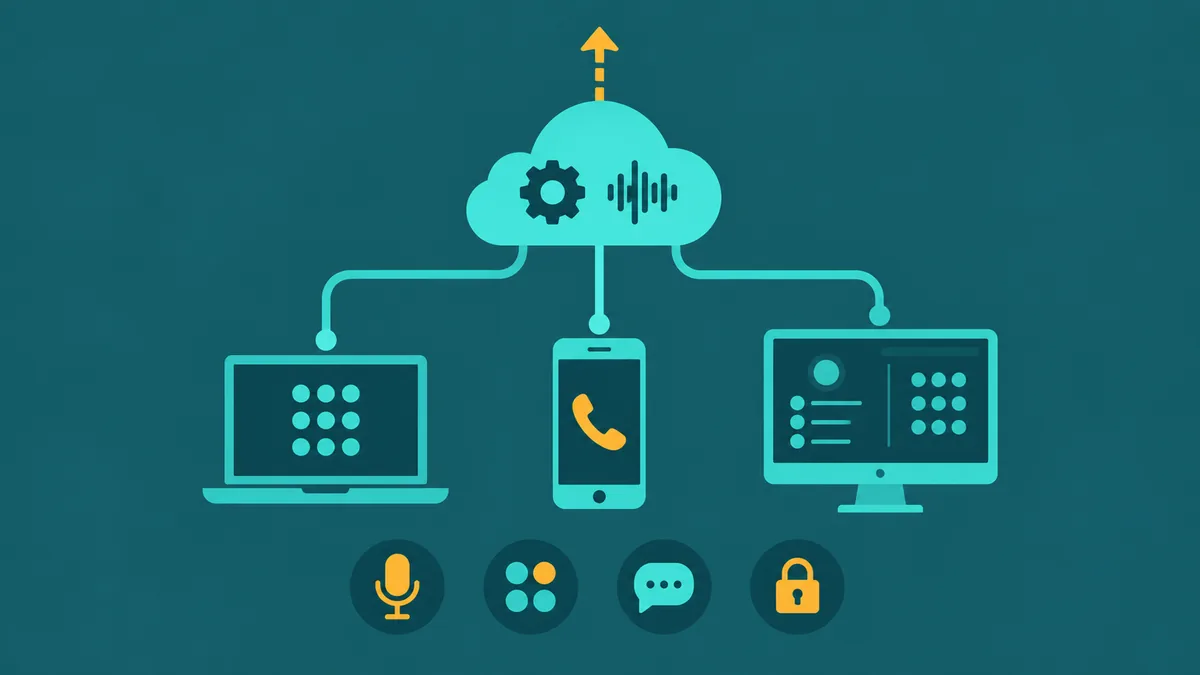
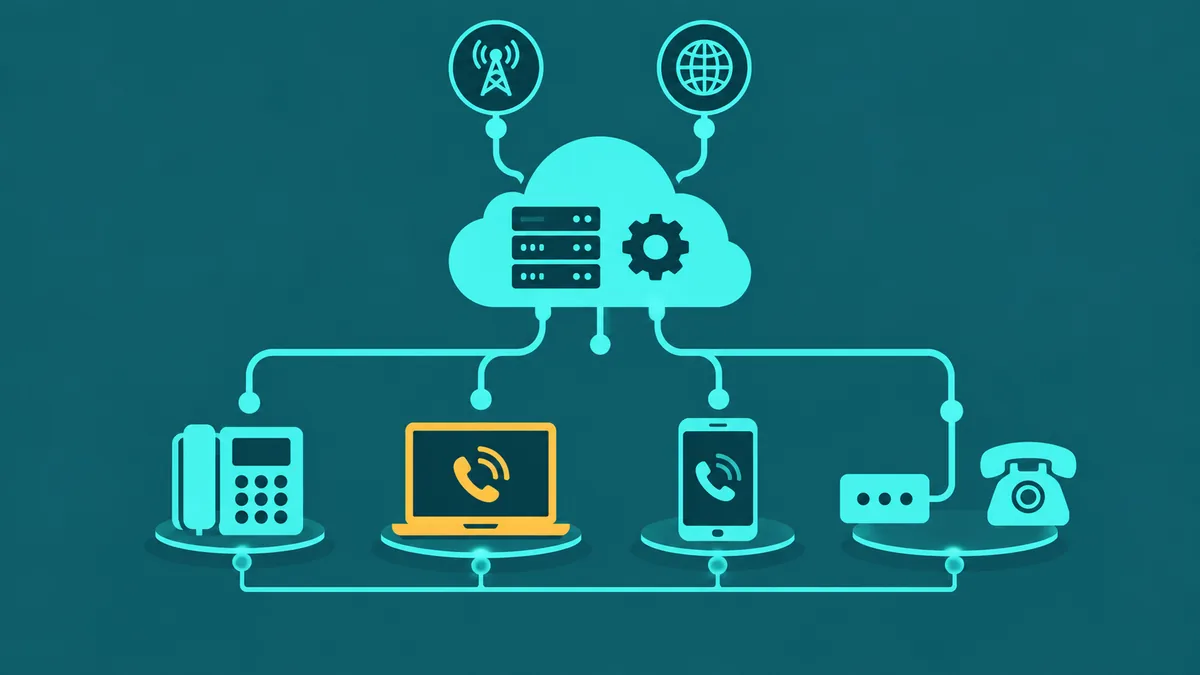
What is VoIP for healthcare? VoIP for healthcare is a cloud-based phone system used by medical offices, clinics, and health systems to replace legacy PBX hardware for patient-facing and administrative communications. It routes inbound calls — appointment inquiries, billing questions, clinical triage — over the internet to the right department or staff member, supports after-hours handling through IVR and AI-assisted call answering, and manages multi-location call routing from a central admin portal. VoIP is a communication infrastructure tool, not a clinical or electronic health record system.
Where healthcare teams use VoIP
Most healthcare phone traffic falls into recognizable categories. Understanding these categories helps when evaluating whether a VoIP platform's feature set fits actual operational workflows.
Front-desk and scheduling calls. The majority of inbound call volume at a typical medical office is scheduling-related — patients calling to book, reschedule, cancel, or confirm appointments. An IVR can route these calls to the scheduling team directly, reducing the time front-desk staff spend transferring callers who reached the wrong person. See the IVR system overview for how multi-level routing works.
Billing and administrative calls. Billing questions, insurance verification, referral coordination, and pre-authorization callbacks represent a significant share of outbound and inbound traffic. These calls benefit from the same routing logic — callers reach the billing team without navigating a general hold queue.
After-hours handling. Patient calls do not stop at 5 pm. After-hours IVR menus can provide recorded information (clinic hours, location, urgent care direction), collect callback details, or route urgent calls to on-call staff through time-based routing rules. An AI Receptionist can handle after-hours calls conversationally — answering common questions and routing or logging others — without requiring a live answering service.
Multi-location routing. Health systems and group practices with multiple locations need call routing that can direct callers to the right campus or department across the network. Cloud VoIP supports this through shared routing rules, skills-based routing, and centralized number management — without the complexity of linking separate on-premise PBX systems.
Internal staff communication. Staff-to-staff calls, paging through extension dialing, transfers between departments, and secure voicemail are the daily-use functions that staff interact with most. Cloud VoIP delivers these on any device — desk phone, softphone, or mobile app — from any location, which matters for clinicians and administrators who move between offices, floors, or sites.
Callback management. High-volume practices that cannot answer every call immediately need a system that logs callbacks, allows agents to return calls from the queue, and gives supervisors visibility into outstanding callback volume. Call queue and callback features are standard in contact-center-oriented VoIP platforms.
Features healthcare organizations may evaluate
When evaluating a cloud phone system for a healthcare setting, the relevant features span call routing, call handling, recording, and administration. Not every feature applies to every organization — a two-physician practice has different needs than a 50-location health system.
- IVR and call routing: Multi-level IVR menus direct callers to the right department — scheduling, billing, clinical inquiries — without requiring a live receptionist for every call. Skills-based routing can match calls to agents with specific knowledge or language capability.
- Time-based routing: Separate routing rules for business hours, after-hours, and holidays — so calls are never just dropped to a generic voicemail when the office closes.
- Call queues and overflow: When all agents are busy, callers wait in an organized queue with position announcements rather than hearing a busy signal. Overflow routing handles periods when volume exceeds capacity.
- AI-assisted call handling: AI voice systems can answer calls, handle common questions (hours, location, directions, general process questions), and route calls that need a human — reducing the load on front-desk staff for repeatable inquiries.
- Call recording: Recording inbound and outbound calls for quality review, compliance documentation, and dispute resolution. Healthcare organizations need to consider the access and retention implications for recordings that may contain patient information — see the recording section below.
- Omnichannel communication: Some organizations manage patient contact across voice, chat, and messaging channels from a single agent workspace. Relevant where patients already contact the organization through multiple channels.
- Analytics and supervisor tools: Queue wait times, abandonment rates, agent performance, and call volume trends give operations managers visibility into whether staffing and routing are working as intended.
- Access controls and audit logging: Role-based access restricts who can access recordings, configuration, and call data. Admin activity logging creates an auditable record of changes. Both are relevant to compliance configuration.
HIPAA considerations for healthcare VoIP
HIPAA — the Health Insurance Portability and Accountability Act — creates obligations for covered entities (health care providers, health plans, and health care clearinghouses) and their business associates regarding protected health information (PHI). A business phone system that handles patient calls operates at the intersection of these obligations.
This section is educational. It is not legal advice. Healthcare organizations should consult qualified compliance and legal counsel for requirements specific to their circumstances.
What HIPAA covers in a communications context
PHI is individually identifiable health information created, received, maintained, or transmitted by a covered entity. Electronic PHI (ePHI) is PHI that is created, received, maintained, or transmitted electronically. A voice call discussing a patient's appointment, condition, or treatment does not automatically become a HIPAA violation — verbal disclosure of PHI in the course of treatment or administration is permitted under HIPAA with reasonable safeguards, such as speaking privately and using the minimum necessary information for the purpose.
The more significant implications arise when communications are recorded, logged, stored, or processed by a third-party technology vendor. At that point, the patient information may qualify as ePHI, and the vendor's handling of it becomes a compliance question.
Business associates and BAAs
Under 45 CFR § 160.103, a business associate is a person or entity that, on behalf of a covered entity, creates, receives, maintains, or transmits PHI. The definition also covers organizations that provide data transmission services with respect to PHI to a covered entity where those services involve access to PHI on a routine basis.
Whether a VoIP vendor qualifies as a business associate depends on the specifics of the arrangement: what data the vendor handles, how it handles it, whether it has routine access to PHI, and the nature of the services provided. A vendor that simply routes calls without storing or processing patient information occupies a different position than a vendor that stores call recordings, generates transcripts, or processes call data containing patient information on behalf of a covered entity.
When a vendor does qualify as a business associate, HIPAA generally requires a written business associate agreement (BAA) before PHI can be disclosed to them. A BAA specifies how the business associate may use and disclose PHI, requires them to safeguard the information, and establishes their compliance obligations.
Healthcare organizations using VoIP should assess, with their compliance counsel, whether their VoIP vendor's handling of communications data makes it a business associate for their specific deployment — and if so, ensure a BAA is in place before using the platform with patient information.
Healthcare organizations using EaseDial should contact the EaseDial team to discuss BAA requirements for their specific configuration.
Security Rule technical safeguards
The HIPAA Security Rule (45 CFR § 164.312) requires covered entities and their business associates to implement technical safeguards protecting ePHI. The relevant standards include:
- Access control (§ 164.312(a)): Technical policies and procedures to allow access to ePHI only by authorized persons or software. Required standard.
- Audit controls (§ 164.312(b)): Hardware, software, and/or procedural mechanisms that record and examine activity in systems that contain or use ePHI. Required standard.
- Integrity (§ 164.312(c)): Policies and procedures to protect ePHI from improper alteration or destruction. Required standard.
- Person or entity authentication (§ 164.312(d)): Procedures to verify the identity of persons or entities seeking access to ePHI. Required standard.
- Transmission security (§ 164.312(e)): Technical security measures to guard against unauthorized access to ePHI in transit over a network. Required standard.
Under the current rule, encryption is an "addressable" implementation specification under both the access control standard (§ 164.312(a)(2)(iv) — encryption and decryption of ePHI) and the transmission security standard (§ 164.312(e)(2)(ii) — encryption of ePHI in transit). "Addressable" does not mean optional: it means the covered entity must assess whether implementing encryption is a reasonable and appropriate safeguard for their environment, and must implement it if so — or document the rationale if they determine it is not reasonable and appropriate for their specific situation, and implement an equivalent alternative measure.
In practice, most healthcare organizations use encrypted communications for ePHI. When evaluating a VoIP vendor, ask specifically how they protect voice traffic and stored data — including the protocols used for in-transit encryption and how stored recordings are secured.
Call recording in healthcare
Call recording is a standard feature of most business VoIP platforms and a common tool for quality review, dispute resolution, and compliance documentation. In healthcare, recordings require additional consideration.
Recordings may contain PHI. A recorded call between a patient and a front-desk agent about a scheduled procedure, a billing question referencing a diagnosis code, or a prescription callback may contain patient information that qualifies as PHI or ePHI. If that recording is stored by a vendor on behalf of a covered entity, it may fall under the Security Rule's ePHI protections — and the vendor's storage of it may implicate business associate obligations.
Access controls matter. Role-based access restricts which staff can play back, download, or delete recordings. Audit logging of recording access creates a record of who accessed what. Both should be part of how a healthcare organization configures call recording, not assumed to be enabled by default.
Retention and deletion policies. Healthcare organizations should establish a recording retention policy that specifies how long recordings are kept and how they are deleted. Retaining recordings containing patient information indefinitely creates ongoing compliance exposure. Verify that the vendor's platform allows deletion, that deletion is permanent and auditable, and that the vendor's own retention practices align with your policy.
Recording consent laws apply separately from HIPAA. Many U.S. states have recording consent laws requiring one or both parties to consent before a call is recorded. These requirements are distinct from HIPAA and vary by state and call origin. Healthcare organizations should confirm applicable consent requirements with their legal counsel and configure any required consent notice playback before recording patient-facing calls.
For a broader overview of call recording features and how they work, see What Is Call Recording and the call recording feature page.
Messaging and patient communication
Many VoIP platforms include SMS and messaging capabilities alongside voice. Healthcare organizations should approach messaging with care when patient information is involved.
Standard SMS messages are transmitted without end-to-end encryption in typical carrier implementations. Organizations considering any messaging channel for communication involving patient information should evaluate the security characteristics of that channel, assess whether the transmission method is appropriate for the type of information being sent, confirm organizational policies for messaging involving patient data, and consult their compliance counsel regarding applicable HIPAA transmission security requirements under 45 CFR § 164.312(e).
The appropriate channel for a given type of communication depends on what information is being exchanged, whether patient consent has been obtained, how the organization has configured its security practices, and the advice of qualified compliance counsel — not the capabilities listed in a vendor's feature list.
AI-assisted call handling in healthcare
AI voice systems and AI receptionists can handle inbound calls — answering common questions about hours, location, and services; collecting appointment-related inquiry details and routing to the appropriate team for follow-up or confirmation; managing after-hours calls; and routing conversations that need a human agent with context about what was already discussed.
There are specific boundaries healthcare organizations should observe:
- AI communication tools do not diagnose, provide medical advice, or make clinical decisions. Any AI system deployed in a healthcare context must be clearly scoped to administrative and communication functions.
- When an AI system collects or processes information from a patient call — name, date of birth, reason for visit — that information may constitute PHI. Organizations should evaluate whether the AI vendor's handling of that data triggers business associate obligations and whether a BAA covers AI-generated call data.
- Confirm with the vendor what data is retained from AI-handled calls, including transcripts and interaction summaries, and how that data is protected and deleted.
EaseDial's AI Receptionist can handle appointment-related inquiries by collecting relevant request details and routing to the appropriate team for follow-up or confirmation. For detailed capability information, see the AI Receptionist feature page.
Questions to ask a VoIP vendor for healthcare
Before selecting a VoIP platform for a healthcare-adjacent deployment, these questions help evaluate fit and identify compliance gaps:
On HIPAA and BAA
- Will our configuration involve the transmission, storage, or processing of protected health information?
- Does your platform's handling of call recordings, transcripts, or AI call data qualify your organization as a business associate for our use case?
- Do you sign business associate agreements? Under what conditions and on which plans?
- What does the BAA cover — recordings, transcripts, AI-generated data, call metadata?
On security and access controls
- How is voice traffic protected in transit? What protocols are used (e.g., TLS for signaling, SRTP for media)?
- How are stored call recordings protected? Is encryption at rest applied, and with what algorithm?
- What role-based access controls are available for recordings and call data?
- What activity is audit-logged? Is log export available, and how long are logs retained?
- What authentication controls are available — two-factor authentication, SSO?
On recording and data management
- What data retention controls exist for recordings? Can we set and enforce retention periods?
- Is deletion permanent and auditable? Does the vendor retain copies after we delete a recording?
- Where is our data stored geographically? Are region-specific storage options available?
- Does the platform support configurable recording consent notice playback at the start of calls?
On integrations and AI
- Which EHR, EMR, or patient scheduling systems does the platform integrate with for our specific deployment?
- What data does the AI system collect, retain, and process from patient calls?
- Is AI-generated call data (transcripts, summaries) covered under the BAA?
On reliability and support
- What happens to patient calls during an internet or platform outage? Is there automatic failover or fallback routing?
- What support options and response times apply to our account?
- What is the contract term and process for exporting our call data and recordings if we change platforms?
How EaseDial supports healthcare teams
EaseDial provides the contact center infrastructure that healthcare-adjacent organizations use to manage patient communication at volume. The platform is a communications layer — it does not replace clinical systems or electronic health records.
Confirmed platform capabilities relevant to healthcare communication:
- IVR and call routing: Multi-level IVR and call routing direct patient calls to the right department on first contact.
- AI Receptionist: The AI Receptionist answers calls 24/7, handles FAQs about hours, location, and services, and collects appointment-related inquiry details for routing to the appropriate team.
- Call queues: Call queues manage inbound volume with position announcements and overflow routing.
- Call recording: Automatic recording for inbound and outbound calls with configurable access controls by role, team, and queue. Recording access events are logged. See call recording.
- Omnichannel: Voice, chat, and messaging channels managed from one agent workspace.
- Analytics: Queue wait times, abandonment rates, and agent performance visible in real time and in historical reports.
- Encryption in transit: SIP signaling is encrypted using TLS. Voice media is encrypted using SRTP.
- Role-based access controls: Admin, supervisor, and agent roles with different permission levels. Two-factor authentication available for admin accounts.
- Audit logging: Admin console activity — configuration changes, user provisioning, access events — is logged.
- Configurable data retention and consent: Retention periods for recordings are configurable. Recording consent notice playback at the start of calls is configurable.
For compliance configuration — including HIPAA considerations and BAA discussions — see EaseDial compliance and contact the EaseDial team for details specific to your deployment.
For a detailed look at EaseDial configured for healthcare call center operations, see Healthcare Call Center Solutions.