VoIP installation services cover the full process of deploying a business phone system — from the initial network assessment through device provisioning, call flow configuration, number porting, and staff training. For businesses switching from legacy PBX or moving to cloud VoIP for the first time, the installation process is where the majority of deployment risk lives. A well-executed installation means the system works on day one; a poorly planned one means days of troubleshooting audio quality issues, call routing failures, and user confusion.
This guide explains what VoIP installation services actually include, when professional installation is worth the cost versus self-install, and what the deployment process looks like step by step.
VoIP installation services cover the complete setup of a business phone system — from network readiness assessment and device provisioning to call flow configuration and staff training. Most cloud VoIP deployments don't require cabling but do require network QoS tuning.
What VoIP installation services include
The scope of VoIP installation services varies by provider, deployment size, and whether the customer has existing infrastructure. A complete professional VoIP installation typically covers:
Site survey
A physical or remote assessment of the business location to understand the existing infrastructure: type and age of structured cabling, router and switch capabilities, existing desk phones and compatibility, power availability for IP phones (PoE switches or power injectors), and Wi-Fi coverage for wireless VoIP devices. For larger offices or multi-site deployments, a site survey prevents surprises during installation that delay go-live.
Network readiness assessment
Before provisioning any VoIP devices, the network must be evaluated for VoIP suitability. This includes testing latency (target: under 150 ms round-trip), jitter (target: under 30 ms), and packet loss (target: under 1%) on the internet connection, and assessing whether the LAN switch and router support QoS configuration for voice traffic prioritization. A network that looks adequate for general internet use can fail badly under concurrent VoIP call load without proper QoS settings.
Cabling
Cloud VoIP does not require the physical cabling that legacy PBX does — no dedicated phone lines to each desk from a central equipment room. However, SIP desk phones do require a Cat5e or Cat6 data connection to the LAN switch (typically the same drop used by a workstation, routed through a PoE phone that daisy-chains to the computer). If existing cabling is Cat3 or damaged, a cabling contractor must run new drops before desk phones can be deployed.
Device provisioning
Each IP desk phone, ATA adapter, or softphone app must be configured with the correct SIP credentials, outbound proxy settings, codec preferences, and extension mapping. Professional VoIP installers provision devices using auto-provisioning servers that push a configuration file to each device — faster and less error-prone than manual configuration. For softphone apps, this typically involves creating user accounts in the VoIP platform and sending each user a provisioning link.
PBX and call flow configuration
The hosted PBX must be configured to match the business's call handling requirements: main number greeting and auto-attendant menu, extension directory and ring groups, call queues with hold music and wait time announcements, business hours and after-hours routing rules, voicemail boxes and voicemail-to-email settings, and call recording rules. This configuration work takes time proportional to the complexity of the call flows. A 5-person office may take two hours; a 50-person organization with multiple departments and queues may take a day or more.
Staff training
A new phone system is only as effective as the people using it. Professional installation services include end-user training covering the basics — making and receiving calls, transferring, voicemail, and the mobile app — and administrator training for whoever will manage the system going forward. Without training, staff often revert to habits from the old system, miss features, and generate a high volume of support requests in the first weeks of deployment.
DIY vs professional VoIP installation
| Factor | DIY | Professional |
|---|---|---|
| Cost | Low upfront; hidden cost in staff time and rework | $500–$3,000+ depending on size; predictable |
| Time to deploy | Days to weeks; depends on internal IT bandwidth | 1–3 days for most SMB deployments |
| Network optimization | Often skipped; QoS misconfiguration common | Verified before go-live; call quality tested |
| Support during cutover | Reliant on VoIP provider's general support queue | Installer on-site or available by phone during go-live |
| Risk | Higher — issues discovered after cutover in production | Lower — issues found during testing before cutover |
The hidden cost of DIY is what makes the comparison less clear-cut than it appears. A business with a capable IT person and a straightforward deployment (under 10 users, simple call flows, existing Cat6 cabling, modern router) can self-install successfully. A business with 30+ users, multiple departments, complex routing rules, or legacy cabling infrastructure is taking on significant risk by attempting self-installation.
What happens during a typical VoIP installation
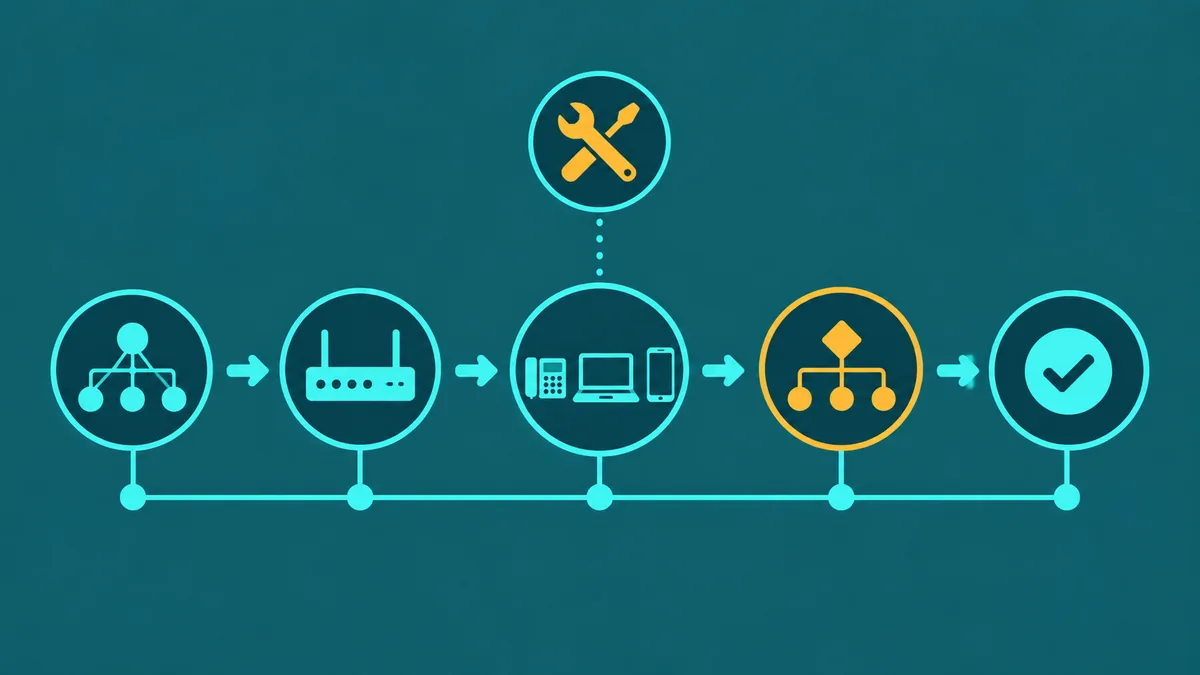
A professional VoIP installation follows a structured sequence. Each step gates the next — skipping the network audit to save time, for example, often means discovering latency or jitter problems after devices are deployed.
- Network audit. Latency, jitter, and packet loss tests on the internet connection. LAN switch and router capability review. QoS configuration verification or setup.
- ISP and bandwidth check. Confirm the internet plan's upload speed and burstability under concurrent call load. For businesses using shared internet (building tenants on a shared pipe), establish expected peak concurrent call count and verify available bandwidth.
- Router and QoS configuration. Configure DSCP marking for SIP and RTP traffic. Set queue priorities on the router to ensure voice packets are processed before general data traffic. Separate voice VLAN if the router and switches support it.
- Device provisioning. Configure IP phones, ATAs, and softphone accounts with SIP credentials, extension assignments, and codec settings. Test outbound and inbound calls from each provisioned device.
- Call flow setup. Build auto-attendant menus, ring groups, call queues, business hours rules, after-hours routing, voicemail boxes, and recording rules in the cloud PBX portal. Test every call path from start to finish.
- Number porting. Number porting is one of the last steps in a VoIP installation — submit the Letter of Authorization (LOA) at least two weeks before your go-live date, since standard ports take 5–15 business days and delays from the losing carrier are common. Configure the new system to handle calls on ported numbers as soon as porting completes.
- Testing. Full system test before go-live: all inbound and outbound call paths, auto-attendant routing, voicemail delivery, call recording, mobile app functionality, and emergency (E911) routing. Simulated high-load test on the network to verify QoS holds under concurrent call volume.
- Go-live. Cut over from the old system to the new VoIP system, with the installer available during the cutover window. Monitor call quality and system behavior for the first 24–48 hours. Address any issues discovered in production before closing out the installation.
When to hire professional VoIP installation services
Professional installation is the right choice when:
- The business has more than 15–20 users or multiple locations
- Call flows are complex — multiple departments, queues, time-based routing, holiday schedules
- The office cabling is unknown or known to be older than Cat5e
- The router is a consumer-grade unit that may not support QoS configuration
- Number porting is involved and any downtime on existing numbers is unacceptable
- The business operates in a regulated industry (healthcare, financial services, legal) where call recording and E911 compliance must be verified
Self-installation is reasonable when:
- The business has under 10 users with simple, consistent call handling
- The IT person or office manager has VoIP experience and is comfortable with router QoS configuration
- No physical desk phones are needed — softphone apps only
- New numbers are being provisioned rather than porting existing ones
Questions to ask a VoIP installation vendor
- Do you perform a network readiness assessment before deployment, and will you document QoS settings for our router model?
- Is cabling included in your installation scope, or is that a separate contractor?
- How do you handle number porting — will you submit and monitor LOAs, or is porting our responsibility?
- What is your availability during the cutover window if issues arise?
- Does your quote include end-user training, and in what format (on-site, video, documentation)?
- What is included in your post-installation support, and for how long after go-live?