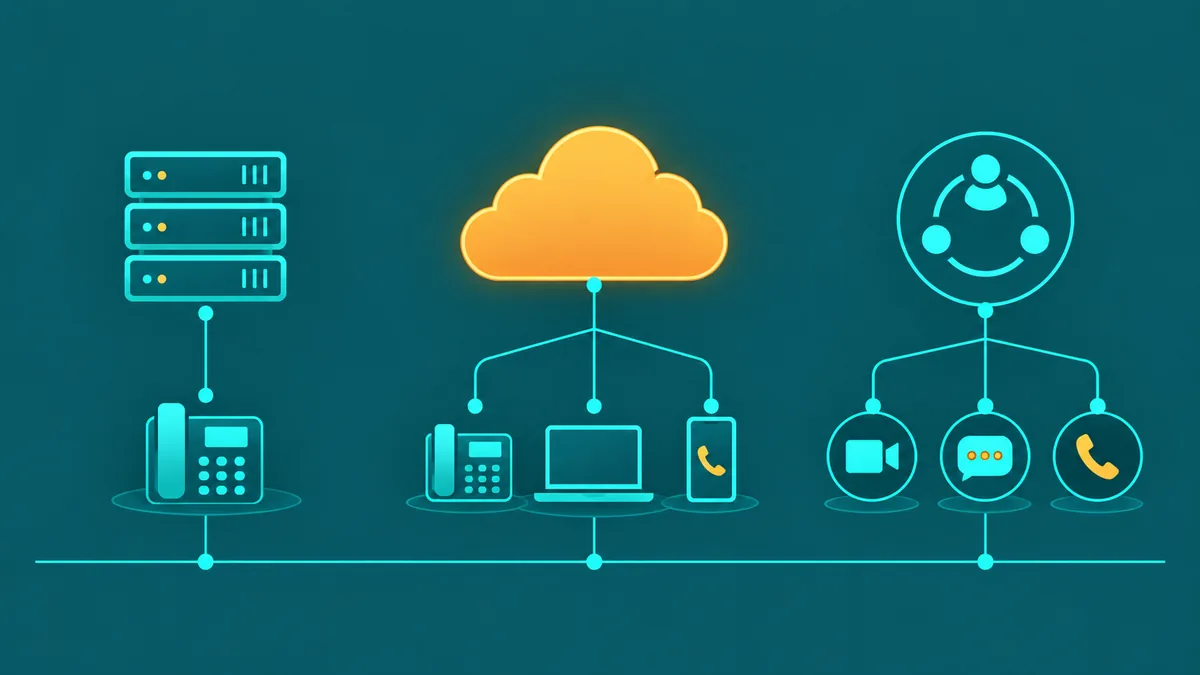
Office phone systems have changed more in the last ten years than in the previous four decades combined. The on-premise PBX hardware that dominated business telephony for generations is being replaced — or significantly supplemented — by cloud-hosted systems that deliver more features, lower costs, and remote-work compatibility without a rack of physical equipment in the server room. At the same time, businesses with significant investments in existing PBX hardware, specialized telephony requirements, or reliability needs that favor local infrastructure have good reasons to approach the decision carefully.
This guide covers every major office phone system type, the features that matter regardless of which system you choose, a direct cost comparison across deployment models, and a practical framework for choosing the right system for your team size, call volume, IT resources, and compliance requirements.
Office phone system types
The term "office phone system" covers five meaningfully different product categories. Understanding what each one is — and is not — is the starting point for making the right choice.
| System Type | Infrastructure | Who Manages It | Best For |
|---|---|---|---|
| On-premise PBX | Physical hardware at your location; copper or IP wiring | Your IT team or contracted telephony technician | Large enterprises with existing investment, specialized compliance needs, or air-gapped security requirements |
| Hosted / Cloud PBX | Provider-managed servers in the cloud; access via internet | Provider handles infrastructure; you manage settings via web portal | Most small and mid-size businesses; remote and distributed teams |
| SIP Trunking + existing PBX | Your existing PBX connects to the PSTN via SIP trunks over IP instead of PRI circuits | You manage PBX; carrier manages SIP connectivity | Businesses with a working PBX that want to cut carrier costs without a full migration |
| UCaaS | Cloud platform integrating voice, video, messaging, and collaboration | Provider manages all; you configure via admin portal | Businesses that want calling, video conferencing, and team messaging in a single platform |
| Hybrid | On-premise PBX for some users or locations; cloud for others | Split responsibility depending on component | Businesses mid-migration or with specific local telephony requirements at some sites |
What is an office phone system? An office phone system is the hardware, software, and carrier connectivity that allows a business to make and receive phone calls, route inbound calls to the right employee or department, and manage internal communications between staff. Modern office phone systems range from on-premise PBX hardware installed at the business location to fully cloud-hosted platforms (cloud PBX or UCaaS) accessible from any internet-connected device. The core function — connecting callers to the right destination — is consistent across types; what differs is where the infrastructure lives, who maintains it, and what features come included. For a broader overview of business phone infrastructure, see our business phone system guide.
Key features every office phone system should have
These capabilities represent the baseline for any credible office phone system, regardless of whether it is on-premise or cloud-hosted. Any system you evaluate should include all of them; quality and configuration depth are what differentiate providers at the same tier.
Auto-attendant. Answers inbound calls with a professional greeting and routes callers based on their keypad input — "Press 1 for Sales, Press 2 for Support" and so on. A capable auto-attendant supports multiple levels of nested menus, time-of-day greetings (different routing during business hours vs. after hours), and custom recorded prompts. This is the first thing callers hear and the primary way inbound volume is handled without a live receptionist.
Extensions. Each employee gets a short internal number (e.g., 101, 102) that colleagues can dial directly. Extensions should be assignable to desk phones, softphone apps on computers, and mobile apps interchangeably. In a cloud system, extensions work identically whether the employee is in the office or working remotely.
Call transfer. The ability to move an active call from one extension or queue to another — either as a warm transfer (the transferring employee briefs the receiving agent before connecting the caller) or a cold transfer (immediate handoff). Call transfer is one of the most-used daily features for any team handling inbound calls; poor transfer behavior (dropped calls, lost audio on transfer) is a common complaint on low-quality systems.
Conference bridge. A shared audio conference room that multiple internal and external participants can join simultaneously, typically via a dedicated dial-in number and PIN. Look for systems that provide conference bridges as a standard feature rather than requiring a separate conferencing service add-on.
Voicemail. Personal voicemail boxes for each extension, with voicemail-to-email delivery (audio file sent as an email attachment, optionally with a text transcription). Voicemail-to-email eliminates the need to call in to a voicemail system and ensures employees see messages promptly regardless of device.
Call recording. Automatic or on-demand recording of inbound and outbound calls, stored and accessible from an admin portal. Call recording supports quality assurance, agent coaching, compliance documentation, and dispute resolution. Confirm recording is included in your chosen tier — it is often reserved for mid-tier or above on many platforms.
Mobile app. iOS and Android softphone applications that give employees full phone system access from their smartphones — making and receiving calls on their work extension, transferring calls, accessing voicemail, and viewing call history. For any business with remote workers or employees who need to be reachable outside the office, mobile app quality is critical.
Admin portal. A web-based management interface that lets IT administrators (or non-technical office managers on simpler systems) configure extensions, set up IVR menus and call queues, define routing rules, manage phone numbers, view call logs, and access recordings — without requiring a telephony technician for every change. Admin portal usability is one of the most underrated factors in the total cost of ownership of an office phone system.
On-premise PBX vs cloud phone system — the real comparison
| Dimension | On-Premise PBX | Cloud Phone System |
|---|---|---|
| Upfront cost | High — hardware purchase, installation, wiring, licensing | Low to none — no hardware required; monthly subscription |
| Ongoing cost | Maintenance contracts, hardware support, carrier circuit fees | Per-user monthly subscription; no maintenance contract |
| Scaling | Requires hardware expansion, technician visit, and new carrier circuits | Add users in minutes via admin portal; instant number provisioning |
| Remote work | Requires VPN, additional hardware, or separate mobile contract | Built-in; any internet-connected device is a full extension |
| IT dependency | High — requires telephony expertise for configuration changes and repairs | Low — admin portal designed for non-technical management |
| Feature updates | Require hardware or software upgrades; often licensed separately | Automatic; provider deploys updates to all customers simultaneously |
| Reliability dependency | Local hardware failure; local power required; can use cellular backup | Depends on internet connection; provider infrastructure is redundant |
For most businesses below 200 seats that do not have specialized compliance requirements or an existing PBX investment they want to preserve, a cloud phone system delivers meaningfully better value across every dimension above. The on-premise PBX case remains strongest for large enterprises with strict data sovereignty requirements, specialized telephony equipment integrations (e.g., paging systems, door intercoms, legacy analog trunks), or security requirements that prohibit internet-based voice routing. For more on the cloud PBX model specifically, see our cloud phone system guide.
Office phone system costs
Cost varies significantly by system type, and comparing apples to apples requires modeling total cost of ownership over three to five years, not just the monthly invoice.
On-premise PBX. Hardware costs for a 20-user on-premise IP PBX (Cisco, Avaya, Mitel, or similar) typically run $5,000–$20,000 for equipment, plus $2,000–$8,000 for installation and wiring. Annual maintenance contracts add $1,000–$5,000 per year. Carrier costs depend on whether you retain PRI circuits ($400–$600/month per PRI) or migrate to SIP trunks ($50–$200/month for equivalent capacity). Total five-year cost for a 20-user on-premise system: $40,000–$80,000 including hardware, maintenance, and carrier.
Cloud PBX / hosted VoIP. Per-user monthly fees of $15–$40 for standard plans, with no hardware purchase. A 20-user team at $25/user/month pays $6,000/year — plus taxes and fees (add 15–25%), E911 charges, and any add-on services. Total five-year cost for the same 20-user team: $35,000–$55,000 fully loaded, with no maintenance contract and no IT labor for system changes. The cloud option is typically cheaper over five years and requires no capital expenditure.
SIP trunking (added to existing PBX). If you have a functioning PBX and want to cut carrier costs, replacing PRI circuits with SIP trunks can reduce carrier spend by 40–70%. A provider offering 20 concurrent SIP channels with unlimited domestic calling typically charges $50–$150/month. Hardware cost is minimal (a SIP gateway or SBC if your PBX requires one). This model extends the useful life of existing hardware without a full migration.
UCaaS. Pricing is similar to cloud PBX but higher at the per-user level ($35–$65/user/month) due to the addition of video conferencing, team messaging, and file sharing. The right comparison is against the total cost of separate voice, video, and messaging tools — where UCaaS often wins on consolidation savings. For businesses that primarily need voice and would pay for video and messaging separately, UCaaS may be unnecessarily expensive.
How to choose the right office phone system
Use this checklist as a starting framework. The right answers will point you toward the system type and tier that fits your actual requirements.
- Team size. Under 50 seats: cloud PBX is almost always the right answer on cost and simplicity. 50–200 seats: cloud remains the default but on-premise or hybrid may warrant evaluation if existing hardware investment is significant. 200+ seats: both on-premise and cloud are viable; evaluate total cost, IT resources, and compliance requirements carefully.
- Remote workers. If any employees work outside the office — remote, hybrid, or travel-heavy — a cloud system is strongly preferred. Remote employees on an on-premise PBX require either a VPN configuration (complex, latency-sensitive) or forwarding to a mobile number (loses extension functionality). Cloud systems treat remote and in-office employees identically.
- Call volume and patterns. High inbound volume with multiple simultaneous callers requires a system with capable call queuing and IVR. Very high outbound volume (contact center, sales dialer) may benefit from per-minute wholesale pricing that on-seat licensing plans make uneconomical. Analyze your current call records before committing to a pricing model.
- Existing hardware. If you have a working on-premise PBX with significant remaining useful life and it covers your feature requirements, SIP trunking to cut carrier costs may be a better near-term move than full migration. If the hardware is aging or out of maintenance support, the ROI on migration to cloud accelerates significantly.
- IT resources. On-premise PBX requires in-house telephony expertise or a contracted specialist for configuration changes, troubleshooting, and hardware maintenance. Cloud systems are designed to be administered by a non-technical office manager with no telephony background. If your IT team is small or overloaded, the administrative burden of on-premise is a real cost.
- Compliance needs. Healthcare organizations need HIPAA-compliant call recording and a provider willing to sign a BAA. Businesses processing payment card data over the phone may need PCI DSS scoping considerations. Contact centers have TCPA and state calling regulation obligations. Verify that any system and provider you evaluate has the compliance posture your industry requires before selecting based on price or features alone.
Common mistakes when buying an office phone system
- Comparing headline seat prices without total cost modeling. Regulatory fees, taxes, E911 charges, number rental, and add-ons routinely add 25–40% to the base invoice. A $20/user plan that becomes $28/user after fees is not cheaper than a $25/user plan that becomes $30/user. Request a fully-loaded sample invoice before comparing providers.
- Buying more system than you need based on feature marketing. AI analytics, video conferencing, and team messaging are valuable for some businesses and unused overhead for others. Map your actual required features to specific tiers before evaluating providers — paying for a premium tier to get features you will not use is money wasted.
- Not testing the mobile app before committing. For teams where employees take calls on smartphones, app quality (call stability on LTE, push notification reliability, background operation) is the most important factor in daily user experience. Marketing pages do not capture app quality — always test during a trial period with real devices on real networks.
- Ignoring number porting risk. Committing to a new provider without verifying portability of your existing numbers — and without getting the porting timeline and fees in writing — risks weeks of disruption if numbers get stuck mid-port. Verify portability before signing, and never cancel existing service before porting is confirmed complete.
- Underestimating migration complexity. A 20-user migration with simple routing seems straightforward but often involves porting multiple numbers, configuring IVR menus from scratch, setting up voicemail for every user, testing every inbound and outbound call path, and training staff on a new app. Budget three to six weeks for a proper migration — not a weekend.
- Choosing on price alone without evaluating support. When your phone system goes down during business hours, a provider with a four-hour average P1 response time is not functionally different from no phone system at all. Verify support hours, response time commitments, and whether live engineer support is available around the clock or only during business hours.