This is a foundational guide — what business phone systems are, how they work, the different types (cloud PBX, UCaaS, CCaaS, SIP trunking), and what organizations of different sizes actually need. For a structured process to evaluate and select a system, see How to Choose a Business Phone System. For an SMB-focused feature checklist and pricing breakdown, see Best Business Phone Systems for Small Business.
A business phone system and a mobile phone both make calls. The difference is everything else: how calls get routed to the right person, what a caller hears when nobody answers, how teams share numbers, how managers see call data, and whether any of it scales when the business grows. This article explains what a business phone system actually is, what it includes architecturally, how the different types compare, and what organizations of various sizes actually need.
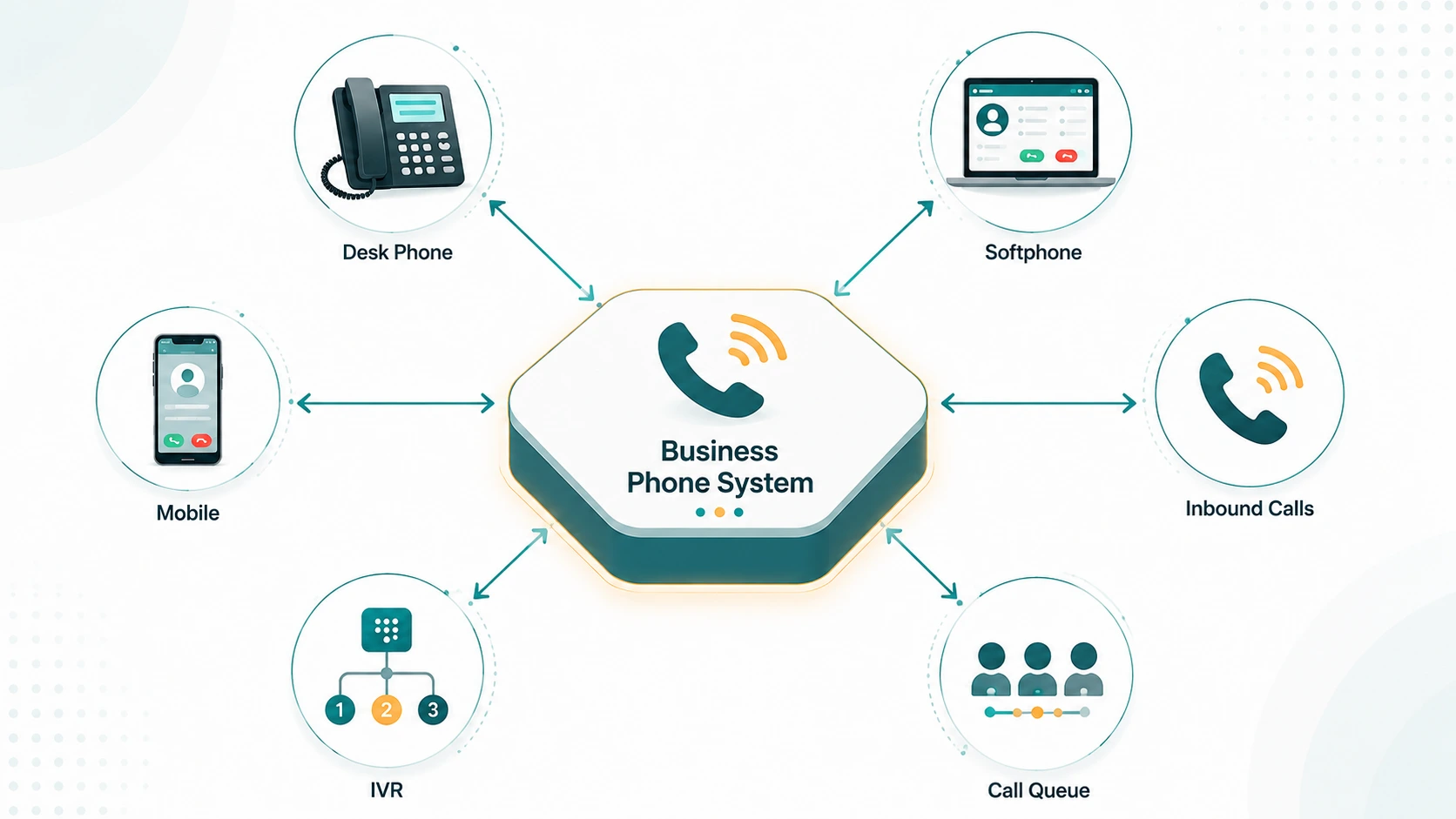
Definition: A business phone system is a telecommunications platform that manages inbound and outbound calls for an organization — handling number routing, extensions, IVR menus, call queues, voicemail, call recording, and administrative controls across all users and locations from a single system. Modern business phone systems run in the cloud and often include SMS, video, and team messaging alongside calling.
What problems a business phone system solves
A personal mobile number works fine when one person handles all inbound calls and nobody cares what shows on the caller ID. That model breaks quickly in any real business context.
Extensions and shared numbers. Callers don't know — or care — which specific person handles their request. A business number creates a shared front door. Behind it, the system routes calls to the right team or individual without exposing personal mobile numbers. Extensions let internal teams transfer calls to each other without dialing full phone numbers.
Routing and coverage. When the sales manager is on another call, the next call needs to go somewhere useful — another agent, a queue, voicemail with a professional greeting — not to a personal voicemail that says "Hey, this is Dave." Business phone systems make routing logic configurable and automatic.
Business hours handling. Calls that arrive at 11 PM on a Saturday should behave differently than calls arriving at 10 AM on a Tuesday. Business hours routing handles this automatically, without someone manually changing a setting at the end of every shift.
Call recording and visibility. Businesses in regulated industries need call recordings for compliance. Sales teams use recordings for coaching. Support teams use transcripts for quality assurance. None of that is possible without a system that captures and stores calls centrally.
Business identity. Every outbound call from any employee shows the business number on caller ID — not Dave's personal cell. That matters for professional presentation, callback rates, and brand consistency.
Scalability. Adding a new employee to a personal mobile plan is easy. Adding them to a business phone system means they immediately get an extension, can receive transferred calls, appear in the company directory, and share the same outbound caller ID. None of that requires IT involvement in a cloud-based system.
Core components every business phone system includes
Call control — the PBX logic
Every business phone system is built around call control logic that determines what happens to a call at each step: which device to ring, how long to ring it, what to do if there's no answer, how to handle transfers between extensions. Historically, this logic ran on a physical PBX (Private Branch Exchange) appliance installed on-site. In cloud systems, the same logic runs on provider-managed servers accessed over the internet.
Extensions and DID numbers
An extension is an internal shortcode that identifies a user or group within the system — typically two to four digits. A DID (Direct Inward Dial) number is a publicly dialable phone number that routes directly to a specific extension or destination. Most business phone systems provision each user with an extension and optionally a DID. Callers can reach the business's main number and navigate through routing, or dial the user's DID directly. See our dedicated article on what a DID number is for a deeper look at how they work.
IVR and auto attendant
An IVR (Interactive Voice Response) system answers calls and presents menu options — "Press 1 for sales, 2 for support" — routing callers based on their input without a live receptionist. Multi-level IVR allows nested menus for organizations with more complex routing needs (department, then team, then individual). The IVR system guide explains how they work and when to use them. Auto attendant is often used as a synonym for IVR in business phone contexts, though IVR technically includes the ability to process caller input more broadly — see auto attendant vs IVR for the exact differences.
Call queues and routing
When all agents handling a particular function are busy, call queues hold callers in line with hold music and position announcements instead of sending them to voicemail or dropping them. Routing strategies — Ring All, Round Robin, Linear, Longest Idle, Random — determine which available agent receives each incoming call. The call routing guide covers these strategies in full. Queue configuration includes maximum wait time thresholds, overflow destinations, and callback options.
Voicemail
Business voicemail handles unanswered calls with a professional greeting and records messages for retrieval. Most cloud phone systems deliver voicemail as audio file attachments to email, as in-app notifications, or as transcriptions. Voicemail-to-email and voicemail-to-text transcription are standard in most business tiers, eliminating the need to dial in to a voicemail box.
Call recording
Call recording captures conversations and stores them, searchable by date, agent, phone number, or duration. Recording can be always-on (automatic for all calls), on-demand (agent-triggered), or rule-based (specific queues or numbers). Recorded calls are used for compliance archiving, QA review, agent coaching, and dispute resolution. Access controls determine who can retrieve and listen to recordings.
Business hours routing
Routing rules that activate based on time of day, day of week, and custom holiday schedules. Calls arriving during business hours follow standard call flow; calls outside those hours route to voicemail, an after-hours message, an answering service, or a mobile fallback number.
Admin management
A web-based admin portal lets administrators provision users, configure routing rules, set call recording policies, view call logs, pull analytics reports, and manage numbers — without requiring IT vendor involvement for routine changes. In cloud systems, most administrative changes take effect immediately.
Types of business phone systems
Traditional on-premise PBX
Hardware installed at your location handles all call routing locally. Physical phone lines (ISDN, T1/E1, or analog POTS) connect the system to the public telephone network. Your IT team or a contracted vendor maintains the hardware, applies firmware updates, and handles configuration changes. Upfront hardware costs — PBX hardware, desk phones, cabling, and installation labor — typically run several thousand dollars into the tens of thousands depending on deployment size and feature requirements. The advantage is complete control and no dependency on a third-party cloud provider; the disadvantage is upfront cost, IT overhead, limited remote work support, and hardware lifecycle management.
Cloud PBX (hosted PBX)
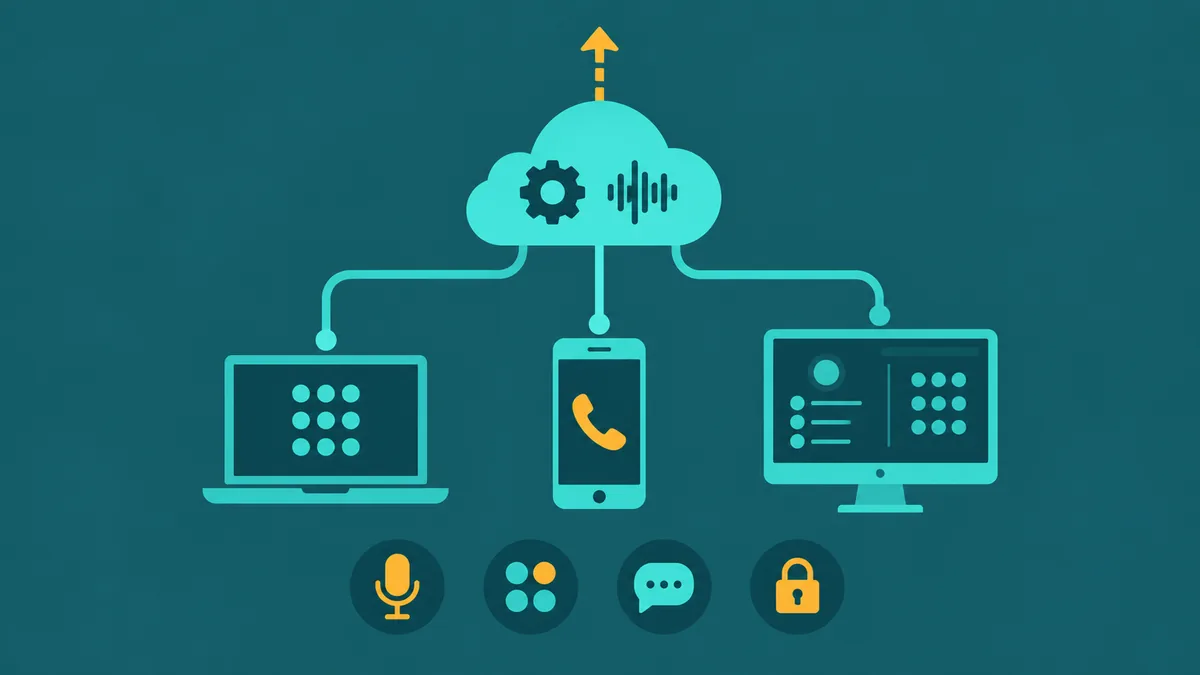
The provider runs the PBX logic in their data centers. You access it through software clients (desktop apps, mobile apps) and optional IP desk phones over your existing internet connection. No on-site hardware beyond phones is required. Feature sets match or exceed traditional PBX — extensions, IVR, queues, recording, business hours routing — with the addition of web-based administration and automatic feature updates. The cloud phone system guide covers how this model works in detail, and the cloud PBX guide explains the PBX layer specifically. Most small to mid-size businesses evaluating a new or replacement phone system are looking at cloud PBX options. For the provider-managed variant — where an MSP handles provisioning, 24/7 monitoring, and SLA-backed operations on your behalf — see managed VoIP services.
UCaaS (Unified Communications as a Service)
UCaaS extends cloud PBX by integrating voice with video meetings, team messaging, presence indicators, file sharing, and mobile collaboration into a single platform. Instead of managing separate tools for calls, video, and messaging, teams work out of one application. Microsoft Teams Phone, Zoom Phone, and similar platforms sit in this category. UCaaS costs more per user than a standalone cloud PBX, but eliminates subscription sprawl across multiple tools. The UCaaS guide covers the full scope of what unified communications includes.
CCaaS (Contact Center as a Service)
CCaaS targets organizations running customer-facing operations at scale — support teams, sales floors, inbound service centers. It adds features that business phone systems don't typically include: predictive and progressive dialers, supervisor monitoring (Listen, Whisper, Barge, Intercept), workforce management, CSAT measurement, advanced analytics, AI call summaries, sentiment analysis, and omnichannel handling (voice + chat + email + WhatsApp + SMS in a unified agent workspace). Most businesses don't need CCaaS; teams handling sustained high call volumes with agent monitoring requirements do. The UCaaS vs. CCaaS comparison clarifies the dividing line.
SIP trunking
SIP trunking replaces physical phone lines feeding an existing on-premise PBX with internet-delivered VoIP lines. It is not a phone system replacement — the PBX hardware and configuration remain unchanged. The benefit is lower per-minute and per-line costs compared to traditional PSTN lines, plus the ability to scale channels up and down without physical installation. Businesses with a recently purchased PBX they don't want to abandon often use SIP trunking to reduce line costs while keeping their existing routing configuration. See the SIP trunking guide for a full explanation of how it works and when it is the right choice.
KSU (Key System Unit)
KSU systems are hardware-based systems designed for very small businesses — typically under 10 users. Each phone has direct line buttons that show which lines are in use, similar to a traditional office switchboard. KSU systems are simple and don't require programming expertise, but lack the routing sophistication of a PBX and don't scale well. They're largely obsolete for new deployments, having been replaced by small-business cloud PBX plans that offer more features at comparable or lower cost.
What UCaaS adds beyond calling
A UCaaS platform delivers calling as one layer of a broader communications stack. Beyond what a standard cloud PBX provides:
- Video meetings — scheduled and ad-hoc video conferencing integrated with the same platform that handles phone calls, with no separate video service to manage
- Team messaging — persistent chat channels organized by team, project, or topic, with message history and file sharing
- Presence — real-time status indicators showing whether colleagues are available, on a call, in a meeting, or away
- Mobile apps — full functionality on iOS and Android: calls, messaging, video, and voicemail from any device, showing business caller ID
- Analytics — call volume, average handle time, queue performance, and team utilization data in dashboards accessible to managers without needing IT reports
Whether that breadth justifies the price depends on how many separate tools your team currently uses. A business paying for a standalone phone system, a video conferencing service, and a team chat tool is already spending more than a typical UCaaS subscription — and managing three separate systems.
Business phone system features by tier
| Tier | Features included | Typical fit |
|---|---|---|
| Foundation | Extensions, DID numbers, IVR/auto-attendant, voicemail, call forwarding, hold, transfer, business hours routing | Small teams, simple inbound routing needs |
| Growth | All Foundation features plus call recording, call queues, ring groups, SMS/MMS, call analytics, number porting | Growing businesses, teams with compliance or coaching needs |
| Advanced | All Growth features plus predictive/progressive dialers, AI call summaries, live/recorded transcription, sentiment analysis, omnichannel inbox, video meetings, team chat, workforce management, supervisor monitoring | Customer-facing operations, contact centers, high-volume outbound teams |
How a call flows end to end
Understanding the path a call takes through a business phone system demystifies most of the configuration decisions. Here is the sequence for an inbound call to a cloud-based business phone system:
- Caller dials the business's published number from any phone or VoIP device.
- PSTN/SIP delivery: The call travels through the public switched telephone network and terminates at the cloud provider's SIP infrastructure. If the caller is also VoIP, the call may route entirely over IP without touching the PSTN.
- Cloud PBX processing: The provider's call control system identifies the dialed number and applies the configured routing rules — which IVR to play, which queue to send the call to, which ring group to activate.
- IVR interaction: If an IVR is configured, the caller hears the greeting and presses a digit. The system interprets the input and routes accordingly — to a queue, a specific extension, or another IVR level.
- Queue and routing: If the destination is a call queue, the caller waits while the system checks agent availability against the configured routing strategy (Round Robin, Longest Idle, etc.).
- Agent endpoint: The system rings the selected agent's registered device — a desktop app, a mobile app, or an IP desk phone. The agent answers and the call connects.
- In-call features: Recording starts (if configured), the agent can put the caller on hold, transfer them to another extension, or conference in a third party. For situations where any team member should be able to pick up the call — not just the original agent — call park places the call in a shared orbit retrievable from any desk.
- Post-call: The call record is logged with duration, disposition, and recording link. AI summaries and transcription process in the background if enabled.
Outbound calls reverse the first two steps: the agent's device sends audio through the provider's servers, which connect to the PSTN and deliver the call to the destination number — with the business's number showing on caller ID, not the agent's personal number.
Hosted cloud vs. on-premise: comparison
| Factor | Hosted cloud | On-premise PBX |
|---|---|---|
| Upfront cost | Near zero; optional IP phones | Higher upfront hardware and installation cost (scales with deployment size) |
| Ongoing cost | Per-user subscription, predictable monthly | PSTN lines, maintenance contract, IT overhead |
| Scaling | Add users in admin portal in minutes | May require hardware capacity upgrades |
| Remote work | Full functionality from any device, any location | Requires VPN or call forwarding workarounds |
| Feature updates | Automatic from provider | Firmware upgrades, sometimes new hardware |
| Reliability dependency | Internet connection + provider uptime | On-site hardware + physical phone lines |
| Admin control | Web portal; most changes self-serve, instant | On-site system; some changes need vendor |
| Hardware life cycle | No hardware to replace; provider manages infrastructure | Hardware refresh every 7–10 years |
What size of business needs what
1–10 employees
A basic cloud phone plan handles everything a very small business needs: a shared main number, individual extensions, a simple IVR to greet callers during business hours, voicemail, and mobile app access so employees can take calls on any device. There is no operational benefit in deploying a full UCaaS stack at this scale if the team already uses separate tools for messaging and video that work fine. The priority is a professional inbound experience and a business caller ID for outbound calls — both available from any entry-level cloud PBX plan.
10–100 employees
At this size, the gaps in a minimal phone setup become visible. Call queues matter when multiple callers arrive simultaneously. Call recording becomes important for compliance, coaching, or dispute documentation. Analytics dashboards let managers see call volume trends without pulling call logs manually. SMS from a business number handles customer communication that used to go through personal mobiles. A UCaaS platform at this tier eliminates tool sprawl and gives the IT or operations team a single admin portal to manage communications across the organization.
100+ employees or customer-facing operations
Organizations running inbound support or outbound sales at scale need capabilities beyond what a standard business phone system provides. Supervisor monitoring (Listen, Whisper, Barge) enables real-time coaching. Workforce management handles agent scheduling and forecasting. Predictive and progressive dialers maximize outbound calling efficiency. AI call summaries and sentiment analysis give managers visibility into call quality without manual review of every recording. An omnichannel unified inbox handles voice, chat, SMS, WhatsApp, and email from a single agent workspace. This is CCaaS territory. For an overview of what contact center platforms include, see the cloud contact center guide. Some organizations at this scale also choose a hosted VoIP service with SLA-backed managed operations rather than self-managing a cloud PBX.
EaseDial
See what a modern business phone system looks like — calling, IVR, queues, SMS, video, and team chat in one platform
Business phone system costs: 5-year total cost of ownership
Comparing systems on monthly sticker price misses most of the cost picture. Model total cost of ownership over three to five years to compare accurately. The figures below are illustrative ranges based on typical market conditions; your actual costs will depend on vendor selection, call volume, and negotiated rates.
On-premise PBX. Hardware for a 20-user IP PBX (Cisco, Avaya, Mitel) typically runs $5,000–$20,000 for equipment, plus $2,000–$8,000 for installation and wiring. Annual maintenance contracts add $1,000–$5,000/year. Carrier costs depend on whether you retain PRI circuits or migrate to SIP trunks. Total five-year cost for a 20-user on-premise system: $40,000–$80,000 including hardware, maintenance, and carrier — request a vendor quote for your specific configuration.
Cloud PBX / hosted VoIP. Per-user monthly fees of $15–$40 for standard plans, no hardware purchase. A 20-user team at $25/user/month pays $6,000/year — plus taxes and fees (add 15–25%), E911 charges, and add-on services. Total five-year cost for 20 users: $35,000–$55,000 fully loaded, no maintenance contract, no IT labor for system changes.
SIP trunking (added to existing PBX). Replacing legacy PRI circuits with SIP trunks typically reduces carrier line costs substantially — the exact savings depend on your current PRI contract rate and the SIP provider's channel pricing. Hardware cost is minimal. This model extends existing hardware life without full migration.
UCaaS. Higher per-user than cloud PBX ($35–$65/user/month) due to integrated video, messaging, and collaboration. Compare against the total cost of separate voice, video, and messaging tools — UCaaS often wins on consolidation. For voice-only needs, cloud PBX is the more economical choice.
Always request a fully-loaded sample invoice before comparing providers — regulatory fees, taxes, E911, number rental, and add-ons routinely add 25–40% to the base rate.
Common mistakes when buying a business phone system
- Comparing headline seat prices without total cost modeling. A $20/user plan that becomes $28/user after fees is not cheaper than a $25/user plan that becomes $30/user. Get a fully-loaded sample invoice.
- Buying more system than you need. AI analytics, video conferencing, and team messaging are valuable for some businesses and unused overhead for others. Map your required features to specific tiers before evaluating providers.
- Not testing the mobile app. For teams where employees take calls on smartphones, app quality (call stability on LTE, push notification reliability, background operation) is the most important daily-use factor. Always test during a trial period on real devices.
- Ignoring number porting risk. Committing to a new provider without verifying portability of your existing numbers — and without getting porting timeline and fees in writing — risks weeks of disruption. Verify portability before signing; never cancel existing service before porting is confirmed complete.
- Underestimating migration complexity. A 20-user migration involves porting multiple numbers, configuring IVR menus, setting up voicemail for every user, testing every call path, and training staff. Budget three to six weeks for a proper migration — not a weekend.
- Choosing on price alone without evaluating support. A provider with a four-hour P1 response time is not functionally different from no phone system during a business-hours outage. Verify support hours, response time commitments, and whether live engineer support is available 24/7.
Key metrics to evaluate when buying
Four metrics matter more than most others when assessing business phone systems:
Uptime SLA. 99.9% uptime sounds high but allows 8.7 hours of unplanned downtime per year. 99.99% allows 52 minutes. For businesses where phones are revenue-critical, the SLA floor should be 99.99%, and the contract should specify what compensation applies when the provider misses it — service credits that require you to file a claim are very different from automatic remedies.
Number portability. Your business phone numbers represent years of customer recognition and marketing investment. Any provider you choose should offer number porting for your existing numbers before you sign. Confirm portability of your specific numbers in advance — most providers can check this quickly. For context on how number assignment and porting work, see the article on virtual phone numbers.
Mobile app quality. Cloud phone systems live and die by their mobile apps. If the mobile experience is an afterthought — laggy, missing features, or requiring a VPN — remote and mobile employees will work around the system. Test the mobile app in real conditions before committing to a platform.
CRM integration. A phone system that can't reliably log calls to your CRM creates manual work that compounds across every agent every day. Native integrations (built and maintained by the phone vendor) are more stable than connector-based integrations through middleware. Ask whether call logs, contact lookups, and screen-pop work in your specific CRM and whether the integration is maintained by the vendor or a third party.
Frequently Asked Questions
Where to go from here
If you're evaluating a specific purchase decision rather than trying to understand what a business phone system is, the how to choose a business phone system guide walks through the structured evaluation process — from defining requirements to vendor questions, red flags, and implementation timelines. For smaller teams specifically, best business phone systems for small businesses covers the buying framework.
Organizations evaluating the broader communications stack — combining voice, internet, messaging, and conferencing — will find context in business telecommunications solutions, which covers how these components fit together. Nonprofits and mission-driven organizations with tight budgets have specific considerations covered in VoIP for nonprofits.
For a practical breakdown of how business phone services are priced and what to compare across providers, see business phone service: features, costs and provider checklist. If you are evaluating whether a live telephone answering service or a VoIP IVR is the right fit for your team, the telephone answering service cost guide covers pricing models and when cloud calling makes more sense.