An IVR system that passes every test in a development environment can still break in ways that cost real callers in production. DTMF tones degrade over carrier networks. Automatic speech recognition fails on mobile connections with background noise. Timeouts that work at 30 milliseconds of server latency fire incorrectly at 300 milliseconds under load. Holiday routing activates on the wrong date because the time zone was never set. Transfer context disappears because the CRM API timed out silently.
None of these are bugs in the sense that a developer can reproduce them in isolation. They are integration failures — the IVR working correctly in a controlled environment, but failing at the boundaries where telephony infrastructure, carrier networks, real caller behavior, and backend systems interact. That is why IVR testing before go-live requires a structured checklist, not just a walk-through of the happy path.
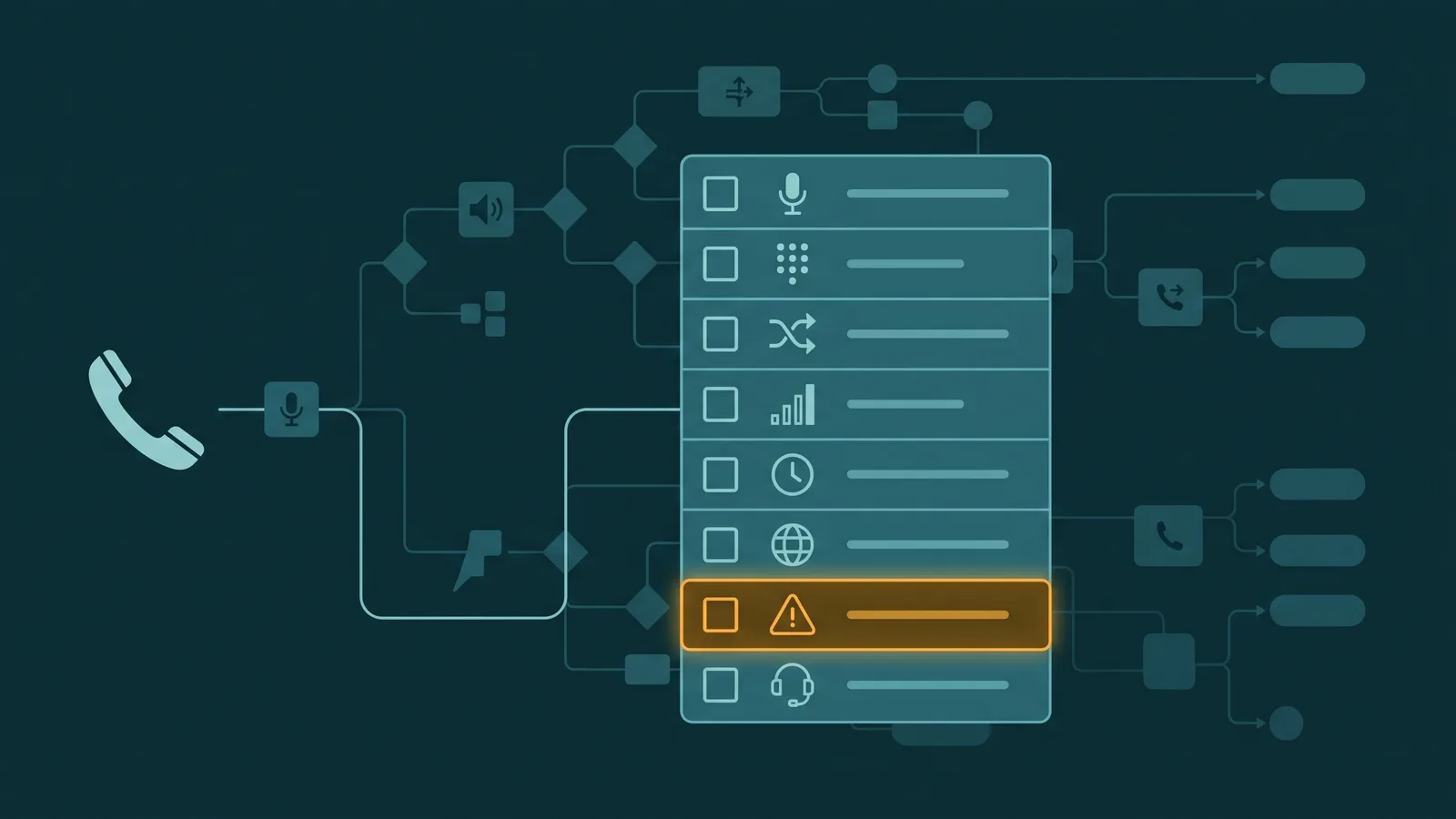
This checklist covers nine categories of pre-launch testing. Missing any one of them is how an IVR passes QA and then immediately generates complaints on day one.
What this checklist covers: Nine testing categories for IVR pre-launch validation — functional path testing, timeout and error path testing, audio quality, DTMF reliability, load testing, transfer testing, accessibility, holiday and schedule behavior, and reporting verification. Each category addresses a class of failures that is invisible under normal development testing conditions but surfaces in production.
- Category 1: Functional testing — every menu path and every transfer point
- Category 2: Timeout and error paths — the most commonly skipped category
- Category 3: Audio quality — tested on real phone hardware, not a browser
- Category 4: DTMF reliability — why softphone testing is not sufficient
- Category 5: Load testing — behavior under concurrent call volume
- Category 6: Transfer testing — agent handoff, voicemail, and overflow
- Category 7: Accessibility — speed, language, agent escape, DTMF fallback
- Category 8: Holiday and schedule testing — overrides, time zones, after-hours
- Category 9: Reporting and logging — IVR path data, transfer attribution, authentication logs
Category 1: Functional Testing
Functional testing verifies that the IVR routes calls correctly across every configured path. The goal is full coverage — not just the paths you expect callers to take, but every branch, every sub-menu, every return-to-menu path, and every transfer point. The happy path is the easiest test to pass and the least informative one to run alone.
Before testing, produce a complete map of the IVR call flow that includes every possible input at every menu level, every branch destination, and every transfer point. This map becomes your test case list. Every row on the map is a test that must pass before go-live.
- Every menu option routes to the correct destination. Test each branch individually. At a three-option top-level menu, that is three separate test calls. At a multi-level IVR, the total tests multiply quickly — map every path and test each one from start to finish.
- Every DTMF key (0–9, *, #) registers correctly at each menu level. This includes keys that are valid inputs and keys that are not mapped — pressing 7 at a menu that only uses 1, 2, and 3 should trigger a defined error path, not silence or a mis-route.
- Speech recognition inputs are recognized at every prompt that accepts speech. Test common phrasings including informal and abbreviated responses — "yeah" instead of "yes," "billing" instead of "I'd like to speak to someone about my bill," and short single-word answers. ASR systems tuned on formal speech often fail on casual responses that real callers use.
- Transfer to agents works from every transfer point in the IVR. If the IVR has four different paths that each end in a transfer, all four must be tested independently. A transfer that works from path 1 may fail from path 3 if routing configuration is inconsistent across branches.
- Transfers carry the correct context to the agent screen-pop. After every transfer, verify on the agent side that the caller name, account number, IVR path taken, and any data entered during the call are visible. Context that is captured but not passed creates agents who ask callers to repeat information the IVR already collected.
- Return-to-main-menu works from every sub-menu. On a multi-level IVR, callers who select the wrong top-level option need a way back. Test the return-to-menu path from every sub-menu level — including sub-menus nested two levels deep.
- Escape-to-agent (pressing 0 or saying "agent") works at every level. This should work even if it is not announced in the prompt. A caller who presses 0 mid-menu should reach an agent. Test this at the top-level menu, at each sub-menu, and during any data-collection prompt such as account number entry.
Category 2: Timeout and Error Path Testing
Timeout and error path testing is the most commonly skipped category in IVR pre-launch review, and the most reliably productive source of production failures. The happy path test verifies that the IVR works when a caller does what it expects. Error path testing verifies what happens when callers don't — because in production, a significant percentage won't.
No-input and unrecognized input are the two most common caller behaviors that trigger error paths. Both must be tested with the same rigor as happy-path options. A properly configured IVR re-prompts with different wording, escalates after a defined maximum retry count, and never dead-ends a caller with no available action.
- Timeout on no input. Wait out the full silence timeout at every prompt — do not press any key or speak. Confirm that the system re-prompts after the defined silence window rather than assuming the caller has left. The silence window should be long enough to accommodate callers who are distracted or on a slow connection, but short enough not to be frustrating. Test at every menu level and at every data-collection prompt.
- Timeout after maximum reprompts. Allow the no-input timeout to fire the maximum configured number of times — typically two or three. After the final retry, the IVR must escalate to an agent or a defined fallback, not disconnect the call. A caller who didn't respond at all should reach a human, not hear a goodbye message and be disconnected. Test this at every menu level.
- Unrecognized DTMF input. Press a key that is not a valid option at each menu level. The system should re-prompt with guidance — not crash, mis-route, or play silence. Confirm that the error message is specific enough to be useful ("I didn't recognize that option — for billing, press 1; for support, press 2") rather than generic ("Please try again").
- ASR recognition failure. On prompts that accept speech, speak something outside the recognized vocabulary — an unrelated word, a very soft utterance, or background noise without speech. Confirm that the system fails gracefully: a re-prompt, not a crash, a mis-route, or a silent transfer to the wrong queue. The re-prompt should acknowledge the failure and offer a DTMF alternative.
- Invalid account number or identifier. If the IVR accepts account numbers, phone numbers, or other identifiers for CRM lookup, enter a valid-format but non-existent identifier. Confirm the system prompts the caller to retry rather than crashing, routing to an error state, or proceeding as if the lookup succeeded with no results.
- Backend API or CRM timeout. Test what happens when the data lookup does not return within the configured timeout window. The IVR must handle this gracefully — acknowledging the delay and continuing rather than freezing, disconnecting, or routing the call incorrectly. A silent API failure that causes the IVR to route as if no data was returned is one of the most common production failure modes.
- Maximum retry limit triggers correctly. Confirm that the maximum number of failed input attempts actually triggers the configured fallback behavior. If the IVR is configured to transfer to an agent after three failed attempts, test three consecutive failures and confirm the transfer fires. Some configurations have the limit set to a value that is never actually reached in the implementation.
EaseDial
Design, preview, and test IVR flows before going live — visual builder, no coding required.
Category 3: Audio Quality Testing
Audio quality failures are invisible in development and obvious to callers the first day the system is live. Audio that sounds clear in a browser softphone or a VoIP test client may be degraded, clipped, or inconsistent in volume when heard over a PSTN landline or a mobile call routed through carrier transcoding. The only way to catch these issues before go-live is to test on real phone hardware.
- All audio prompts play at appropriate volume and speed. Listen to every prompt on a real handset — not through a browser or desktop speaker. Prompts that are too fast are a common complaint from elderly callers and anyone in a noisy environment. The recommended upper limit for IVR prompts is 150 words per minute; test actual playback speed against that benchmark.
- All prompts are consistent in recording quality. When multiple prompts were recorded at different times, by different voice talent, or at different microphone distances, the result is an IVR where each option sounds noticeably different. Test by listening to prompts back-to-back — volume level, background noise floor, and vocal tone should be consistent across every prompt in the system.
- Test all audio on a real landline and a real mobile phone. These two test surfaces are not interchangeable. Mobile calls routed through carrier compression may clip quiet audio entirely. Landline calls through an older PBX may introduce hum or echo that is not present in SIP softphone tests. Use both surfaces before sign-off.
- Music on hold does not bleed into prompt recordings. If the IVR queues callers with hold music between prompts, test that the music ends cleanly before each prompt begins. Bleed-in at the transition is audible to callers and makes prompts harder to understand.
- Text-to-speech prompts pronounce specialized terminology correctly. TTS engines consistently mispronounce acronyms (saying "ivur" instead of "I-V-R"), product names, numbers in certain contexts ("press one" vs. "press 1"), and brand names that don't follow standard phonetic rules. Listen to every TTS prompt end-to-end with attention to each specialized term. Correct mispronunciations with SSML markup or by switching the affected prompts to recorded audio.
Category 4: DTMF Reliability Testing
DTMF (Dual-Tone Multi-Frequency) tones are in-band audio signals. They travel in the audio stream of the call, not out-of-band, which means they are subject to the same degradation that affects voice audio. Three failure modes are common in production but invisible in softphone testing: codec clipping, echo cancellation interference, and carrier transcoding.
Codecs that apply silence suppression — G.729 is the most common example — can clip the beginning of a DTMF tone when it immediately follows a period of silence, causing the tone to not register. Echo cancellation algorithms can occasionally misidentify a DTMF tone as an echo artifact and suppress it. Carrier transcoding occurs when a call passes through a carrier that re-encodes the audio to a different codec — common on calls that traverse multiple SIP trunks or transit from VoIP to PSTN. Each transcoding pass degrades DTMF reliability.
- Test DTMF inputs from real mobile phones on multiple carriers. This is the single highest-value DTMF test. Mobile-to-VoIP calls frequently traverse carrier networks that transcode or recompress the audio. Inputs that register reliably from a SIP softphone may fail intermittently on a mobile call. Test each menu input from at least two different mobile carriers.
- Test DTMF inputs from a landline through a real PSTN connection. Landline DTMF tones have different signal characteristics than SIP-generated tones. If your IVR receives calls from a mix of mobile and landline callers, both need to be tested.
- Test barge-in (pressing a key while a prompt is playing). Returning callers familiar with your IVR menu will press their option before the prompt finishes. This is called barge-in or type-ahead. Test that a keypress during a prompt registers correctly and does not get double-counted (the key fires once, not twice) and does not get silently dropped. Barge-in should be enabled on every prompt where callers might use it — which is every prompt.
- Test DTMF at menu transitions. Press a key during the silence between the end of one prompt and the beginning of the next. Confirm the input registers correctly at the new menu level rather than being interpreted as late input for the previous prompt.
Category 5: Load Testing
IVR behavior under a single test call is not representative of behavior under production call volume. Backend API latency increases nonlinearly as concurrent calls multiply. Audio streaming under high concurrency can introduce additional buffering delays. Queue depth and concurrent IVR sessions can produce timing behavior that is invisible in single-call tests.
Load testing an IVR requires either a call load generation tool or coordination with your IVR platform's testing environment to simulate concurrent sessions. Not every organization runs at a volume that makes large-scale load testing necessary, but any IVR expected to handle more than 20–30 concurrent calls at peak should be load tested before go-live.
- Test with simultaneous concurrent calls. Run multiple calls through the IVR at the same time — enough to reach your expected peak concurrency. Confirm that calls do not drop, audio does not degrade noticeably, and each call follows its configured path independently without interference from concurrent sessions.
- Test during a simulated business hours peak. If your IVR call volume peaks at specific times of day — Monday morning, the first week of the month — simulate that condition by running concurrent calls at peak expected volume. High queue depth and high IVR concurrency together can produce system behavior that neither condition produces alone.
- Test backend API and CRM lookup under load. A CRM lookup that returns in 200 milliseconds with one concurrent session may return in 2 seconds or more with 50 concurrent sessions if the API is not horizontally scaled. A 2-second lookup latency may be within your configured IVR timeout under normal conditions but trigger timeout logic under load. This produces IVR failures that appear intermittent and are extremely difficult to diagnose after the fact — they need to be caught in load testing.
Category 6: Transfer Testing
Transfer failures are the most visible IVR failures to callers — they have navigated the IVR successfully, been routed to the correct queue, and then the call fails at handoff. Transfer testing must cover every type of transfer the IVR performs and every condition under which those transfers occur, including edge cases like all-agents-unavailable and queue timeout.
- Warm transfer from IVR to agent. Confirm that the agent receives the correct whisper (the brief message played to the agent before connecting) and the correct screen-pop with caller data and IVR path. Verify that the caller hears appropriate hold audio during the transfer and is not dropped or sent to silence.
- Cold transfer from IVR to an external number. If the IVR transfers to an external PSTN number — a partner office, an overflow provider, or an after-hours service — place a test call and confirm the external number rings and answers correctly. Cold transfers to external numbers fail silently more often than transfers within the same platform.
- Transfer to voicemail. Confirm that when the IVR routes to a voicemail box, the voicemail greeting plays correctly and the recording function activates. Test that the recorded message is delivered to the correct mailbox. Voicemail routing failures often result in callers hearing a greeting but the recording going nowhere.
- Transfer when all agents are unavailable. Remove all agents from available status and place a test call through the IVR to a point that would normally transfer to an agent. Confirm that the overflow logic activates correctly — whether that is voicemail, an after-hours message, a secondary queue, or an external number. The no-agents-available path is one of the least-tested paths and one of the most consequential.
- Transfer during queue timeout. Place a test call and allow it to wait in queue past the configured timeout duration. Confirm that when the timeout fires, the call reaches the correct overflow destination — and confirm it is the right destination for that specific queue, not a default that applies to a different queue.
Category 7: Accessibility Considerations
Telephone IVR is not covered by the technical specifications of WCAG (Web Content Accessibility Guidelines), but there are well-established best practices for making IVR accessible to callers with hearing impairment, cognitive disabilities, and motor impairments. An IVR that is not accessible generates repeat calls, agent escalations, and complaints that could have been prevented at the design stage.
The most important accessibility principle for IVR is also the simplest: callers must always be able to reach a live agent without navigating through the full menu tree, regardless of their disability status. An IVR that traps callers who cannot process the menu in time or who cannot reliably input DTMF tones is inaccessible by design.
- Prompt speed does not exceed 150 words per minute. Measure actual playback speed for each prompt. TTS engines set to default speed often exceed this threshold. Pre-recorded prompts recorded at natural conversational pace can also be too fast for elderly callers or callers with cognitive disabilities. Use a word count and a stopwatch to verify speed for every prompt in the system.
- Prompts use clear, simple language with one instruction per prompt. Compound instructions — "If you are calling about a billing issue with your account and need to speak to someone about a payment plan, press 1" — are harder to process than simple ones. Each prompt should communicate one intent, one action. If a prompt requires multiple sentences, break it into fewer options or shorter phrasing.
- A live agent option is available at every level without navigating the full menu. The escape-to-agent path (pressing 0 or saying "agent") must work at every menu level, every sub-menu level, and every data-collection prompt. This is the primary accessibility safeguard for callers who cannot navigate the menu reliably. Test it explicitly at every level, including levels where it is not announced in the prompt.
- DTMF is always available as a fallback where speech input is accepted. A prompt that accepts only speech — with no DTMF alternative — is inaccessible to callers with speech impairments and unreliable for callers in noisy environments or on poor connections. Every prompt that accepts speech should also accept an equivalent DTMF input. Do not design a speech-only path with no keypad fallback.
- Input timeout windows are long enough for callers who need more time. The default no-input timeout on many platforms is 3–5 seconds. Callers with cognitive disabilities or physical impairments may need longer to initiate input. Test the configured timeout and confirm it is set to a duration that accommodates slower callers — 6–8 seconds is a more accessible baseline for most deployments.
Category 8: Holiday and Schedule Testing
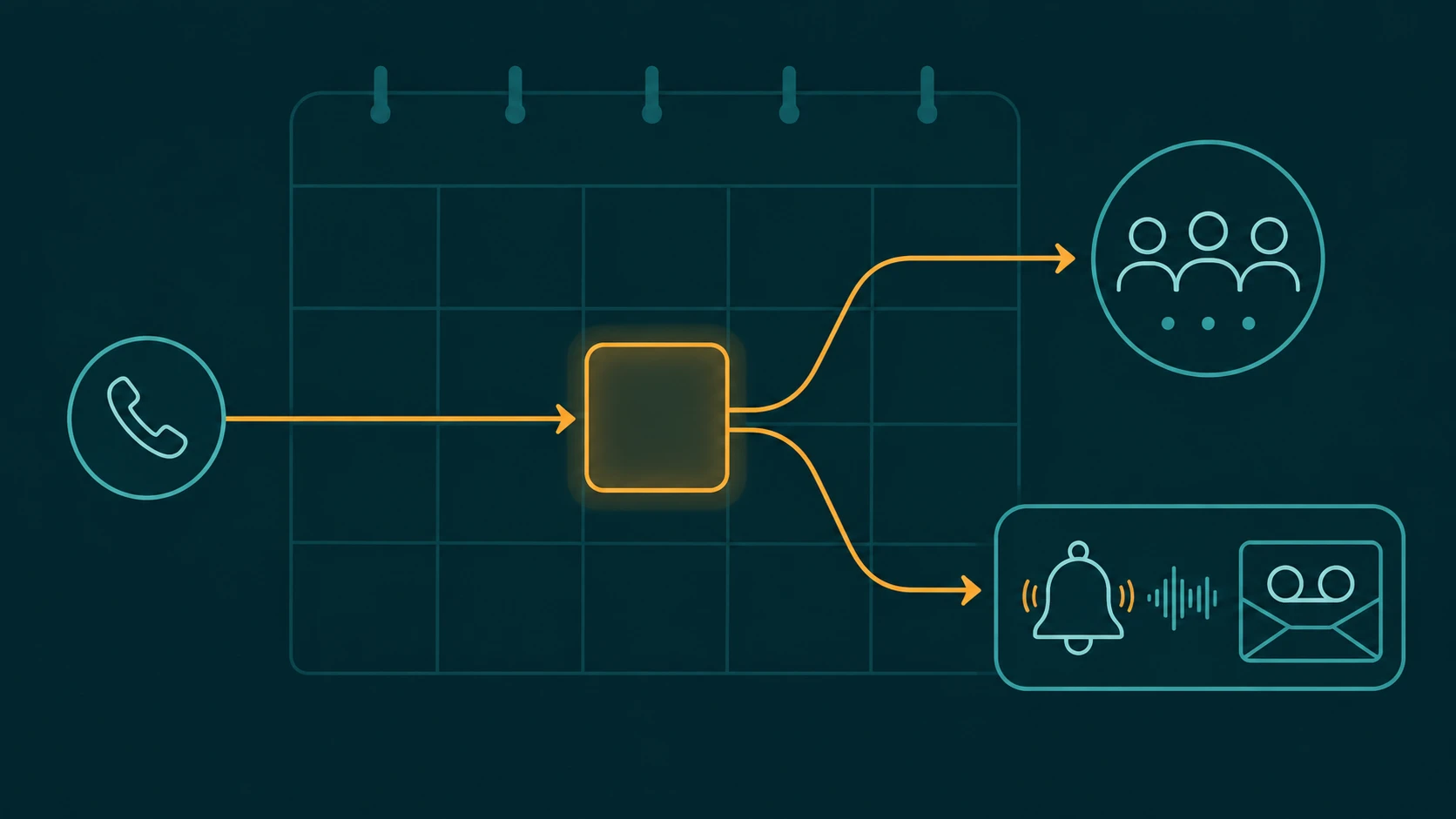
Schedule-based routing failures are among the most damaging IVR failures because they happen at specific moments — the start of a holiday, the transition to after-hours — when call volume may be high and the window to detect and fix the problem is short. Testing schedule behavior before go-live requires simulating those transitions rather than waiting for them to occur naturally.
Most IVR platforms allow schedule testing by either setting a test date/time in a configuration panel or by temporarily overriding the system clock. Use whichever method your platform supports to run each of these tests before the system handles live calls. For more on how holiday call routing is configured in practice, see IVR best practices.
- Simulate a configured holiday and confirm holiday routing activates. Set the system to the date and time of a configured holiday and place a test call. Confirm that the holiday routing activates — the holiday greeting plays and the call routes to the configured destination. Also confirm that normal routing is active on a non-holiday date adjacent to the holiday, so the holiday rule is not over-firing.
- Test after-hours behavior by placing a call outside business hours. Set the system to an after-hours time and call in. Confirm the after-hours message plays and the call routes correctly — to voicemail, to an emergency queue, or to an after-hours answering service, depending on your configuration. Also test the boundary: a call placed one minute before business hours end and one minute after, to confirm the transition fires at the correct time.
- Test the manual override (emergency closure). Activate the emergency closure or manual override in the admin interface and immediately place a test call. Confirm that the IVR routes to the emergency closed message without delay. The override should take effect on the next call after activation, not on a delayed schedule. Also test deactivating the override and confirm normal routing resumes.
- Verify time zone configuration. If your organization spans multiple time zones or your IVR platform is hosted in a data center in a different time zone than your business, confirm that the schedule is configured against the correct time zone and that daylight saving transitions are handled correctly. A business hours schedule configured in UTC that should reflect Eastern Time will be off by 4–5 hours depending on the season.
Category 9: Reporting and Logging Verification
An IVR that routes calls correctly but does not log the routing data is an IVR you cannot improve. Reporting verification confirms that the data needed to diagnose production problems and optimize performance is actually being captured — before the system goes live and before the first real problem occurs.
Run test calls through each major path and then check the reporting system to confirm the expected data appears. This is also the appropriate time to verify that data flows correctly to external analytics tools, CRM call logging, and any workforce management system that consumes call data.
- IVR path data is logged for each test call. After each test call, confirm in the reporting system that the menu options selected, the path taken, and the exit point (transfer, hang-up, or self-service completion) are recorded. Without path-level data, you cannot identify which menu level is causing abandonment in production.
- Transferred calls carry IVR path attribution. In the reporting system, confirm that calls that transferred to an agent are attributed to their IVR entry path — which menu option was selected, which sub-menu path was followed, which transfer point fired. Calls that show up in agent queue reports with no IVR path data cannot be used to evaluate IVR performance or identify misdirected transfers.
- Failed authentications are logged separately from successful containment. If the IVR includes an authentication step — account number verification, PIN entry, or caller identity lookup — confirm that failed authentication attempts are logged distinctly from successful self-service completions. An IVR that counts hang-ups after a failed authentication as "containment" produces containment rate metrics that are misleading and cannot be used to improve the authentication flow.
- Transfer context appears correctly in agent reporting. After a test transfer, check the agent-side reporting or CRM record for the call. Confirm that the IVR path, any collected data (account number, stated intent), and authentication status are visible in the agent record. If this data is missing from the agent view, it is missing from agent reporting and will not be available for analysis after go-live.
Frequently Asked Questions
See EaseDial's IVR: Multi-level IVR configurable from the admin portal — connect to queues, extensions, AI Voice Agent, or voicemail. IVR feature details →
Related Articles
Routing & Operations
What Is an IVR System? How IVR Works and When to Use It
Read article →
Routing & Operations
IVR Best Practices: Menu Design, Prompts, and Error Handling
Read article →
Routing & Operations
What Is a Multi-Level IVR? When and How to Use One
Read article →
Routing & Operations
Holiday Call Routing: Schedules, Overrides, and Best Practices
Read article →