This is the complete IVR reference guide — technical architecture, components, design, and optimization. For a direct comparison of traditional IVR vs. AI voice agents (which to choose and when), see AI Voice Agent vs. IVR: Which Should You Use?. For the distinction between auto-attendant and IVR capabilities, see Auto Attendant vs. IVR.
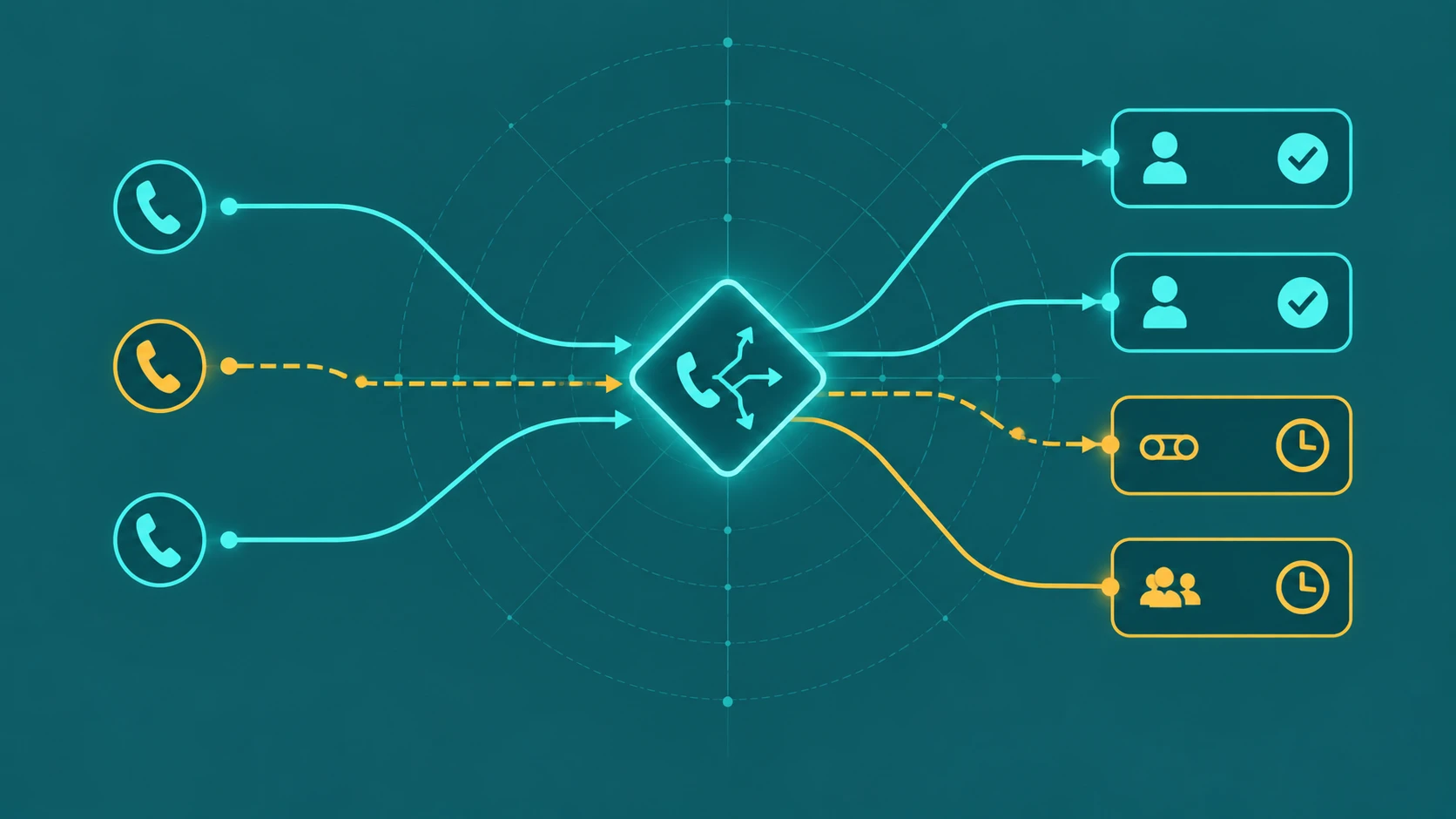
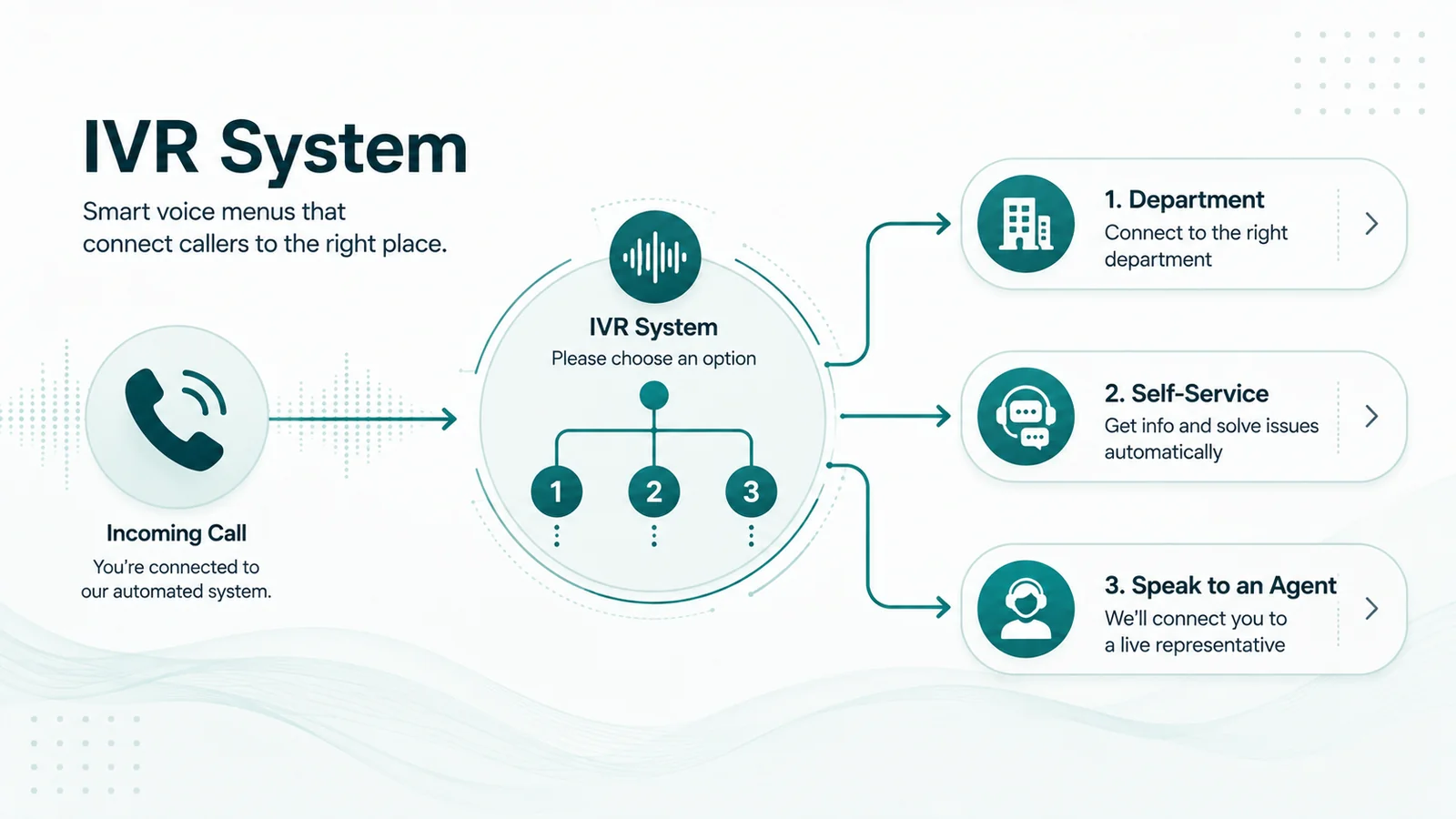
When a caller dials your contact center and hears "Press 1 for sales, press 2 for support," that is an IVR system at work. Interactive Voice Response is the technology that answers calls before any human does. It plays prompts, captures what the caller wants, and decides what happens next — whether that is resolving the call without an agent, routing to the right queue, or collecting information that helps the next agent get straight to the point.
IVR is also the most complained-about technology in customer service. Done well, it saves money, reduces wait times, and gets callers where they need to go faster than a live receptionist could. Done badly, it traps people in menus they cannot escape, recognizes nothing they say, and destroys goodwill before a human even picks up.
For how IVR and call queues work together in a call flow, see call queue vs IVR: what's the difference? For nested menu structures specifically, see what is a multi-level IVR?
IVR system definition: An IVR (Interactive Voice Response) system is an automated telephone system that plays pre-recorded or synthesized voice prompts, accepts caller input via keypad tones (DTMF) or spoken words, and routes or resolves calls without a live agent. IVR systems are used by contact centers to reduce costs, provide 24/7 self-service availability, and route callers accurately to the right agent or department.
How IVR evolved
IVR emerged in the 1970s as rudimentary DTMF-based routing systems. Early versions did little more than decode keypad tones and branch to different extensions. Speech recognition was layered on during the 1990s. VoiceXML — a W3C standard for writing IVR call flows in markup, often described as "HTML for phone calls" — standardized how call flow logic was authored in the early 2000s. Cloud-hosted IVR became the norm after 2010. Since 2020, large language model-powered conversational voice systems have begun replacing or extending traditional IVR menus in enterprise contact centers.
How IVR Works: The Technical Architecture
An IVR system is not a single piece of software. It is a set of components that work together. Understanding the architecture helps you evaluate vendors and diagnose problems when they occur.
The core components
- Telephony interface — The gateway that connects the PSTN or a SIP/VoIP trunk to the IVR platform. Every inbound call arrives here first.
- Media server — Handles audio streaming in both directions. It plays prompts to the caller, detects DTMF keypad tones in real time, and streams caller audio to the ASR engine when speech input is configured. Voice quality lives here — latency, jitter, and packet loss all affect what the media server can do.
- Application server — Hosts the call flow logic. In traditional systems this is written in VoiceXML documents; modern cloud platforms use proprietary visual flow editors that compile to equivalent logic. When the caller presses 2, the application server determines what state to enter next.
- CTI middleware — Computer Telephony Integration. This is the bridge between the telephony world and your business systems. When the IVR captures an account number, CTI fires an API call to your CRM and retrieves customer data in real time. That data can then personalize the IVR's response, inform routing decisions, and pre-populate the agent's screen before the call connects.
- ACD — The Automatic Call Distributor that receives routing instructions from the IVR and queues the call to the right agent group. In modern cloud platforms, IVR and ACD are often unified in a single flow engine, but the functional distinction remains.
- TTS engine — Text-to-Speech converts written text into synthesized audio. This is how dynamic content — a caller's name, account balance, or order status pulled from a database — can be spoken aloud without pre-recording every possible value.
- ASR engine — Automatic Speech Recognition converts the caller's spoken words into text that the system can interpret. The quality of the ASR engine determines how reliably the system understands real callers: different accents, background noise, mobile connections, and regional dialects all affect accuracy.
- Analytics layer — Logs every session: which prompts were played, which options were selected, where callers dropped off, how calls were resolved. This data is essential for ongoing optimization.
DTMF: how keypad input works
DTMF stands for Dual-Tone Multi-Frequency. When a caller presses a key on their phone, the handset transmits two simultaneous audio tones — one from a row frequency and one from a column frequency. For example, pressing "1" sends 697 Hz and 1209 Hz at the same time. The media server decodes this combination in real time and maps it to the corresponding digit.
DTMF is reliable, works on any phone — including landlines with no data connection — and requires no AI infrastructure. It is the foundation of every IVR system and remains the most universal input method, even in systems that also support speech.
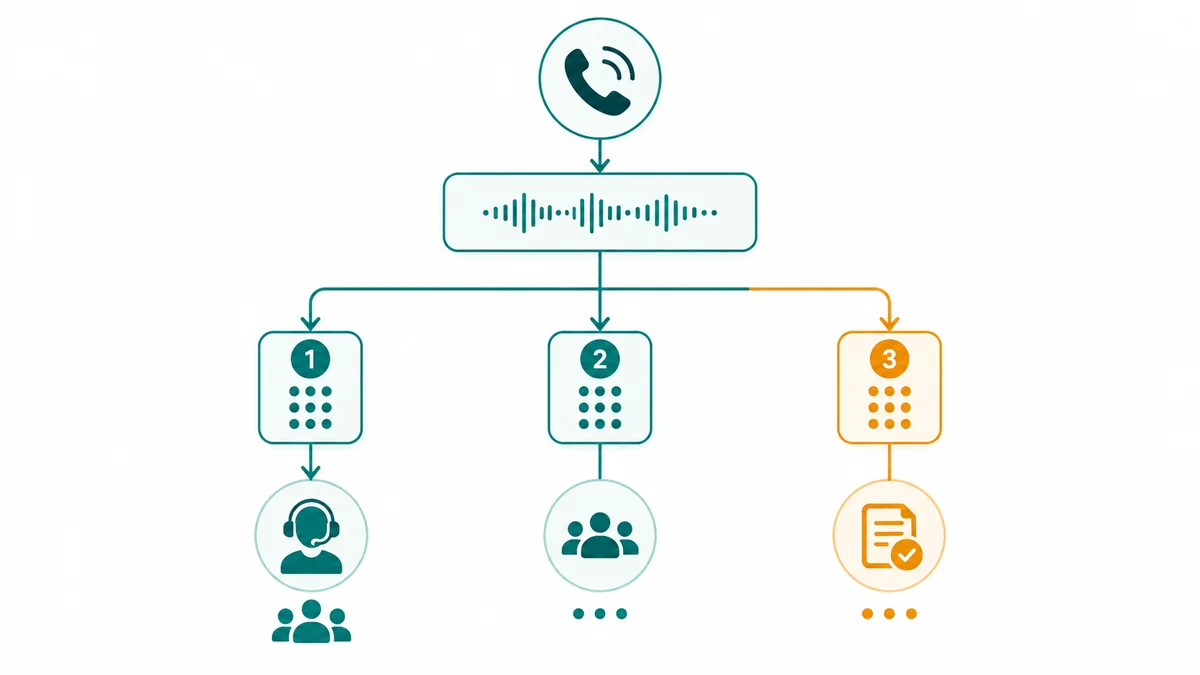
How a Call Moves Through an IVR — Step by Step
The IVR call flow operates as a state machine. Each prompt is a state; each caller input is a transition to the next state. Here is how a typical call moves through the system:
- Caller dials the contact center number. The PSTN or SIP trunk routes the call to the IVR platform's telephony interface.
- The media server answers the call and the application server plays a greeting prompt — either a pre-recorded audio file or a TTS-synthesized message.
- The caller responds. If DTMF, the media server decodes the tone. If speech, the audio is streamed to the ASR engine, which produces a text transcript.
- The application server receives the input, matches it to a menu option or intent, and transitions to the next state — another prompt, a data lookup, or a routing instruction.
- If the call is resolvable via self-service: the IVR queries the backend via CTI, retrieves the answer or executes the transaction, plays the result, and ends the call.
- If the call needs an agent: the IVR passes routing metadata — caller intent, authentication status, customer segment, language preference — to the ACD. The ACD queues the call to the right agent group and dispatches it when an agent is available.
- The agent receives the call with a screen pop: the customer record, IVR path taken, and captured data are already on screen before the caller says a word.
- The analytics layer logs the full session — every prompt, every input, outcome, audio quality, and duration.
If a caller does not respond to a prompt (no-input) or responds with something the system cannot match (no-match), the system re-prompts with different wording up to a configured maximum — typically twice — before escalating to an agent or playing an error message. These error paths are where many IVR designs fail: they either trap callers in an unrecoverable loop or dump them into a generic queue without context.
Types of IVR Systems
Not all IVR systems work the same way. The input technology and dialogue model vary significantly across types, and the right choice depends on the complexity of your call flows and the budget available.
DTMF / touch-tone IVR
The original and still most common type. Callers navigate by pressing keys. No speech recognition required. Highly reliable, works on every phone, and costs less than speech-enabled alternatives. The limitation is that menu trees can become deep and rigid — the caller has to listen through every option before knowing whether their need is covered.
Keyword and directed speech IVR
The system recognizes specific spoken words — "yes," "no," "billing," "cancel" — against a limited vocabulary grammar. This is not free-form speech understanding. The ASR is looking for exact matches from a defined list. It is more flexible than DTMF for callers who do not want to press keys, but still fails when callers phrase things outside the expected vocabulary.
Directed dialogue IVR
The system asks structured questions and expects structured answers. "Please say or enter your account number." The ASR is trained on the specific type of input expected — numbers, dates, names from a known list. Accuracy is higher than open-ended speech recognition because the grammar constrains what the engine is listening for.
Conversational IVR / IVA (Intelligent Virtual Agent)
The caller speaks freely and the system understands intent from natural language. "I need to change the shipping address on my order from last week." The NLU layer interprets the intent (address update) and extracts entities (order, address). A dialogue manager maintains context across multiple turns, so the system remembers what was said earlier in the call.
Modern conversational IVR platforms use large language models as the dialogue backbone. Containment rates for targeted transaction types reach 60–90% with well-designed conversational systems, compared to 20–40% for traditional DTMF menus. The tradeoff is higher implementation complexity and ongoing AI infrastructure cost. AI voice agent vs. IVR covers the full comparison of conversational AI and traditional IVR.
Visual IVR
The IVR menu is presented on a smartphone screen via a web link or SMS sent at the moment the caller dials. The caller taps options instead of listening to audio menus. Behind the scenes, the same call flow logic runs — the input method just changes from audio to touch. This eliminates the frustration of listening through long menus while keeping the routing logic intact. Most effective when the majority of callers are on smartphones.
IVVR (Interactive Voice and Video Response)
A niche extension that adds a video channel alongside the voice call. Used in specific contexts — technical support where visual guides help, ATM interfaces, and some educational or telemedicine applications. Requires a broadband video-capable connection and supporting hardware. Not relevant for most contact center deployments but worth knowing exists as a category.
IVR Integration: CTI, ACD, and CRM
A standalone IVR that cannot communicate with business systems can only route calls — it cannot personalize them. CTI integration is what turns an IVR from a simple phone tree into a system that knows who is calling before a human picks up.
When a caller enters their account number, the IVR's CTI layer makes an API call to your CRM in real time. The response tells the IVR: this is a VIP customer, their last order was placed three days ago and has not shipped, and they have an open support ticket. The IVR can now personalize its prompt ("I see you have an open order — are you calling about that?"), route the call to the right team based on customer segment, and send a screen pop to the agent with all of this pre-populated.
The routing decision itself is executed by the ACD, which receives a routing instruction from the IVR and dispatches the call to the appropriate queue. In most modern cloud contact center platforms, IVR flow and ACD logic are configured in the same tool — but understanding that they are conceptually separate helps when troubleshooting routing problems.
PCI DSS-compliant IVR payment processing is a common CTI use case. The IVR captures card data via DTMF or speech, processes the payment via an integrated payment gateway, and the card data never touches the agent or the call recording. DTMF masking replaces the keypad tones in the audio recording with flat tones, so the card number is not recoverable from the recording.
IVR Features: Core, Advanced, and AI-Powered
| Tier | Features |
|---|---|
| Core | DTMF menu routing, pre-recorded prompt playback, TTS for dynamic content, call queuing with hold music, wait-time announcements, basic transfer to agent queues, voicemail and after-hours routing, call logging and reporting |
| Advanced | Speech recognition (keyword and directed dialogue), CTI integration with CRM and backend systems, skills-based routing via ACD, caller authentication (PIN, account number), virtual hold and callback, visual IVR, multi-language support with automatic detection, A/B testing of call flows, session path analytics, PCI DSS-compliant payment capture |
| AI-powered | Natural language understanding (open-ended intent), LLM-backed dialogue management, sentiment analysis with proactive escalation, voice biometrics for passive caller authentication, predictive routing based on caller history, conversational handoff with full session transcript, neural TTS (near-human voice quality), self-optimizing call flows |
IVR Use Cases by Industry and Business Size
By organization size
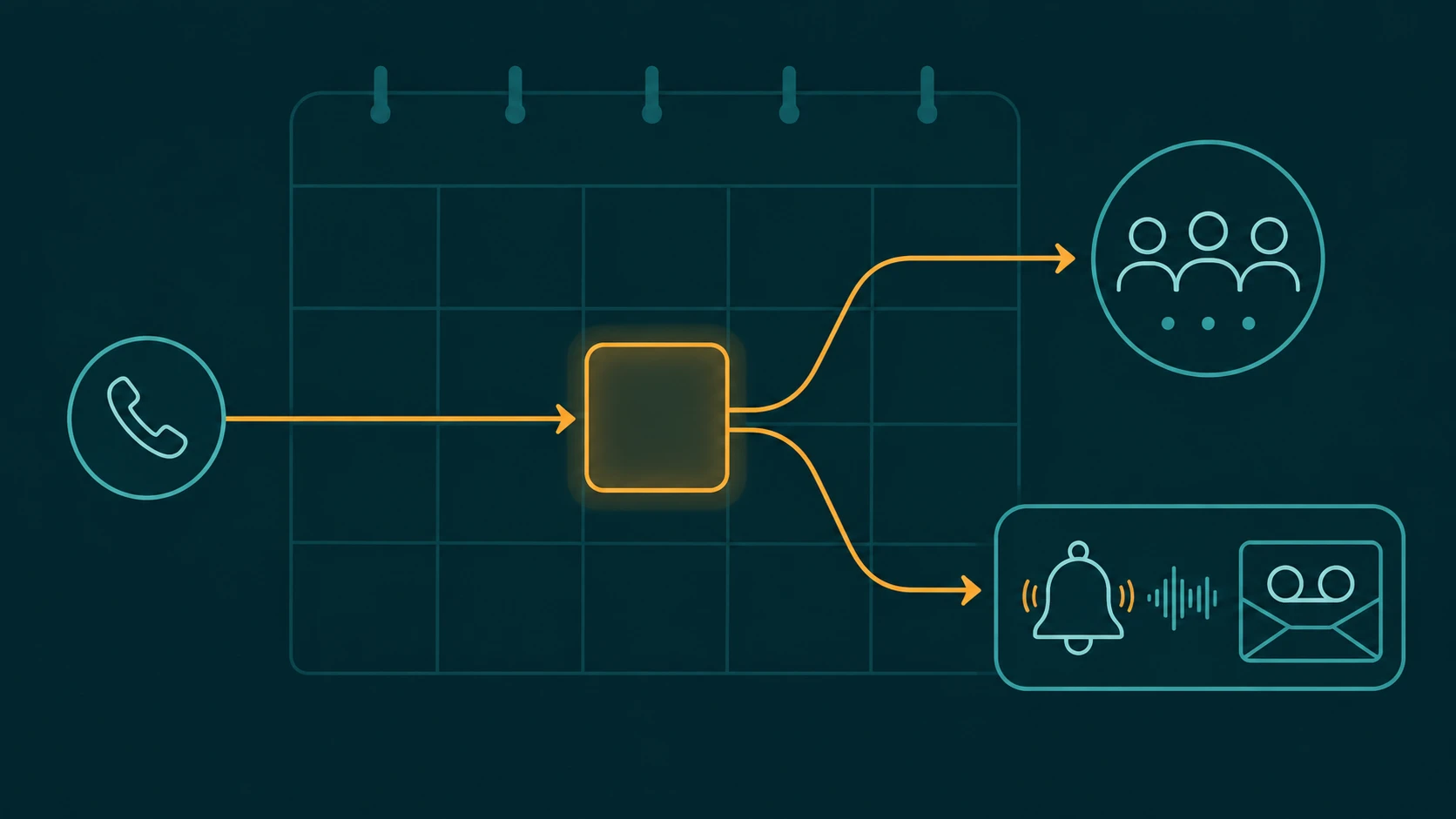
Small businesses (1–50 agents): After-hours routing, basic department routing, voicemail, and simple queue management. Most small business cloud phone systems include an IVR as part of the subscription with no additional cost. The use case is straightforward: make sure calls reach the right person or department without requiring a full-time receptionist.
Mid-market contact centers (50–500 agents): Multi-tier menus, authenticated self-service for balance checks and order status, PCI-compliant payment IVR, and callback queuing. At this scale, the difference between 20% and 40% call containment has a direct measurable impact on staffing cost.
Enterprise (500+ agents): Complex skills-based routing, conversational IVR with NLU, multi-language support, voice biometrics, and deep CRM and ERP integration. Enterprise IVR deployments often require dedicated professional services to design and implement correctly, and they run on platforms like Genesys Cloud, NICE CXone, or Amazon Connect.
By industry
Banking and financial services represent the largest IVR user base — roughly 30% of the global IVR market by revenue. Balance inquiry, payment processing, card freeze, and fraud alerts are all highly suited to IVR self-service because they are transactional, authentication-gated, and high-volume.
Healthcare is the fastest-growing IVR vertical. Appointment scheduling and reminders, prescription refill requests, lab result notifications, and after-hours nurse line routing are all candidates for IVR automation. HIPAA compliance requirements — specifically the need for a Business Associate Agreement with the IVR vendor and encryption of any protected health information captured in the session — add implementation requirements that not all platforms meet.
Retail and e-commerce use IVR heavily for order status, return initiation, and delivery tracking — queries that are genuinely repetitive and answerable without an agent if the IVR has a clean API connection to the order management system.
Utilities rely on IVR for outage reporting, meter reading input, and bill payment — particularly important during weather events when call volume spikes sharply and agent capacity cannot scale fast enough without virtual hold and callback systems. See call queue management for more on handling volume spikes.
IVR Benefits — With Numbers
The primary economic argument for IVR is unit cost. IVR self-service costs roughly $0.25–0.60 per interaction. A live agent call costs $5.50–12.00 per interaction. That is a 10x to 20x cost difference at the per-contact level. Businesses that process payments via IVR spend approximately 7x less per transaction than through an agent, according to industry research.
Well-designed IVR systems contain 20–60% of inbound call volume without agent involvement. According to McKinsey, improving containment rates by 5–20 percentage points can reduce contact center operating costs by 10–30%. At a contact center handling 50,000 calls per month, moving from 25% to 40% containment means approximately 7,500 fewer calls reaching agents — a meaningful reduction in headcount requirements.
For calls that do route to agents, IVR with CTI integration improves first-contact resolution. Agents who receive a screen pop with customer context, IVR path taken, and authentication status need less time to understand the situation and get to resolution. Research from SQM Group puts first-call resolution for IVR self-service at 74% for transactions within the system's scope.
24/7 availability is a structural benefit that is easy to undervalue. A caller wanting to check their account balance at 11pm does not need a human. An IVR handles that without staffing cost. The same applies to appointment confirmations, order status checks, and payment reminders — all tasks where the answer exists in a database and a human adds no value to the interaction.
IVR Limitations and When It Fails
IVR has a poor reputation in many organizations — often for good reason. The technology is not the problem. The design and maintenance of the system usually is.
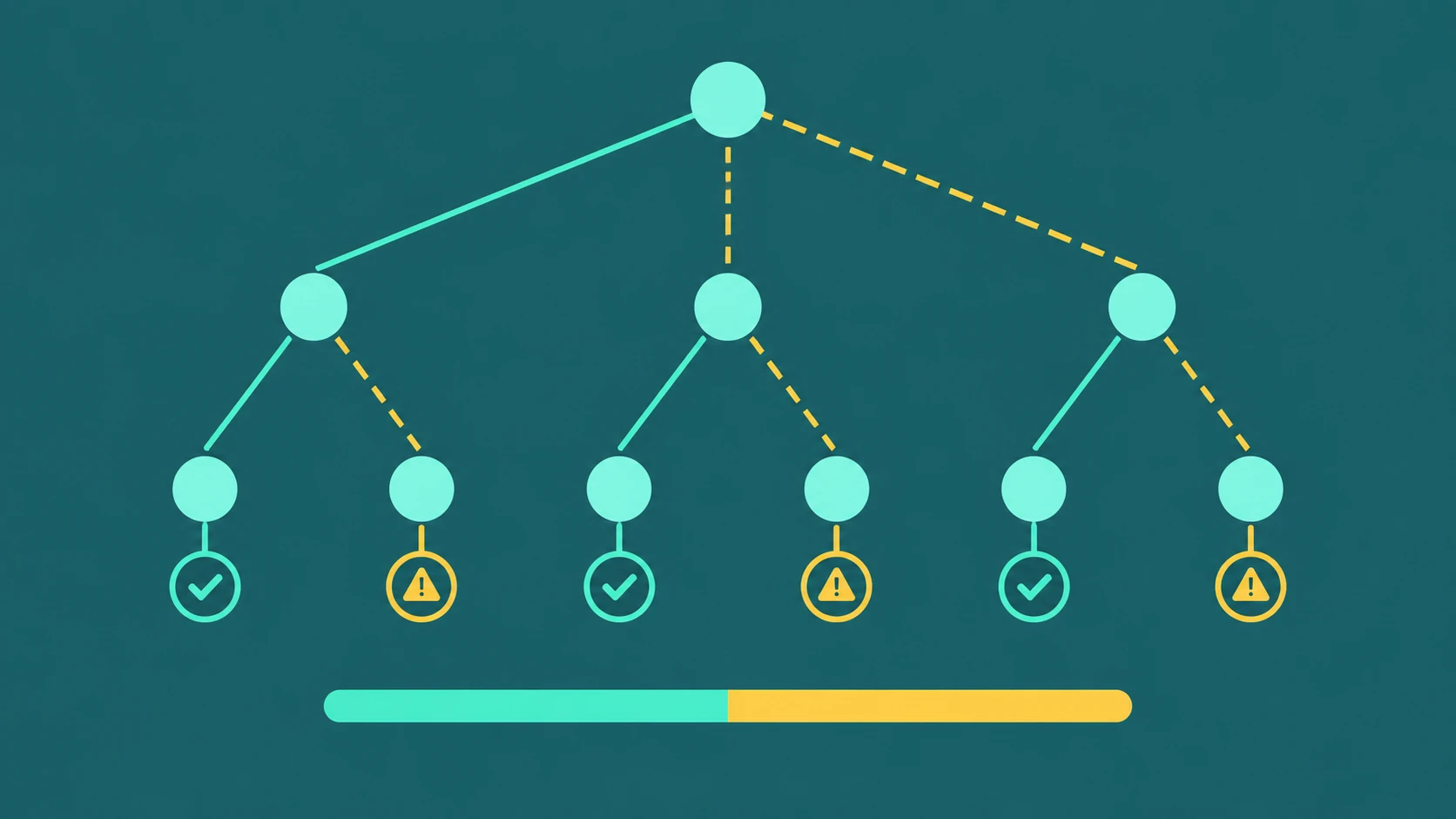
Menu depth is the most common design failure. Each additional IVR level increases caller drop-off risk by 8–10%. A three-level IVR that is navigated correctly gets the caller where they need to go. A five-level IVR that requires listening through 30 seconds of audio before pressing anything loses a material portion of callers at every step. If more than 15% of your callers are dropping off within the first 30 seconds, the IVR needs to be redesigned, not maintained.
Speech recognition degrades in real conditions. Background noise from a car, a non-native accent, VoIP packet loss, or a low-bandwidth mobile connection all reduce ASR accuracy. DTMF fallback — letting callers press keys even when the system is configured to accept speech — is essential. Systems that insist on voice input without a keypad escape frustrate callers who cannot get the system to understand them.
Stale content erodes trust. An IVR that references discontinued products, wrong business hours, or a department that was reorganized six months ago signals to the caller that the organization is not paying attention. Quarterly reviews of IVR content are a minimum viable maintenance standard.
IVR cannot handle complexity well. A caller trying to dispute a billing error while also having an open service ticket and a pending refund request is not a good IVR candidate. The 83% of customers who prefer human interaction for complex issues are expressing a genuine limitation of the technology, not a general preference for phone calls. IVR works for transactional queries. Complex, multi-issue calls need agents.
Hosted vs. On-Premise IVR
| Dimension | On-Premise | Cloud / Hosted |
|---|---|---|
| Upfront cost | High — dedicated hardware, software licenses, installation | Low — subscription-based, no hardware |
| Scalability | Fixed capacity; hardware procurement required to expand | Elastic — scales to call volume in seconds |
| Maintenance | Customer-managed patches, upgrades, hardware replacement | Vendor-managed; updates applied automatically |
| Data residency control | Full control — data stays on-site | Depends on vendor's compliance posture and region |
| Time to deploy | Weeks to months | Days to weeks |
| Integration | Direct access to internal systems; no firewall configuration | API-based; may require firewall rules for inbound queries |
| Market share (2025) | ~38% — persists in banking, defense, government | ~62% — growing at 5.97% CAGR |
For most organizations deploying IVR today, cloud is the practical default. On-premise persists in regulated environments where data sovereignty requirements, existing PBX infrastructure investment, or air-gap security mandates make cloud deployment impractical. If you are building a new contact center or moving from on-premise to cloud, the total cost of ownership and implementation timeline both favor cloud for most use cases.
IVR vs. Chatbot vs. Conversational AI: When to Use What
| Dimension | IVR | Chatbot | AI Voice Agent |
|---|---|---|---|
| Channel | Telephone (voice) | Text (web, app, messaging) | Telephone (voice) |
| Input method | DTMF keypress or structured speech | Typed text | Free-form natural speech |
| Interaction model | Menu tree or directed dialogue | Intent matching or LLM dialogue | Multi-turn conversational dialogue |
| Best for | Routing, simple self-service, payment capture, authentication | FAQ, asynchronous support, links and guidance | Complex transactions, open-ended queries, replacing Tier 1 agents |
| Containment rate | 20–60% (varies by design) | Varies by channel volume | 60–90% for targeted tasks |
| Setup complexity | Low to medium | Low to medium | Medium to high |
IVR and chatbots are not direct competitors — they operate on different channels. The decision between IVR and an AI voice agent is more consequential: AI voice agents can handle more complex interactions and achieve higher containment, but they cost more to implement and require more ongoing maintenance. For most contact centers, the answer is not one or the other. IVR handles routing and simple self-service; AI voice agents handle the more complex calls that would otherwise require a Tier 1 agent.
EaseDial Contact Center
IVR, routing, and queue management — configured in one place, not three different tools.
IVR Menu Design: What Works and What Breaks It
Most IVR problems are design problems. The underlying technology works. The call flows built on top of it often do not.
Rules that actually matter
- Maximum three levels of nesting. Beyond three levels, callers lose track of where they are and start pressing zero or hanging up. If your call flows require more than three levels to cover all use cases, the problem is usually that the IVR is trying to do too much — some of those paths should go directly to an agent.
- Maximum five options per menu. Human auditory working memory cannot reliably retain more than five options heard sequentially. If you have seven or eight options, callers will either guess or request an agent rather than listen through the full list.
- Enable barge-in on every prompt. Barge-in allows the caller to interrupt the prompt and input their selection before the recording finishes. Callers who have called before know what they want. Forcing them to sit through the full prompt every time is one of the most frustrating IVR experiences and is entirely preventable.
- Never bury the agent escape option. "Press 0 for an agent" or equivalent should be available at every menu level, not just the top level. Trapping callers without an escape route generates complaints and repeat calls.
- Differentiate no-input and no-match errors. A caller who said nothing needs different guidance than a caller who said something the system did not recognize. Generic error messages for both create confusion. Re-prompt a maximum of twice before escalating to an agent.
- Review the flow quarterly at minimum. Products change, departments restructure, hours change, new services launch. An IVR built for last year's organization structure fails callers in ways that are hard to trace unless someone is actively reviewing path data and no-match events.
Common mistakes
- Designing the call flow around the internal org chart rather than around caller intent. Callers think "I have a problem with my bill," not "I need the billing department under the finance division."
- Recording prompts at low audio quality or with background noise. Audio quality directly affects whether callers trust the system.
- Not enabling DTMF masking before recording calls that capture payment card data. Card digits in a recording are a PCI DSS violation.
- Optimizing containment rate without also tracking resolution rate. A call contained by the IVR that did not actually resolve the caller's problem is not a success — it is a deferred agent call with an annoyed caller.
- Copying an old IVR's menu structure verbatim when migrating to a new platform rather than redesigning for the new system's capabilities.
IVR Analytics: What to Measure
An IVR without analytics is a black box. The data collected from every session is how you know whether the system is working and where to fix it.
Containment rate — the percentage of calls resolved by the IVR without agent involvement — is the top-level metric. A 20–40% rate is typical for traditional DTMF IVR across mixed intent types. Higher is generally better, but only if the calls being contained are actually resolved. Track resolution rate alongside containment rate. For how containment is defined, measured accurately, and distinguished from frustrated hang-ups and forced deflection, see IVR containment rate: what it measures and how to calculate it.
Abandonment rate — callers who hang up before reaching an agent or completing self-service. An abandonment rate under 2% is good; above 5% signals a problem. Abandonment by prompt tells you exactly which menu step is losing callers.
No-match rate — the percentage of speech inputs the ASR could not recognize. A high no-match rate on a specific prompt means the prompt wording, the expected vocabulary, or the audio quality is causing recognition failures. This is the first place to look when callers complain that "it doesn't understand what I'm saying."
Path analysis — which routes callers actually take through the IVR. This surfaces calls routing to wrong destinations, options callers never select (candidates for removal), and paths that consistently end in agent escalation despite being designed as self-service.
For voice quality: target a Mean Opinion Score (MOS) of 4.0 or above. Investigate anything below 3.6. Post-dial delay — the time between the call being answered and the first prompt playing — should be under three seconds. Longer delays cause callers to think the call failed and repeat their input or hang up.
See contact center analytics for a broader look at KPIs across the full contact center stack. For organizations evaluating more complex IVR configurations, see what is a multi-level IVR — which covers nested menu architecture in detail.
IVR Security and Compliance
PCI DSS
If your IVR captures payment card data — credit or debit card numbers, expiration dates, CVVs — it must comply with PCI DSS. The key requirements at the IVR level: DTMF masking must be enabled so keypad tones are replaced with flat tones in call recordings (preventing card numbers from being recoverable from audio files), card data must be encrypted in transit and at rest, and the IVR system itself must be part of your PCI scope assessment. Many organizations use IVR payment processing specifically to remove agents from PCI scope entirely.
HIPAA
Healthcare IVR vendors must sign a Business Associate Agreement (BAA) before any protected health information (PHI) passes through their system. PHI captured in IVR sessions — patient names, appointment details, prescription information — must be encrypted in transit (TLS) and at rest. Access to session recordings containing PHI must be logged and controlled.
GDPR and CCPA
Recording consent must be announced at the start of calls where IVR sessions are recorded, and callers must be given a meaningful opportunity to opt out where required by applicable law. The IVR script needs to include a compliant consent announcement, not an afterthought. Under GDPR, this is a legal requirement in most EU member states. Under CCPA, requirements vary by business size and data use.
TCPA
Outbound IVR — proactive notifications, payment reminders, appointment confirmations delivered via automated call — requires prior express written consent from the recipient before calling a mobile number. TCPA violations carry statutory damages of $500–$1,500 per call. This applies regardless of whether the outbound call is for marketing or purely informational purposes when directed to a cell phone.
Voice biometrics
Passive voice biometrics — where the system verifies the caller's identity from their natural speech during the greeting, without requiring them to recite a passphrase — provides stronger authentication than PIN plus account number, which can be obtained by social engineering. Biometric voiceprint data is classified as biometric personal data under GDPR and several US state laws, requiring explicit consent and careful data handling. Banking and financial services are the primary adopters at this point.
How to Choose an IVR System
| Criterion | What to evaluate |
|---|---|
| Uptime SLA | Target 99.99% for production IVR; verify the SIP carrier SLA separately — both can fail independently |
| ASR quality | Test with real audio samples from your caller demographics. Accent handling, background noise tolerance, and language support vary significantly between vendors. |
| Integration ecosystem | Pre-built connectors for your CRM (Salesforce, Dynamics, ServiceNow); REST API quality; CTI middleware compatibility |
| Pricing model | Per-minute vs. per-port vs. per-interaction vs. per-seat; understand included call volume; TTS and ASR usage costs add up quickly at scale |
| Compliance certifications | PCI DSS certification level; HIPAA BAA availability; SOC 2 Type II; DTMF masking capability; TLS/SRTP for media |
| Analytics and reporting | Path analysis, containment rate, abandonment by prompt, no-match tracking, A/B testing capability, real-time alerting |
| AI and conversational capability | NLU engine quality, LLM integration availability, sentiment detection, context retention across turns, handoff with session transcript |
| Flow design tools | Graphical flow builder vs. code; VoiceXML portability (can you move your flows to another vendor?); rollback capability |
| Avoid buying standalone IVR | Most contact centers are better served by an integrated CCaaS platform that includes IVR, ACD, and CRM connectors in one subscription than by stitching together a separate IVR product with everything else |
IVR Trends: What Is Changing in 2025 and 2026
Cloud IVR now holds roughly 62% of the global market and is growing. On-premise persists in banking, defense, and government where data residency mandates or existing infrastructure investment make migration impractical. For new deployments, cloud is the default.
Conversational IVR has moved from an enterprise experiment to the standard for new deployments at scale. Major CCaaS vendors released conversational design tools in 2025 — Genesys IVR Composer 2.0 in January, Avaya's Generative CX Suite in July — making LLM-backed dialogue the expected capability rather than a premium add-on.
Voice biometrics for passive authentication is expanding beyond financial services. Banking adopted it first because the authentication problem (and the fraud risk of failing to authenticate properly) is most acute. Healthcare and insurance are the next adoption curve. The technology has improved to the point where speaker verification happens within the first few seconds of natural speech — no passphrase required.
The more speculative trend is the gradual erosion of the traditional IVR menu as the primary front-end. Conversational voice AI platforms claim containment rates of 60–90% for targeted transaction types. Whether this replaces IVR or extends it depends on the organization and use case. Traditional DTMF menus are not going away — they remain the most reliable, accessible, and lowest-cost input method for simple routing. What is changing is that callers now have a higher expectation for what the automated system can actually do before handing off to an agent.