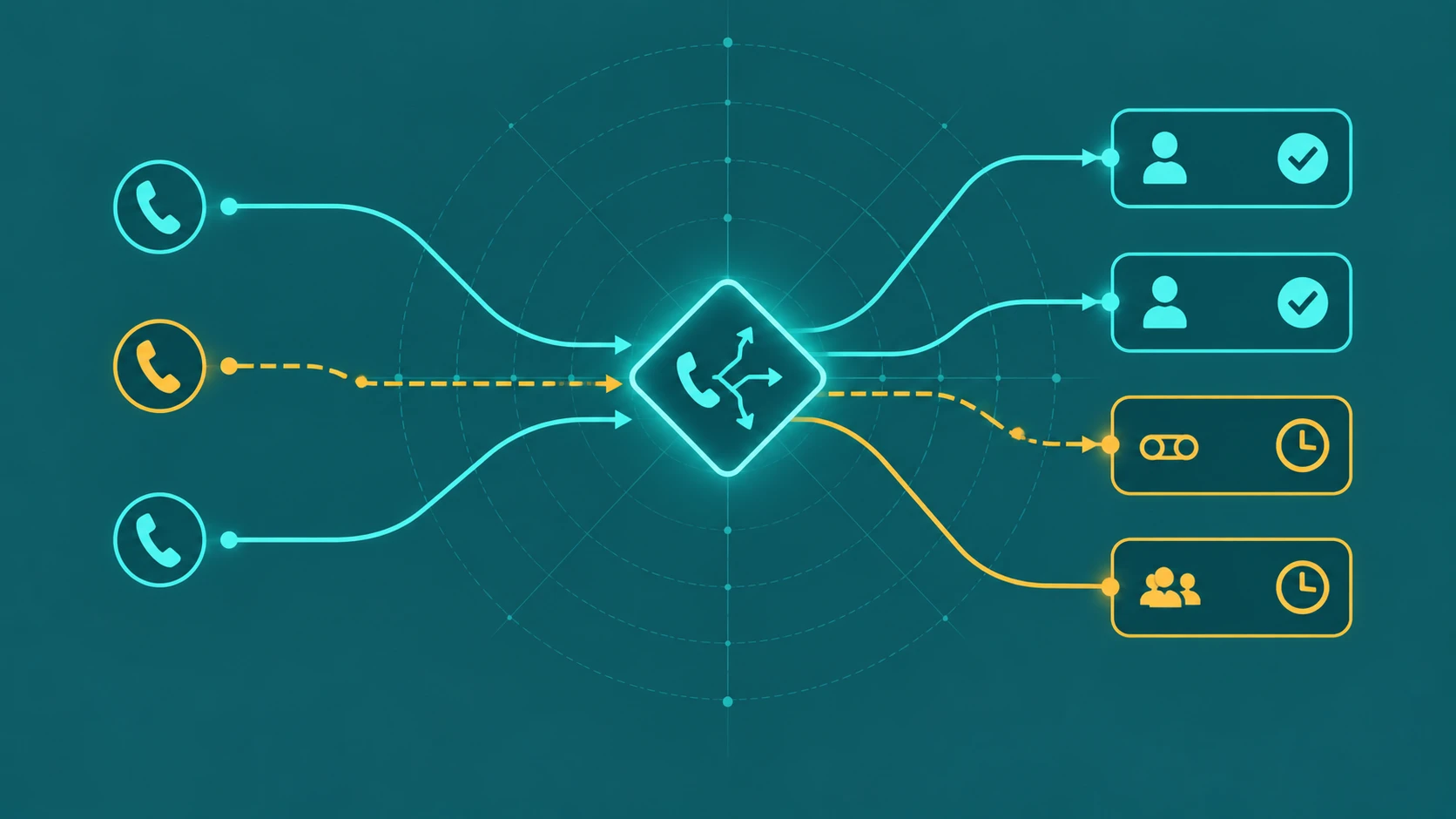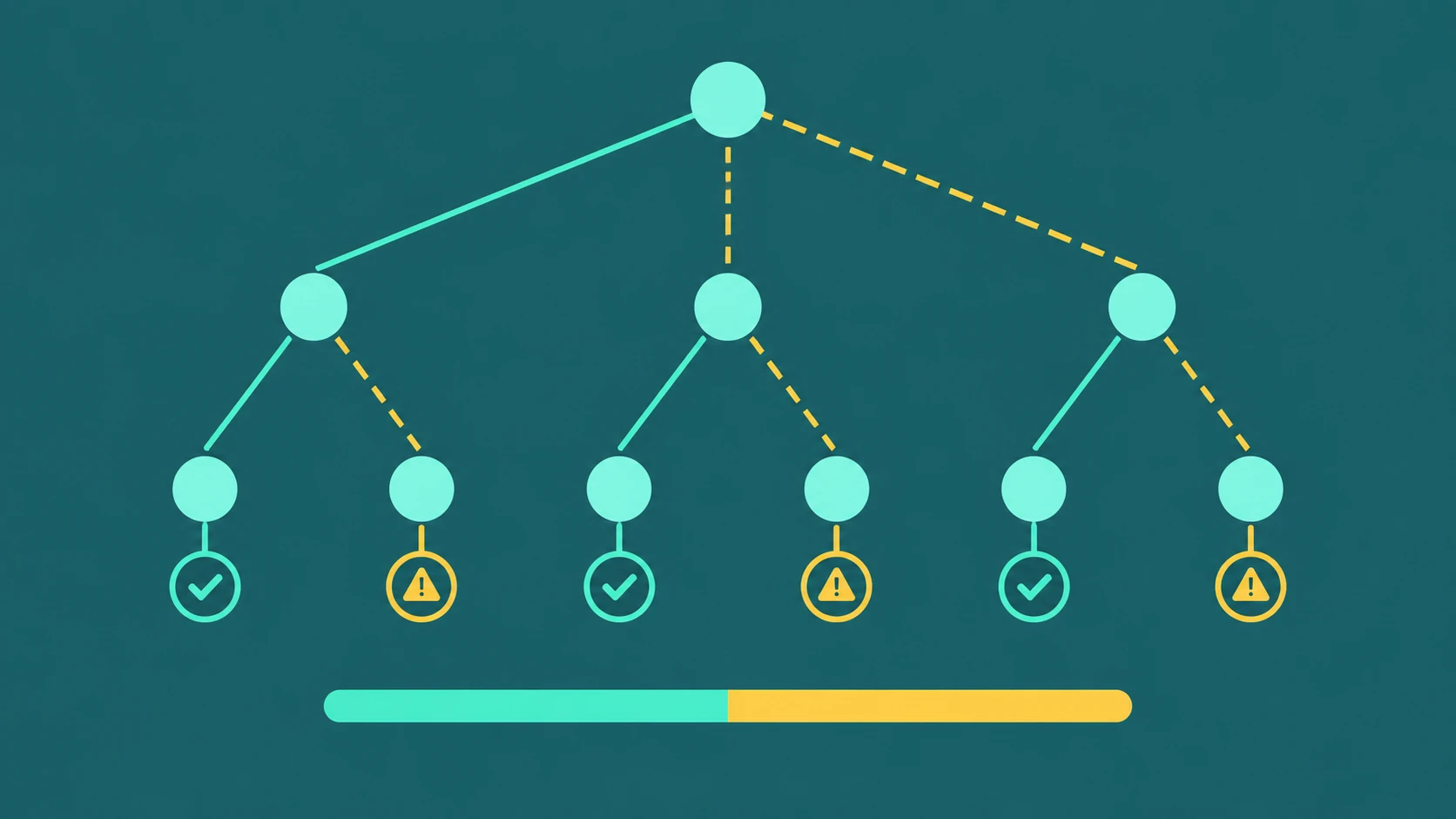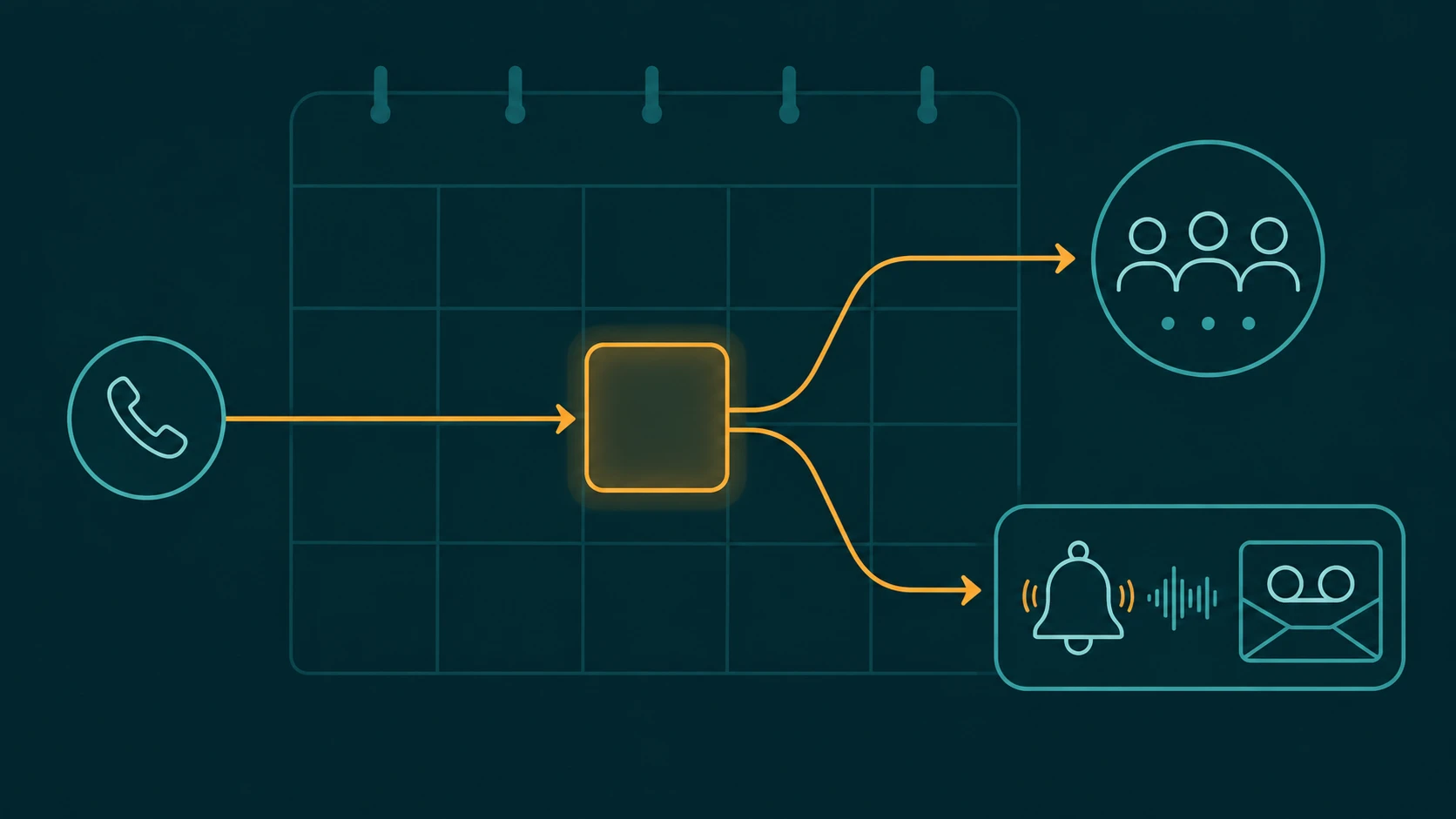
IVR has a reputation problem, and the reputation is almost entirely deserved — but the technology is rarely the cause. The same telephony platform that traps callers in a six-level menu at one company routes 40% of calls to self-service without a complaint at another. The difference is design. This article is about the design: how to structure menus, write prompts, handle errors, design self-service, test before launch, and maintain the system after go-live.
The companion article What Is an IVR System? covers IVR technical fundamentals — DTMF architecture, ASR engines, ACD integration, types of IVR systems, and how to choose a platform. This article assumes you have IVR in place or are about to deploy it, and focuses on making it work well.
IVR containment rate definition: The percentage of inbound calls that the IVR resolves without transferring to a live agent. A traditional DTMF IVR across mixed intent types typically achieves 20–40%. Containment rate matters only when paired with resolution rate — contained calls that didn't actually solve the caller's problem generate repeat calls and erode trust. For how containment rate is accurately defined, measured, and distinguished from frustrated hang-ups, see IVR containment rate: what it measures and how to calculate it.
Start With the Caller's Mental Model, Not Your Org Chart
The most common IVR design mistake is building the menu around the company's internal structure. A caller with a billing dispute is not thinking "I need the finance department, sub-department: accounts receivable, sub-department: disputes." They are thinking "I have a problem with my bill." Those are not the same thing, and callers cannot navigate a menu built for the latter.
Caller intent drives IVR design. Before you write a single menu prompt, pull data on why people actually call. Ask your support and sales teams what the top ten call reasons are for a given week. Review call recordings. Check your no-match logs — what are callers saying or pressing that the current IVR doesn't handle? Those top ten reasons become your menu options. Not your departmental structure. Not your product hierarchy. The reasons callers are actually calling.
You will usually find that 70–80% of call volume is covered by five or fewer intent categories. That is a well-structured IVR waiting to be designed. The remaining 20–30% — the long tail — routes to a general agent queue or a "something else" option, not to an ever-expanding menu tree.
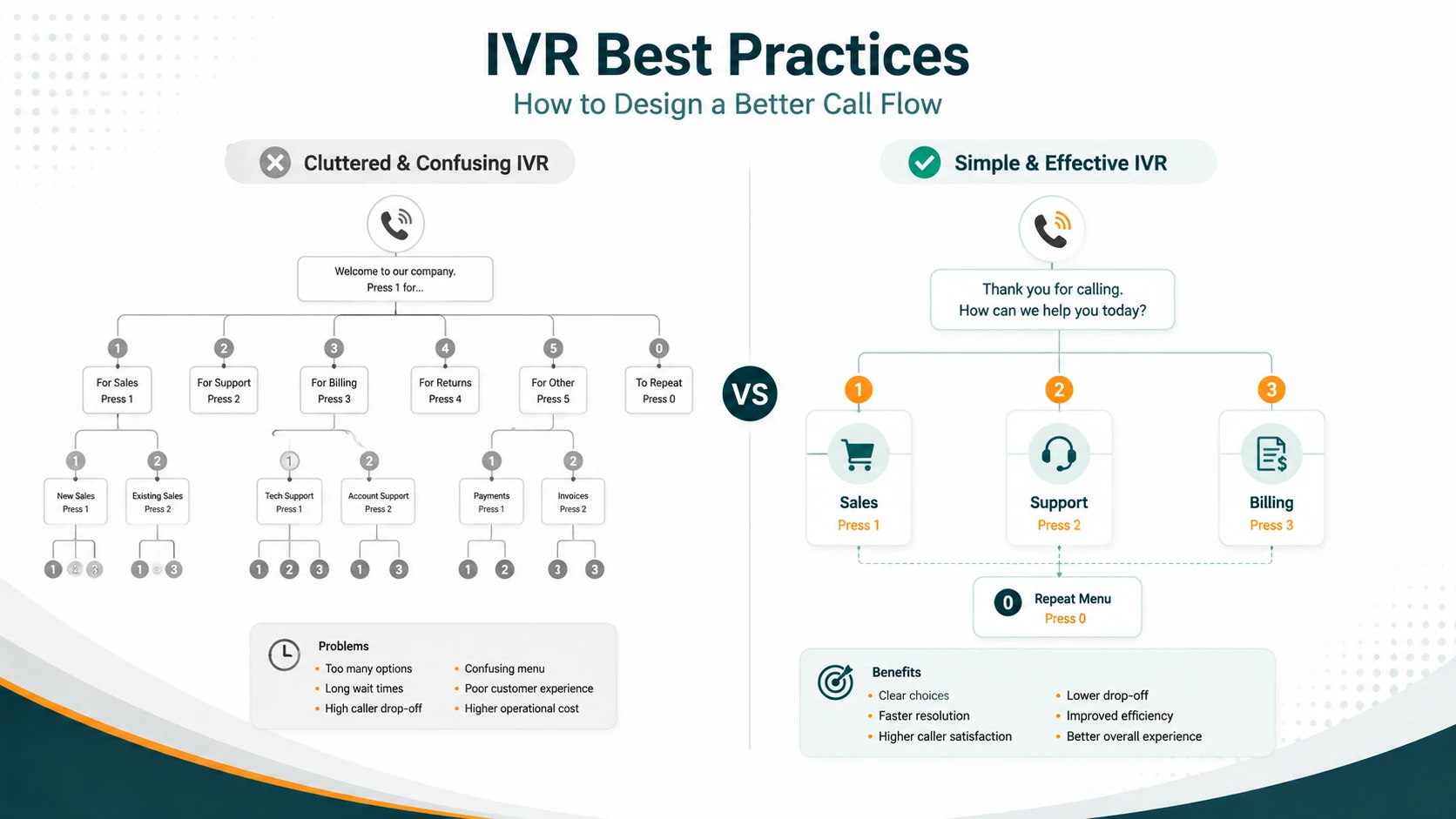
A before-and-after example shows the difference. An org-chart menu might read: "Press 1 for Accounts Receivable. Press 2 for Enterprise Technical Assistance Center. Press 3 for Product Licensing. Press 4 for Facilities and Office Services. Press 5 for Human Resources." A caller-intent menu covering the same organization would read: "Press 1 for billing and payments. Press 2 for technical support. Press 3 for sales. Press 4 for anything else." The second version routes callers faster, generates fewer misdials, and does not require callers to know what department handles their problem. The internal routing logic still sends billing calls to Accounts Receivable — the menu language just reflects how callers think, not how the company is organized.
Menu Structure Rules That Actually Matter
Limit options at the first level
Three to four options at the top level is the right target. Not five, not six. Human auditory working memory can hold a limited number of sequentially heard items — five is generally considered the limit in research on auditory recall, and that is in ideal listening conditions. Callers on a mobile phone in a car, half-paying attention, cannot reliably retain a six-option menu. They will either guess or press zero.
Limiting to three or four forces a useful design discipline: you have to prioritize. Put the highest-volume intent first. If 30% of calls are about billing, billing is option one. If sales calls are highest volume, sales is option one. The ordering should reflect actual call distribution, not which department lobbied hardest during the design meeting.
Maximum two or three levels of nesting
Each additional menu level increases drop-off by roughly 8–10%. At two levels deep, a caller has already heard your greeting, selected an option, heard a sub-menu, and selected again. Three levels is the absolute maximum before most callers either abandon or zero out to an agent. If your call flows require more than three levels to cover all intents, the problem is not that the IVR needs more depth — it is that some of those paths should go directly to an agent queue. For a full explanation of how multi-level IVR menus work and when to use them, see what is a multi-level IVR?
Never bury the agent escape
"Press 0 to speak with an agent" should be available at every level of your IVR, not just the top level. Callers who have navigated to a sub-menu and realized they are in the wrong place should not have to hang up and call back. Every level needs a clear escape to a human.
Do not put the escape at the end. Some designs read through all the options and then offer "press 0 for an agent" as a final item. By then, the caller who needed help three options ago has already hung up. Agent escape should be announced early — either as the first option or prominently before the menu begins.
State destination before the key
"For billing, press 1" — not "Press 1 for billing." The caller needs to hear what the option is before they know whether to listen for the key. With the second phrasing, a caller who pressed 1 on the last menu before listening to this one is already committed before they know what 1 means here. Destination-first is not a stylistic preference; it is how listeners process sequentially presented choices.
Put the most common choice first
The caller who calls about billing most frequently should hear their option first, not third. This reduces average time-to-response and improves the experience for the majority. Review actual call distribution data every quarter and reorder options if the relative volume has shifted.
Prompt Writing Rules
Keep the greeting under eight seconds
The time from when the call answers to when the caller gets their first choice should be under eight seconds. That includes your company name, any required legal announcement, and the first menu option. Callers who hear thirty seconds of company marketing before getting a single choice are callers who will press zero before hearing option two.
Test this. Record your greeting on a stopwatch. If it clears eight seconds before the first menu option, it needs to be cut. "Thank you for calling Acme Corp — for billing, press 1" is better than "Thank you for calling Acme Corp, where customer satisfaction is our number one priority. For information about our award-winning customer service team, or to be directed to the right department to handle your needs today, please listen to all options carefully before making your selection — for billing, press 1."
Keep each option under four seconds
Each individual option description should take under four seconds to say aloud. Read it yourself at normal speaking pace. If it takes longer, it is too long. The goal is that a caller hearing a three or four option menu should be done listening within 12–16 seconds. Beyond that, most callers lose track of early options.
Use plain language
"For help with your bill" not "For our accounts receivable support center." Callers talk about their problems in plain language. The IVR prompts should match the vocabulary callers actually use, not the vocabulary your internal systems use.
The same applies to department names. Callers do not know or care what your departments are called internally. "For technical support" works. "For our Level 2 Enterprise Technical Assistance Center" does not.
Avoid scripting options as marketing
"For our award-winning support team" and "to speak with one of our highly trained specialists" are not useful IVR prompts. They add seconds without adding information. Callers who are already frustrated with a problem do not want to hear marketing copy inside the IVR. Keep options functional and direct.
Re-prompt with different wording
When a caller does not respond or responds with something the system doesn't recognize, the correct action is to re-prompt with different wording — not to repeat the identical prompt at higher volume. If the caller didn't understand "For billing, press 1, for technical support, press 2," repeating the same sentence won't help. Rephrase: "If you're calling about an invoice or payment, press 1. For help with a product or service issue, press 2."
Re-prompt a maximum of twice before escalating to an agent. Three failed interactions with an IVR is a call abandoned or an extremely frustrated agent call. Two re-prompts and then a handoff to an agent — with context about what the IVR captured and where it failed — is the correct error path.
Enable Barge-In on Every Prompt
Barge-in allows a caller to interrupt a prompt mid-playback and enter their input before the recording finishes. It should be enabled on every prompt in your IVR without exception.
A returning caller who has navigated this menu forty times knows the options. They know they want to press 1. Forcing them to sit through the full greeting and menu every time — because barge-in is disabled — is one of the most frustrating IVR experiences. It is also entirely preventable. Barge-in reduces average navigation time for returning callers and reduces abandonment on every prompt where it is active.
Some organizations disable barge-in because it occasionally causes accidental keypresses from callers who are pressing keys in an unrelated context. The right response to that is to handle accidental keypresses gracefully (re-prompt once) — not to eliminate barge-in for everyone.
Error Handling: No-Input vs. No-Match
These are different situations that require different responses. Treating them identically is a design error.
No-input means the caller said nothing, or said nothing within the recognition window. The most common causes are mobile phones with brief gaps, callers on hold at their own end, or callers who answered another call or were distracted. The right response is a brief re-prompt: "Sorry, I didn't catch that. For billing, press 1. For technical support, press 2."
No-match means the caller said something, or pressed a key, but the system didn't recognize it as a valid input. This could mean the caller said something outside the expected vocabulary for a speech-enabled IVR, pressed a key not mapped to an option, or the ASR engine failed to recognize them. The right response is a re-prompt with simpler, more explicit guidance: "I didn't catch that — you can press 1 for billing or press 2 for support. Or press 0 to speak with someone directly."
Never loop callers indefinitely. Two re-prompts maximum — then escalate to an agent. Never play a generic "I'm sorry, I didn't understand that" without a useful next step. Dead-end IVR, where there is no path to a human and no alternative action, is the most common cause of IVR abandonment.
EaseDial
Multi-level IVR and visual flow builder — configure call routing without writing code.
Designing Self-Service That Actually Resolves Calls
Self-service works well for a specific class of calls: high-volume, predictable, transaction-oriented queries where the answer exists in a database. Balance inquiries, order status checks, payment processing, appointment confirmations, and prescription refill requests are all good candidates. Complex disputes, multi-issue calls, and situations requiring human judgment are not.
Design self-service around your highest-volume call reasons first. If 20% of your calls are order status inquiries, building order status self-service has 20x the impact of building something that covers 1% of calls.
Collect caller identity early
Ask for caller-identifying information — account number, date of birth, phone number on file — early in the IVR flow, before the caller reaches a menu. This serves two purposes. For self-service calls, the system can personalize the IVR ("I see you have an order placed three days ago — are you calling about that?") and often resolve the call faster. For calls that do transfer to an agent, the agent receives a screen pop with the customer record, IVR path, and any information already captured. The agent doesn't have to ask for the account number again.
Authenticate in the IVR when possible
Caller authentication takes time. If authentication happens after transfer to an agent, both the caller and the agent spend that time. If the IVR handles authentication — PIN, verbal account verification, or integration with a caller identity service — the agent receives an authenticated caller and can move straight to resolution. This reduces average handle time and improves the caller experience.
Transfer with context
When self-service fails and the call transfers to an agent, everything the IVR captured should go with it. The IVR path taken, the caller's stated intent, any data entered, authentication status — all of this should populate the agent's screen before the call connects. Callers who have to re-explain their situation to an agent immediately after navigating an IVR that asked them the same questions have a measurably worse experience than callers who never spoke to an IVR at all. Context transfer is what distinguishes a useful IVR from one that just adds steps without adding value.
EaseDial's IVR integrates with the agent desktop so captured data and the IVR path are both visible in the screen pop. For more on how call queues and agent routing work after an IVR handoff, see what is a call queue and call queue management.
When to Use IVR vs. AI Voice Agent vs. Live Agent
Not every call should go through an IVR, and not every IVR call should stay in the IVR. The right tool depends on the nature of the interaction.
| Interaction type | Best handled by | Why |
|---|---|---|
| Simple menu routing, department selection | IVR | Structured, predictable, no ambiguity |
| Payment capture, balance check, order status | IVR with backend integration | Transactional, answerable from a database |
| Open-ended queries, multi-turn triage, complex self-service | AI voice agent | Needs natural language understanding and context across turns |
| Complex disputes, emotional calls, multi-product issues | Live agent | Requires judgment, empathy, and authority to resolve |
| After-hours coverage for IVR overflow | IVR or AI voice agent | 24/7 coverage without staffing cost |
AI Voice Agents vs Traditional IVR covers the comparison across containment rates, implementation complexity, and cost. The practical takeaway: for most contact centers, IVR and AI voice agents are complementary rather than alternatives. IVR handles routing and structured transactions; an AI voice agent handles the more complex calls that would otherwise require a Tier 1 agent.
Multi-Level IVR Best Practices
Multi-level IVR is appropriate when a top-level option genuinely contains multiple distinct intents. If "billing" covers both payment disputes and payment plan requests — and those need to route differently — a billing sub-menu makes sense. But the sub-menu should be narrower than the top level: two or three options, not another five-option list.
Every sub-menu level should include a way back to the main menu. "Press the star key to return to the main menu" or "Press 9 for the main menu" — consistently mapped at every sub-level. Callers who selected the wrong top-level option should not have to hang up.
The maximum is two to three levels of nesting before the call routes to an agent. If your IVR design requires four or five levels, the problem is that you are trying to replace agent judgment with menu depth. Some of those calls need a human. Build the IVR to route to the right agent queue efficiently, not to attempt to replace the agent.
EaseDial supports multi-level IVR configuration through a visual flow builder. You can map call flows, configure sub-menus, and set escalation paths without writing code. For reference on how call routing connects to the IVR layer, that article covers skills-based, time-based, and queue-based routing strategies in detail.
Testing Before Launch
Most IVR problems are detectable before launch, and most organizations don't find them until after launch because testing is insufficient.
Walk every path manually. Not just the happy path — every no-input path, every no-match path, every escalation path. If a caller presses a key not mapped to any option at the third menu level, what happens? If the ASR engine hears silence during an account number capture prompt, where does the call go? Every branch needs to be traced from start to finish.
Test with people who are not on your team. Staff who helped design the IVR will navigate it successfully because they know the intent mapping. An unfamiliar caller — a colleague from another department, a friend, a usability tester — will immediately find the paths that your team's familiarity masked. Listen to how they talk about their problem before they engage with the menu. Does the menu match how they framed it?
Listen to call recordings from the test sessions. You will hear things in the audio that you cannot detect by reading the call flow on paper: pauses in the wrong places, prompts that are ambiguous when heard rather than read, callers saying something that sounds like a valid option but isn't being recognized.
After go-live, pull abandonment rate by prompt and no-match rate by prompt within the first two weeks. These two data points will show you immediately where the IVR is losing people.
For a structured pre-launch and post-launch testing framework covering functional testing, speech recognition validation, and load testing methodology, see the IVR testing guide.
Ongoing Maintenance
An IVR built correctly at launch degrades over time without maintenance. Products are discontinued. Departments are renamed or restructured. Business hours change. New high-volume call reasons emerge. Each of these changes needs to be reflected in the IVR, or callers navigate to options that no longer apply and agents receive misdirected calls.
Quarterly review is the minimum viable standard. At each review, check for outdated content: wrong hours, discontinued products, renamed departments, obsolete options. Check no-match rate by prompt — a high no-match rate on a specific prompt means callers are consistently failing to navigate it, which means either the prompt wording is wrong or a new intent category has emerged that isn't yet covered.
When a new high-volume call reason emerges, add it as a named menu option rather than forcing callers to select "something else." Check your "other" or "general inquiry" queue — if a consistent category of calls is landing there, those calls should have their own branch.
When redesigning a flow that is already in production, A/B test the new version against the old before full rollout. Route a portion of calls to the new flow and compare abandonment rate, containment rate, and no-match rate. Do not replace a working design with an untested one across your full call volume at once. For a structured pre-launch and post-launch validation process, see the IVR testing checklist.
DTMF Masking and Compliance Notes
If your IVR captures payment card data — credit or debit card numbers, CVVs, expiration dates — DTMF masking must be enabled. DTMF masking replaces the actual keypad tones with flat tones in call recordings, so the card number cannot be reconstructed from the audio. Without masking, card digits recoverable from a call recording constitute a PCI DSS violation.
For outbound IVR — automated calls placed to customers for reminders, notifications, or payment requests — prior express consent is required before calling a mobile number under the TCPA. This requirement applies whether the outbound call is for marketing or informational purposes when directed to a cell phone. The dialer comparison guide is the full reference on outbound calling compliance.
Call recording consent announcements are required at the start of calls in many jurisdictions. The IVR script must include a compliant announcement where required by applicable law, not as an afterthought. Your legal counsel should review the consent language for every jurisdiction where you receive inbound calls.
IVR Design Checklist
- Menu options organized around caller intent, not internal org structure
- Top-level menu has three to four options maximum
- Maximum two to three levels of nesting before agent escalation
- Most common caller intent is the first option
- Agent escape (press 0 or equivalent) available at every menu level, announced early
- Each option uses destination-first phrasing ("For billing, press 1" not "Press 1 for billing")
- Greeting clears in under eight seconds before first choice is offered
- Each option description is under four seconds
- Barge-in enabled on every prompt
- No-input and no-match handled with different re-prompt wording
- Maximum two re-prompts before agent escalation
- No dead-end paths — every error path leads somewhere
- Caller identity collected early; context passed to agent on transfer
- Authentication happens in the IVR, not after agent transfer, where possible
- Sub-menus include a "back to main menu" option
- DTMF masking enabled if IVR captures card data
- Recording consent announcement in script where required by law
- Every path tested manually before launch, including all error paths
- Tested with non-staff callers unfamiliar with the intent mapping
- Quarterly review scheduled for content, routing, and prompt performance
- A/B testing used for any redesign before full rollout
Frequently Asked Questions
See EaseDial's IVR: Multi-level IVR configurable from the admin portal — connect to queues, extensions, AI Voice Agent, or voicemail. IVR feature details →