A single-level IVR works well for straightforward situations: a handful of distinct departments, each with its own team, all reachable with a single keypress. But when an organization has genuine sub-functions within each department — when "Support" actually means three different things depending on the product line or issue type — a single menu level runs out of room quickly. You either crowd in too many options (cognitive overload for callers) or underspecify the routing (everyone goes to a general queue that then has to re-triage internally).
Multi-level IVR is the solution for those situations. It extends the menu hierarchy to two, sometimes three levels — each selection at the first level leading to a sub-menu rather than directly to a destination.
Definition: A multi-level IVR (also called a nested IVR) is an IVR system where a caller's selection at the first menu level leads to a second menu with further options, rather than routing directly to a destination. Each level narrows the caller's intent progressively before the system routes them to the appropriate queue, extension, or self-service application. The term "multi-level" refers to the depth of the menu tree, not its total number of options.
Single-Level vs Multi-Level: The Structural Difference
Single-level IVR
In a single-level IVR, every keypress at the main menu maps directly to a destination. There is one decision point, and the caller is routed immediately after making it.
├─ Press 1 → Sales queue
├─ Press 2 → Support queue
└─ Press 3 → Billing queue
Three teams, three options, one level. This works when each option leads to a single, clearly defined team with no meaningful sub-divisions.
Multi-level IVR
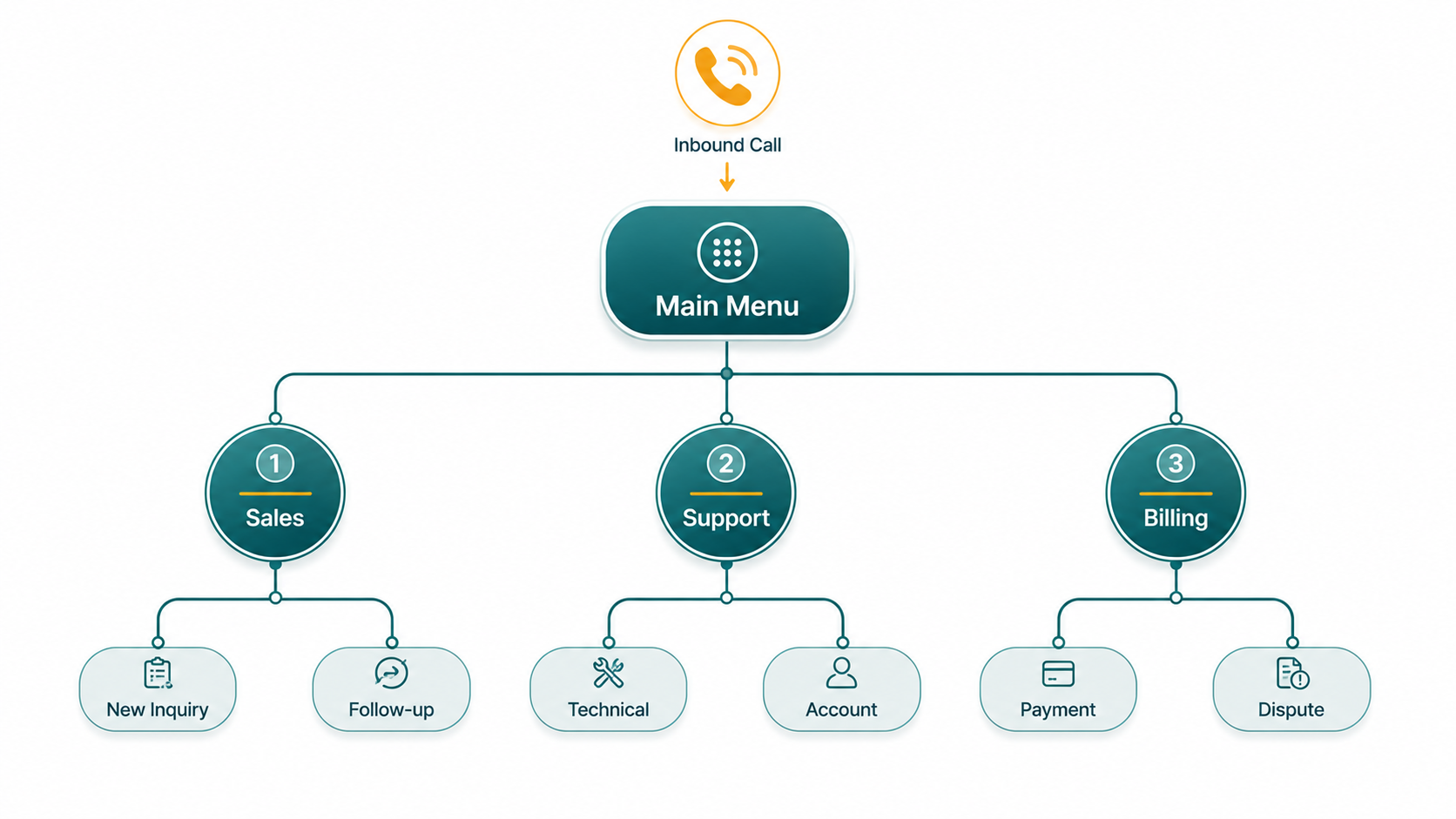
In a multi-level IVR, a keypress at the main menu leads to a sub-menu rather than directly to a destination. The caller makes a second selection that identifies their intent more specifically, and then the system routes them.
├─ Press 1 → Sales
│ ├─ Press 1 → New inquiry → New Sales queue
│ └─ Press 2 → Follow-up on quote → Account Management queue
├─ Press 2 → Support
│ ├─ Press 1 → Technical support → Tech Support queue
│ └─ Press 2 → Account support → Account Support queue
└─ Press 3 → Billing
├─ Press 1 → Make a payment → Automated payment system
└─ Press 2 → Dispute a charge → Billing Disputes queue
Now the system can route a caller to six different destinations from a menu that presents only three options at the first level. The caller's experience at each level is simple — three options maximum — but the routing precision is much higher. A technical support caller doesn't land in the same queue as a caller wanting to dispute a charge.
When Multi-Level IVR Makes Sense
The decision to add a second level of menus should be driven by genuine routing need, not organizational completeness. Two questions help clarify whether multi-level is warranted:
- Are the sub-functions actually distinct in how they're staffed? If "Technical Support" and "Account Support" are handled by the same agents who can handle both, there's no operational benefit to routing them separately. A second level only helps if it routes to genuinely different destinations.
- Do callers naturally know which sub-category they belong to? The labels in the IVR menu must match how callers think about their own need. "New inquiry vs. Follow-up on quote" is a distinction most callers can self-classify. "Tier 1 support vs. Advanced escalation support" is an internal organizational concept that callers can't reliably apply to themselves.
Good cases for multi-level IVR: organizations with multiple product lines requiring product-specific support teams; organizations where customer type genuinely differs (new vs. existing customer, residential vs. business); high-volume inbound where routing accuracy has a material impact on first-call resolution.
When Multi-Level Is the Wrong Choice
More menu levels is not the same thing as better routing. Adding depth to an IVR when the underlying conditions don't warrant it creates friction without benefit.
- Small organizations with one or two teams: A three-person support team doesn't need sub-menus. Direct-to-queue routing without any IVR may be the right answer.
- Menus that mirror the internal org chart rather than caller intent: This is the most common multi-level IVR failure. A company organizes itself by internal function (Enterprise Sales, SMB Sales, SDRs, AEs) and builds IVR menus around that structure. Callers don't know or care about those internal divisions. They just want to talk to someone about buying a product.
- Three or more levels: Three levels of menu depth is the point where caller patience runs out for most people. By the time a caller has made three separate keypress decisions, they've been on hold in a menu for 30–60 seconds without speaking to anyone. Abandonment rises sharply at this depth. If your routing logic requires three levels to make correct decisions, the problem is usually that too many distinctions are being pushed into the IVR rather than handled by agent skill after connection.
- Low call volume: If your inbound volume doesn't justify distinct queues for each branch, multi-level IVR adds complexity without operational benefit. The menu exists to serve routing; if all branches route to the same pool of agents, the menu is theater.
Design Guidance for Multi-Level IVR
Limit options at each level
Research on working memory and decision-making is consistent: more than five options at a single menu level meaningfully increases cognitive load and the likelihood that callers will make errors or give up. The practical guideline for IVR: 4–5 options maximum per level. If you genuinely need more, reconsider whether the classification problem can be solved differently — a more specific DID for certain call types, different phone numbers for different product lines, or handling classification after connection through agent workflow rather than before it through IVR.
Always provide a path to a human
At every level of the IVR, callers should have a way to reach a live agent — either by pressing 0 (the universal expectation), pressing a clearly labeled option, or speaking a natural language command like "agent" or "representative." Callers who feel trapped in an IVR without escape become frustrated before they even reach an agent. A common pattern: announce the zero-out option at the start of each menu level: "At any time, press 0 to speak with an agent."
Design by caller intent, not internal org structure
The labels in your IVR menus must map to how callers describe their own needs, not how your organization labels its internal functions. Audit every option label from the perspective of a first-time caller who doesn't know your company's internal structure. If the label requires organizational knowledge to understand, rewrite it.
Keep prompts brief and action-oriented
Menu prompts should be short enough that callers don't forget the earlier options by the time the last one is read. The format that works: "For [topic], press [number]" — not "If you are calling with a question about [extended description of topic], please press [number]." State the topic first, the number last, so callers who already know what they need can anticipate the prompt without waiting through the full text.
After-Hours Behavior in Multi-Level IVR
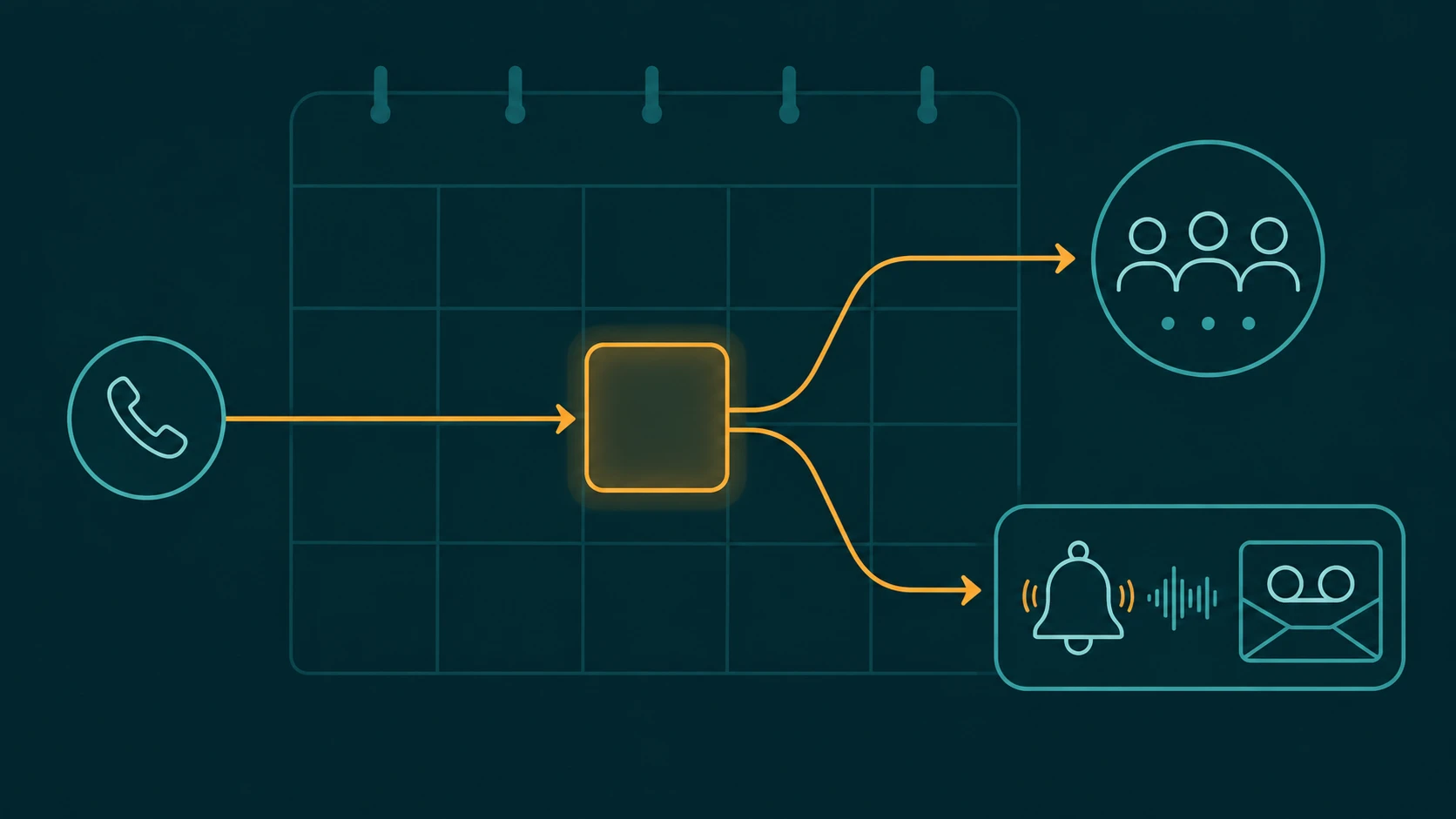
Multi-level IVR configurations can and should handle after-hours behavior differently at different branch points. A first-level press-1-for-Sales may route to a sales queue during business hours and to a "leave a message for our sales team" voicemail after hours. A press-2-for-Support may route to an on-call technical support queue 24/7, because the business has configured 24-hour technical coverage.
This means after-hours rules are typically configured at the destination level — each queue or extension has its own business hours and overflow handling — rather than at the IVR level. The IVR itself remains the same for inbound callers at any hour; what changes is what happens at each destination when those hours are outside business windows.
Some configurations do change the IVR menu itself after hours — replacing the daytime menu with a shorter menu that only presents options covered by after-hours staffing, suppressing sub-menus for unstaffed departments, or routing directly to voicemail with a relevant message. This is more complex to configure but produces a cleaner caller experience when after-hours coverage is substantially different from daytime coverage.
Fallback Paths: Every Branch Needs One
A multi-level IVR has more terminal points than a single-level one — each leaf of the menu tree is a potential destination. Every one of those destinations needs a defined fallback for situations where the primary destination can't handle the call: queue overflow, after-hours, maximum wait time exceeded.
Common fallback options at the leaf level:
- Zero-out to general queue: When a specialized queue overflows, route to a more general team that can at least take a message or handle basic requests
- Voicemail with callback promise: A specific voicemail box for that team, with a greeting that sets expectations for when someone will call back
- After-hours message: For after-hours overflow specifically, a clear message stating when the team is available
- Transfer to another team: If one sub-function is unstaffed, can another team handle the call type?
Failing to configure fallback paths means callers who reach an overloaded branch encounter undefined behavior — which in practice often means dropped calls, indefinite hold, or silent transfers to voicemail boxes that nobody monitors.
Relationship to Call Queues
In a multi-level IVR, the destinations at the bottom of each branch are typically call queues — each queue staffed by agents handling that specific call type. The IVR's job is classification; the queue's job is managing the wait and distributing calls to agents within that team.
Understanding how IVR and queues divide responsibilities — the IVR decides which queue; the queue decides which agent — is the foundation for designing either system well. See our article on call queue vs IVR for a focused comparison, and our guide on call queues for how the queue layer works once the IVR has done its routing.
EaseDial Call Routing
Multi-level IVR menus, business hours routing, and queue destinations — configured without IT involvement.