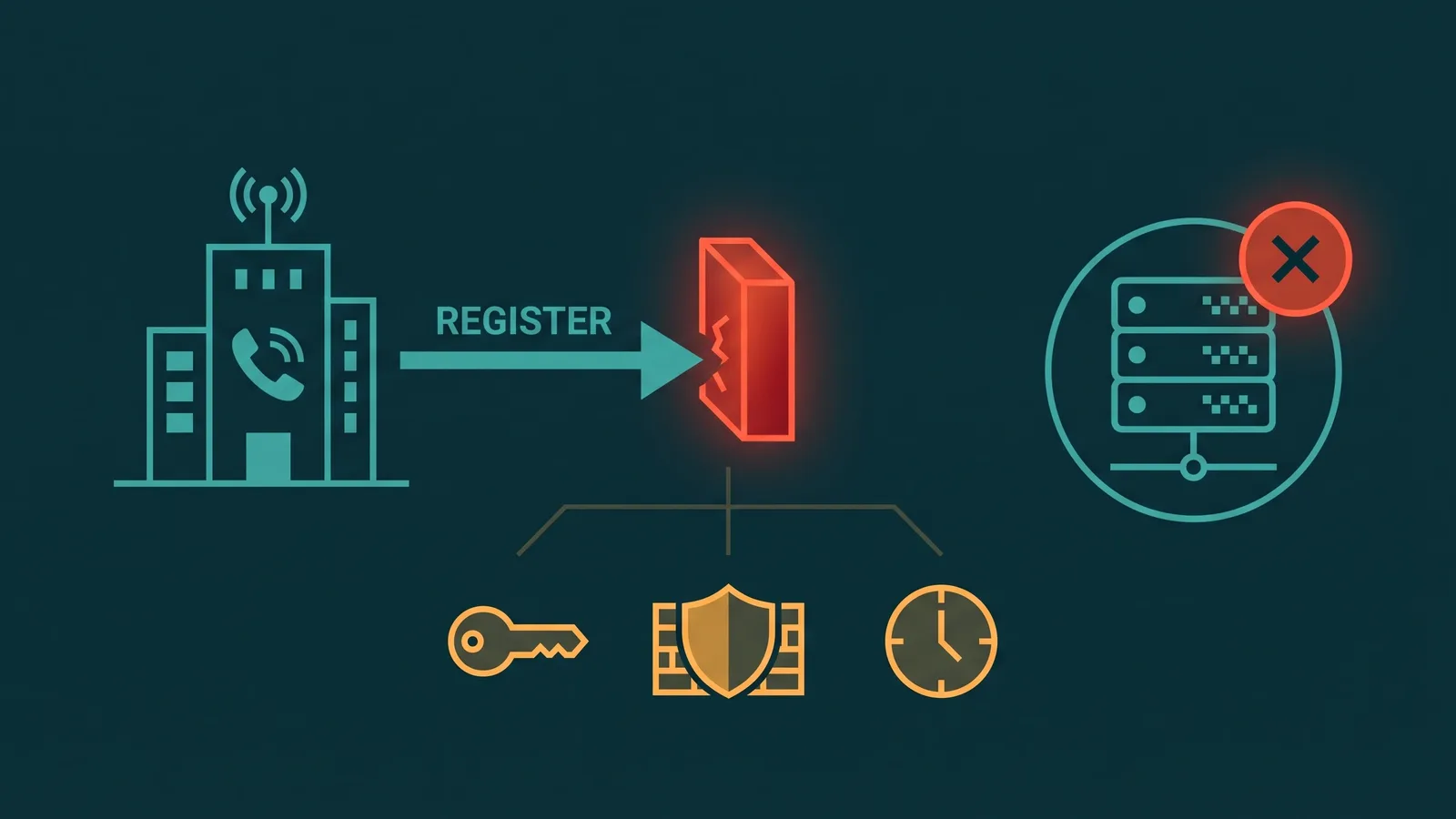
When a VoIP call fails, the first question is always the same: where exactly did it fail? SIP response codes answer that question precisely. Defined in RFC 3261 and extended by later RFCs, these three-digit numbers follow a 1xx–6xx class structure that mirrors HTTP superficially but carries entirely different semantics. A 200 means a call was established, a 403 means you are blocked or misconfigured, a 503 means the server is temporarily unavailable — each code tells you something specific about what happened and where.
This guide explains every response class, the most common individual codes business VoIP teams encounter, what each code means in practice, how to read them in SIP traces, and how to use them to diagnose call failures systematically. For deeper coverage of specific codes, see the dedicated posts on SIP 486 Busy Here and SIP 503 Service Unavailable.
What are SIP response codes? SIP response codes are three-digit numbers returned in SIP messages to indicate the result of a request. They are defined in RFC 3261 and grouped into six classes by their first digit:
- 1xx — Provisional: request received; processing is continuing; no final result yet
- 2xx — Success: the request was received, understood, and accepted
- 3xx — Redirection: the request should be retried at a different address
- 4xx — Client error: the request cannot be processed as sent; the problem is with the request or credentials
- 5xx — Server error: a valid request could not be processed due to a server-side failure
- 6xx — Global failure: the request cannot be fulfilled by any server; no retry will succeed
How to Read SIP Responses in Practice
In PBX logs and SIP captures, a response appears as a status line: SIP/2.0 403 Forbidden. The three-digit code is the machine-readable signal; the reason phrase that follows is human-readable and sometimes contains vendor-specific text that helps identify the actual cause. Always log both.
Several header fields give context when reading a response in a SIP trace:
- Call-ID: ties every message in the same transaction together; use this to filter a trace to a single call
- CSeq: identifies the request type the response belongs to — INVITE, REGISTER, OPTIONS, REFER, etc.; a response to a REGISTER and a response to an INVITE have very different meanings even if the code is the same
- Via: shows the hop path the request traveled; helps identify which server in the chain generated the response
- WWW-Authenticate / Proxy-Authenticate: present on 401 and 407 respectively; contains the challenge realm and algorithm needed to retry with credentials
- Retry-After: present on 503 when the server knows when it will recover; also sometimes present on 486
The general diagnostic rule: 4xx errors mean something in the request or your configuration is wrong — check your side first. 5xx errors mean the server is having a problem — contact your provider. 6xx errors mean the far end rejected definitively — a retry to the same destination will not help.
1xx — Provisional Responses
Provisional responses indicate the request was received and processing is continuing. They are informational — a call has neither succeeded nor failed yet. In INVITE transactions, 1xx responses arrive while the destination device rings or sets up early media, before the called party answers.
| Code | Reason Phrase | When You See It | What To Check |
|---|---|---|---|
| 100 | Trying | Immediately after INVITE reaches the next-hop server; lowest-level acknowledgment | If you never receive 100 Trying, the INVITE is not reaching the server — check firewall, NAT, and routing |
| 180 | Ringing | Destination device is alerting; triggers ringback tone at the caller's end | If 180 never arrives after 100, check whether the INVITE reached the destination endpoint or was lost in transit |
| 181 | Call Is Being Forwarded | Server is forwarding the call to another destination; informational | Not typically a problem; useful for confirming call forwarding rules are triggering as expected |
| 182 | Queued | The called party is temporarily unavailable; call is queued | Rarely seen; some carrier systems use this instead of 180 for queued delivery |
| 183 | Session Progress | Often carries early media (e.g., IVR prompt before answer); used for in-band ringback instead of 180 | If caller hears silence instead of ringback when 183 is the only provisional, the early media RTP stream may not be reaching the caller — check NAT traversal for the media path |
Key point on 180 vs 183: 180 Ringing tells the UAC to generate ringback locally (out-of-band ringback). 183 Session Progress typically carries an SDP body with early media — the ringback tone or IVR audio arrives in the RTP stream rather than being generated locally. If your calls use 183 but callers hear silence before answer, the problem is in the early media RTP path, not in signaling.
2xx — Success Responses
Success responses confirm the request was received, understood, and accepted. For INVITE transactions, 200 OK means the call is established. The UAC must send an ACK to complete the three-way handshake.
| Code | Reason Phrase | When You See It | What To Check |
|---|---|---|---|
| 200 | OK | INVITE succeeded — call is established; REGISTER succeeded — endpoint is registered; BYE succeeded — call is torn down cleanly | If audio problems persist after 200 OK on an INVITE, the issue is in the RTP media path, not signaling — check SDP negotiation and NAT traversal |
| 202 | Accepted | Response to REFER (call transfer) requests; confirms the transfer request was accepted, not that the transferred call connected | 202 on a REFER does not mean the transfer target answered; check NOTIFY messages following the REFER for the actual transfer outcome |
3xx — Redirection Responses
Redirection responses tell the UAC to retry the request at a different address, provided in a Contact header. They are relatively uncommon in typical business VoIP deployments but appear in carrier failover and number porting contexts.
| Code | Reason Phrase | When You See It | What To Check |
|---|---|---|---|
| 300 | Multiple Choices | Multiple endpoints registered for the address; rarely used | Check registrar configuration; most systems use parallel forking rather than 300 |
| 301 | Moved Permanently | Carrier redirecting a DID to a new endpoint permanently; sometimes used after number porting | Update your dial plan or trunk configuration to the new target address; do not keep retrying the old URI |
| 302 | Moved Temporarily | Carrier or PBX redirecting to a different endpoint for now; used in some failover and call-forwarding implementations | Retry at the Contact address in the response; temporary — the original address may become valid again later |
4xx — Client Error Responses
4xx responses indicate the request cannot be processed as sent. The problem is on the requesting side — wrong credentials, malformed message, unreachable destination, codec disagreement. Start your investigation at your own PBX or trunk configuration before contacting your provider.
| Code | Reason Phrase | When You See It | What To Check |
|---|---|---|---|
| 400 | Bad Request | Malformed SIP message; often a configuration bug or interoperability issue between PBX and carrier | Capture the raw SIP message and compare against RFC 3261 header requirements; check for missing or malformed From/To/Via/Contact headers |
| 401 | Unauthorized | Registrar or UAS challenges the client; client must retry with credentials in a Authorization header using the WWW-Authenticate challenge | This is a normal challenge-response exchange for REGISTER; only a problem if credentials are wrong or the retry does not follow. Check username, password, and realm match your provider settings |
| 403 | Forbidden | Server understood the request but refuses to fulfill it; wrong credentials, IP not whitelisted, account suspended, or calling a restricted destination | Verify your source IP is on the provider's allowed list; confirm credentials; check account status with your carrier; 403 on an INVITE (not REGISTER) often means an IP auth or permissions issue |
| 404 | Not Found | Destination URI not found at this server; DID may not be provisioned, has been ported away, or the number format is wrong | Verify the E.164 number format (including country code) in the Request-URI; confirm the DID is active and provisioned on this trunk with your carrier |
| 405 | Method Not Allowed | The request method is not supported at this URI; e.g., OPTIONS sent to a destination that does not support it | Check the Allow header in the response for what methods the server supports; adjust your PBX options-pinging or feature configuration |
| 407 | Proxy Authentication Required | Same as 401 but from a proxy, not the end registrar; client must retry with a Proxy-Authorization header | Confirm your PBX is configured to handle proxy authentication; ensure credentials include the proxy realm, not just the registrar realm |
| 408 | Request Timeout | Server did not receive a response from the next hop within the timer; often a firewall, NAT, or routing problem | Check whether the destination is reachable; verify firewall rules allow SIP traffic bidirectionally; look for session timeout rules that might be dropping the UDP or TCP connection |
| 480 | Temporarily Unavailable | Destination exists but is not reachable right now; device is registered but DND is active, or all agents are busy at the application level | Check DND status and registration state on the endpoint; in a queue context, verify agent availability settings; distinct from 486 (which means the endpoint is on another call) |
| 486 | Busy Here | The specific endpoint that received the INVITE is busy on another call; other endpoints for the same user may be free | See the full guide: SIP 486 Busy Here; check call waiting settings and per-extension concurrent call limits |
| 487 | Request Terminated | INVITE was canceled (CANCEL message received) before a final response was sent; caller hung up while the call was still connecting | Normal if the caller hung up before the call was answered; abnormal if it appears frequently on calls the caller did not intend to abandon — investigate post-dial delay causing caller frustration |
| 488 | Not Acceptable Here | SDP negotiation failed — the two endpoints could not agree on a common codec or media parameter; codec mismatch is the most common cause | See VoIP Codec Mismatch for the full diagnostic; verify your PBX offers codecs that the far end supports; check the SDP offer and answer in the trace |
5xx — Server Error Responses
5xx responses mean the server encountered an error while processing a valid request. The request itself is not the problem — the server is. Contact your provider when you see persistent 5xx errors, though some brief 5xx responses are transient and resolve without intervention.
| Code | Reason Phrase | When You See It | What To Check |
|---|---|---|---|
| 500 | Internal Server Error | Generic server-side failure; often a provider-side platform issue or a misconfiguration on the server | Check provider status page; contact your carrier with the Call-ID and timestamp; if intermittent, look at whether the pattern correlates with specific destinations or times of day |
| 501 | Not Implemented | The server does not support the request method; rare in normal calling scenarios | Check whether you are sending a non-standard SIP method that the server is not configured to handle |
| 503 | Service Unavailable | Trunk overloaded, server in maintenance, or capacity exceeded; the standard signal for triggering failover | See the full guide: SIP 503 Service Unavailable; check Retry-After header for recovery estimate; verify backup trunk is available |
| 504 | Server Timeout | The server attempted to contact a downstream server and timed out; often a chained carrier routing problem | The problem is downstream from your direct carrier; report to your provider with Call-ID; check whether the issue is destination-specific, which may indicate a routing table problem at the carrier level |
6xx — Global Failure Responses
6xx responses indicate the request cannot be fulfilled by any server. They are definitive rejections — unlike 4xx which says "fix the request" or 5xx which says "the server had a problem," 6xx says "this call will not succeed regardless of where you retry." A well-designed SIP stack receiving a 6xx should not attempt to fork to alternate endpoints.
| Code | Reason Phrase | When You See It | What To Check |
|---|---|---|---|
| 600 | Busy Everywhere | Destination is busy on all registered devices — a global busy signal, not just one endpoint; rarely sent correctly in practice | Do not fork; no other endpoint for this user will accept the call; if you see this unexpectedly, it may be a misconfigured endpoint returning 600 instead of 486 |
| 603 | Decline | Destination explicitly rejected the call — DND at a global level, the called party actively rejected, or a call-blocking rule at the carrier | No retry will succeed; the called party or their system has declined definitively; distinguish from 486 (busy on one line) which permits forking |
| 604 | Does Not Exist Anywhere | The user does not exist at any server; more definitive than 404 Not Found | Rare in practice; verify the dialed number; the DID may have been decommissioned |
Vendor Normalization: When Carriers Remap Codes
RFC 3261 defines what each code should mean, but carriers do not always follow the spec precisely. Two common remapping patterns appear in real-world deployments:
- 403 instead of 404: Some carriers return 403 Forbidden when a dialed number does not exist on their network, rather than the technically more accurate 404 Not Found. The reason is deliberate — returning 404 reveals that the number is provisioned with a different carrier, which the originating carrier may not want to disclose. If you receive 403 on calls to numbers that should exist, check with your carrier whether they normalize 404 to 403.
- 500 instead of 503: Carriers sometimes return 500 Internal Server Error when trunk capacity is exceeded, rather than 503 Service Unavailable. This matters because 503 is the standard signal for "try another route," while 500 is ambiguous. If your PBX failover logic relies on 503 to trigger backup trunk selection, a carrier that sends 500 for capacity exceeded will bypass your failover logic. Verify which code your carrier uses for capacity exhaustion.
- Vendor reason phrases: The reason phrase after the code is not standardized beyond the RFC defaults. Carriers often embed specific text here:
SIP/2.0 403 IP Not Allowed,SIP/2.0 503 Max Channels Exceeded, orSIP/2.0 403 Account Suspended. Always log the full status line including reason phrase — it is often the fastest path to understanding what actually happened. - Custom codes: Some carrier platforms use codes outside the standard ranges or send non-standard reason phrases for responses that should use a standard code. If you encounter a code not in RFC 3261 §21, check your carrier's documentation; it is almost certainly a proprietary extension. Note that RFC 3326 (The Reason Header Field) provides additional diagnostic information beyond the response code itself — if your SIP traces include a
Reasonheader, it often pinpoints the root cause more precisely than the status code alone.
The practical consequence: when troubleshooting, treat the code as the machine-readable signal but read the reason phrase as the human-readable clue. A discrepancy between what the code technically means and what the reason phrase says usually indicates carrier normalization. See also the guide on SIP trunk registration failure for how misread 401/403 responses specifically affect registration flows.
Troubleshooting Decision Tree for Common Call Failures
When a call fails, the response code tells you where in the call path the failure occurred. Use the following decision tree to translate a failure symptom into an investigation starting point.
Call never leaves the PBX
Symptoms: caller hears fast busy immediately; no SIP traffic visible on the trunk
Check: 4xx on REGISTER or INVITE to the trunk — likely a credential failure (401/407) or the PBX cannot reach the carrier (408/no response). Verify the SIP trunk is registered and the source IP is authorized. See the SIP trunk registration failure guide for a full walkthrough of 401/403/407 credential and IP auth failures.
Call leaves the PBX but fails at the carrier
Symptoms: INVITE is sent to the trunk; carrier returns 4xx or 5xx quickly
- 403: IP not whitelisted, wrong credentials, or account issue — contact carrier
- 404: Number not provisioned or wrong format — verify E.164 format and DID status
- 503: Carrier capacity or outage — check carrier status; consider failover; see SIP 503 guide
- 504: Carrier chained routing timeout — carrier-side issue, report with Call-ID
Call reaches the destination but fails at the endpoint
Symptoms: 180 Ringing received (or not), then a 4xx or 6xx from the destination
- 486: Endpoint busy — enable call waiting or check call limits; see SIP 486 guide
- 480: Temporarily unavailable — check DND, registration, and endpoint state
- 488: Codec mismatch — review SDP offer; see VoIP Codec Mismatch
- 603: Declined — the called party rejected; no fix on your side
- 600: Busy everywhere — all user endpoints busy; no fork possible
Call connects but drops mid-conversation
Symptoms: 200 OK was received and call was established; then audio drops or call disconnects unexpectedly
This is rarely a SIP response code issue — the signaling succeeded. Look for re-INVITE failures (a new SDP negotiation attempt that failed), BYE messages sent without a matching 200 OK response, or RTP timeout causing the media engine to tear down the session. The most common root cause is a NAT or firewall session timeout dropping the connection after a period of inactivity. See the VoIP call quality guide for RTP-layer diagnostics.
For SIP trunk registration specifically — where 401, 403, and 407 failures prevent calls from flowing at all — see the SIP trunk registration failure troubleshooting guide. For an introduction to how SIP trunks work before diving into error codes, start there.