An IVR callback lets a caller request a return call through a voice menu — before they ever enter a hold queue, or at any point during the call flow where the system has been designed to offer the option. Rather than waiting on hold while agents are busy, the caller presses a key, confirms their number, and hangs up. The system then calls them back when an agent becomes available. If you need the underlying concepts first, see what an IVR system is and how a call queue works, since IVR callback sits between the two.
The mechanics look simple from the caller's side. What sits behind them — how the request is created, stored, routed, and fulfilled — involves several connected systems. This article explains how IVR callback works, how it relates to (and differs from) queue callback and scheduled callback, and what the real limitations are.
What is an IVR callback? An IVR callback is a callback request that is initiated through a voice menu (IVR) rather than from within a live hold queue. The IVR presents the callback option as a menu choice — either as a standalone option ("Press 4 to request a callback") or as a conditional offer when estimated wait times are high. The caller selects the option, confirms a callback number, and disconnects. The system creates a callback task and initiates the return call when an agent is available.
Three Types of Callback — and How They Differ
These three terms appear in vendor documentation, support forums, and contact center literature, often with overlapping or inconsistent usage. Getting them clear makes configuration decisions much easier.
| Type | Where it's offered | When callback fires | Position logic |
|---|---|---|---|
| IVR callback | In the IVR menu, before or instead of entering a queue | As soon as an agent is available (FIFO or platform-defined order) | Varies; typically FIFO by request time |
| Queue callback | While holding in a live queue | Based on original queue position or a separate callback queue | May preserve original position; depends on platform |
| Scheduled callback | IVR, queue, or web form | At a customer-selected future date/time | Calendar-based; no queue position relevance |
The distinctions matter because they affect what you can promise callers, how agents receive callback tasks, and how the callback interacts with queue reporting.
How IVR Callback Works: Step by Step
Step 1 — The IVR presents the option
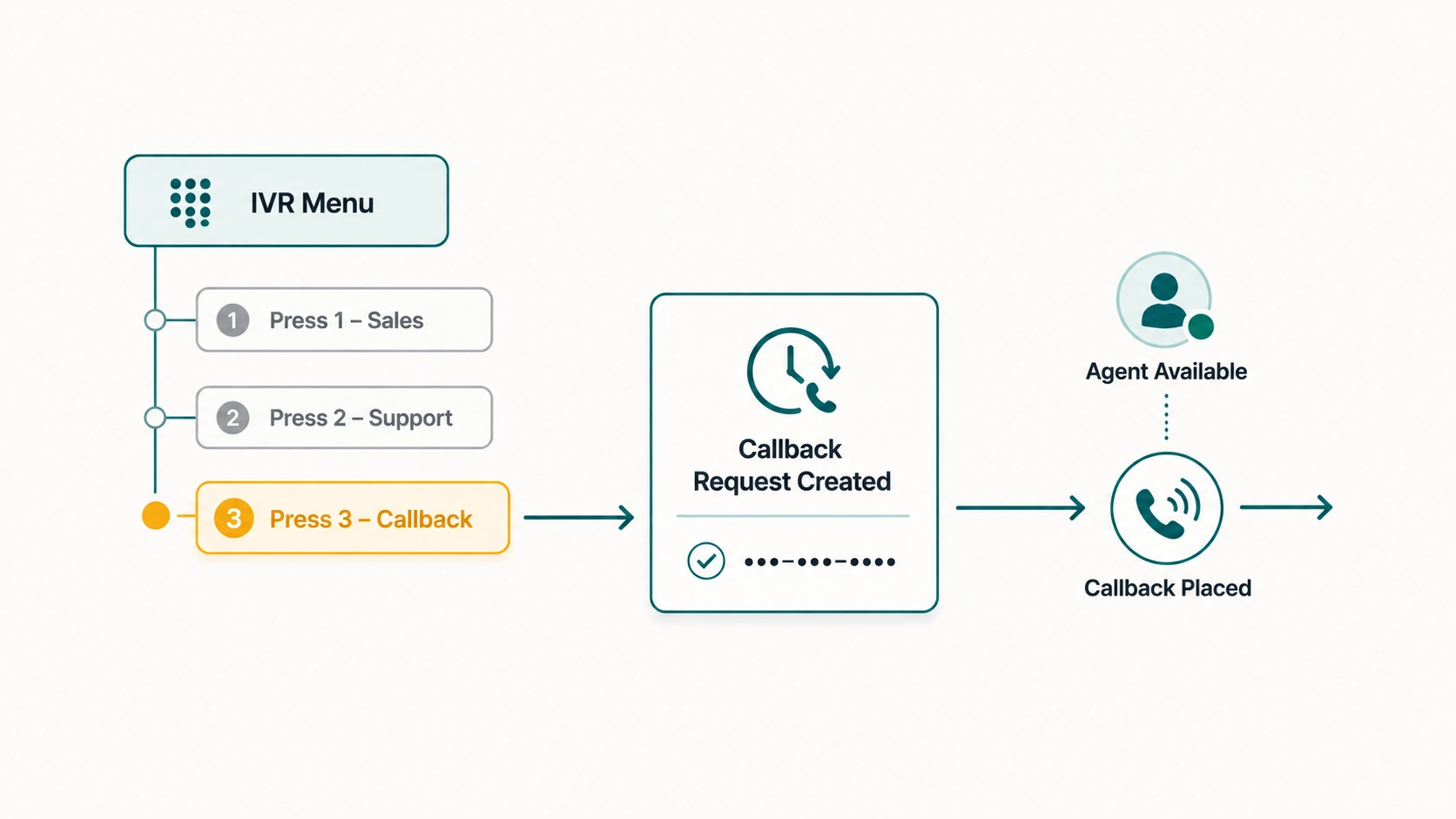
The most common implementation offers callback as a numbered menu option: "Press 1 for sales. Press 2 for support. Press 3 to request a callback." Alternatively, when the IVR has access to real-time queue wait-time estimates, it may offer the callback conditionally: "Estimated wait time for support is approximately 12 minutes. Press 1 to hold, or press 2 to request a callback."
Speech-enabled IVRs can accept spoken input — "callback" or "call me back" — in addition to DTMF key presses, though DTMF remains more reliable across different call types and network conditions.
Step 2 — Number confirmation
When the caller selects callback, the system reads back the number it will call: "We'll call you back at 555-867-5309. Press 1 to confirm, or press 2 to enter a different number." This step is important because the calling number may be a mainline, a shared office number, or a forwarded number that cannot receive an inbound call. Giving the caller the opportunity to provide a different number prevents callback failures.
Step 3 — The callback task is created
Once confirmed, the platform creates a callback record. This typically includes the callback number, the timestamp of the request, and — if the IVR captured it — the caller's chosen department or intent. On platforms with CRM integration, caller information from an ANI lookup or IVR input may be attached to the callback task, giving the agent context when the call is placed.
Step 4 — The original call is released
The caller hears a confirmation message — "We've recorded your callback request. Expect a call from us shortly." — and the call ends. The caller is no longer in any queue, hold music has stopped, and they are free to do other things.
Step 5 — Agent assignment and the outbound call
When an agent from the relevant team becomes available, the callback task is assigned. The system may connect the agent first and then dial the customer, or dial the customer first and bridge the call to the agent on answer. Which approach is used depends on the platform. Agent-first dialing allows the agent to see context before the customer picks up; customer-first dialing can result in the customer answering to a brief silence or hold music while the agent bridge completes.
For a deeper look at how this connects to queue management, see our guide on queue callback in call centers.
Context and CRM Integration
One of the practical advantages of IVR callback over pure overflow-to-voicemail is that the callback task can carry context. When the IVR collects the caller's intent ("press 2 for billing"), that selection can be attached to the callback task and used to route the return call to the appropriate agent or team.
On platforms with CRM integration, an automatic number identification (ANI) lookup may match the caller's number to an existing customer record. When the agent places the callback, they can receive a screen pop with the customer's history before the call connects — providing a more informed conversation than a cold return call with no context.
Whether this context is captured and preserved depends entirely on the platform's callback architecture and its CRM integration. Not all implementations support this.
Realistic Call Flow: IVR Callback in Practice
Caller dials business number
         ↓
IVR greeting and menu
"Press 1 for Sales, Press 2 for Support,
 Press 3 to request a callback."
         ↓
Caller presses 3
         ↓
IVR: "We'll call you at 555-234-5678.
Press 1 to confirm or 2 to change."
         ↓
Caller confirms
         ↓
Callback record created (number, timestamp, dept: general)
         ↓
IVR: "Your callback request is registered.
We'll call you when an agent is available."
         ↓
Call ends
         ↓
[Agent becomes available, 18 minutes later]
         ↓
System initiates outbound call to 555-234-5678
         ↓
Caller answers → connected to agent
Limitations and Considerations
Wait time visibility
An IVR callback offered before the caller enters a queue may not have reliable estimated wait-time data, since the caller has not yet entered the queue. The IVR can display a general estimate based on current queue state, but that estimate may be less accurate than information available to a caller who is already in queue.
Callback queue backlog
If callback volume is high relative to agent capacity, the callback queue itself can back up. A caller who expects a return call "shortly" and receives one four hours later has had a poor experience even though they were not on hold. Callback systems need to be monitored — callback queue depth is a meaningful metric, not an afterthought.
No guaranteed position
Unlike some queue callback implementations where a live placeholder holds position, an IVR callback offered before queue entry generally does not guarantee position relative to callers who chose to hold. The callback fires based on callback-queue logic, which may or may not give it the same priority as inbound hold traffic.
Caller availability on return
Callers who request a callback may not be available when the return call is placed — especially if the callback fires much later than expected. Retry logic and the number of attempts before a callback is marked failed need to be configured explicitly.
IVR Callback and After-Hours Routing
IVR callback is also useful in after-hours routing design. Rather than routing after-hours callers directly to voicemail, the IVR can offer them a callback for the next business day — creating a structured follow-up request rather than a passive message that may or may not be returned. This connects closely to after-hours call routing strategy, which we cover in our guide on routing business calls after hours.
Frequently Asked Questions
What is the difference between IVR callback and queue callback?
IVR callback is offered through the voice menu before the caller enters a hold queue — or as a standalone menu option. Queue callback is offered while the caller is actively waiting in queue. Both result in a return call; the difference is where in the call flow the option is presented and what position logic governs when the callback fires.
Can callers schedule a specific time for their callback through the IVR?
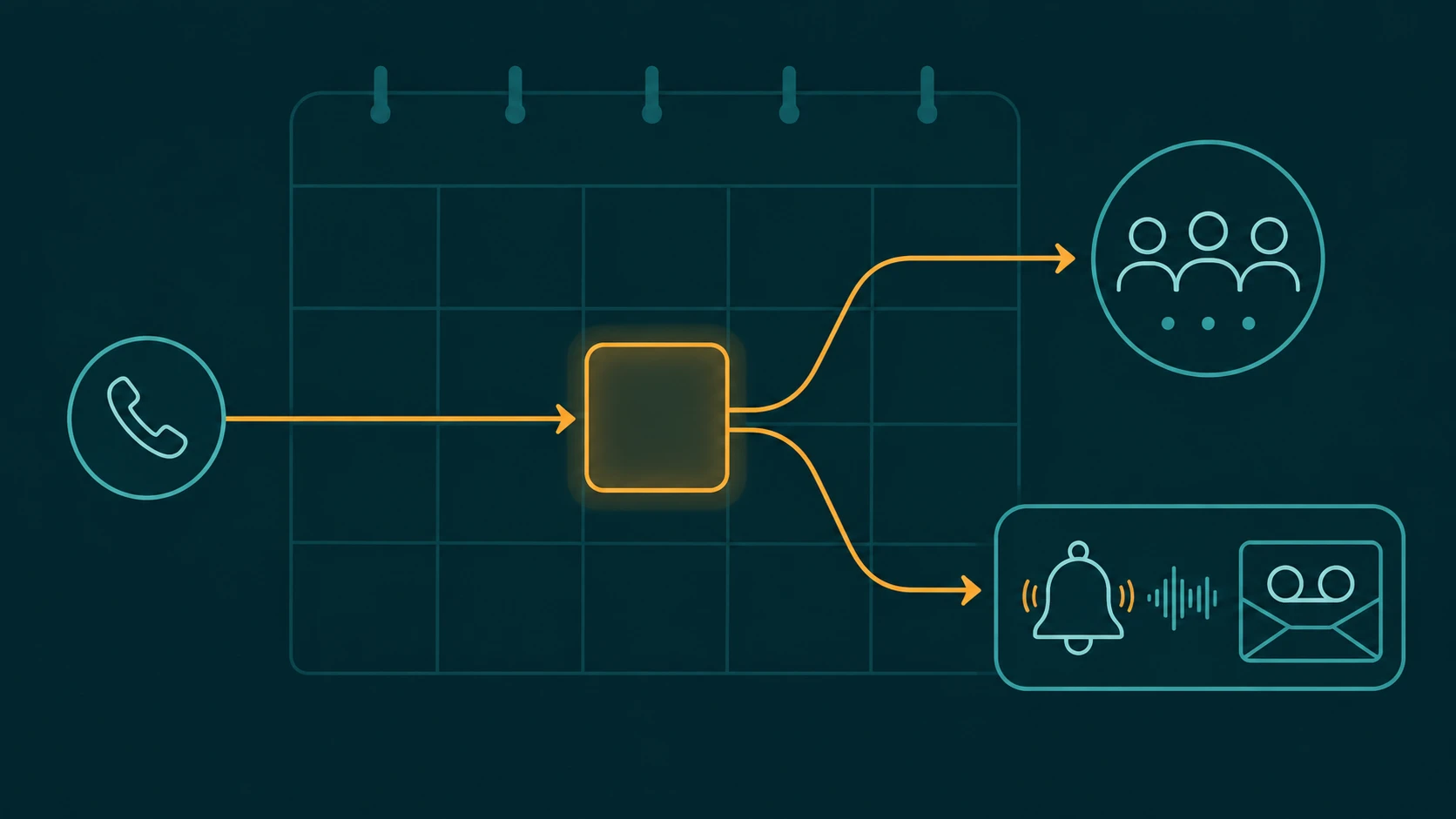
Some platforms support scheduled callback as a separate option within the IVR — allowing callers to select a date and time rather than requesting the next available callback. This requires more sophisticated IVR configuration and calendar-aware scheduling logic. When available, it can be offered alongside an immediate callback option.
Will the agent know why the caller is calling when they place the callback?
It depends on what the IVR captured and what CRM integration is in place. On platforms with full context preservation, the agent receives the caller's IVR selections and CRM data. On simpler implementations, the callback is a phone number and a timestamp with no additional context.
Does IVR callback count toward abandoned call metrics?
Platforms handle this differently. Some count a callback request as a handled interaction rather than an abandonment; others count the original call as abandoned and track the callback as a separate outbound event. Understanding how your platform reports callback interactions is important for accurately interpreting service level and abandonment data.
Can a caller who used IVR callback also be routed through the IVR when the return call fires?
Generally no. When the system places an outbound callback, the call typically connects directly to an available agent rather than re-entering an IVR. Some platforms play a brief prompt to the customer on answer ("Please hold while we connect you to an agent"), but the call does not re-enter the full IVR menu tree.