
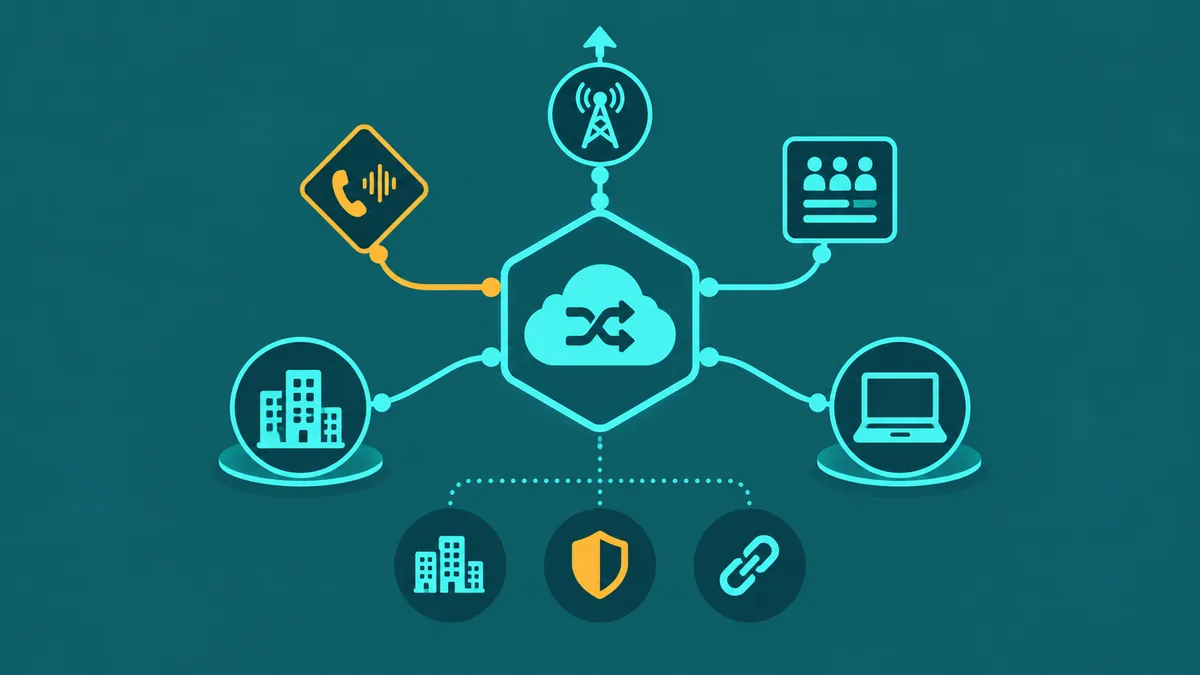
Most businesses still associate the word "PBX" with a beige metal box humming in a server closet, maintained by a specialist vendor who charges a visit fee every time something changes. That image is accurate for on-premise systems purchased before 2015 and still in production. It is irrelevant for cloud PBX. The switching logic, routing engine, voicemail system, IVR, and call recording infrastructure that once lived in that hardware box now run in a provider's data center — and your team accesses the full feature set through IP phones, softphone apps, and a browser-based admin portal. This guide explains what cloud PBX is, how it works, how it differs from adjacent categories, and what to look for when choosing a cloud PBX provider.
For a side-by-side comparison of cloud, hosted and on-premise PBX, see cloud PBX vs hosted PBX vs on-premise PBX.
What is cloud PBX?
A PBX (Private Branch Exchange) is a private telephone switching system that manages internal extensions, call routing, IVR menus, call queues, voicemail, and the connection between your organization's internal extensions and the public telephone network. Traditional PBX systems were dedicated hardware appliances installed on-premise — physical servers and telephony cards in a rack at your facility.
A cloud PBX replaces that on-premise hardware with software running in a provider's data center. The switching and routing logic, IVR configuration, extension management, voicemail storage, and all other PBX functions execute on the provider's servers rather than on hardware you own. Your organization accesses the system over the internet using SIP-compatible endpoints — IP phones, softphone apps, or ATAs. The term "cloud-based PBX" is used interchangeably with cloud PBX; "hosted PBX" means the same thing and is used more frequently in the UK and Australian market.
The shift from on-premise to cloud PBX follows the same trajectory as other business infrastructure categories — the economics of provider-managed, multi-tenant cloud infrastructure are structurally more favorable than per-organization on-premise hardware for all but the largest deployments with very specific customization or compliance requirements.
A cloud PBX (Private Branch Exchange) is a hosted phone system where the switching and routing logic runs in the provider's data center, not on hardware at your office. Calls route over SIP and RTP; your team connects via IP phones or softphones.
For EaseDial's cloud business phone, see cloud business phone.
How cloud PBX works
SIP registration. Every endpoint — desk phone, desktop softphone, mobile app — registers with the cloud PBX provider's SIP server using SIP credentials (username, password, SIP domain). The registration tells the server which IP address and port to route inbound calls to for that extension. Registrations refresh on a configurable timer to keep the binding current.
Call routing engine. When a call arrives at your cloud PBX — whether inbound from the PSTN or an internal extension-to-extension call — the routing engine processes the call against your configured rules: time-of-day schedules, IVR menus, ring groups, call queues, and forwarding rules. This logic that once required on-site PBX configuration now executes in the provider's cloud infrastructure and is configured through a web portal.
IVR and auto-attendant. The cloud PBX's IVR engine plays menu prompts, collects DTMF keypad input or speech recognition input, and routes calls based on caller selections. Multi-level IVR menus — where a caller selects a department and then a sub-option — are managed through the admin portal's call flow editor. This capability, which required proprietary on-premise hardware modules in legacy PBX systems, is a standard cloud PBX feature configurable by a non-technical admin.
PSTN connectivity via SIP trunks. The cloud PBX connects to the public telephone network through SIP trunking relationships that the provider manages. Your business phone numbers (DIDs) are provisioned by the provider and route inbound PSTN calls into your cloud PBX. Outbound calls route from your cloud PBX through the provider's SIP trunking gateway to the PSTN. Your organization does not manage any SIP trunking relationships directly — they are part of the hosted PBX service.
Cloud PBX vs hosted VoIP vs UCaaS — what's the difference?
These three terms are often used interchangeably in vendor marketing, which creates confusion when evaluating options. The distinctions are real but the product boundaries have blurred as the market matured.
| Dimension | Cloud PBX | Hosted VoIP | UCaaS |
|---|---|---|---|
| Core function | Cloud-hosted switching and routing for voice calls; the PBX feature set delivered as a service | Voice calls over the internet hosted by a provider; functionally overlaps with cloud PBX | Integrated platform: voice + video + team messaging + file sharing in one subscription |
| Hardware required | None — provider manages all infrastructure; endpoints only (IP phones or softphones) | None on provider side; same endpoint options as cloud PBX | None; client apps for voice, video, and messaging; room hardware optional for video |
| Included channels | Voice; SMS typically included; video via integration | Voice; SMS common; video sometimes included at higher tiers | Voice, video, team messaging, and collaboration tools natively integrated |
| Typical user | Businesses replacing a legacy on-premise PBX; teams focused on voice telephony | Same as cloud PBX; term used more broadly by retail-oriented providers | Distributed teams needing tight integration of calling, video meetings, and collaboration |
| Pricing model | Per-seat or per-minute; often lower cost than UCaaS for voice-only deployments | Per-seat or per-minute; comparable to cloud PBX pricing | Per-seat; higher than cloud PBX because the suite includes video and messaging infrastructure |
For organizations whose primary need is a full-featured business telephone system — extensions, IVR, call queues, call recording, and analytics — a cloud PBX or hosted VoIP service typically delivers better telephony-specific capability at lower cost than a full UCaaS suite. UCaaS makes more sense when tight integration between calling, video meetings, and team messaging in a single platform is a genuine priority and the premium is justified.
8 key cloud PBX features
The following capabilities represent the feature set that distinguishes a capable cloud PBX system from a basic hosted line service. Verify which pricing tier includes each feature before comparing provider quotes.
1. Multi-site connectivity. A cloud PBX system should natively support multiple office locations, remote workers, and branch offices on the same dial plan — with extensions that can reach each other by short code regardless of physical location. Multi-site support is a baseline capability of any business-grade cloud PBX provider, but the configuration experience and any per-site costs vary.
2. IVR and auto-attendant. Multi-level IVR menus configurable through a visual call flow editor, with support for time-of-day routing, holiday schedules, and DTMF input. Speech recognition IVR — where callers speak their intent rather than pressing keys — appears at higher tiers in most cloud PBX systems and requires additional ASR infrastructure. Verify menu depth limits and whether holiday schedule management requires support desk involvement.
3. Call queues. Queue configuration including distribution strategy (round-robin, longest-idle, skills-based), maximum queue depth, estimated wait time announcements, callback-from-queue, and overflow routing when all agents are unavailable. For any team handling inbound calls at volume, call queue configuration depth is where cloud PBX systems diverge most significantly between entry-level and professional-grade offerings.
4. Call recording. Cloud-stored recording with configurable retention, per-user or per-number granularity, and admin portal access to recordings without provider involvement. For compliance-sensitive industries, evaluate whether beep-tone and announcement configuration is supported for two-party-consent jurisdictions, and whether recordings can be exported or integrated with third-party QA platforms.
5. Voicemail. Per-extension voicemail with visual voicemail in softphone apps, voicemail-to-email delivery with optional transcription, and configurable greetings. Test transcription accuracy for your use case during any trial period; accuracy varies between providers' underlying speech-to-text engines.
6. Analytics. Real-time and historical dashboards covering call volume, queue wait times, agent activity, handle time, service level, and missed calls. Analytics quality separates a managed cloud PBX from an unmonitored call pipe. At minimum, look for hourly call volume, queue statistics, and per-agent call reporting. Export capability — CSV or integration with BI tools — matters for organizations that need to incorporate telephony data into broader business reporting.
7. CRM integration. Native connectors for Salesforce, HubSpot, Zoho, and other common CRM and helpdesk platforms. Screen pop, click-to-dial, and automatic call logging are the three integration capabilities that most reduce manual work for agents. For a cloud pbx system serving a sales or support team, CRM integration quality is frequently the highest-impact daily usability factor.
8. Disaster recovery failover. Cloud-based pbx systems from reputable providers include automatic failover between geographically separated data centers — calls continue routing even if one infrastructure region fails. Verify that this failover is automatic (not manual) and confirm the expected recovery time for each failure scenario. Additionally, inbound call failover routing — forwarding all calls to mobile numbers or an external destination if the platform is unreachable — should be configurable and tested before production deployment.
Why businesses switch from on-premise PBX
Cost and capital expenditure. On-premise PBX systems require significant upfront capital investment — hardware, installation, licensing, and often a third-party integrator for initial configuration. Refresh cycles typically run 7–10 years, during which the hardware depreciates and support contracts escalate. Cloud PBX converts this capital expenditure into a predictable monthly operating expense, eliminating hardware refresh risk.
Maintenance burden. On-premise PBX maintenance requires either internal telephony expertise or a managed services relationship with a vendor. Firmware updates, hardware failures, capacity expansions, and troubleshooting all require specialist involvement. In a cloud PBX model, the provider manages all of this — infrastructure maintenance is entirely off your team's plate.
Scalability. Adding users, numbers, or capacity to an on-premise PBX typically requires hardware procurement and physical installation. Adding a user to a cloud PBX takes minutes in an admin portal. For fast-growing organizations or businesses with seasonal capacity swings, cloud PBX elasticity is a significant operational advantage.
Remote work. Legacy on-premise PBX systems were designed for users sitting at desks in the office connected to physical phones. Extending them to support remote workers typically required VPN connectivity, softphone clients with spotty interoperability, or workarounds that degraded call quality. Cloud PBX systems are architected from the ground up for distributed access — a remote worker's softphone or IP phone connects directly to the provider's infrastructure without VPN dependency.
Migrating from on-premise PBX: what to do before, during, and after
The most common point of failure in a cloud PBX migration is not the technology — it is the sequencing. Organizations that run the configuration and testing steps concurrently with or after the number port frequently discover routing problems the moment business traffic hits the new system. The correct sequence is configuration and testing first, then number port.
Before you start
- Document your current setup completely. List every extension, ring group, auto-attendant menu, call queue, voicemail box, fax line, and analog device (door phones, elevator phones, alarm lines) currently in service. Include the business hours configuration, holiday schedules, and any conditional routing rules. The cloud PBX cannot be configured to match your existing behavior if you do not have a complete picture of what that behavior is.
- Identify number porting requirements early. Gather all phone numbers you intend to port, confirm they are active on current accounts, and initiate the LOA (Letter of Authorization) process with your new provider well before you intend to go live. For the full porting process and timelines, see business phone number porting. Keep your existing carrier service active until the port completes — canceling early orphans your numbers.
- Assess network readiness. Confirm your internet connection has adequate bandwidth and QoS configuration to support your expected concurrent call volume. VoIP traffic must be prioritized over general internet traffic or call quality will degrade under normal usage. For the network requirements, see VoIP call quality: what determines it.
- Evaluate hardware compatibility. Determine which existing IP phones are SIP-compatible with the new platform. Confirm provisioning support with the provider before assuming existing handsets will work without reconfiguration. Plan replacements for any incompatible devices.
During configuration and testing
- Build and test the full call flow before any traffic arrives. Configure every auto-attendant menu, queue, extension, and routing rule in the new system. Test every path: main number, direct extensions, queue overflow, after-hours routing, and emergency routing. Test voicemail delivery, recording capture, and CRM screen-pop integration if applicable.
- Run a parallel period. If your migration timeline allows it, run the new system in parallel with the existing system — on new numbers, not your ported numbers — during a testing window. Have internal staff call in through the new system and experience the call flow as a customer would. Surface and fix issues before they affect customers.
- Test escalation and fallback paths explicitly. What happens when a queue overflows? When an agent doesn't answer? When the system is outside business hours? These paths are easy to overlook during forward-path testing and often surface unexpected behavior under real conditions.
At and after cutover
- Stage the number port for a low-traffic window. Number ports complete at a specific time on the FOC (Firm Order Commitment) date. Schedule this during a low-traffic period — early morning or weekend — when the volume of affected calls if something goes wrong is minimal. Have someone monitoring calls on both the old and new systems at the moment of cutover.
- Register E911 for all ported numbers immediately after port completes. In a cloud PBX, E911 registration is your responsibility — the provider does not automatically inherit the emergency address from your previous carrier. Every business number in use must have a registered physical address in the provider's E911 system before the system is in production use.
- Train staff before go-live, not after. The most impactful user-facing changes — how to transfer calls, how to check voicemail, how to handle queue behavior — should be trained and practiced before the cutover date. Users discovering these for the first time on a live customer call creates unnecessary friction.
Hosted PBX vs virtual PBX — what's the same and different
"Hosted PBX" and "virtual PBX" are near-synonyms in current usage, with one historical distinction worth noting. Virtual PBX originally referred to very lightweight hosted phone services — often with limited features — that provided a business number, auto-attendant, and call forwarding to existing phones (mobile or landline) without a full cloud PBX feature set. These were common in the early VoIP market as an alternative to a full hosted PBX.
Today, the product boundary between "virtual PBX" and "hosted PBX" or "cloud PBX" has largely collapsed. Providers use all three terms to describe functionally similar products. The more meaningful distinction is product depth — whether the system includes full call queue management, call recording, analytics, and CRM integrations (characteristics of a cloud PBX or hosted PBX) versus a lightweight service with basic call forwarding and an auto-attendant (the older "virtual PBX" model). Evaluate on feature depth and pricing, not on the label the provider applies to their product.
Selecting a cloud PBX provider
SLA and redundancy. A 99.99% uptime SLA backed by multi-region, active-active infrastructure is the right baseline for a production business phone system. Ask providers for their infrastructure architecture documentation and verify that failover is automatic — not manual operator intervention — before committing. A 99.9% SLA on single-datacenter infrastructure is a meaningful reliability risk for any organization dependent on inbound calls.
Geographic data center coverage. For organizations with offices in multiple regions or internationally, confirm that the provider's infrastructure is geographically distributed close enough to your locations to maintain low latency (under 100 ms to the SIP server from each office). Providers with infrastructure concentrated in a single region introduce latency-related quality issues for geographically distributed deployments.
Support. Confirm what "24/7 support" means in practice — whether live engineer response is available for critical incidents outside business hours, not just ticket submission. P1 response time for total outage scenarios is the metric that matters for production systems. Ask whether support is provided directly by the vendor or via an outsourced team.
Number porting. Understand the provider's number porting process, fees, and timeline for your number types before committing. Porting existing numbers to a cloud PBX typically takes 5–15 business days. Your current carrier must remain active throughout — cancelling before the port completes risks losing the number permanently.
Trial period. Require a trial or pilot environment before committing to a production deployment. Use the trial to test the IVR configuration, call queue behavior, recording quality, mobile softphone stability, and support responsiveness on a realistic call flow. A cloud PBX provider that will not offer a meaningful trial is one that knows the product will not survive close pre-production evaluation.
Cloud PBX cost breakdown
Cloud PBX pricing typically follows a per-seat model: $15–$65/user/month depending on the provider and feature tier. Entry-tier plans include basic calling, voicemail, and auto-attendant; professional and enterprise tiers add call recording, advanced analytics, CRM integrations, and SLA upgrades.
Per-minute cloud PBX pricing — where you pay for minutes used rather than a per-seat license — is available from providers oriented toward contact center and high-volume outbound use cases. This model typically runs $0.005–$0.025/minute inbound and $0.01–$0.03/minute outbound for US domestic traffic, and produces significantly lower total cost than per-seat pricing for high-volume outbound operations.
Add regulatory fees and surcharges — USF contributions, E911 fees, local taxes — which typically add 15–25% to the base rate. Number rental fees (per DID per month), SMS fees, and international calling rates add further to the total. Always request a fully-loaded sample invoice before comparing providers on price.
IP desk phone hardware, if you choose to deploy physical endpoints rather than softphones, adds $80–$400+ per device. For remote and hybrid deployments where softphone apps are the primary endpoint, hardware costs are eliminated and the per-seat software cost is the dominant expense.


