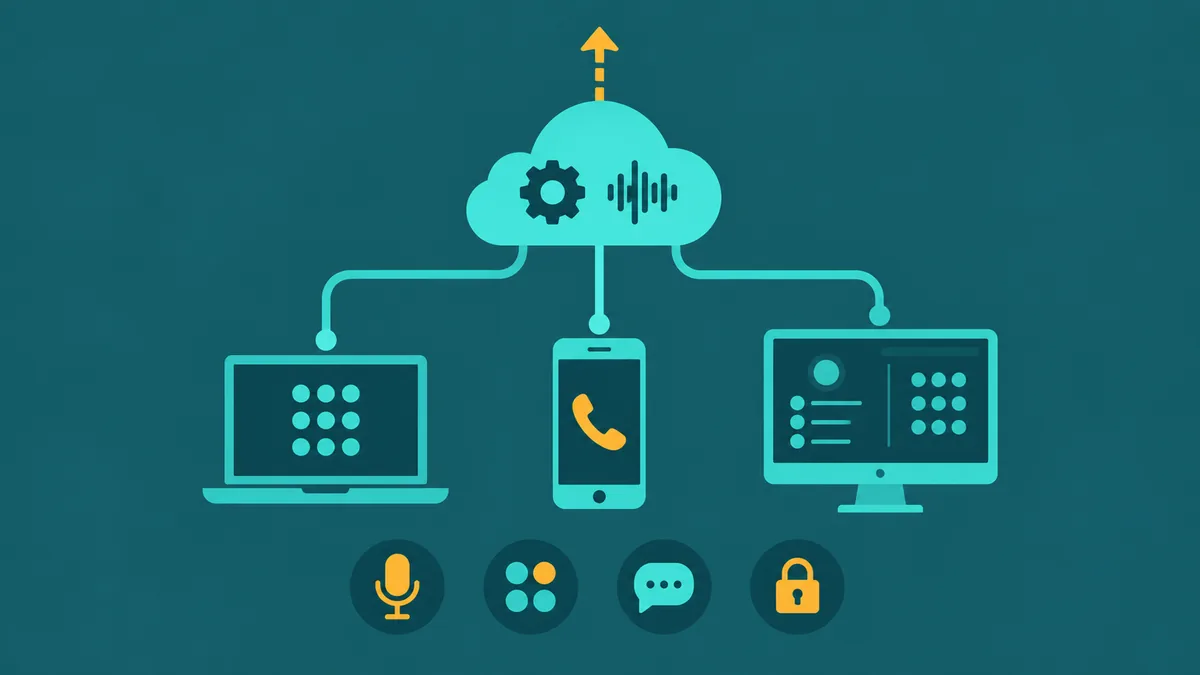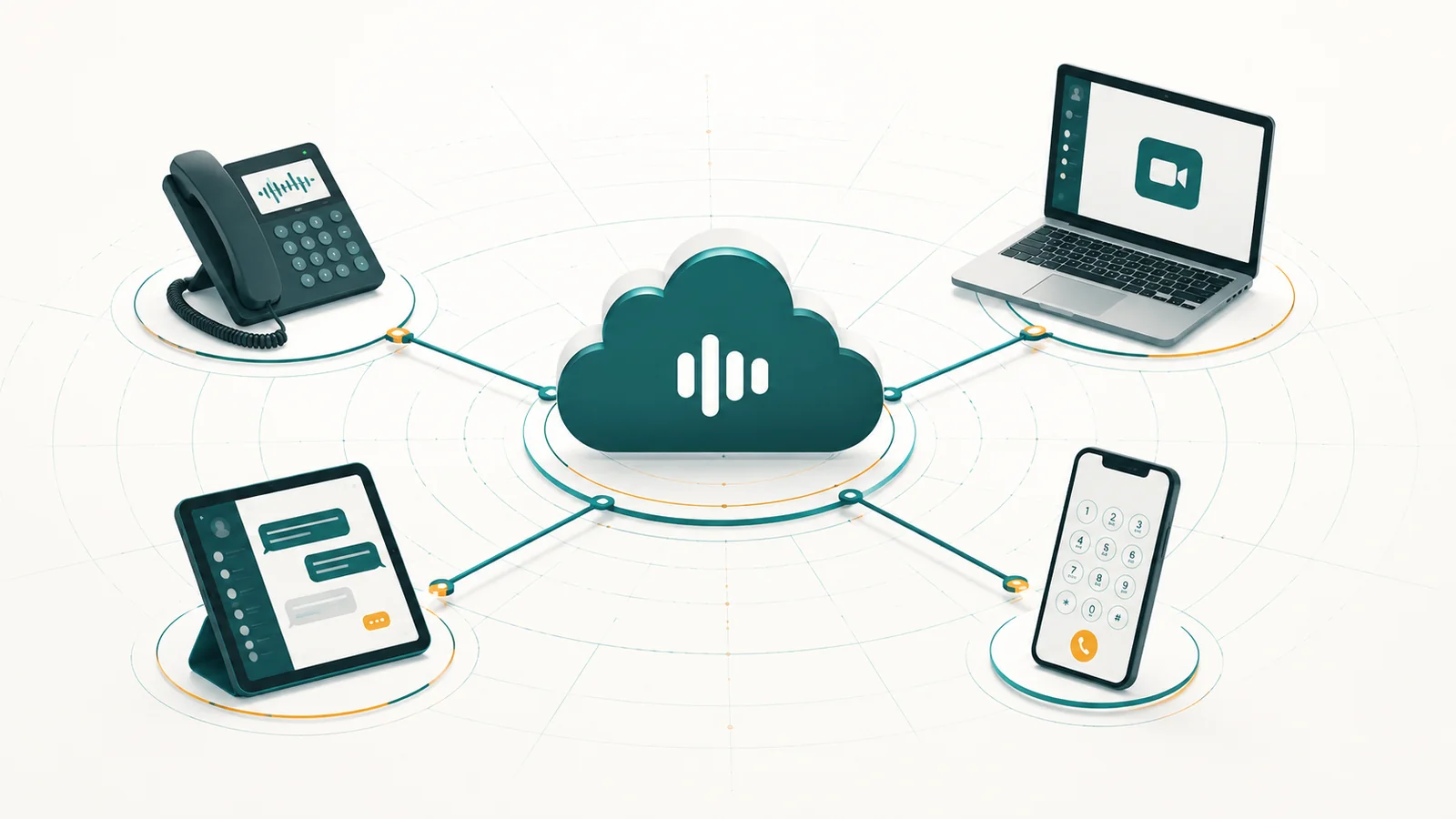
UCaaS (Unified Communications as a Service) is a cloud-delivered subscription that combines business phone calls, video meetings, team messaging, and file sharing into a single platform. Instead of buying and maintaining separate systems for each communication channel, a company subscribes to one service. The provider handles infrastructure, upgrades, and uptime from data centers it operates, and employees reach the platform from any device with an internet connection.
The term covers a lot of ground, which is why it causes confusion. "Unified communications" has existed since the late 1990s as on-premises software. "As a service" shifts the delivery model to the cloud and moves capital expense into a predictable monthly cost. Those two words change the economics significantly for small and mid-sized businesses that couldn't previously afford enterprise-grade phone infrastructure.
This guide explains what UCaaS actually includes, how it differs from VoIP, legacy PBX, and CCaaS, how the technology works under the hood, and what to think about before committing to a provider.
What UCaaS includes
A UCaaS platform typically bundles four communication modes into one admin console and one end-user app:
- Business voice: Phone calls via VoIP, including inbound and outbound calling, auto-attendants, call routing, voicemail, and call recording. This is the core function most businesses replace their old phone system with.
- Video conferencing: Hosted meetings, screen sharing, and in some cases webinar tools — no separate Zoom or Teams subscription needed if the UCaaS platform includes it. Organizations evaluating standalone video infrastructure should also understand how cloud-based video conferencing works at the infrastructure level before assuming UCaaS video meets all their requirements.
- Team messaging: Persistent chat organized into channels or spaces, with file sharing and integrations with tools like CRM or ticketing systems.
- Presence and directory: Real-time availability status across the organization so employees can see whether a colleague is on a call, in a meeting, or available before deciding how to reach them.
Some UCaaS platforms also include basic contact center features such as call queues, simple IVR menus, and basic reporting. Others keep those capabilities in a separate CCaaS product. Whether you need them bundled or separate depends on how your customer-facing teams work — a topic covered later in this guide.
How UCaaS differs from VoIP, PBX, and CCaaS
These four terms are often used interchangeably in vendor marketing, which muddies the decision. They actually describe different layers of the same technology stack.
| Term | What it is | Who typically uses it | Key limitation |
|---|---|---|---|
| VoIP | The protocol that carries voice over IP networks. A transport layer, not a product. | Everyone who makes digital phone calls | VoIP alone gives you calls. Nothing else. |
| PBX (on-premises) | A physical phone switching system installed at your office. Routes internal and external calls. | Enterprises with dedicated IT teams and capital budgets | Hardware cost, maintenance burden, limited remote access without extra configuration. |
| UCaaS | Cloud-hosted platform combining voice, video, messaging, and presence in one subscription. | SMBs, distributed teams, companies replacing legacy phone systems | Advanced contact center routing and analytics typically require a CCaaS add-on or separate product. |
| CCaaS | Cloud contact center software with ACD, IVR, omnichannel routing, WFM, and agent analytics. | Customer support and sales teams handling high call volumes | Focused on agent productivity; internal employee communications typically need a separate UCaaS layer. |
The short version: VoIP is the underlying technology. PBX is the legacy hardware category UCaaS replaces. UCaaS is the cloud platform for internal and external business communications. CCaaS is a specialized layer on top for customer-facing contact center operations.
For a deeper look at where UCaaS and CCaaS overlap and diverge, see UCaaS vs. CCaaS: which one does your business need. For how UCaaS stacks up against bare VoIP, see VoIP vs. UCaaS.
How UCaaS works
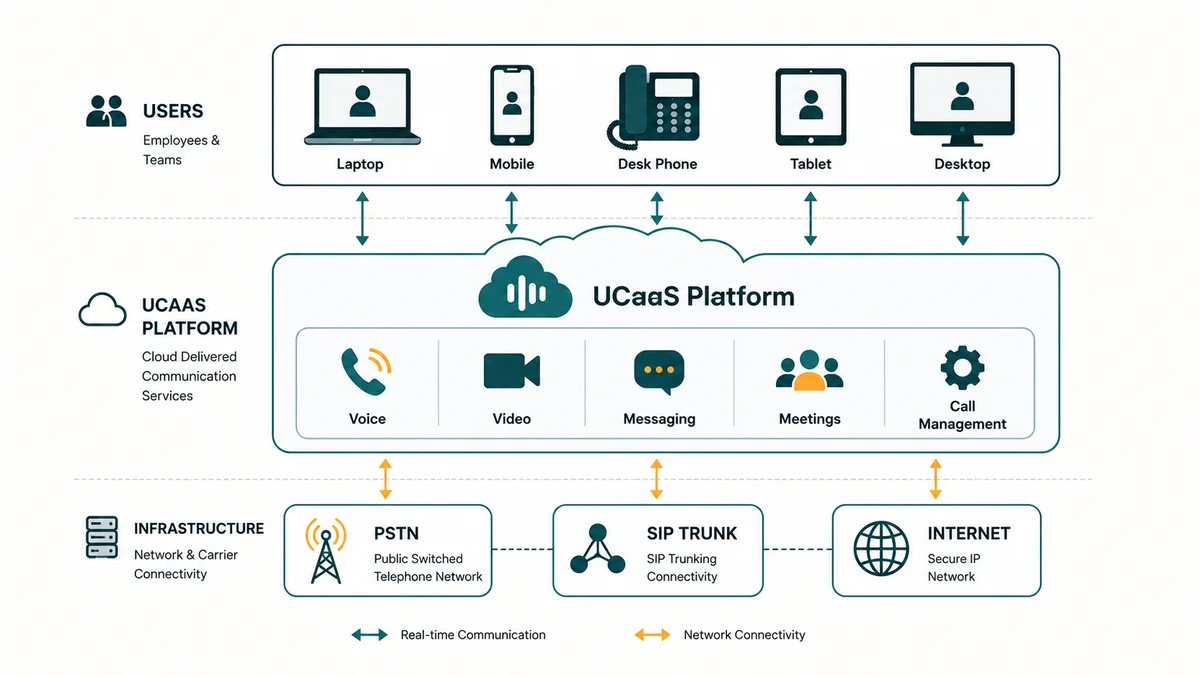
UCaaS architecture: cloud PBX in the provider's data center, SIP trunking to PSTN carriers, and software clients on any device.
When you make a phone call through a UCaaS platform, the audio travels as data packets over the internet rather than over a traditional copper circuit. Here is what actually happens at each step:
1. The cloud PBX
The provider runs a software-based PBX in its own data centers. This handles everything a physical PBX did — call routing, extensions, auto-attendants, hold music, voicemail — but as code rather than hardware you own. When someone calls your business number, the request hits the provider's PBX first. From there it routes to the right device, queue, or auto-attendant based on rules you configure. For a dedicated technical breakdown of how cloud PBX works, see our guide.
2. SIP trunking to the PSTN
Your UCaaS provider connects to the public switched telephone network (PSTN) — the traditional phone network — via SIP trunks. This is what allows UCaaS calls to reach mobile numbers, landlines, and international numbers that aren't on the same platform. The provider manages these carrier relationships on your behalf. You never think about trunks; you just get calls.
3. The client app
Employees use a softphone app on their laptop, desktop, or mobile phone. Some providers also support desk phones via SIP if your team prefers physical handsets. The app authenticates to the provider's platform over the internet and registers as an extension on the cloud PBX. A call to your direct number rings the app wherever the employee is — office, home, airport.
4. Media servers for video and messaging
Video calls use WebRTC or proprietary video protocols and route through the provider's media servers. Team messages are stored in the provider's cloud and synchronized to your app in real time. The same authentication and security layer that covers calls also covers chat and video, which is why the single-sign-on and directory integration matter.
5. APIs and integrations
Most UCaaS platforms expose APIs that let you embed calling or messaging into CRM systems, helpdesk tools, or custom internal applications. This is how click-to-call in Salesforce or auto-logging of call activity in HubSpot works. The depth and reliability of these integrations vary considerably between providers.
Key features to understand (and questions to ask)
Not every UCaaS platform is built the same way. Here are the features that matter most, and the questions worth asking before you commit.
Auto-attendant and IVR
An auto-attendant answers incoming calls and presents menu options ("Press 1 for sales, press 2 for support"). A basic auto-attendant is a menu tree. A more capable IVR system can collect caller input, look up account information, and route with more intelligence. Most UCaaS platforms include basic auto-attendant; full IVR with database lookups typically requires a CCaaS tier or add-on.
Call routing
Call routing rules determine where inbound calls go after the auto-attendant. Options include time-of-day routing (different destinations after hours), skills-based routing (to the agent who speaks French), geographic routing (based on area code), and overflow routing (to a backup queue if the primary queue is full). The sophistication of routing rules is a major differentiator between entry-level UCaaS and platforms built for larger teams.
Call queues
When more callers arrive than agents are available, call queues hold them in order with music or messaging. Well-designed queue management includes estimated wait time announcements, position-in-queue updates, and overflow handling. Poorly designed queues frustrate callers and create phantom abandon rates that are hard to diagnose.
Analytics and reporting
At minimum, a UCaaS platform should show call volume by time period, average call duration, missed call rate, and voicemail rate. More useful platforms surface those metrics in near-real time, allow filtering by user or number, and export to BI tools. If you're trying to right-size staffing or improve first-call resolution, you need more than a monthly summary PDF.
Reliability and uptime SLA
The provider's SLA is what they promise, not what they deliver. Check the published status page history — most providers link it publicly. Look for the uptime over the past 12 months, not the headline percentage. A provider with 99.9% uptime averages about 8.7 hours of downtime per year. Whether that's acceptable depends on how your business uses the phone system.
Number porting
Porting your existing business numbers to a new provider takes time — typically 7 to 30 days depending on the carrier. Providers who are serious about retaining customers make this process clear up front. If a provider is vague about port timelines or fees, that's a signal about how they handle the rest of the customer experience.
Security and compliance
If your business operates in healthcare, finance, or handles EU citizen data, ask specifically about HIPAA, SOC 2, PCI DSS, and GDPR. UCaaS platforms vary significantly in what compliance certifications they hold and what controls they offer — encryption in transit, encryption at rest, call recording access controls, data residency options. See the UCaaS security and compliance guide for a checklist.
EaseDial Business Phone
Voice, video, messaging, and contact center — one platform, one bill.
Who UCaaS is built for
UCaaS replaced on-premises PBX as the default choice for most businesses that are not locked into legacy infrastructure for compliance reasons. It works particularly well for:
Small and mid-sized businesses without dedicated IT
A 20-person company doesn't need an IT administrator to maintain phone hardware. UCaaS admin consoles are designed for business owners and office managers. Adding a new employee, setting up a call group, or changing business hours routing takes minutes rather than a support ticket. For more on choosing the right setup, see the best business phone systems for small business guide. Teams specifically evaluating hosted VoIP should also review the VoIP phone system for small business breakdown.
Distributed and remote teams
A UCaaS number is software, not a physical line. An employee in Dallas, a contractor in Toronto, and a support manager working from home all share the same phone system — same extensions, same call groups, same directory. The remote business phone system guide covers the setup considerations in detail.
Businesses replacing aging PBX hardware
On-premises PBX systems have defined end-of-life dates. When hardware fails or manufacturer support ends, replacement parts become expensive and support becomes scarce. Many businesses move to UCaaS at that natural break point rather than investing in another hardware cycle. The cloud phone system guide walks through what the transition actually involves. For step-by-step migration planning — number porting, user provisioning, cutover sequencing, and rollback — the UCaaS migration guide covers the full process.
Growing companies that need flexibility
UCaaS scales by adding licenses. No capacity planning, no trunk upgrades, no extra hardware. If you add 15 people in Q3, you add 15 seats. If a contract ends and you reduce headcount, you cancel the seats. Traditional PBX systems overprovisioned capacity at installation and then degraded gracefully over years of growth.
Use cases in practice
Abstract features are hard to evaluate. Here is how UCaaS actually gets used in specific business situations.
The multi-location retail business
Three store locations, a warehouse, and a corporate office. Each location had its own phone number and line. Calls between locations went through the PSTN and cost money. With UCaaS, all five locations share a single phone system. Internal calls between locations are free because they route over the internet within the same platform. A central auto-attendant can route callers to the nearest store by area code.
The professional services firm
Lawyers, accountants, and consultants often work across client sites and offices. A UCaaS mobile app lets them present the firm's main number on outbound calls regardless of whether they're calling from a desk, a mobile phone, or a laptop. Voicemails reach them by email. Client calls never go to a personal mobile number.
The e-commerce company with seasonal support spikes
Holiday season doubles support call volume. With UCaaS, adding temporary agents means adding temporary seats — no provisioning of new lines or hardware. Call queues handle overflow. After the season, seats are removed. The cost scales with actual usage rather than peak capacity.
The company building a support team from scratch
A software startup at 30 employees adds its first dedicated support function. They need a business number, call routing, a small queue, and call recording for QA. UCaaS covers all of that. If the support function grows to the point where they need workforce management, skills-based routing across multiple channels, or real-time supervisor dashboards, that's when a cloud contact center layer becomes relevant.
Limitations and trade-offs
UCaaS is the right choice for most businesses, but not all of them, and not without real trade-offs.
Internet dependency
UCaaS calls travel over the internet. If your internet connection goes down, your phone system goes down with it. A wired, business-grade connection with a cellular failover handles this for most offices. But if your location has unreliable connectivity, this is a genuine problem to plan for rather than ignore.
Call quality varies with network quality
When UCaaS call quality problems arise — one-way audio, dropped calls, registration failures — the UCaaS troubleshooting guide provides a step-by-step diagnostic framework.
VoIP is sensitive to network jitter, latency, and packet loss in ways that PSTN calls are not. A congested Wi-Fi network in an open office can produce choppy calls even with a fast internet connection. QoS (Quality of Service) settings on your router prioritize voice traffic, but require some configuration. Most UCaaS providers offer troubleshooting guidance, though the network is ultimately yours to manage.
Emergency calling (E911) requires setup
Traditional landlines report a physical address to 911 automatically. UCaaS numbers are software and can be used from any location, so emergency services don't know where you are unless you register an address. Providers handle this through E911 registration, which requires each user to set their primary location. Remote workers and employees who travel need to understand this and keep their location current. The E911 for remote workers guide covers dispatchable location and per-user setup.
Advanced contact center features need a separate layer
UCaaS is not a substitute for CCaaS if your contact center needs predictive dialers, workforce management, omnichannel routing across email and chat, detailed agent performance dashboards, or real-time supervisor tools. Most UCaaS platforms include enough for a small support team. They are not engineered for a 50-agent contact center with complex routing logic. The UCaaS vs. CCaaS comparison covers this boundary in detail.
Vendor lock-in and number portability
Your business numbers can be ported away from any UCaaS provider — number portability is a regulatory requirement in the US and most markets. But your call recording archive, voicemail history, and message logs live in the provider's storage. Before you sign, understand what you can export, in what formats, and whether there are fees for data access or bulk export.
UCaaS pricing: what you're actually paying for
UCaaS is typically priced per user per month. Rates vary widely based on the feature tier, the number of seats, and whether you commit to an annual contract. Rough price ranges across the market:
- Entry tier (voice + basic messaging): roughly $15–25 per user per month
- Mid tier (voice + video + messaging + integrations): roughly $25–40 per user per month
- Advanced tier (adds analytics, admin controls, compliance features): roughly $40–65 per user per month
These are market reference ranges, not quotes. Your actual cost depends on seat count, contract length, and which add-ons you need. International calling, toll-free numbers, call recording storage, and advanced analytics are frequently billed as extras on top of the per-seat fee. Always build a fully-loaded cost model before comparing providers.
The business phone system buyer's guide includes a pricing worksheet and a list of common add-on costs to check for before you sign.
How to evaluate UCaaS providers
The market has dozens of providers at every price point. Most offer similar feature lists. The actual differences show up in a few specific areas:
- Call quality and reliability: Published uptime history, not just SLA promises. Ask for the status page URL and check the incident log yourself.
- Onboarding support: Does the provider assign an implementation manager, or does setup happen through a self-service portal and documentation? Both can work; know which one you're getting.
- Integration depth: "Integrates with Salesforce" can mean a bi-directional sync with automatic call logging, or it can mean a browser extension that dials numbers. Test the specific integration you depend on.
- Admin experience: Ask for a trial of the admin console, not just the end-user app. The admin interface is where you'll spend time when something breaks or a new employee joins.
- Contract and exit terms: Annual contracts are standard. Month-to-month flexibility typically costs more per seat. Understand what happens to your data and numbers if you cancel.
UCaaS vs. building on separate tools
Some businesses assemble their own communications stack: a VoIP provider for calls, Zoom for video, Slack for messaging. This can work and may be cheaper at small scale. The trade-offs are:
- Separate billing relationships and admin consoles for each tool
- No unified directory or presence across tools (your Slack status doesn't reflect that you're on a call)
- Support ownership is fragmented — when something breaks, each vendor points at the other
- Integration between tools is possible but requires configuration and maintenance
As teams grow, the management overhead of separate tools typically pushes companies toward a unified platform. The break-even point depends on how much IT time those integrations consume.
Frequently asked questions
Choosing and evaluating UCaaS
The key decisions are not whether to use UCaaS, but which features your team actually needs, whether the provider's reliability record matches your uptime requirements, and where the boundary between UCaaS and CCaaS falls for your customer-facing operations.
EaseDial's business phone platform is built on the same UCaaS foundation described in this guide — voice, video, messaging, and a contact center layer for teams that need it, without the hardware, without the maintenance overhead, and with pricing that scales from a five-person company to an enterprise. See the business phone plans or compare it against the contact center tier at products/contact-center.