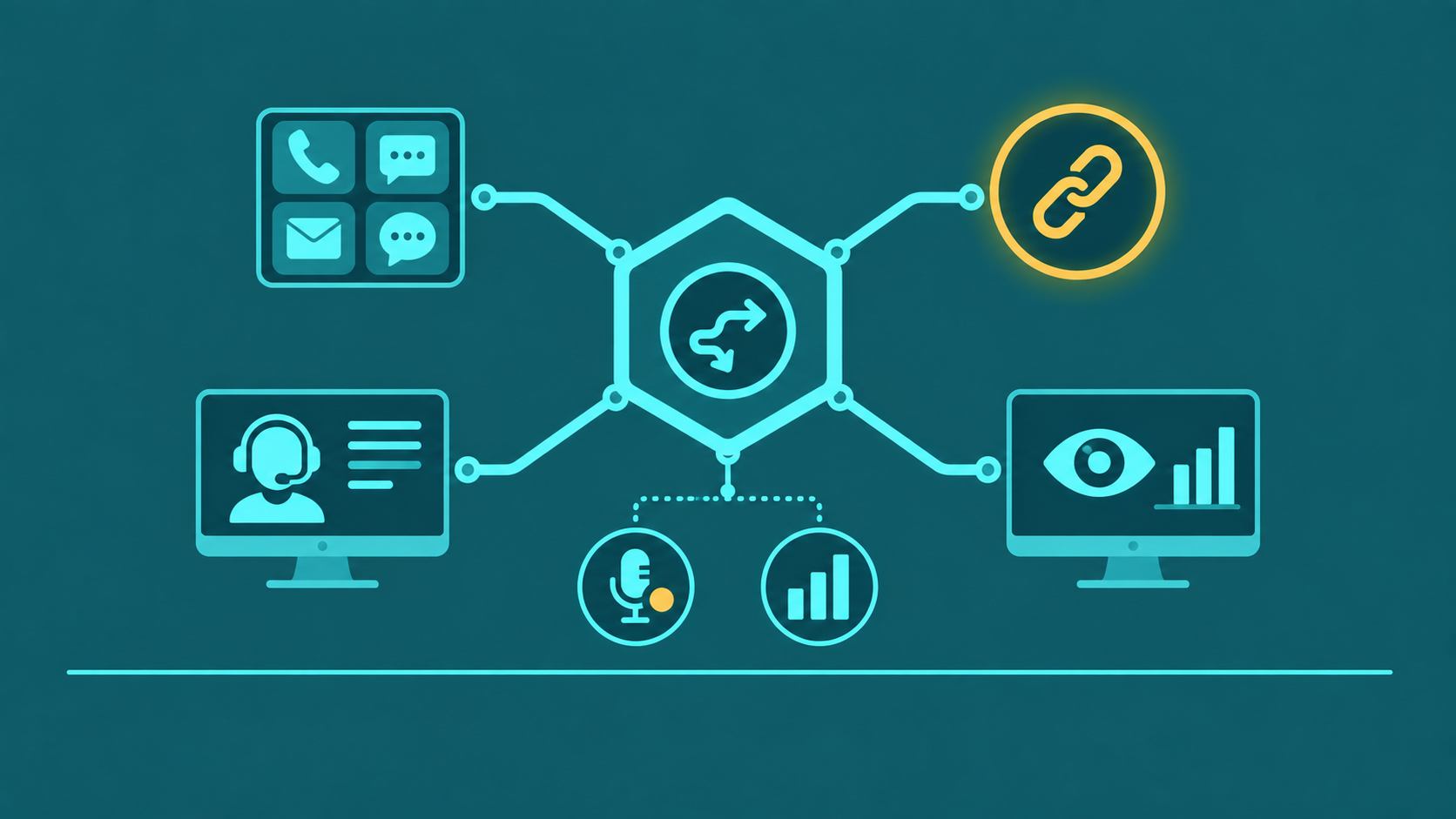
This guide evaluates omnichannel contact center platforms — what to look for when scaling a multi-channel operation. For a definition of the CCaaS delivery model, vendor landscape, pricing, and compliance, see What Is CCaaS? Complete Guide. To see EaseDial's own platform, visit EaseDial Contact Center.
This guide is about full omnichannel contact center platforms — systems built for scaling teams that handle voice, chat, email, and SMS simultaneously, not phone-focused call centers that use voice as the primary or only channel. If your operation primarily handles phone calls through an ACD and IVR, the call center software guide is the better starting point, and VoIP for call centers covers the underlying voice infrastructure. If you need a platform that natively manages digital channels alongside voice — with real-time omnichannel supervisor views, journey-level analytics across channels, and an open API ecosystem for integration — this guide covers what to evaluate.
Contact center software is the operational platform that unifies routing, agent interfaces, analytics, and CRM data across every customer communication channel. Unlike call center software focused on telephone traffic, omnichannel contact center platforms route interactions from all digital channels through a single engine, maintain unified agent state across voice and digital, and generate journey-level analytics that span the entire customer experience — not just individual call metrics. This guide covers how contact center software differs from call center software, what core features to require, deployment and pricing options, and how to evaluate platforms as your omnichannel operation grows.
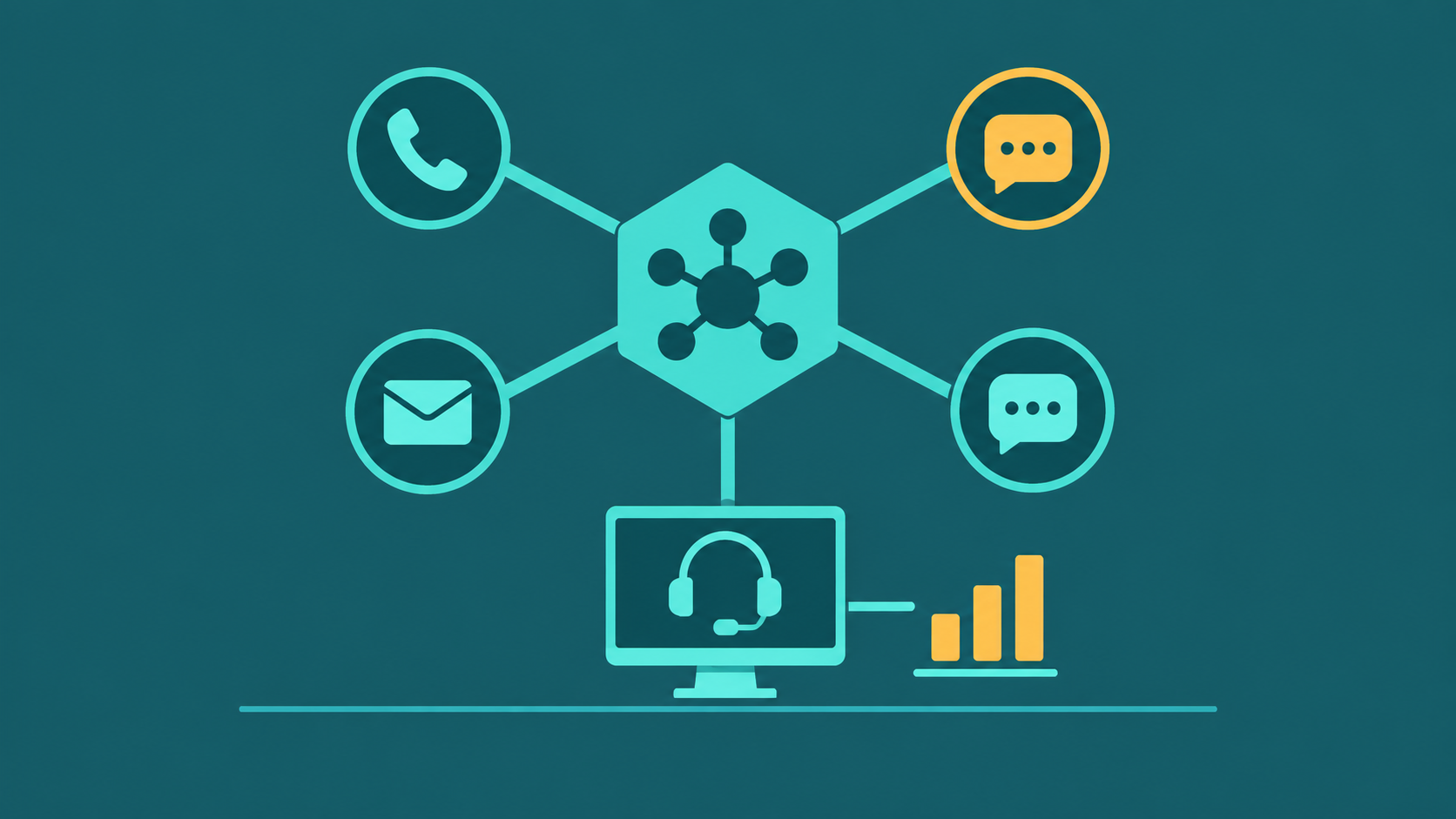
Contact center software unifies voice, chat, email, and SMS into one omnichannel platform — combining ACD, IVR, real-time analytics, call recording, and CRM integration under a single agent desktop and reporting layer. It goes beyond call center software by managing all digital channels, not just telephone interactions.
For traditional inbound, outbound and call center software and pricing, see call center software.
Contact Center Software vs Call Center Software
If you only handle phone calls, see our call center software guide. This guide covers platforms built for voice + chat + email + SMS — full omnichannel operations where digital channels are native, not bolted on.
The terms are often used interchangeably, but they describe meaningfully different platform scopes. Call center software historically referred to voice-only platforms: ACD, IVR, call recording, and agent telephony. Contact center software implies a broader capability set — managing all customer communication channels under unified routing logic, unified agent state, and unified reporting. The table below compares the two across five dimensions. Note that the Contact Center column reflects what a true omnichannel platform should deliver natively — not via third-party add-ons.
| Feature | Contact Center Software | Call Center Software |
|---|---|---|
| Channels | Voice, chat, email, SMS, and social natively built into the core routing engine — not connected via third-party integrations that create data silos | Primarily voice; digital channels typically bolted on via third-party integrations with separate queues and reporting |
| Routing | Single omnichannel ACD with unified agent state — an agent handling a chat is unavailable for voice in the same engine, preventing agent state conflicts across channels | ACD routes inbound phone calls; digital channels may use separate queuing systems with independent agent state |
| Analytics | Journey-level analytics spanning the full customer experience across channels — not just call metrics, but cross-channel CSAT, channel deflection rates, and omnichannel supervisor views showing all queues simultaneously | Reporting focused on call metrics; channel-specific analytics for non-voice interactions require separate tools |
| Integrations | Open API ecosystem with bidirectional CRM sync across all channels, WFM integration with cross-channel volume data, and webhook-based event streaming for real-time data pipelines | CRM integration typically voice-call focused; limited cross-channel context in the CRM record |
| Deployment | Cloud-dominant for omnichannel; some hybrid options for regulated industries requiring on-premise data residency for specific channels | Both cloud and on-premise; legacy on-premise installations remain common |
When evaluating any platform, verify whether omnichannel capabilities are native — built into the core routing engine — or integrated via third-party connectors. Third-party channel integrations create reporting gaps (each channel reports separately), agent state inconsistencies (an agent busy in chat may still appear available in the voice ACD), and vendor dependency chains that multiply when any component needs an upgrade.
Core Features Every Platform Should Have
Not all contact center platforms are equal. These eight features represent the baseline any serious platform must cover before you evaluate differentiated capabilities. The descriptions below focus on how contact center managers and supervisors use each feature day-to-day — what breaks when it is missing, and what operational problem it solves in practice.
1. Omnichannel ACD
In practice, the ACD is the system that decides which agent gets which interaction at any given moment across all channels simultaneously. A unified omnichannel ACD means the manager configuring routing logic does it once — skills groups, priority queues, overflow rules — and those rules apply whether an interaction arrives as a phone call, a web chat, or an SMS. Platforms that run parallel ACDs per channel require managers to maintain separate routing configurations for each channel, and agents can appear available for voice while already occupied in chat — a conflict the supervisor cannot see until a customer complains. Verify that agent state is truly unified across channels in production, not just in demo environments.
2. IVR and Voice Bot
Operationally, the IVR is the first point of contact for every inbound caller — its design directly determines how many calls reach a live agent versus self-serve. Contact center managers need the IVR builder to be self-service: when a product line changes, a menu option needs updating, or a new routing path is added, waiting on IT or the vendor to make menu changes is operationally unsustainable. Evaluate whether IVR configuration is drag-and-drop in the admin portal, and whether voice bot grounding — the knowledge base the bot draws answers from — can be updated by operations staff without development support. For IVR design considerations, see what is an IVR system.
3. Real-Time Dashboards
A supervisor managing a live contact center operation makes resource allocation decisions on a short cycle: moving agents between queues, pulling someone from break early, adjusting blending thresholds. Real-time dashboards are the instrument panel for those decisions — calls waiting, service level percentage, agent availability states, and longest wait in queue across all channels in a single view. Threshold-based alerts (service level drops below 80%, queue depth exceeds 15 interactions) allow supervisors to act before a backlog becomes a service failure rather than reacting after CSAT data arrives the following day. Dashboards that require tab-switching between channel views force supervisors to mentally reconcile information that the platform should aggregate automatically.
4. Historical Reporting
Historical reporting is where a contact center manager builds the operational case for staffing changes, justifies QA investments, and prepares executive-level performance reviews. The practical requirements are: configurable date ranges (not just preset weekly or monthly views), agent-level and queue-level breakdowns (so a manager can identify which queues underperformed and which agents drove variance), cross-channel comparison (so digital channel growth is visible alongside voice), and flexible export (so analysts can take data into Excel or a BI tool without fighting with the platform's formatting). Rigid pre-built reports that cannot be filtered or exported in raw form are a persistent operational friction point for managers who need to answer questions the platform's standard views do not anticipate. Core metrics to track include service level, AHT, FCR, occupancy, and abandonment rate — see call center metrics and KPIs explained for calculation methods.
5. CRM Integration
For agents, CRM integration means the customer's account record is already open on screen when they answer the call — no manual lookup, no asking the customer to repeat their account number. For managers, bidirectional sync means interaction outcomes (disposition codes, call notes, duration) flow back into the CRM automatically, giving sales and service leaders a complete customer history without relying on agents to manually log every call. The operational test of CRM integration is not whether a connector exists — most platforms have one — but whether field-level mapping covers your actual use case. A connector that only syncs call duration and phone number back to Salesforce leaves managers without the disposition data needed to measure agent performance against CRM outcomes.
6. Call Recording and Transcription
For QA teams, 100% call recording is the raw material — but the operational value depends on what you can do with it. Transcription converts recorded audio to searchable, speaker-separated text, making it possible for a QA analyst to search for specific phrases across thousands of calls rather than listening through each one. The practical impact: QA throughput scales with the size of the operation rather than being capped by analyst capacity. For regulated industries, operations managers need to verify the platform handles compliance requirements without manual workarounds — DTMF masking for payment card entry so PCI DSS scope does not expand to include recordings, consent disclosure handling for states with two-party consent laws, and HIPAA-compatible data handling for healthcare organizations. These are operational configuration decisions, not theoretical concerns.
7. Workforce Management
WFM is the operational link between historical contact volume data and agent schedule decisions. In day-to-day use, a WFM analyst uses the platform's interval-level data — calls per 30-minute window, handle time by queue, channel mix by time of day — to build staffing forecasts and generate schedules that match predicted demand. Without this data in a usable format, forecasting defaults to manual spreadsheet work that produces schedules with systematic overstaffing in slow periods and service failures in peaks. Platforms that provide WFM data in a format compatible with tools like Verint, NICE IEX, or Calabrio are preferable to platforms that require migrating your WFM tool as a bundled consequence of the contact center re-platform. Evaluate data export format compatibility before assuming WFM integration will be straightforward.
8. APIs and Webhooks
Operationally, the API determines which integrations your team can build and maintain independently versus which require vendor professional services involvement every time something needs to change. A contact center operation typically has CRM integration, a ticketing system, a BI tool, and often custom internal applications — all of which need interaction data or the ability to trigger platform actions. Webhooks for real-time event streaming (interaction started, agent state changed, queue threshold crossed) enable the kinds of downstream automation — creating a ticket on call disposition, triggering a follow-up workflow, alerting a supervisor dashboard — that polling-based integrations cannot support reliably at high volume. Evaluate API documentation quality and rate limits early; these are where integration projects encounter unplanned friction after the platform is live.
Inbound vs Outbound vs Blended
| Capability | Inbound | Outbound | Blended |
|---|---|---|---|
| Primary use | Customer service, technical support, helpdesk, appointment scheduling | Sales outreach, collections, appointment reminders, surveys, lead qualification | Operations handling both inbound service queues and outbound dialing campaigns simultaneously |
| Key feature | Omnichannel ACD, IVR, skills-based routing, queue management, callback | Predictive or progressive dialer, list management, AMD, DNC scrubbing | Dynamic agent allocation between inbound queues and outbound campaigns based on real-time queue depth |
| Typical buyer | Customer support teams, IT helpdesks, healthcare scheduling, financial services | Sales operations, collections agencies, political campaigns, market research | BPOs, insurance carriers, utility providers, large retail contact centers |
| Pricing driver | Agent seat count, inbound channel volume, digital channel usage | Outbound minute volume, dialer channel count, list size | Seat count plus usage; may carry separate pricing tiers for inbound and outbound features |
Blended contact centers require platform-level support for dynamic agent allocation — the ability to pull agents from outbound campaigns to cover inbound queue spikes without manual supervisor intervention. This is a specific feature to verify during platform evaluation, not an assumption.
Deployment Options: Cloud vs On-Premise vs Hybrid
The majority of new contact center deployments are cloud-based, but the full range of options remains relevant for organizations with specific compliance, data residency, or integration requirements.
Cloud
The provider manages all infrastructure — servers, networking, redundancy, upgrades, and maintenance. Agents connect via browser or a softphone client. Capital expenditure is eliminated; cost is a predictable monthly subscription. Scaling up or down happens through the admin portal, often within the same billing cycle. Cloud is the right choice for most businesses: it eliminates infrastructure management burden, provides built-in geographic redundancy, and delivers feature updates continuously without upgrade projects.
On-Premise
Software and hardware are deployed in the customer's data center. The customer owns capital assets, manages upgrades, and funds disaster recovery infrastructure. On-premise remains relevant for organizations with strict data sovereignty requirements (certain government, financial, or healthcare use cases), existing infrastructure investments they cannot write off, or integration requirements for legacy on-site systems that cannot expose APIs to cloud platforms. Total cost of ownership is typically higher over a 5-year period due to hardware refresh cycles, upgrade labor, and DR investment.
Hybrid
Hybrid deployments split capability between cloud and on-premise: typically, core ACD and routing run in the cloud while specific components (call recording for data residency compliance, legacy CRM integration requiring on-site connectivity) remain on-premise. Hybrid architectures add complexity in operations, networking, and support — they are appropriate when a specific technical or compliance requirement genuinely cannot be met by a pure cloud deployment, not as a transitional compromise.
Pricing Models and What Drives Cost
The price ranges in this section are general market figures, not EaseDial rates. For EaseDial's own prices, see EaseDial pricing.
Contact center software pricing varies significantly by model and feature tier. Understanding the pricing structure before negotiating prevents scope creep in the final contract.
Per-Agent Named Seat
A flat monthly fee per provisioned user, regardless of whether that user is active. Common for SMB and mid-market platforms. Ranges from $75–$150/agent/month for basic cloud platforms to $150–$300+/agent/month for enterprise platforms with full omnichannel, WFM, AI features, and advanced analytics. The predictability is valuable for planning, but you pay for provisioned agents even during low-volume periods.
Concurrent Seat
Pricing based on the maximum number of simultaneously logged-in agents rather than total provisioned users. For operations with shift-based staffing where total headcount significantly exceeds simultaneous logged-in agents, concurrent seat pricing reduces cost substantially. Concurrent pricing is more common in enterprise and BPO contracts.
Usage-Based
Charges based on actual interactions handled — calls connected, chats resolved, emails processed — rather than provisioned capacity. Provides cost flexibility for highly variable volume but produces unpredictable monthly bills during unexpected traffic spikes. Common in API-first and consumption-model platforms.
What Drives Total Cost
Headline per-agent or per-seat pricing rarely represents total cost. Common add-ons that inflate the final number: DID fees per phone number, call recording storage beyond a base limit, AI features as a separate tier or add-on, WFM module as a separate license, professional services for implementation and customization, and support tier upgrades. Add-on costs like recording storage can be checked with the call recording storage calculator. Total cost of ownership typically runs 25–50% above the headline per-seat rate when fully loaded. When evaluating competing proposals, build a fully loaded 3-year total cost model, not a headline rate comparison.
Evaluation Criteria for Omnichannel Contact Center Platforms
Evaluating an omnichannel contact center platform requires different criteria than evaluating a phone-focused call center tool. These five criteria are specific to the challenges of scaling a multi-channel operation.
1. Channel Coverage Gaps
The first question for any omnichannel platform is: which channels are actually native vs connected via a third-party integration? A platform that routes voice and chat natively but handles email through a bolted-on integration will have a reporting seam between those channels — customer journeys that span email and voice will not appear unified in analytics, and agent state will not be synchronized across the gap. Map every channel your operation requires against the platform's native vs integrated architecture before committing.
2. Journey Stitching Across Channels
True omnichannel platforms stitch customer interactions across channels into a coherent journey — so when a customer starts a chat, escalates to a call, and follows up by email, the agent sees the full history and the analytics team sees a single journey record. Platforms without journey stitching treat each channel interaction as an independent event, making it impossible to measure cross-channel CSAT, channel deflection effectiveness, or escalation rates accurately. Ask vendors to demonstrate journey-level analytics in a live environment, not in a demo with curated data.
3. Supervisor Omnichannel Views
Supervisors managing an omnichannel operation need a single real-time dashboard that shows queue health across all channels simultaneously — not separate dashboards for voice, chat, and email that require tab-switching. The supervisor view should show channel-level service levels, agent workload across channel types, and the ability to adjust agent blending (shifting capacity from one channel to another) in real time. Platforms that require supervisors to manage channel queues separately cannot deliver the operational agility that a blended omnichannel environment requires.
4. API Flexibility and Vendor Lock-In Risk
Open APIs and event-based webhooks determine how well the platform integrates with your existing technology stack — and how easily you can exit if the vendor relationship deteriorates. Evaluate API completeness: can every meaningful platform action be performed via API (routing changes, queue configuration, agent state management, reporting data extraction)? Verify that your DIDs are portable out to another provider without fees or artificial delay. A platform with limited APIs or restrictive DID porting terms creates structural vendor lock-in that limits your negotiating position and your ability to switch if service quality declines.
5. Contract Flexibility and Feature Delivery Risk
Omnichannel platforms often require multi-year contracts to access competitive pricing. Before committing, evaluate what happens if the platform's roadmap diverges from your needs — particularly for digital channel features that are still maturing in many platforms. Insist on SLA terms with defined remedies for uptime and key feature availability failures, not just credits for downtime. A contract that requires 2–3 years of commitment with no performance-based exit clause is a significant risk when the platform is delivering features still under active development.