This article explains the conceptual difference between auto-attendant and IVR to help you decide which capability you need. For IVR as a contact center routing component (technical architecture, call flow, ACD integration), see IVR System: What It Is, How It Works and When to Use It. To see EaseDial's implementations, visit Auto Attendant or IVR.
Auto-attendant and IVR are often used interchangeably — including by software vendors — but they describe different capabilities. An auto-attendant presents callers with menu options and routes based on their selection. An IVR (Interactive Voice Response) system can do everything an auto-attendant does, and also collects caller-supplied data, queries backend systems, and makes routing decisions based on that information. Terms such as auto attendant and IVR are also defined in the EaseDial glossary. The distinction matters when you are deciding what your business phone setup needs to actually do.
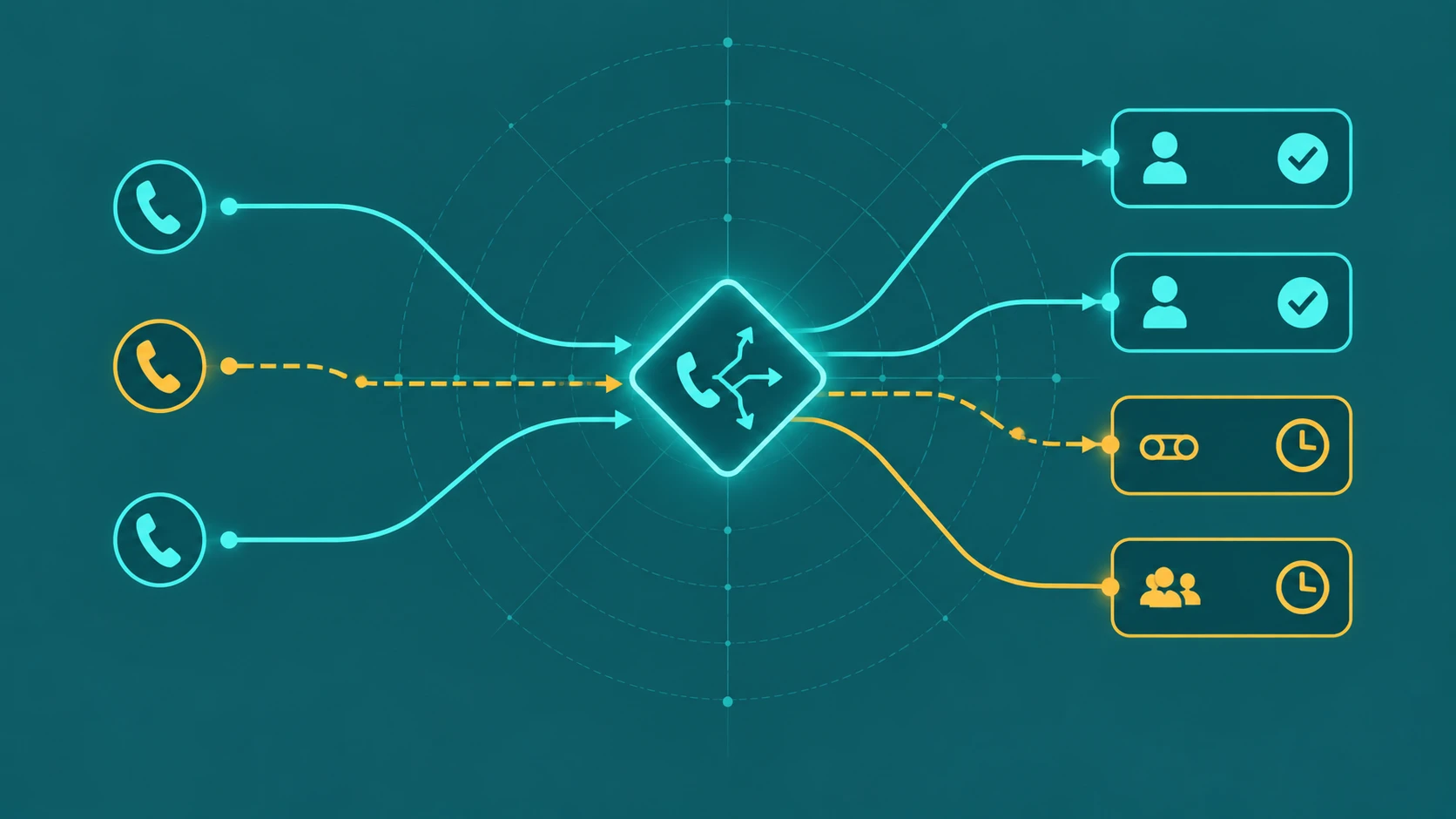
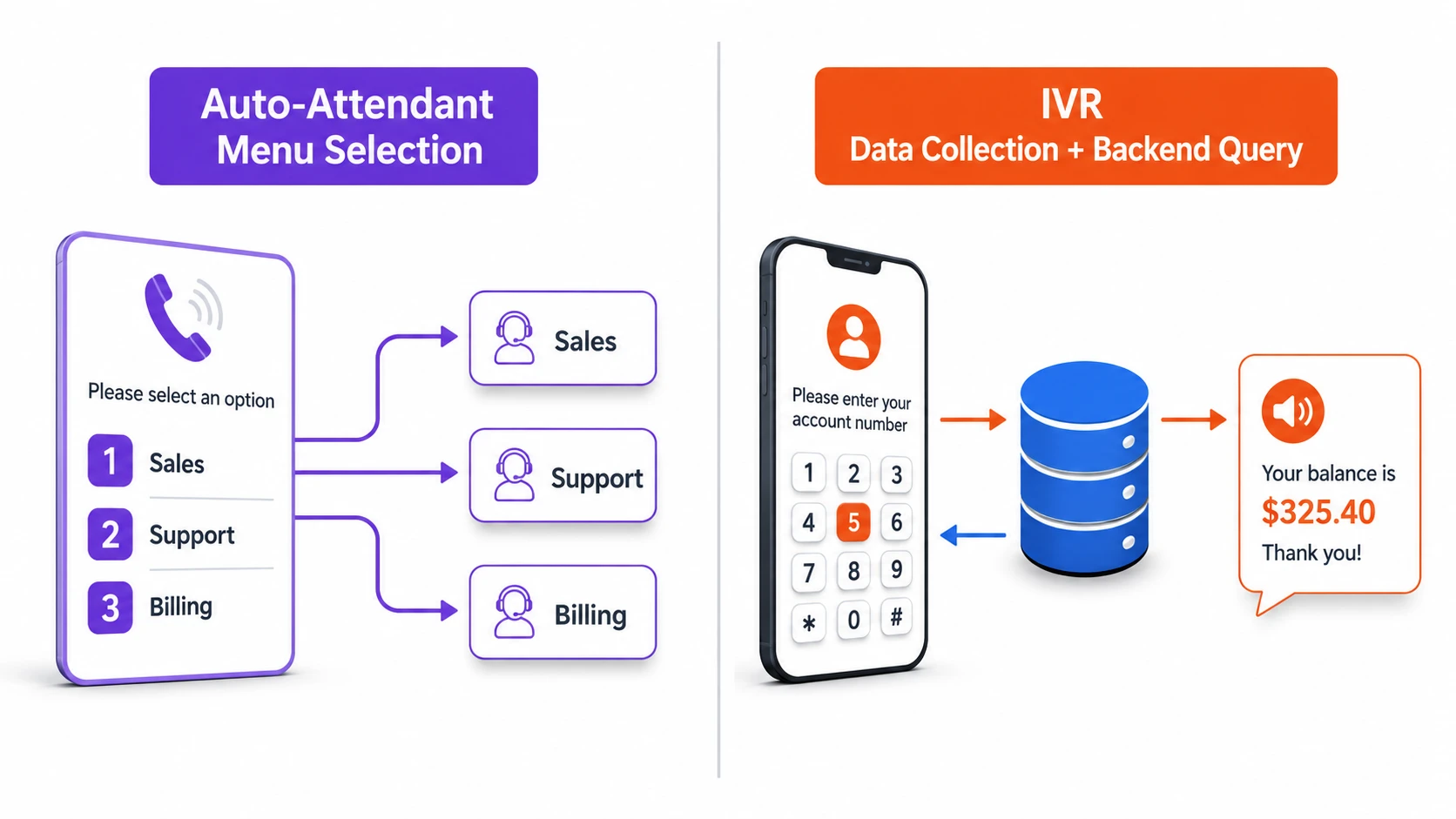
The core distinction: An auto-attendant routes calls based on menu selections — "press 1 for Sales, press 2 for Support." An IVR can do that, and also collect information from callers (account numbers, order IDs, reason for calling), query databases or CRMs, and use the returned data to make routing decisions or complete transactions without involving a human agent. The difference is data collection and backend integration.
What an Auto-Attendant Does
An auto-attendant answers incoming calls, plays a recorded greeting, presents a menu of options, and routes the call to the corresponding destination based on the caller's keypress or spoken selection. That is the complete scope of its function.
A typical small business auto-attendant flow: a caller dials the main business number. The auto-attendant answers: "Thank you for calling Greenfield Dental. For appointments, press 1. For billing, press 2. To speak with the front desk, press 0." The caller presses 1. The auto-attendant routes the call to the appointments queue or extension. Done. No data was collected, no database was queried, and no self-service task was completed.
Auto-attendants can have multiple levels — the caller presses 1 for Sales, then hears a sub-menu: press 1 for New Accounts, press 2 for Existing Accounts. This nested structure is a multi-level auto-attendant. It still only routes based on menu choices; it does not collect or process data. For a deeper look at how nested menus work and when they help or hurt, see what is a multi-level IVR.
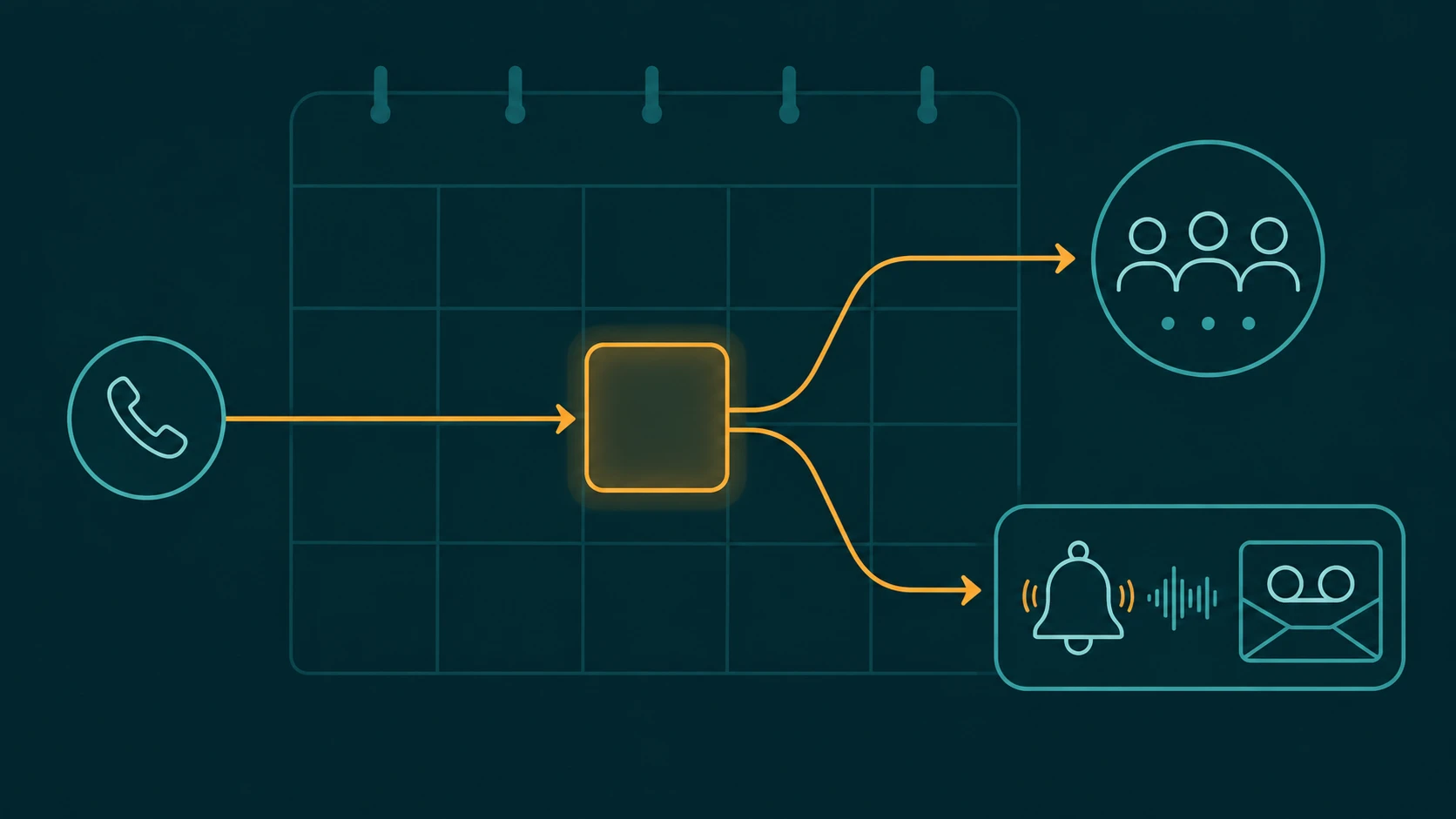
Auto-attendants are also commonly configured with time-based routing: during business hours, callers reach the live menu; after hours, they hear a different greeting and route to voicemail or an on-call number. This is handled at the routing level, not through data collection. For more on after-hours routing specifically, see how to route business calls after hours.
What an IVR Does Differently
An IVR system adds two capabilities that an auto-attendant lacks: the ability to collect structured input from callers beyond menu selections, and the ability to use that input to query external systems and return results.
A practical example: a utility company's IVR answers: "Please enter your account number." The caller enters 10 digits. The IVR queries the billing database using that account number, retrieves the account balance and next payment date, and plays back: "Your current balance is $124.50, due on September 15th. To make a payment now, press 1. To speak with billing, press 2." If the caller presses 1, the IVR initiates a payment flow — collecting card information, processing the payment, and confirming the transaction — all without a human agent.
This capability requires:
- DTMF collection — the system accepts keypress sequences (account numbers, PINs, dates) rather than just single-digit menu selections
- Speech recognition — in more sophisticated implementations, callers can speak their account number or their reason for calling, and the system parses the speech into structured data
- API or database integration — the collected input is passed to a backend system (CRM, billing platform, scheduling system) which returns data or performs an action
- Dynamic response generation — the IVR reads back results from the database query in text-to-speech or pre-recorded segments, constructing a response based on the returned data
This is the architecture behind self-service IVR applications: bank balance inquiries, flight status checks, prescription refill requests, appointment scheduling. For a complete overview of IVR system architecture and design, see what is an IVR system.
Side-by-Side Comparison
| Capability | Auto-Attendant | IVR |
|---|---|---|
| Answers calls automatically | Yes | Yes |
| Plays recorded greeting and menu | Yes | Yes |
| Routes based on single-digit keypress | Yes | Yes |
| Multi-level nested menus | Yes (varies by platform) | Yes |
| Time-based routing | Yes (varies by platform) | Yes |
| Collects account numbers or multi-digit input | No | Yes |
| Queries databases or CRMs | No | Yes |
| Routes based on database-returned data | No | Yes |
| Completes transactions (payments, bookings) | No | Yes (with integration) |
| Speech recognition | Sometimes (basic) | Yes (platform-dependent) |
Why the Terminology Gets Blurred
Cloud phone system vendors frequently use "auto-attendant" and "IVR" interchangeably in their marketing and UI labels. This happens for a few reasons.
First, modern cloud platforms have made what used to require custom IVR development available through configuration interfaces. A small business admin can set up multi-level call menus, time-based routing, and call queue handoffs without writing code. Vendors describe this with whichever term they think their customers recognize — often "IVR" for its name recognition, even when the system is technically an auto-attendant without backend integration.
Second, some platforms do include basic IVR capabilities — like collecting a callback number through DTMF input — within what they market as "auto-attendant." The functional boundary varies by vendor.
The practical question to ask: does the system you are evaluating support querying an external database based on caller input and returning dynamic results? If yes, it has genuine IVR capability. If the menu options are all statically defined at configuration time with fixed destinations, it is functioning as an auto-attendant regardless of what the vendor calls it.
When Auto-Attendant Is Sufficient
For most small and mid-sized businesses, an auto-attendant is the right level of capability. The use cases where it works well:
- Initial call direction — routing callers to the right department, team, or individual when all you need is a menu selection and a route to a queue or extension
- After-hours handling — time-based routing to voicemail, an on-call number, or a different message outside business hours, without any backend lookup
- Multi-location routing — "For our downtown office, press 1; for our North location, press 2" — a static menu with geographic routing logic
- Overflow management — routing to a secondary queue or overflow destination when the primary queue exceeds a threshold, configured at the routing level
An auto-attendant handles all of this cleanly without the development effort or ongoing maintenance that a full IVR integration requires. For a comparison of how call queues work alongside routing, see call queue vs IVR and call routing explained.
When IVR Capability Is Worth the Investment
Full IVR capability — with backend integration — makes sense when a meaningful volume of your inbound calls are asking the same answerable questions, or completing the same transactions, that a database already has data for:
- Account status inquiries — balance checks, order status, delivery tracking, service status. When the same 40% of your inbound calls are asking "what is my balance," an IVR that answers that question without an agent reduces volume and handles the call faster.
- Appointment scheduling or confirmation — if your scheduling system has an API, an IVR can check availability and book appointments during the call, or confirm and reschedule existing bookings.
- Data-driven routing — routing a call based on account tier, geographic region derived from the account record, or support contract level requires querying a database. An auto-attendant cannot do this; an IVR can.
- High inbound volume with repetitive requests — contact centers handling thousands of calls per day with a significant self-serviceable percentage see concrete cost and speed benefits from IVR containment. The ROI calculation should account for development cost, integration maintenance, and the ongoing accuracy of the connected data.
The Role of Speech Recognition
Both auto-attendants and IVRs can support speech recognition — allowing callers to say their selection rather than pressing a key. The quality and capability vary substantially by platform.
Basic speech recognition in auto-attendants typically handles simple yes/no responses and single-word or short-phrase commands ("Sales," "Support," "Billing"). More capable natural language IVR implementations can handle spoken account numbers, dates, and open-ended intent phrases ("I want to check my balance"). The latter requires more sophisticated speech processing and is generally found in purpose-built IVR platforms or cloud AI integrations, not in standard cloud phone system auto-attendant features.
Natural language IVR blurs further into AI voice agent territory. If you are interested in how conversational AI handles inbound calls beyond menu navigation, see AI voice agents vs traditional IVR.
Frequently Asked Questions
EaseDial auto attendant and IVR: Both are included — configure auto attendant menus for basic routing and IVR for intent-based routing and backend lookups. Auto attendant details → | IVR details →