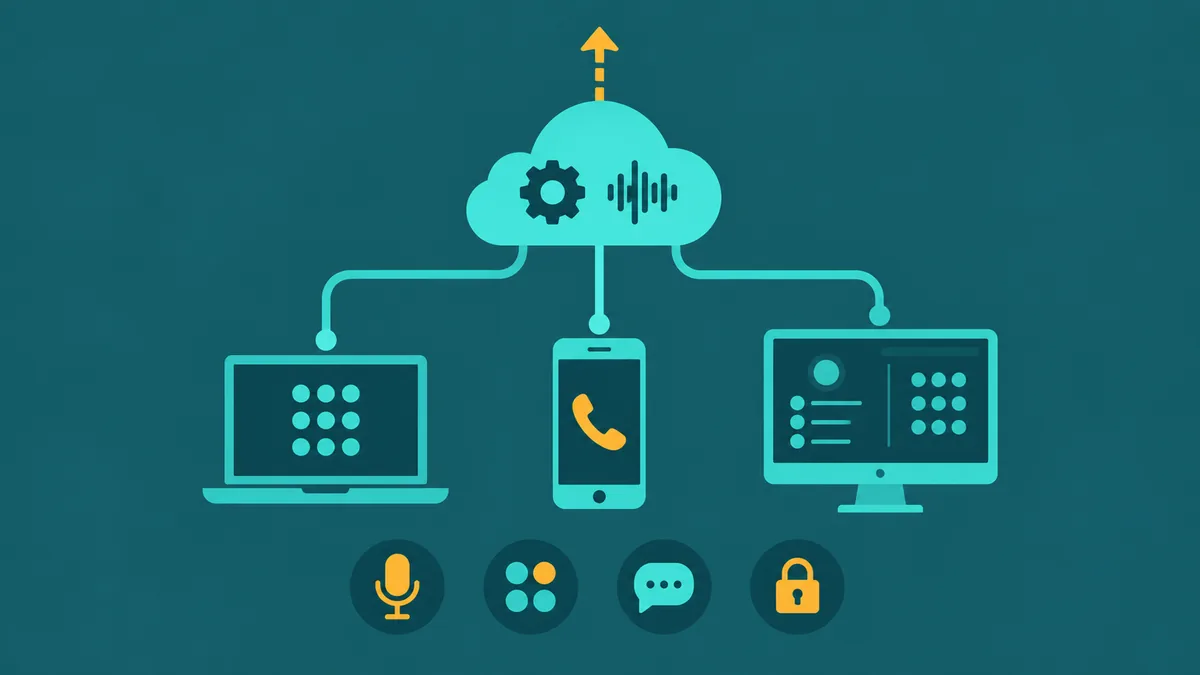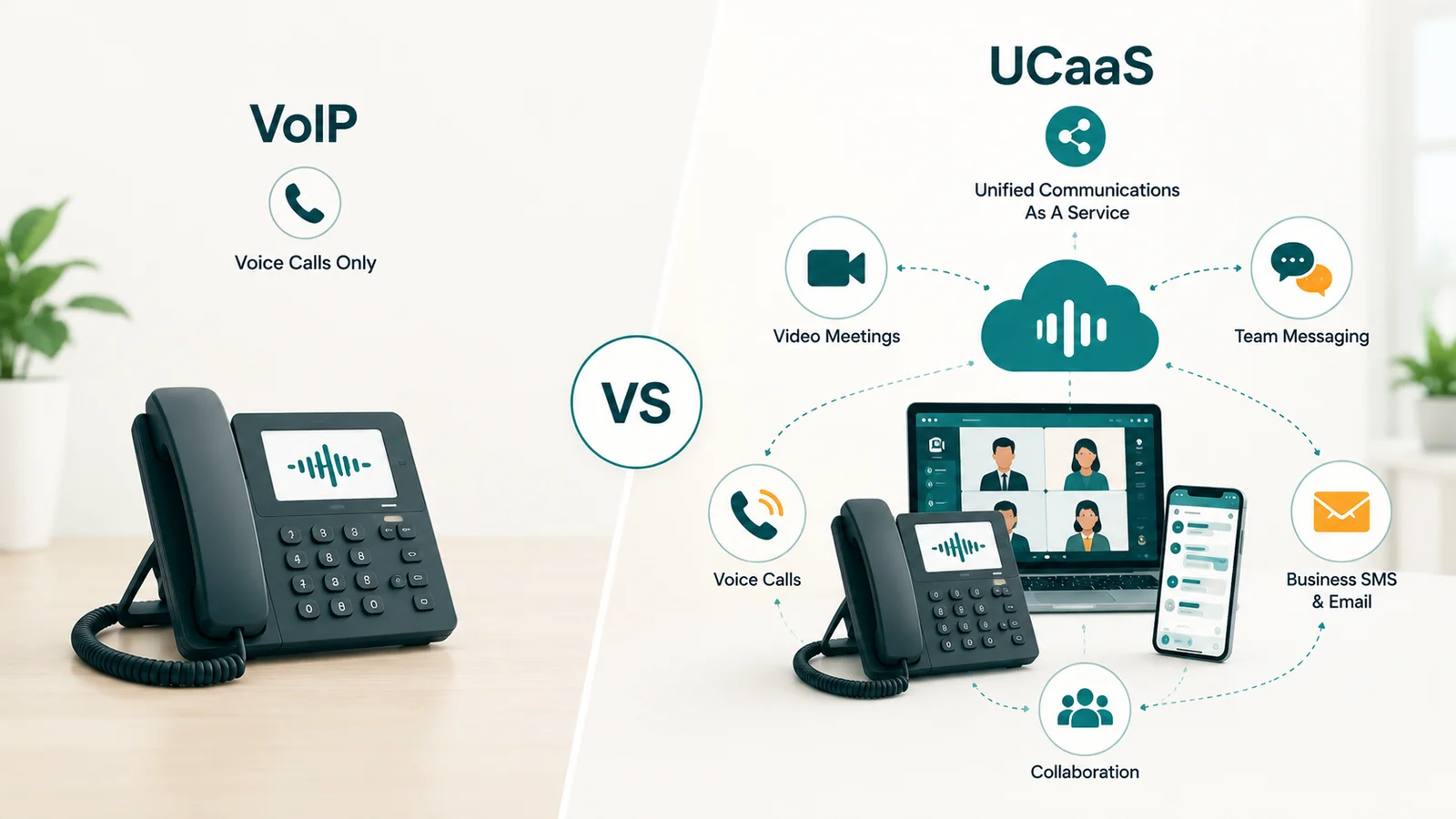
Vendors use "VoIP" and "UCaaS" as if they mean the same thing. They do not. One is a protocol stack that moves voice packets across an IP network. The other is a cloud-delivered service platform that happens to use that protocol as its foundation and builds video conferencing, team messaging, admin controls, and integrations on top of it.
The confusion costs businesses money in both directions. Buying a standalone VoIP system when your team actually needs video calls and persistent messaging means you will be paying for Zoom or Teams separately, immediately negating the cost comparison you ran. Buying a full UCaaS plan for a warehouse floor or field crew that only needs a phone number adds $10–20 per user per month for features nobody will touch.
This article draws the exact boundary between the two, shows you what each tier costs and includes, and gives you a practical framework for assigning the right tier to each role in your organization.
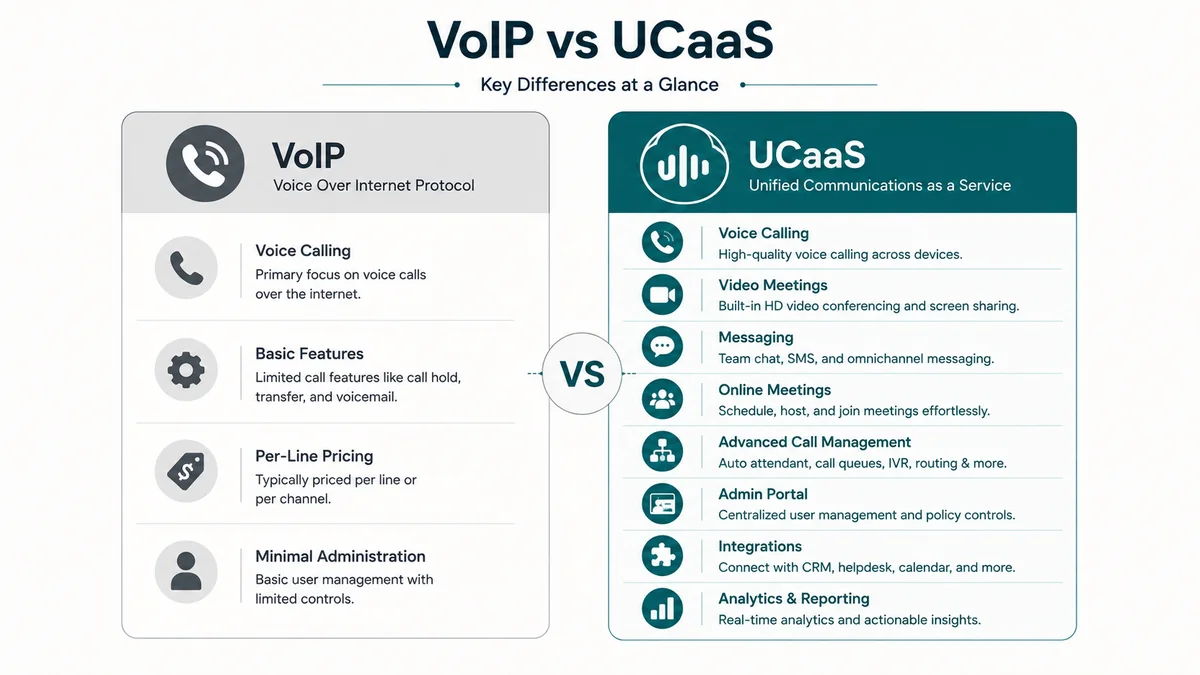
The short answer: VoIP (Voice over Internet Protocol) is the family of protocols — SIP (RFC 3261), RTP (RFC 3550), and related IETF standards — that transmits voice calls across IP networks instead of the traditional phone network. UCaaS (Unified Communications as a Service) is a cloud-delivered platform that uses VoIP as its voice transport layer and extends it with video conferencing, team messaging, presence, file sharing, and business application integrations. Every UCaaS platform uses VoIP. Not every VoIP deployment is UCaaS.
What VoIP actually is
VoIP is not a product you buy — it is a technology category defined by a set of open IETF standards. When you make a call over VoIP, your voice is sampled digitally, compressed by an audio codec (G.711, G.729, or Opus), broken into UDP/IP packets, and sent across the network. At the receiving end, those packets are reassembled and converted back to audio.
Two protocols do the heavy lifting. SIP (Session Initiation Protocol, RFC 3261) handles call signaling — finding where the other party is registered, negotiating which codec both endpoints will use, and managing call setup and teardown. SIP does not carry voice. RTP (Real-time Transport Protocol, RFC 3550) is what actually transports the voice packets, alongside RTCP which carries quality statistics (jitter, packet loss, round-trip time) between endpoints. SRTP adds encryption to the RTP stream.
"Business VoIP" as a product category typically means a hosted cloud PBX: the provider runs the PBX infrastructure, you connect IP phones or softphones, and you get standard calling features — extensions, voicemail, IVR, call recording, call forwarding. It replaces your traditional phone line at lower cost, usually $15–25 per user per month, while staying voice-only.
What UCaaS adds
UCaaS takes hosted VoIP and extends it into a multi-channel platform. The provider manages not just the PBX layer but also media servers for video conferencing, messaging databases for persistent chat, presence systems, integration layers for CRM and calendar connections, and an admin portal that ties all of it together.
In practice, a UCaaS seat gives a user one app — desktop and mobile — where they make and receive calls, join video meetings, send messages to colleagues, share files, check someone's availability before calling them, and see screen-shared content from a client presentation. The phone is still there. It is just one of several channels rather than the whole product.
The full UCaaS guide covers the architecture and feature set in depth. For this comparison, what matters is the practical layer difference: VoIP handles calls. UCaaS handles calls plus everything else a distributed team uses to communicate during a workday.
Full feature and cost comparison
The table below uses four tiers because the market has four genuinely distinct options. SIP trunking connects an existing on-premises PBX to the PSTN over IP — it is the carrier layer, not a complete phone system. Hosted VoIP gives you a cloud PBX with voice features. UCaaS Entry adds video and messaging. UCaaS Advanced adds AI capabilities, deep analytics, and premium integrations.
| Feature | SIP Trunking | Hosted VoIP | UCaaS Entry | UCaaS Advanced |
|---|---|---|---|---|
| Typical monthly cost | $15–25/channel + usage | $15–25/user | $20–30/user | $30–50/user |
| Infrastructure managed by | You (PBX) + carrier (trunk) | Provider | Provider | Provider |
| Inbound/outbound calling | Yes | Yes | Yes | Yes |
| Extensions and DID numbers | Via PBX | Yes | Yes | Yes |
| Voicemail + voicemail-to-email | Via PBX | Yes | Yes | Yes |
| Auto-attendant / IVR | Via PBX | Yes | Yes | Yes + conversational AI |
| Call queues | Via PBX | Basic | Yes | Advanced + skills-based |
| Call recording | Via PBX | Yes | Yes | Yes + AI quality scoring |
| Video conferencing | No | No | Yes | Yes |
| Team messaging and channels | No | No | Yes | Yes |
| Presence and availability status | No | Limited | Yes | Yes |
| File sharing | No | No | Yes | Yes |
| SMS/MMS business texting | No | Add-on | Yes | Yes |
| CRM integration | Via PBX/custom | Basic | Yes | Deep + screen pops |
| Analytics and reporting | CDRs only | Basic call reports | Queue + agent metrics | Real-time + AI sentiment |
| AI transcription / meeting summaries | No | No | Add-on | Included |
| Uptime SLA | Varies by carrier | 99.9–99.99% | 99.99% | 99.999% |
| Existing IP phones compatible | Yes (stays on PBX) | Yes (re-provision) | Often yes | Often yes |
What each tier actually costs
The per-user headline price is only part of the story. Here is how the full cost picture compares across tiers.
Standalone VoIP: $15–25 per user per month
Hosted VoIP plans typically fall in this range and cover calling, voicemail, IVR, and basic call routing. Hardware is separate: a SIP desk phone costs $60–200 depending on model. If you already have SIP-compatible phones (Polycom, Yealink, Cisco), most hosted VoIP providers can re-provision them at no extra charge.
The hidden cost is what you add alongside it. If your team uses Zoom for video ($15/user), Slack for messaging ($8/user), and a standalone VoIP line ($20/user), the combined spend is $43 per user per month — more than a mid-tier UCaaS plan that replaces all three.
UCaaS: $20–50 per user per month depending on tier
Entry tiers from providers including RingCentral, Nextiva, Dialpad, and 8x8 start around $20–25 and include voice, video, messaging, and basic integrations. Advanced tiers at $30–50 add AI transcription, sentiment analysis, premium CRM connectors, and deeper analytics. For a 20-user team, Sangoma estimates total cost of ownership (licenses, hardware, support) at roughly $10,200 per year. For 100 users, approximately $46,000 per year.
The consolidation math: If your 30-person team currently pays $20/user for VoIP + $15/user for Zoom + $8/user for Slack, switching to a UCaaS plan at $28/user saves roughly $450 per month ($5,400 per year) while eliminating three separate vendor relationships, billing cycles, and admin portals.
SIP trunking: $15–25 per channel per month
SIP trunks connect your existing on-premises PBX to the PSTN. This is not a phone system — it is the carrier layer. You still manage the PBX, the phones, and the dial plan. If you have an IP-PBX (Cisco CUCM, Asterisk, 3CX) and want to modernize PSTN connectivity without replacing the whole system, SIP trunking makes sense. It typically cuts PRI/T1 line costs by 30–60%.
When VoIP is enough
Not every worker or business needs the full UCaaS stack. The following scenarios genuinely do not require video conferencing, team messaging, or advanced integrations:
- Single-location businesses where everyone is in the same room. A 10-person dental practice, plumbing company, or retail shop. Staff communicate in person; the phone system exists for inbound customer calls and outbound follow-ups. A hosted VoIP plan with IVR and voicemail is the right tool.
- Field or warehouse staff who only need a phone number. Drivers, technicians, warehouse pickers, and front-line retail workers rarely need video or persistent chat. Assigning them a full UCaaS seat wastes money on features they will never open.
- Organizations with an existing IP-PBX they want to keep. If you have a Cisco or Avaya system with years left on the hardware and a dial plan nobody wants to rebuild, SIP trunking gives you modern PSTN connectivity without a full platform migration.
- Call centers running dialers. Outbound dialer operations running through a predictive or progressive dialer need reliable voice termination with good ASR, not UCaaS collaboration features. A VoIP termination provider — or a contact center solution built for that traffic pattern — is what fits here.
When UCaaS adds real value
UCaaS justifies its higher per-user cost when communications fragmentation is the actual problem. Signs that your team has outgrown standalone VoIP:
- Remote or hybrid staff on separate apps. If your team uses one tool for calls, another for video, a third for messaging, and switches between them to complete a single customer interaction, UCaaS consolidation has a direct productivity payoff. Switching between four apps to handle one issue is a real cost, not just an inconvenience.
- Customer-facing teams that need context during calls. When a sales rep can see CRM data, previous call notes, and deal history the moment a customer calls — without manually looking anything up — that is a UCaaS integration benefit that hosted VoIP cannot provide.
- Distributed multi-site operations. UCaaS gives every user at every location the same app, the same phone number experience, and the same admin controls from a single portal. On-premises PBX requires either hardware at each site or complex trunk configuration to achieve the same result.
- Compliance-sensitive industries needing recorded and transcribed calls. Healthcare teams that need HIPAA-compliant call recording with encrypted storage and BAA agreements, or legal teams with defined call-retention requirements, are better served by a UCaaS platform with those controls built in than by piecing together VoIP plus a third-party recording solution.
EaseDial Business Phone
UCaaS features at a price that makes sense for your team size
The mixed-seat strategy: one account, two tiers
The decision is not always "VoIP for everyone" or "UCaaS for everyone." Most mid-sized organizations have staff with genuinely different communication needs. Running a mixed seat strategy — VoIP for roles that only need calling, UCaaS for roles that need the full collaboration suite — is both practical and common. The key requirement is that both tier types sit on a single admin portal with a unified dial plan.
| Role | Recommended Tier | Features Actually Used | Est. Monthly Cost |
|---|---|---|---|
| Remote knowledge worker (sales, marketing, operations) | UCaaS Advanced | Calls, video, messaging, CRM, AI notes | $30–40/user |
| In-office manager or coordinator | UCaaS Entry | Calls, occasional video, messaging | $20–25/user |
| Warehouse, field tech, or driver | Hosted VoIP | Calls, voicemail, call forwarding | $15–18/user |
| Reception or shared front desk | Hosted VoIP | Call transfer, park, IVR | $15–20/device |
| Contact center agent | CCaaS seat | ACD, queues, recording, supervisor monitoring | $50–80/agent |
A 50-person company with 20 knowledge workers, 10 managers, 15 field staff, and 5 reception desks would spend roughly $2,475/month on a mixed-seat approach versus $2,500/month if everyone were on a $50 UCaaS Advanced plan — with the added benefit that field staff are not carrying an app full of features that do not apply to them.
Migrating from VoIP to UCaaS
The migration itself is manageable, but it takes longer than most teams expect. Here is the sequence that consistently works.
Step 1 — Audit what you have. List every phone number, every device (including non-obvious ones: fax machines, elevator phones, door entry systems, and credit card terminals connected to the legacy PBX), and every call flow. Organizations routinely discover analog devices during this step that complicate porting.
Step 2 — Start number porting immediately. This is the most common cause of delay. Local numbers take 7–14 business days to port from your existing carrier. Toll-free numbers often take 4–6 weeks. Start the port as soon as you sign with a new provider, not the week before go-live.
Step 3 — Configure call flows in the new platform. IVR menus, ring groups, business hours rules, voicemail routing — all of this needs to be rebuilt in the UCaaS admin portal. Do this in parallel with number porting, not after it.
Step 4 — Validate network readiness. VoIP traffic is sensitive to network quality. Test for one-way latency under 150ms, jitter under 30ms, and packet loss under 1% before going live. Enable DSCP EF (value 46) marking on your switches and routers to prioritize voice packets over bulk data traffic. Without QoS configuration, a large file download or backup job running during business hours can degrade call quality even on a high-bandwidth connection.
Step 5 — Run a parallel period. Keep the old system active while a department or location runs on the new platform for 1–2 weeks. Resolve configuration gaps with real traffic before cutting over fully.
Step 6 — Schedule the cutover for off-peak hours. Number ports can cause a brief service interruption during the transfer window. Schedule this for early morning or a weekend, not mid-business-day.
Typical timelines: a 20-person company can complete migration in 3–4 weeks once porting is underway. A 100-person company with multiple sites and complex call flows typically takes 10–12 weeks. The number porting window, not the technical configuration, is usually the binding constraint.
For the full buyer's framework, see the guide on how to choose a business phone system. If you are specifically evaluating a cloud PBX for a single location, the cloud phone system guide covers that in more detail.
VoIP vs UCaaS: five common misconceptions
"VoIP and UCaaS are the same thing." They are not. VoIP is the transport protocol; UCaaS is the service platform. UCaaS contains VoIP. They are not alternatives at the same level.
"UCaaS replaces VoIP." UCaaS is built on VoIP. Switching to UCaaS does not remove VoIP from your stack — it moves VoIP management to the provider and adds layers on top.
"You must choose one or the other." As the mixed-seat table above shows, most mid-sized organizations run both simultaneously. Knowledge workers get UCaaS; warehouse staff get hosted VoIP. Both sit on the same account. Organizations evaluating the full scope of their communications infrastructure — including internet connectivity, fax, and conferencing alongside voice — will find a useful overview in business telecommunications solutions.
"UCaaS requires replacing all existing phones." SIP-compliant IP phones from Polycom, Yealink, and Cisco often work with UCaaS providers after re-provisioning. Analog phones require an ATA adapter or replacement. Ask the provider for a hardware compatibility list before assuming you need to replace everything.
"Is Microsoft Teams VoIP or UCaaS?" Teams without a calling plan is a collaboration tool — messaging and video only. Teams with a Microsoft Teams Phone license and a Calling Plan (or Direct Routing SIP trunk) becomes a UCaaS platform. The calling component uses VoIP. RingCentral, Nextiva, Dialpad, and Zoom Phone are purpose-built UCaaS platforms with phone-first architecture.