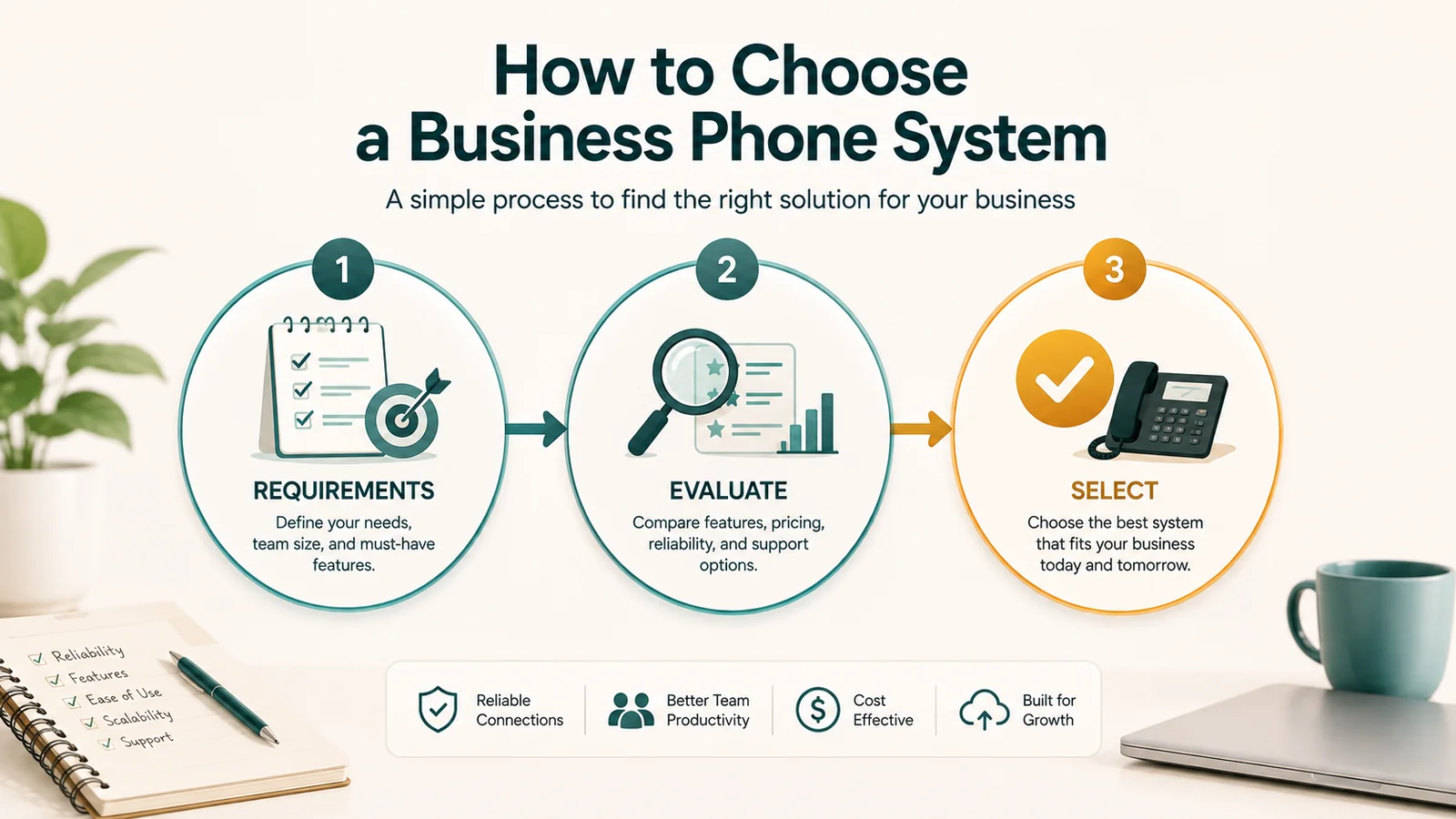
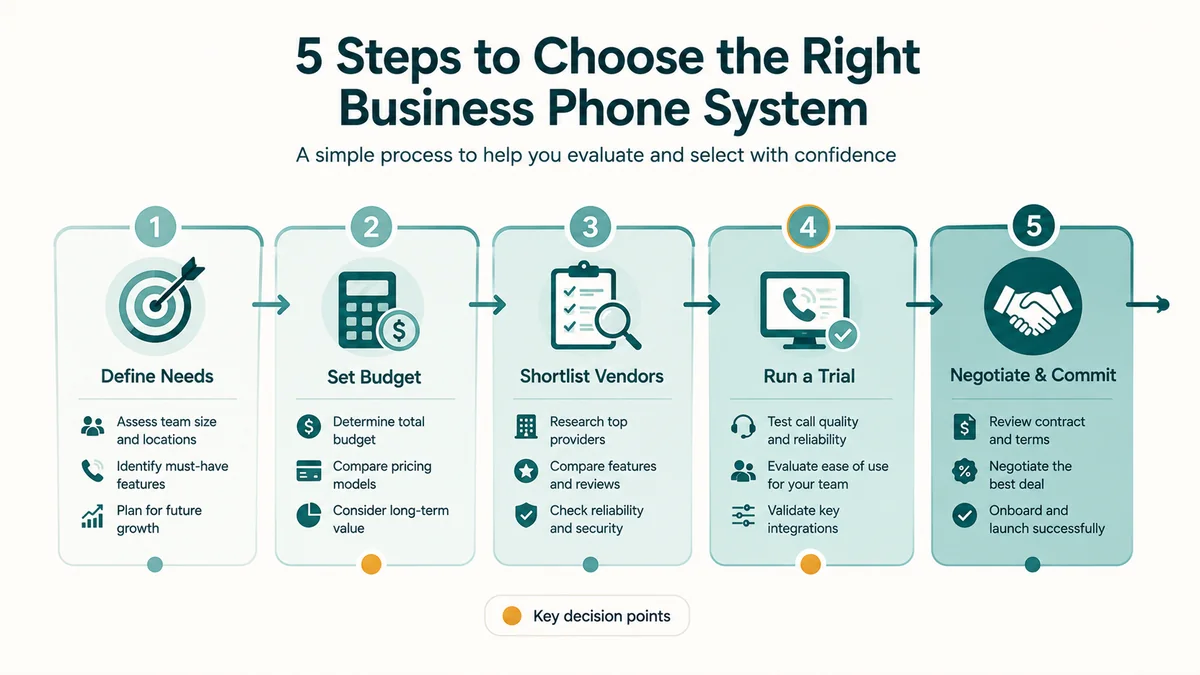
This is a structured evaluation guide — six steps from defining requirements through vendor questions, TCO modeling, and rollout planning. For foundational background on what business phone systems are and how they work, see What Is a Business Phone System?. For an SMB-specific feature checklist and pricing comparison, see Best Business Phone Systems for Small Business.
The decision to replace or upgrade a business phone system looks simple from the outside — pick a plan, port the numbers, done. In practice, businesses that skip the evaluation process end up with the wrong system type, surprise costs they didn't model, and features that don't match how their team actually works. This guide gives you a structured way to work through the decision before you talk to any vendor.
What this guide covers: The six steps to choosing a business phone system — from clarifying what you actually need to evaluating vendors, modeling true cost, and planning the rollout. If you want a feature-by-feature breakdown of what to look for in a system, the companion guide on best business phone systems for small businesses covers that ground.
Step 1: Understand the four system types before comparing vendors
Most evaluation processes fail at this step. Vendors use VoIP, hosted PBX, and UCaaS interchangeably in their marketing, which creates confusion about what you're actually evaluating. These are different things.
VoIP is the underlying technology — it converts voice audio into data packets transmitted over the internet. Every modern cloud phone system uses VoIP. Saying your system is "VoIP" is like saying your email is "TCP/IP." It's true, but it doesn't describe the product you're buying.
Hosted PBX is a cloud-managed phone system. The provider runs the call routing software in their data centers; you access it through software clients and IP phones. You get auto attendants, call queues, extensions, voicemail, and call recording — the complete feature set of a traditional office phone system, without any hardware to buy or maintain. For most businesses with 5 to 250 users, this is the category worth evaluating first.
UCaaS (Unified Communications as a Service) adds video, team messaging, and collaboration tools to a hosted PBX foundation. Microsoft Teams Phone, Zoom Phone, RingCentral, and Nextiva all play in this category. If your team already uses a collaboration platform and wants voice integrated into it — or if you're tired of managing four separate communication tools — UCaaS may be worth the higher per-user price. If you just need phones, a hosted PBX without the full UCaaS stack is simpler and cheaper.
SIP trunking replaces your physical phone lines while keeping your existing on-premise PBX hardware. It's not a replacement for your phone system — it's a way to move your line costs to internet delivery while preserving your existing setup. This makes sense if you've recently invested in a PBX and don't want to abandon it, or if your call routing logic is complex enough that rebuilding it in a cloud system isn't worth the disruption.
| Type | What it is | Best for | Upfront cost |
|---|---|---|---|
| Hosted PBX | Cloud phone system, provider manages all infrastructure | SMBs, remote/hybrid teams | Near zero |
| UCaaS | Hosted PBX + video + team chat + collaboration | Teams needing tool consolidation | Near zero |
| SIP Trunking | Internet-based phone lines, keeps existing PBX | Businesses with a recent PBX investment | Low (hardware stays) |
| On-Premise PBX | Hardware at your location, your IT team manages everything | Enterprises with strict compliance control | $3,000–$10,000+ |
For a deeper look at how VoIP and UCaaS relate to each other, the VoIP vs. UCaaS comparison covers the distinction in more detail. If your needs extend to handling high inbound call volume with queuing and routing logic, see how a cloud contact center differs from a standard business phone system.
Step 2: Define your requirements before you look at any product
Before opening a single vendor comparison page, answer these questions in writing. They will directly filter out options that won't work and narrow your shortlist faster than any feature checklist.
How many users, and where are they? A 12-person team working in one office has different requirements than a 12-person team spread across three time zones. Remote and hybrid work is now the default for most businesses — any system you choose needs to work identically on a mobile app as it does on a desk phone.
What do you actually need the system to do? Be specific. "We need a phone system" is not useful. "We need: auto attendant, three ring groups, call recording for compliance, and integration with HubSpot" is evaluable. Write down the five to ten things you cannot function without, separate from the things that would be nice to have.
Do you have compliance obligations? Healthcare businesses need a HIPAA Business Associate Agreement (BAA) from their phone provider. Businesses that take payment cards over the phone need PCI DSS-compliant call recording configurations — specifically, the ability to pause recording when card numbers are entered. Financial services firms may need MiFID II or SEC 17a-4-compliant call archiving. This filter alone eliminates most consumer-grade VoIP services.
What integrations are non-negotiable? List your CRM, helpdesk, and business productivity tools. Native integrations (built and maintained by the phone vendor) are more stable than connector-based integrations through Zapier or Make. A phone system that can't reliably log calls to your CRM creates manual work that offsets any efficiency gains.
What's your realistic budget — including everything? Advertised per-user pricing is the starting point, not the total. Taxes and regulatory fees typically add 15–25% to the base price. E911 fees, number porting fees, AI feature add-ons, and international minute rates all layer on top. Model the actual monthly cost before comparing plans.
How fast do you need to grow? Phone systems should serve you for three to five years minimum. A cloud system that handles 20 users today should also handle 80 users in two years without a platform migration.
Step 3: Audit your network before you commit
This is the step most businesses skip and then blame the vendor for. Every VoIP call quality problem — choppy audio, dropped calls, one-way audio, echo — traces back to the network. The phone platform doesn't control your router, your ISP, or your firewall. You do.
Run a VoIP readiness test before signing any contract. What you're looking for:
- Latency: Under 150ms one-way. Above 150ms and callers hear a noticeable delay.
- Jitter: Under 30ms. Jitter is variation in packet delivery timing; high jitter produces choppy audio even when average latency looks acceptable.
- Packet loss: Under 1%. Even 2% packet loss degrades call quality significantly.
- Bandwidth: Budget approximately 100 Kbps per concurrent call at minimum, and 320 Kbps if you want HD audio headroom. A 20-person office where ten people might be on calls simultaneously needs at least 3.2 Mbps reserved for voice.
Beyond the test results, check your router and switch configuration. VoIP traffic needs Quality of Service (QoS) prioritization — without it, a large file download or video stream on the same connection can degrade all active calls. If your router doesn't support DSCP traffic marking or VLAN separation for voice, that's a hardware conversation to have before selecting a system. Most cloud vendors provide QoS configuration guides; your IT team or managed service provider should walk through this before go-live.
Also verify your firewall allows outbound SIP traffic (UDP port 5060) and the RTP media port range your provider uses (typically UDP 10000–20000, but verify with the specific vendor). Blocked RTP ports are the single most common cause of one-way audio issues after deployment.
Step 4: Model the true total cost of ownership
The number on a pricing page and the number on your invoice are rarely the same. Here is what actually comprises the total monthly cost.
| Cost component | Typical range | 15-user example |
|---|---|---|
| Base per-user plan (advertised) | $15–$35/user/month | $375/month (at $25) |
| Regulatory taxes and fees | 15–25% of base | ~$75/month |
| E911 fee per line | $0.20–$2.00/line/month | ~$15/month |
| Business SMS / Campaign Registry | $1.50–$3.00/month | ~$3/month |
| AI transcription / summaries (add-on) | $3–$10/user/month, or per-minute | $0–$90/month |
| Number porting (one-time) | $0–$40 per number | Varies |
| Realistic monthly total | ~$470–$560/month |
That 15-user example shows the gap: the advertised cost is $375, the actual monthly invoice is likely $470–$560 — 25–50% higher. Businesses that switch from traditional landlines to cloud VoIP still report 30–50% cost savings over their previous bills. But those savings come from the comparison to legacy infrastructure costs, not from paying what's on the pricing page.
When comparing vendors, ask each one for a fully-loaded quote that includes all taxes, fees, and the specific add-ons you need. Then compare those numbers, not the base prices.
Step 5: Evaluate vendors with specific questions
Once you've defined your requirements, confirmed your network readiness, and modeled realistic cost, you're ready to talk to vendors. Go into those conversations with specific questions, not open-ended demos.
Questions about reliability
- What is your uptime SLA, and what compensation applies if you miss it? (Target: 99.99% or better. 99.9% allows 8.7 hours of downtime per year.)
- How many independent data centers host our tenant, and what is the failover mechanism if one goes down?
- What happens to our calls if our internet connection fails? Is automatic mobile failover configured by default or does it require setup?
Questions about call quality
- What codecs do you support? (G.711 for HD quality; Opus for adaptive bandwidth; G.729 for lower-bandwidth connections.)
- Do you provide QoS configuration guidance for our router/switch?
- Can you show us MOS score data from your network, not just uptime figures?
Questions about compliance
- Do you hold a current SOC 2 Type II certification? Can you share the report?
- Will you sign a HIPAA Business Associate Agreement? (Required if you're in healthcare.)
- How does call recording pause during payment card entry for PCI DSS compliance?
- Where is customer data stored, and do you offer data residency controls for GDPR?
Questions about integrations
- Is the integration with [our CRM] a native integration or a third-party connector?
- What data fields sync — just call logs, or does it create records and support screen-pop?
- Who is responsible for maintaining the integration when either platform updates?
Questions about contracts and pricing
- What is the total monthly cost including taxes, E911 fees, and the specific features we've discussed?
- What is the contract length, and what is the early termination fee?
- Is pricing locked for the contract term, or can it increase at renewal?
- Is a month-to-month option available, and what is the price difference?
Questions about support
- What support hours do you offer — 24/7 live, or business hours only?
- Is there a dedicated account manager, or do all requests go to a shared queue?
- What is your average response time for a critical issue (calls completely down)?
- What does onboarding assistance include — self-serve documentation, or managed setup?
Questions about number porting
- Is number porting included in the plan, or is there a per-number fee?
- What is the realistic porting timeline for our number type and current carrier?
- What happens if porting is delayed past our planned go-live date?
Step 6: Red flags to watch for
Vendors in this market vary widely in transparency. These are specific warning signs that should prompt closer scrutiny or outright elimination from consideration.
No SOC 2 Type II certification. Some vendors have SOC 2 Type I (a point-in-time assessment) but not Type II (an ongoing audit over six months or more). Type II is the meaningful certification. If a vendor in a regulated industry can't produce a current SOC 2 Type II report, that's a security posture problem.
Vague answers about uptime SLA remedies. "We have 99.99% uptime" is not useful without knowing what happens when they miss it. Service credits that require you to file a formal claim and get approved are very different from automatic compensation. Read the SLA document, not the marketing copy.
AI features priced per-minute without a cap. Several vendors include AI transcription and call summaries as apparent standard features, then apply usage-based per-minute charges that can double or triple the bill at actual call volumes. Confirm whether AI features are flat-fee or metered, and model the cost at your actual monthly call volume.
Auto-renewal clauses with price increase on renewal. Annual contracts that auto-renew — often with 30–60 day cancellation windows — are standard. What's less obvious is that renewal pricing is frequently higher than the original contract rate. Calendar a review 90 days before your contract end date.
Downplaying E911 registration requirements for remote workers. Cloud VoIP systems don't automatically know where a remote employee is physically located. If an employee calls 911 from a home office without their location registered, emergency services may respond to the wrong address. Reputable vendors will walk you through E911 registration procedures proactively; vendors who brush past this are telling you something about how they handle the details.
No test period or pilot option. Any vendor confident in their platform's performance should be willing to let you run a limited deployment on real traffic before committing to a full contract. A vendor who resists a structured pilot is aware that their performance may not hold up under scrutiny.
Implementation: what actually happens after you sign
Knowing the implementation timeline before you sign prevents the two most common post-contract surprises: number porting delays and training gaps.
Weeks 1–2: Contract finalization, account provisioning, admin portal access. Your IT team configures QoS on the router and verifies firewall rules. Users download softphone apps. Desk phones are shipped and provisioned (if applicable).
Weeks 2–3: Submit number porting request. This requires a Letter of Authorization (LOA) signed by the account holder and account verification with your current carrier. The porting window — 7 to 14 business days — starts when the current carrier accepts the request, not when you submit it. Start this process as early as possible.
Weeks 3–5 (parallel test window): Configure call flows, IVR menus, ring groups, and voicemail on the new system. Route a test number or a non-critical department through the new system while your existing phones remain live. Verify call recording, voicemail delivery, CRM integration, and failover behavior under real conditions. Train staff on the new interface — plan for two to four hours per person, not a five-minute walkthrough.
Week 5–6 (cutover): Porting completes. The new system becomes primary. The old system is deactivated. Define a clear cutover date and communicate it — running two systems in parallel for extended periods doubles your costs and creates confusion about which system is authoritative.
The most common implementation mistake is starting the porting process too late. If your planned go-live is four weeks from today and you haven't submitted the porting request yet, you're already at risk of a delay. Start porting three to four weeks before your target cutover date.
For remote-specific deployment considerations, the guide on remote business phone systems covers what changes when your team is fully distributed. Security configuration requirements by industry are covered in depth in the UCaaS security and compliance guide.
Not sure which system type fits your business?
Talk through your requirements with EaseDial before you start evaluating vendors
Frequently asked questions
What to do next
The evaluation process above takes time upfront but prevents the problems that come from choosing a system that doesn't fit: poor call quality from an under-audited network, compliance gaps from a vendor without the right certifications, or a billing surprise from fees that weren't modeled.
If you've worked through the steps above and want a starting point for comparing specific platforms, the best business phone systems for small businesses guide evaluates the leading options by use case and team size. For businesses that already know they're moving to the cloud and want to understand the platform more deeply, the cloud phone system overview covers how hosted PBX infrastructure works in practice.
EaseDial's business phone platform covers the full hosted PBX and UCaaS feature set — including call routing, call queues, AI voice agent, and analytics — with transparent pricing and no surprise fees. If you want to talk through your specific requirements before evaluating options, schedule a conversation with the team.