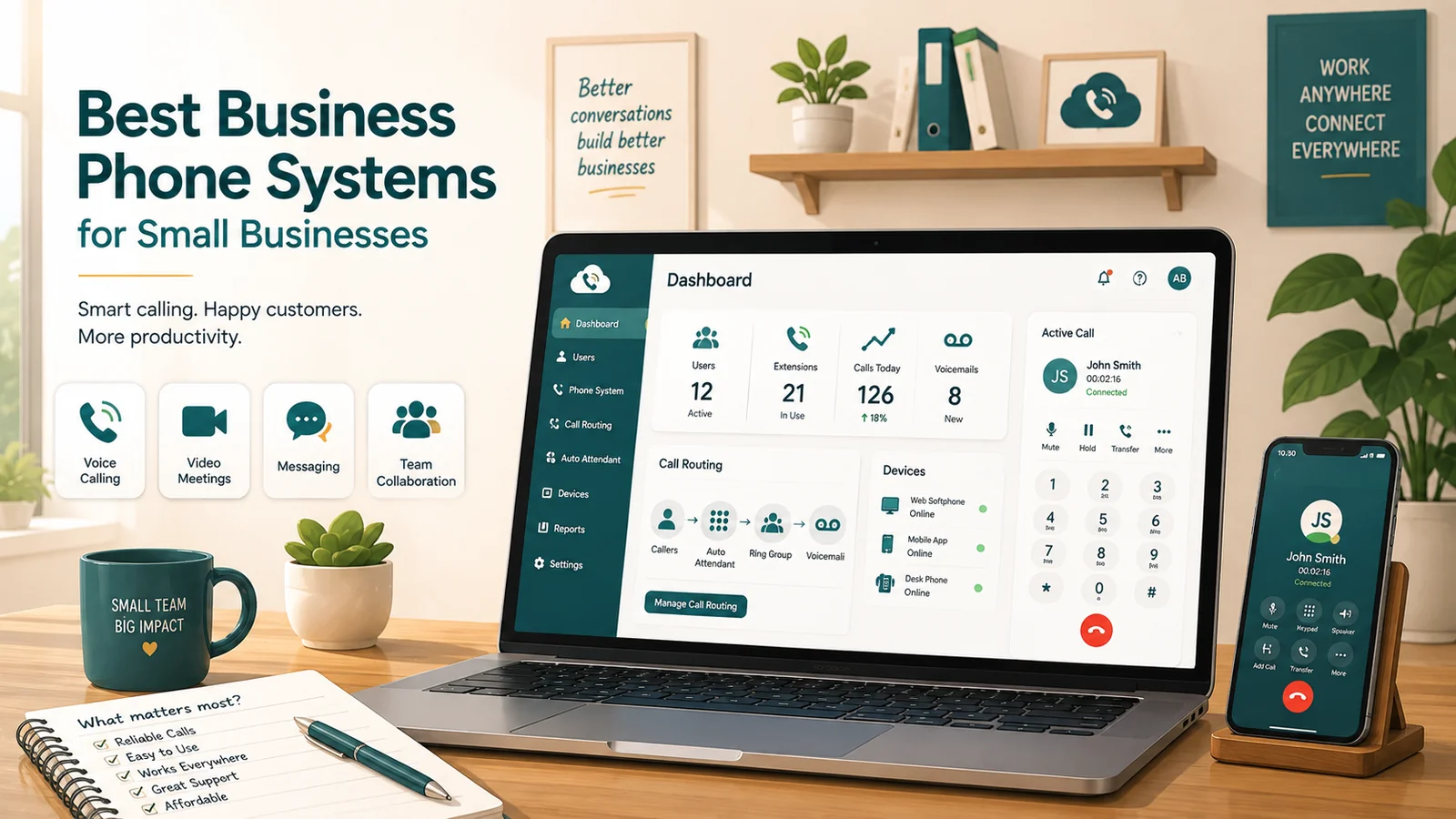
This is an SMB buying guide — what small businesses actually need (vs. don't need), a feature checklist, pricing breakdown, compliance considerations, and migration steps. For foundational background on how business phone systems work, see What Is a Business Phone System?. For a structured vendor-evaluation process (requirements, network audit, TCO modeling, vendor questions), see How to Choose a Business Phone System.
Most small businesses outgrow their phone setup before they realize it. The owner's personal cell number doubles as the main business line. Calls get missed. There's no way to transfer a customer to a colleague. No record of what was said. No voicemail that sounds professional. And then comes the question: what do we actually need, and how do we choose without overpaying for a system built for a 500-person enterprise?
This guide is a buying framework, not a ranked list. The cloud business phone market has more than a dozen credible providers, each suited to different team sizes, budgets, and use cases. The goal here is to give you a clear set of criteria so you can evaluate options honestly — including what questions to ask, what pricing gymnastics to watch out for, and what features are must-haves versus nice-to-haves at the SMB level.
What is a business phone system? A business phone system is a cloud-hosted communications platform that lets employees make and receive calls, manage routing, and collaborate across voice, video, and messaging from any device or location. Modern systems for small businesses are almost exclusively delivered over the internet as a subscription — no on-site hardware required.
What SMBs actually need (and what they don't)
The biggest mistake small businesses make is evaluating phone systems against a checklist built for larger organizations. Contact center workforce management, predictive outbound dialers, and multi-site compliance reporting are real features — they're just not relevant for a 15-person company that needs a reliable way to answer customer calls and forward them to the right person.
Here's a practical breakdown. Most small businesses genuinely need the following at the entry or mid-tier level:
- A business number (or numbers) separate from personal phones
- An auto-attendant — "Press 1 for Sales, 2 for Support" — so callers reach the right person
- Voicemail with email delivery, ideally with transcription so the gist appears in your inbox
- A mobile app that works reliably, so calls ring on employees' phones wherever they are
- Call forwarding and basic routing rules (after-hours, holidays, ring groups)
- Business SMS — more customers prefer texting than most owners expect
- Call recording — useful for training, dispute resolution, and basic accountability
- A simple admin portal that doesn't require an IT team to operate
Most businesses don't need at the SMB stage:
- AI call coaching and sentiment analysis (useful when you have a formal sales or support team, not for 5 employees who all pitch in)
- Workforce management tools (scheduling, adherence tracking) — those belong in a contact center
- Unlimited video meeting participants (Zoom or Google Meet already handle this for most SMBs)
- 99.999% uptime SLAs — the $150/month price difference over 99.9% uptime is hard to justify for businesses where phone is one channel among many
Knowing what you don't need protects you from paying for tiers packed with features you'll never enable. A 10-person professional services firm does not need the same platform as a 90-seat outbound sales team.
How cloud business phone systems actually work
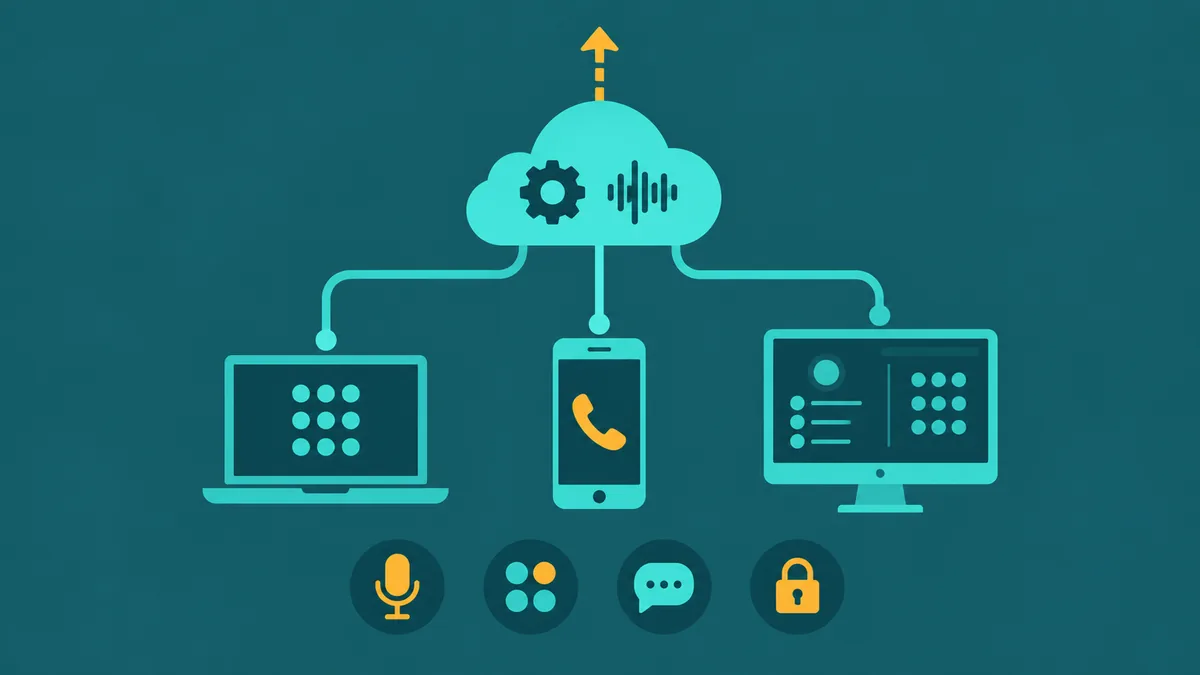
VoIP (Voice over Internet Protocol) is the technology underneath every modern business phone system. Your voice is converted into data packets, sent over your internet connection to the provider's servers, and routed to the destination — either another VoIP endpoint or the traditional phone network. The whole setup lives in the cloud, which is why you can download an app on your phone, sign in, and start making business calls without waiting for an engineer to show up.
UCaaS (Unified Communications as a Service) extends this further by bundling voice, video meetings, team messaging, and file sharing into one subscription. Most of what people call "business phone systems" today are UCaaS platforms — they're not just phone lines, they're a full communications stack.
Call quality depends on your internet connection. Each simultaneous HD voice call needs roughly 80–100 Kbps of bidirectional bandwidth. Ten concurrent calls needs about 1 Mbps dedicated to voice. Most modern broadband connections handle this easily, but you'll want Quality of Service (QoS) rules on your router to prioritize voice packets over background downloads. Skipping this is the single most common cause of choppy audio in offices with shared internet.
Pricing models: what you'll really pay
Advertised prices for business phone systems are almost always lower than what you'll actually be billed. Understanding why helps you compare providers fairly.
Annual vs. monthly billing
Most providers publish annual-billing prices but charge 20–35% more if you pay month-to-month. A plan listed at $25/user/month typically costs $30–$33/user/month without an annual commitment. If you're not sure about committing, factor the monthly premium into your comparison.
Regulatory fees and taxes
Federal, state, and local telecommunications taxes plus regulatory recovery fees add 15–25% on top of the base subscription. A plan priced at $20/user/month for 10 users ($200/month) typically lands at $230–$250/month after fees. This applies to every provider — it's not a Vonage or RingCentral quirk. Some providers (notably Vonage) add their own mandatory surcharges beyond standard tax passthrough, such as RCIP fees of roughly $3.50 per extension.
Add-ons that feel like basics
Providers frequently reserve features that feel like table stakes for higher tiers or paid add-ons:
- AI call transcription and summaries — included free on some platforms at entry level; $9–$60/user/month extra on others
- Call recording — included on most mid-tier plans but not always on entry plans
- CRM integrations — often restricted to mid-tier or enterprise plans
- Advanced analytics and reporting — frequently mid-tier or above
- SMS beyond a cap — some entry plans limit outbound texts to 25–250 messages per user per month (more on this below)
Typical price ranges by tier
As a rough guide for 2026 annual pricing:
| Tier | Typical price range | What's usually included |
|---|---|---|
| Entry / Essentials | $10–$20/user/month | Unlimited US/Canada calling, voicemail, auto-attendant, mobile app, basic SMS |
| Mid / Professional | $20–$35/user/month | All above + call recording, CRM integrations, call queues, voicemail transcription, video meetings |
| Advanced / Enterprise | $35–$75/user/month | All above + AI analytics, advanced reporting, SSO, dedicated support, contact center features |
The mid-tier is where most small businesses land once they've mapped their actual needs. Entry plans often have constraints that cause friction (SMS caps, no call recording, limited routing), while advanced plans include features better suited to contact centers.
The evaluation framework: 6 criteria that matter for SMBs
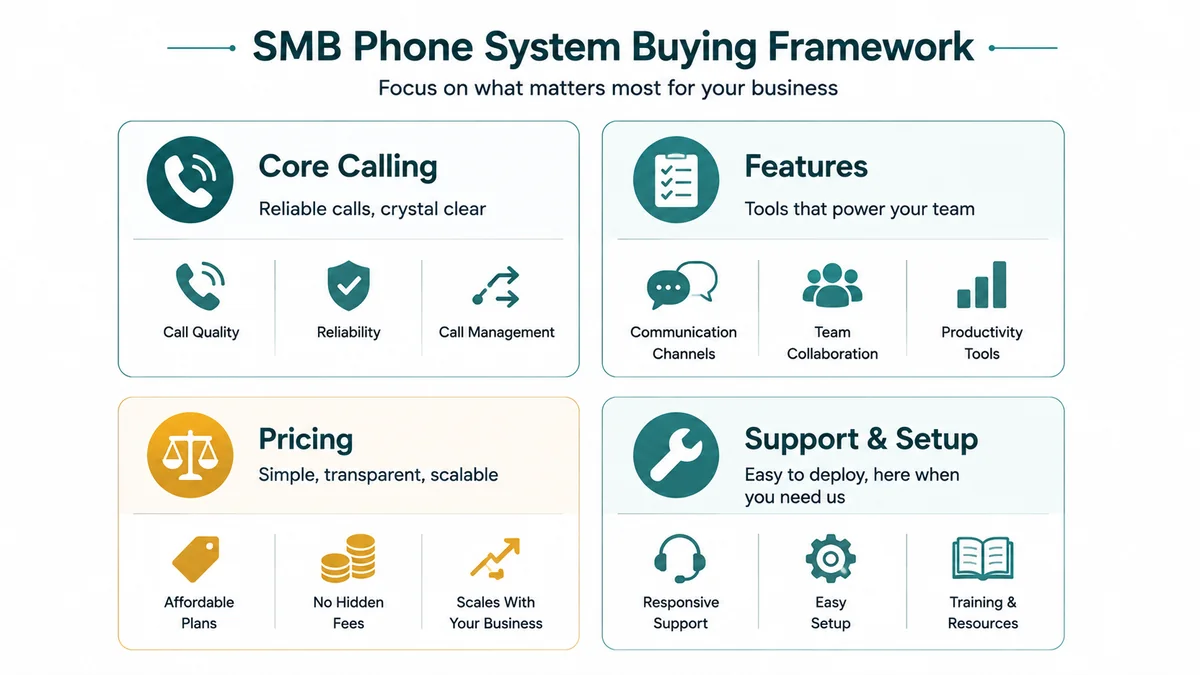
When you're comparing providers, these six criteria separate the right fit from an expensive mistake.
1. Feature completeness at your tier
Identify the three or four features your team will actually use day one — call recording, a Salesforce integration, shared call queues, whatever is relevant — and verify they're included at the price tier you're evaluating. Do not assume features are included because they appear on the provider's marketing page; check the plan comparison table, and read the footnotes.
Specific things to verify: Is call recording automatic or only on-demand? Is CRM integration a native integration or just a Zapier connection? Is the auto-attendant single-level (one menu) or multi-level (nested menus for complex routing)? Are call queues included, or only ring groups? These distinctions matter for how callers actually experience your business.
2. SMS caps — the hidden friction point
Business texting has become a genuine expectation from customers. Many providers include "unlimited SMS" as a headline feature but bury per-user monthly caps in the plan details. Some entry plans cap outbound SMS at 25–250 messages per user per month — restrictive enough to cause real operational problems for any business that uses texting for appointment reminders, order updates, or sales follow-ups.
Before signing, ask specifically: what is the SMS/MMS limit per user per month at this plan tier, and what happens when the limit is reached — is texting blocked, or do overage charges kick in?
3. Integration with your existing tools
If your team uses Salesforce, HubSpot, Zendesk, or another CRM, the phone system's integration depth matters more than most features. A native CTI (computer telephony integration) means calls log automatically, contact records pop up when a call comes in, and your team isn't manually copying call notes. A Zapier-based integration is better than nothing, but it's slower, less reliable, and often requires more setup.
Verify: Is the CRM integration native at the tier you're buying? Can you click-to-call from within the CRM? Do call recordings and transcripts attach to the contact record automatically?
4. Mobile app reliability
For most small businesses, the mobile app is the phone system. Employees work from home, travel, or split time across locations. If the mobile app frequently misses incoming call notifications, burns battery, or has poor audio quality on cellular connections, it doesn't matter how good the desktop experience is.
App store ratings give a rough signal, but reviews specific to "missed calls" or "notification issues" are more useful than overall star ratings. Use the free trial period specifically to test mobile call reliability from your team's actual devices and networks.
5. Total cost of ownership — not just the per-seat price
Run the real math before committing. Take the per-user price, add 20% for regulatory fees and taxes, add the cost of any add-ons you'll actually need (AI transcription, additional numbers, international calling), and multiply by 12 for the annual commitment. That's your true cost. Compare that number across providers — not the advertised base price.
Example: A system at $25/user/month for 10 users is $3,000/year on paper. Add 20% for fees ($600), plus a Salesforce integration that's only available on the next tier ($35/user × 10 × 12 = $4,200), and the real annual cost is $4,200 + $840 fees = $5,040/year — 68% more than the entry-price math suggested.
6. Support quality and contract terms
When something goes wrong — a number fails to port, calls are dropping, billing is wrong — how easy is it to reach a human? Some providers reserve phone and chat support for mid-tier or enterprise plans; entry plans may be email-only or community-forum-only.
On contract terms: most providers charge 20–35% more for monthly billing. Annual contracts typically don't offer prorated refunds if you cancel early. Some providers make it surprisingly difficult to port numbers out when you want to leave. Ask specifically about number portability-out procedures before you commit.
EaseDial Business Phone
See how EaseDial fits your team — transparent pricing, no contract required to start.
Feature checklist: must-have vs. nice-to-have for SMBs
Use this table when reviewing provider plan comparison pages. The "Must-Have" column reflects what the majority of small businesses need on day one. "Nice-to-Have" reflects features worth paying for if your use case calls for them. "Skip It" reflects features commonly bundled into expensive tiers that few SMBs actually use.
| Feature | Priority | Notes |
|---|---|---|
| Unlimited US/Canada calling | Must-Have | Standard on all credible providers at entry tier |
| Mobile app (iOS + Android) | Must-Have | Test during trial — notification reliability varies significantly |
| Auto-attendant (single-level) | Must-Have | Basic "press 1 for X" menu; multi-level needed for complex routing |
| Voicemail with email delivery | Must-Have | Voicemail transcription (text in email) saves significant time |
| Call forwarding and routing rules | Must-Have | After-hours, holiday schedules, overflow routing |
| Business SMS (adequate cap) | Must-Have | Verify monthly message cap per user before signing |
| Desktop softphone app | Must-Have | Essential for remote and hybrid workers |
| Call recording (automatic) | Must-Have | Often mid-tier; on-demand recording is a limited substitute |
| Ring groups / hunt groups | Must-Have | Route calls to a team rather than a single person |
| Basic call logs and reports | Must-Have | Missed calls, call volume by hour, average duration |
| Multi-level IVR | Nice-to-Have | Needed if you have multiple departments with sub-options |
| Call queues with hold music | Nice-to-Have | Useful once you regularly have callers waiting |
| CRM integration (native) | Nice-to-Have | Essential if your team lives in Salesforce or HubSpot |
| Voicemail transcription | Nice-to-Have | Worth paying for if your team checks email more than voicemail |
| Video meetings (built-in) | Nice-to-Have | Most SMBs already use Zoom or Google Meet separately |
| AI call summaries / transcription | Nice-to-Have | Increasingly included free; worth having if you get it without an add-on cost |
| Call monitoring (whisper/barge) | Nice-to-Have | Useful for training new staff who take customer calls |
| AI call coaching (live) | Skip It (for most) | Valuable at 20+ seats with formal QA programs; overkill at 5–10 seats |
| Workforce management | Skip It (for most) | Contact center feature; unnecessary unless you run shift-based agent scheduling |
| Predictive outbound dialer | Skip It (for most) | Relevant only for high-volume outbound sales campaigns |
| 99.999% uptime SLA | Skip It (for most) | Meaningful upgrade from 99.9% costs significantly more; most SMBs have adequate fallback via mobile |
Compliance: what regulated industries must verify
Most small businesses don't face strict telecom compliance requirements. But if you work in healthcare, legal, financial services, or handle EU customer data, these considerations become real requirements rather than optional checkboxes.
HIPAA (healthcare)
Any provider storing, transmitting, or processing protected health information (PHI) — including voicemails, call recordings, or transcripts involving patient information — must sign a Business Associate Agreement (BAA) with you. Not every provider offers a BAA. Some providers offer HIPAA-compliant tiers only on mid or enterprise plans. Before assuming a provider is HIPAA-compliant, ask specifically for their BAA and which products it covers. Providers that have explicitly offered BAAs covering voice, recording, and messaging include Nextiva, RingCentral (on mid and upper tiers), and 8x8 — but BAA availability, scope, and plan requirements change, so verify directly with each vendor before making any compliance-dependent purchasing decision.
See our UCaaS security and compliance guide for a full breakdown of what HIPAA compliance requires at the platform level.
Call recording consent laws
In the US, federal law requires one-party consent to record a call — meaning you (as one party to the call) can record without notifying the other party. But many states require all-party (two-party) consent, including California, Florida, Illinois, Pennsylvania, and Washington. If you record calls and have customers or employees in those states, you must notify callers that the call is being recorded. Most cloud phone platforms can play an automatic recording disclosure; verify yours does before enabling call recording.
GDPR (EU data)
If you call, text, or otherwise process communications data involving EU residents, your phone system provider must process that data in compliance with GDPR. Verify the provider's data processing agreement (DPA) and where voice and recording data is stored. Providers with European data centers and published DPAs include RingCentral, 8x8, Vonage, and Microsoft Teams Phone.
Migration: switching from a landline or existing system
Migrating to a cloud phone system involves a few steps that have predictable timelines. Understanding them upfront prevents the most common cutover mistakes.
Number porting
You can keep your existing business number when you switch providers — number porting is legally protected in the US under FCC rules. The process involves submitting a Letter of Authorization (LOA) to your new provider, along with your current account number and PIN. Standard numbers take 3–10 business days to port; toll-free numbers can take up to four weeks. Do not cancel your old service until the port is complete and confirmed. Numbers on inactive accounts often cannot be ported.
Analog device audit
Before cutting over, audit every device connected to your existing phone lines. Fax machines, alarm systems, elevator phones, credit card terminals, and gate intercoms often run on the same lines as voice and will stop working after migration. Each of these needs a separate plan — either a VoIP-compatible replacement, an Analog Telephone Adapter (ATA) for fax lines, or a dedicated cellular or internet-based connection for alarm and safety systems.
Staff training
The value of a cloud phone system depends on employees actually using the app. A brief training session — even just a 20-minute walk-through of the mobile app and basic features — dramatically reduces the number of missed calls in the first few weeks. Set expectations clearly: the business number rings on the app, and using personal phones for work calls defeats the purpose.
Common mistakes when buying a business phone system
These are the errors that show up most often among small businesses that end up switching providers within 12–18 months.
- Comparing only the entry price. The $10/user number rarely reflects what you'll actually need. Calculate cost at the tier where the features you need live, including add-ons and fees.
- Ignoring SMS caps. If you plan to text customers, verify the monthly message limit before signing. Some entry plans cap at 25 messages per user per month.
- Not testing call quality during the trial. All major providers offer a free trial (14 days is common). Use it to make actual calls from your office network, your home network, and your cell phone on the mobile app. That's the only way to know if quality is acceptable.
- Assuming AI is included. AI transcription and call summaries are now free at the entry level on some platforms but cost $9–$60/user/month extra on others. Check before assuming.
- Choosing a system without checking your CRM's integration. If your team uses a CRM, verify that native integration exists at the tier you're buying — not just at enterprise pricing.
- Terminating the old service before porting is complete. Always wait for porting confirmation before canceling anything. The porting process requires an active account with the losing carrier.
- Not registering 911 for each office location. Multi-location businesses must register each physical address for E911 separately. Failing to do this means emergency calls may show the wrong location to dispatchers.
- Signing an annual contract before confirming the platform works for your team. Use the trial period intentionally — test the specific features and integrations your team will use every day before committing to 12 months.
A note on AI features in 2026
AI capabilities have moved fast in the business phone space. A few things worth knowing as you evaluate:
Real-time call transcription and post-call AI summaries are now included at the entry level on some platforms. On others, the same capability costs an additional $9–$60 per user per month as a paid add-on. If you want AI features, compare across providers at your actual budget level — the price difference for the same capability can be significant.
AI voice agents — autonomous systems that answer inbound calls, handle FAQ-type inquiries, and qualify leads without a human — are a newer category distinct from traditional auto-attendants. An AI voice agent can conduct a real conversation rather than just presenting menu options. Some providers offer these as add-ons; others have built them into their roadmaps. If this interests you, see our comparison of AI voice agents vs. traditional IVR systems.
The practical advice: don't pay a premium for AI features unless your team will actually change their workflow to use them. Unused AI capabilities are just expensive noise on your phone bill.
When to consider a contact center platform instead
A standard UCaaS business phone system handles inbound calls well and supports basic outbound calling. If your team runs structured outbound campaigns, manages a defined queue of inbound customer requests, or needs formal quality scoring and agent scheduling, you may be looking at a cloud contact center platform rather than a business phone system. The two categories overlap — several providers offer both — but they're priced differently and optimized for different workflows. See our UCaaS vs. CCaaS comparison if you're not sure which category fits your use case. Nonprofits and other mission-driven organizations with tight budgets have additional considerations around pricing, discounts, and feature priorities covered in the VoIP for nonprofits guide.