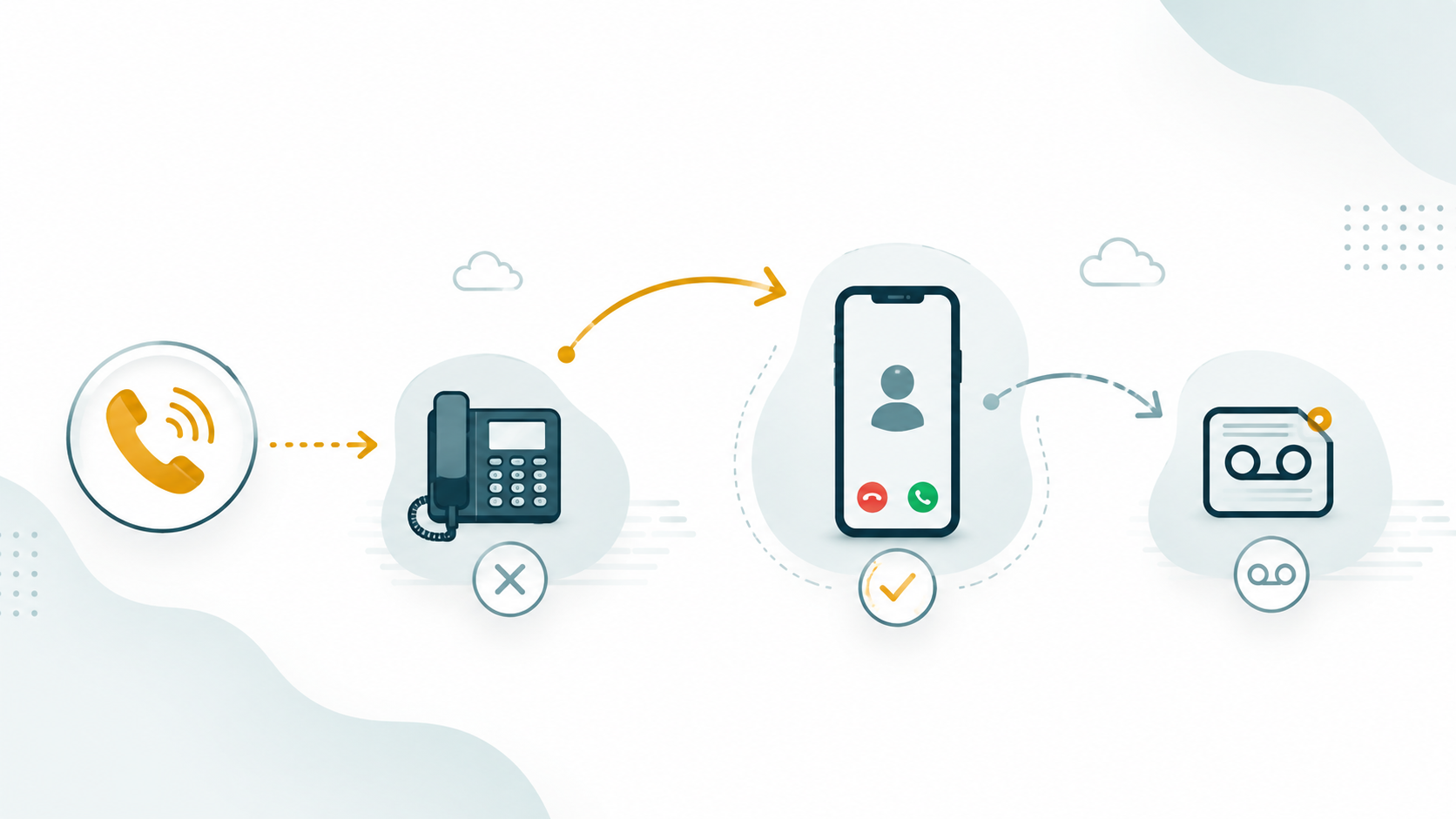
Call forwarding redirects an incoming call from its originally dialed destination to a different one — automatically, based on rules the business configures. The caller dials one number; the call arrives somewhere else. To the caller, the process is usually invisible.
This is one of the most fundamental features of a business phone system, and one of the most versatile. Forwarding handles the gap between where calls are supposed to arrive and where someone is actually available to answer them.
Definition: Call forwarding is a business telephony feature that automatically redirects an incoming call from its originally dialed destination to another number, user, device, queue, or voicemail — according to configured rules. Forwarding can be unconditional (always forward) or conditional (forward only when specific conditions are met, such as no answer, busy, or outside business hours).
How Call Forwarding Works
When a call arrives at a phone number, the carrier or cloud phone platform applies any configured forwarding rules before the call rings at the original destination. If an unconditional forward is set, the call is immediately redirected before the destination phone rings at all. If a conditional forward is set — no-answer forwarding, for example — the destination phone rings first, and forwarding triggers only if the call is not answered within the configured timeout.
In cloud phone systems, forwarding rules are typically configured per user extension, per phone number (DID), or per call queue — giving administrators granular control over where different types of calls go under different conditions.
Types of Call Forwarding
The terminology varies somewhat between vendors and phone systems, but most forwarding configurations fall into these categories:
Unconditional forwarding
Every incoming call is immediately redirected to the forwarding destination — no ringing at the original destination at all. Used when someone is away for an extended period, when a number has been reassigned, or when a business temporarily routes all calls to a different team or location. Unconditional forwarding is the simplest form and the easiest to configure — and also the easiest to accidentally leave on after it is no longer needed.
No-answer forwarding
The call rings at the original destination for a defined timeout — typically 15–30 seconds — and if not answered, forwards to the configured fallback. This is the most common forwarding type for individual users: the desk phone rings, and if the user doesn't pick up in time, the call goes to voicemail, a backup user, or a queue. No-answer forwarding preserves the ability to reach the primary destination while providing a fallback for unanswered calls.
Busy forwarding
When the destination is already on a call, incoming calls are redirected rather than receiving a busy signal or going to call waiting. Busy forwarding allows calls to reach a backup or queue instead of the caller getting an occupied signal. In contact center environments, this is often handled by the queue architecture rather than individual forwarding rules.
Business hours forwarding
Calls received outside defined business hours route to a different destination — voicemail, an after-hours message, an answering service, or an emergency number — while calls during business hours route normally. Business hours forwarding is a core feature of cloud phone systems and is typically configured at the number or IVR level, not the individual user level.
Time zone configuration matters here. A business with locations in multiple time zones may have different business hours per location or per DID. Forwarding rules should apply the correct time zone for each number — not the server's time zone or the administrator's local time zone.
Simultaneous ringing (find-me / follow-me)
A variant of forwarding where incoming calls ring multiple destinations simultaneously — desk phone, mobile number, home office phone — and the first one to answer takes the call. This is commonly called "find me / follow me" routing in traditional phone system terminology. It ensures the user is reachable regardless of where they are without requiring the caller to know which number to dial.
Common Forwarding Destinations
A call can be forwarded to:
- Another user extension — a colleague, backup agent, or manager who should receive calls when the primary person is unavailable.
- A call queue — routing the call into a managed waiting line where the next available agent will answer. This is the standard forwarding path for individual user lines at most contact centers.
- Voicemail — the user's voicemail box, which captures a message and notifies the user.
- An external phone number — a mobile number, home office, answering service, or external partner. The call leaves the internal system and goes to a PSTN number.
- An IVR menu — routing to a self-service system that can handle the caller's request or collect information before connecting to a human.
- Another office location — businesses with multiple sites can forward between locations when one site is closed or unavailable.
Call Forwarding for Remote Work
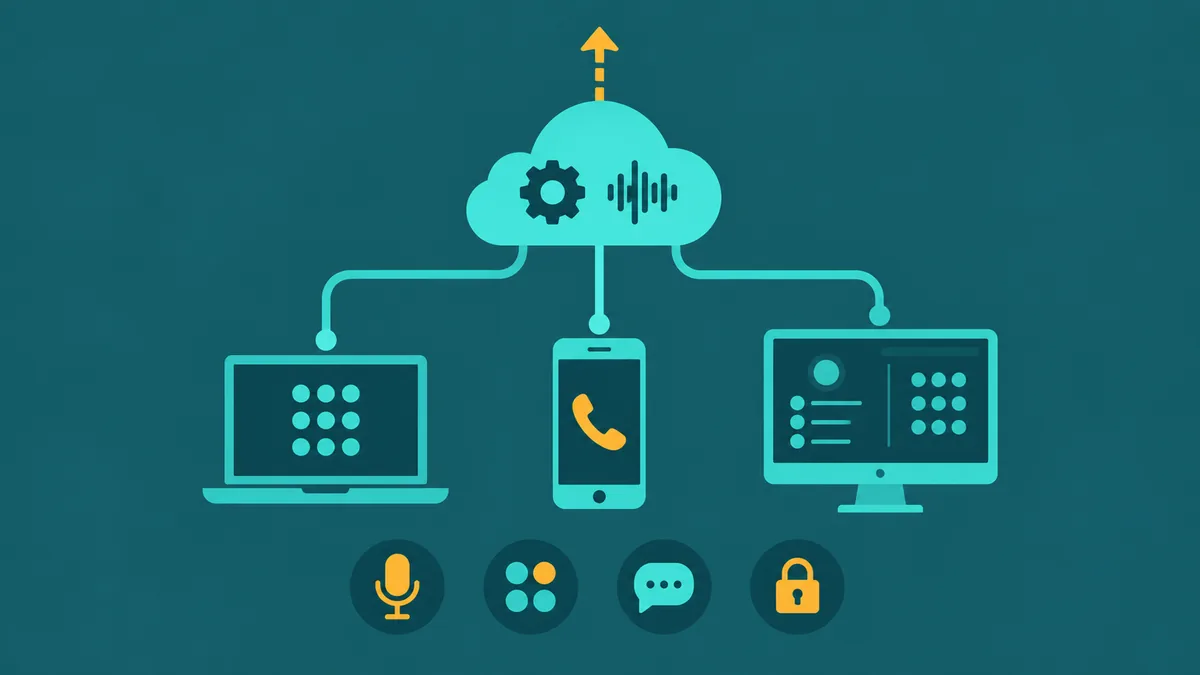
Call forwarding is one of the most useful features for remote and distributed teams. A user who is working from home can have their office extension forwarded to their mobile or home number — or, in a cloud phone system, they can use a softphone app on their laptop or phone that receives calls directly without any forwarding at all.
In cloud phone systems, the distinction between "forwarding to mobile" and "using a mobile softphone" is relevant. Forwarding sends the call out to a PSTN number — the external mobile carrier carries the call, and the call may incur carrier charges. Using a softphone app keeps the call within the cloud phone platform, preserving full platform features (call recording, analytics, transfers, queues) throughout the call. Most modern remote work deployments prefer the softphone approach over traditional forwarding to external mobile numbers, because it maintains the full business phone capability regardless of where the agent is located.
A concrete example: Alex is a support agent working from home. If her office extension forwards to her personal mobile, the call goes over the carrier network — platform recording typically does not follow the forwarded leg, it may not appear in the platform's analytics, and she will likely be unable to transfer it to a colleague within the system if the caller needs escalation. If instead she logs into the cloud phone app on her laptop, the call stays inside the platform. The recording runs, the call shows up in the queue reports, and she can transfer or conference without the caller being aware of any difference from an in-office experience.
Call Forwarding vs. Call Transfer
These two terms are sometimes confused. The difference is about timing and who controls the redirect:
- Call forwarding happens before or instead of the call being answered at the original destination — it is automatic and rule-based. The original agent or user is not involved; the call never reaches them.
- Call transfer happens during an active call — after the original agent has already answered and is speaking with the caller. The agent manually initiates the transfer to redirect the caller to someone else. See our article on warm transfer vs cold transfer for detail on transfer mechanics.
Business Continuity Use Cases
Call forwarding is a lightweight business continuity tool. When a primary office line or system is unavailable — power outage, internet disruption, unexpected closure — forwarding rules can redirect calls to a mobile number, an alternative location, or a backup provider, often within seconds of an administrator changing the configuration. Cloud phone systems with web-based administration allow this change to be made from anywhere with an internet connection, without requiring physical access to any hardware.
This is meaningfully different from traditional PBX-based forwarding, where changing forwarding rules typically required physical access to the PBX hardware or a specialist administrator. Cloud platforms move the control plane to a web interface, making forwarding changes fast and accessible.
Limitations of Call Forwarding
- Forwarding to external numbers loses platform features. When a call is forwarded to an external PSTN number (a mobile, a home phone, an answering service), it exits the cloud platform. Recording, analytics, and transfer capabilities may not follow the call. The forwarded call looks like any other incoming call to the receiving device — not a platform-managed business call.
- Forwarding chains can create loops. If A forwards to B and B forwards back to A, a misconfigured system can create a forwarding loop. Well-designed systems detect and break these, but configuration errors in forwarding rules are worth auditing periodically.
- Business hours forwarding requires accurate time zone configuration. Incorrect time zone settings cause after-hours forwarding to trigger at the wrong times — callers reaching voicemail during business hours or business calls going unanswered because the system thinks it's midnight when it isn't.
- Unconditional forwarding left on accidentally. If a user enables unconditional forwarding and forgets, callers to that user's number may never reach them. Supervisors should be able to see and reset forwarding settings for users in their team.
EaseDial Call Forwarding
EaseDial's business phone platform includes call forwarding at the user extension and phone number level. Business hours schedules define when calls are live-answered versus routed to voicemail or alternate destinations. Administrators can configure forwarding rules from the web interface without technical expertise. Extensions can forward to other extensions, external numbers, queues, or voicemail — and these settings can be updated from anywhere.
EaseDial
Forwarding rules, business hours, and extension management — all in one platform without needing an IT team.
Frequently Asked Questions
Call forwarding in EaseDial: Configure forwarding rules per extension — unconditional, no-answer, busy, and time-based — from the admin portal. Call forwarding feature details →