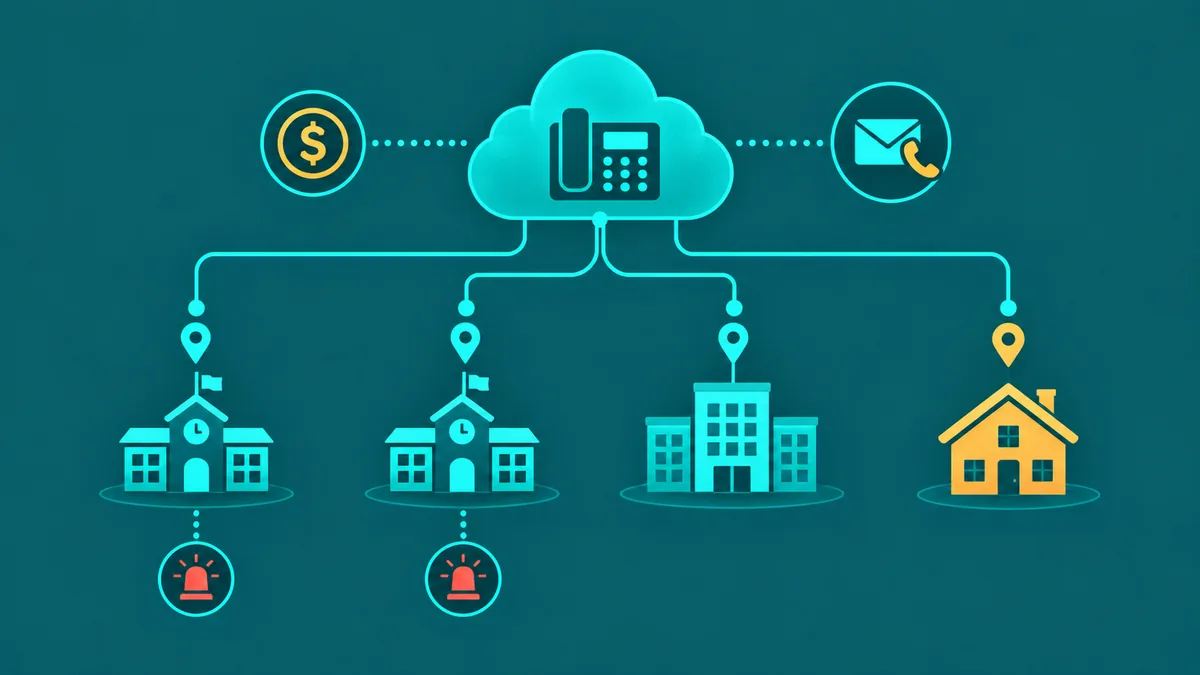
School phone systems are aging infrastructure at most K-12 districts and many higher education institutions. On-premise PBX hardware installed a decade or more ago requires specialized maintenance, breaks at inconvenient times, and cannot support the communication demands of modern campuses — remote staff, multi-site coordination, parent SMS notifications, and E911 per-classroom location registration. Replacing that infrastructure with cloud VoIP addresses all of these gaps at lower ongoing cost, without requiring a dedicated on-site telephony technician.
The decision to migrate, however, comes with education-specific considerations that standard business VoIP evaluations do not address: E-Rate funding eligibility, Kari's Law and RAY BAUM's Act compliance for multi-classroom E911, FERPA and CIPA considerations for communication data, and the budgeting constraints of annual education funding cycles. This guide covers all of them.
Why schools are replacing legacy phone systems with VoIP
Legacy school phone systems — typically on-premise PBX hardware from Avaya, Cisco, or NEC — were installed when the primary communication model was a front office receiving calls and routing them to classroom extensions over copper wiring. That model has not been the reality for years. Teachers work from home on snow days. Counselors move between campuses. Administrative staff use mobile devices. Parents expect to reach specific staff members directly, and school districts communicate with parents increasingly by text rather than phone calls alone.
Cloud VoIP adapts to this reality. Extensions become software-defined — a teacher's extension can ring their desk phone in the classroom, their mobile app when they are remote, and their laptop when they are working from a different building, without any reconfiguration by IT. Adding a new extension requires no hardware installation. Moving a staff member between campuses requires no rewiring. The entire phone system is managed from a browser-based admin portal.
The hardware maintenance burden elimination is significant for districts where IT staff are generalists rather than telephony specialists. Legacy PBX systems fail in ways that require vendor-specific expertise to diagnose. Cloud VoIP moves the infrastructure responsibility to the provider, who operates it across thousands of customers and has specialist teams managing reliability and uptime around the clock.
What is VoIP for education? VoIP for education is a cloud-based phone system deployed in K-12 schools, colleges, and university campuses to replace legacy on-premise PBX hardware. It routes calls over the internet, delivers extensions to any device — desk phone, mobile app, or softphone — and supports education-specific requirements like per-room E911 location registration, multi-campus number management, parent communication SMS, and compliance with Kari's Law and RAY BAUM's Act. Unlike legacy PBX systems, cloud VoIP requires no on-site phone switching hardware and can be managed entirely by district IT staff through a web-based admin portal.
Key use cases for VoIP in education
The following five use cases represent where cloud VoIP delivers the most operational value in educational environments:
Main office inbound routing. The school's main phone number is the primary point of contact for parents, community members, vendors, and district staff. An IVR auto-attendant can route callers to the main office, attendance line, specific departments (counseling, transportation, cafeteria), or individual staff extensions — reducing the live-answering burden on administrative staff while ensuring callers reach the right destination faster. See our IVR system guide for how auto-attendant routing works.
Emergency notifications and announcements. Cloud VoIP platforms support outbound mass calling and SMS — allowing districts to send automated voice or text notifications to parent contact lists for emergencies, school closures, early dismissals, and weather events. This is a step beyond the basic phone system function and requires that the VoIP platform be integrated with the district's student information system (SIS) to access current parent contact data.
Remote and hybrid staff connectivity. Teachers and administrators working from home — whether on a snow day, during a remote learning period, or as part of a hybrid work arrangement — can be fully reachable on their school extension using a mobile app or softphone. Calls route to the same extension regardless of physical location. Voicemail, call forwarding, and transfer to colleagues all function identically.
Parent communication via SMS. Business SMS on school phone numbers — with proper TCPA consent management for non-emergency messages — allows staff to communicate with parents by text on the same number parents already recognize. Appointment reminders, schedule changes, and routine communications by text reduce phone tag while maintaining the communication record within the school's system rather than on personal staff devices.
Multi-campus connectivity. Districts with multiple schools — elementary, middle, and high schools on separate campuses — can operate all campuses under a single cloud phone system with a shared extension directory. Calls between campuses route as internal extensions without consuming external call capacity or incurring per-call charges. A district office can transfer calls to any campus building as easily as transferring to the adjacent office.
Education VoIP vs standard business VoIP — what is different
Education VoIP deployments share the same underlying technology as business VoIP but differ in several dimensions that affect vendor selection and implementation planning.
| Dimension | Education VoIP | Standard Business VoIP |
|---|---|---|
| E911 requirement | Per-room or per-device location under Kari's Law and RAY BAUM's Act; dispatchable address to classroom level | Per-location or per-user; typically building-level address is sufficient for office environments |
| CIPA / FERPA considerations | Call recording and voicemail storage must account for FERPA if student information is discussed; CIPA applies to internet-based communications infrastructure | HIPAA for healthcare, SOC 2 for general business — student data regulations not applicable |
| Multi-site management | Districts manage 5–50+ campuses under a single system; cross-campus internal dialing is essential | Multi-site is common but typically 2–10 locations for mid-market businesses |
| Budget cycles | Annual fiscal cycles tied to school year; E-Rate funding application cycle (July 1 program year) must be planned in advance | More flexible; procurement can happen any time with standard approval |
| User base | Teachers, administrators, and support staff — varying tech comfort; mobile app adoption varies significantly | Business staff with generally higher baseline tech familiarity |
| Network infrastructure | School networks often have dedicated E-Rate-funded internet; WiFi coverage in classrooms is variable and affects softphone quality | Office networks generally more uniform; dedicated business internet connections |
E911 compliance for schools
E911 compliance in school environments is more demanding than in typical business deployments because of the scale of the environment and the applicable federal regulations.
Kari's Law (effective February 2020) requires that multi-line telephone systems (MLTS) — including VoIP systems — allow any user to dial 911 directly without first dialing an outside-access prefix (such as "9"). It also requires that when a 911 call is placed, a notification be sent to a front desk or security station within the facility so that designated personnel are alerted that an emergency call has been made. Every school VoIP system must be configured to meet both requirements: direct 911 dialing and on-site notification to the school's main office or security office.
RAY BAUM's Act extends E911 requirements to mandate that the dispatchable location — the specific address including floor, wing, and room number — be transmitted with every 911 call placed from an MLTS. For a school, this means each extension or device must have its location registered at the classroom or room level, not just the building address. When a 911 call comes from Room 214 of Building B at a high school, the PSAP (Public Safety Answering Point) should receive "1200 Main Street, Building B, Room 214" — not just "1200 Main Street."
Implementing RAY BAUM's Act compliance in a school VoIP deployment requires either: (a) fixed desk phones registered to specific room locations in the VoIP admin portal, or (b) softphone users required to update their registered location when they move between rooms — which is operationally complex and typically requires policy enforcement and periodic auditing. For campuses where staff are genuinely mobile, fixed phones in classrooms with softphones as a supplement is the more reliable architecture for E911 compliance.
For remote staff, see our detailed guide on E911 for remote workers — the same dispatchable location obligations apply when teachers work from home.
Cost considerations and E-Rate funding
VoIP for education offers cost advantages over legacy PBX hardware on a pure cost-of-ownership basis: no hardware to depreciate, no on-site maintenance contracts, lower per-line costs, and predictable subscription pricing. But the most significant cost mechanism available to K-12 schools is E-Rate funding.
E-Rate (the Schools and Libraries Program) is an FCC program administered by USAC that subsidizes telecommunications and internet services for eligible schools and libraries. Eligible schools can receive discounts ranging from 20% to 90% on approved services based on their level of economic need (measured by free and reduced lunch eligibility and urban/rural status). Historically, E-Rate Category 1 funding covered voice services including SIP trunking and hosted VoIP phone service. Cloud-based voice and internet access are explicitly eligible categories.
The E-Rate application cycle runs on an annual basis with a program year starting July 1. Schools must submit a Form 471 (Funding Request) during the application window (typically January through March for the following program year) after completing a competitive bidding process if the service exceeds the $5,000 competitive bidding threshold. This means planning a VoIP migration on E-Rate funding requires beginning the process 12–18 months before the intended go-live date to align with the application window.
Higher education institutions (colleges and universities) are not eligible for E-Rate, but many participate in state-level cooperative purchasing agreements or consortia contracts that provide volume-negotiated pricing on cloud communications services. Checking state procurement vehicles (such as NASPO ValuePoint or state-specific education technology contracts) before going to market individually can yield meaningful price advantages.