On-hold audio rarely gets strategic attention, but it has real consequences. Silence during hold is frequently interpreted by callers as a dead line — they hang up. Music signals that the call is still active. Informative messages can reduce agent handle time, direct callers to self-service alternatives, and reinforce brand perception. And in the United States, the music you play is subject to copyright law that most businesses unknowingly violate.
What follows covers how hold music works technically, how to configure on-hold messaging effectively, the music licensing rules that apply to business phone systems, and the compliance risks businesses face when they use streaming services or random music files without proper licensing.
Music on Hold (MOH): Audio — music, messages, or a combination — played to callers while they are waiting in a call queue, placed on hold by an agent, or being transferred between extensions. The audio stream is served by the PBX or cloud phone platform from a configured audio file or URL. Callers on hold are still occupying a SIP channel, and the phone system is actively streaming audio to them throughout the hold period.
Why Hold Audio Matters More Than Most Teams Realize
The primary function of hold music is to signal presence — to communicate to the caller that the call is still active and they have not been disconnected. Silence during hold fails at this basic function. Callers who cannot tell whether they are still connected tend to hang up, particularly after 30–60 seconds of silence.
Beyond the silence problem, on-hold time represents a rare moment when a caller's full attention is on your business and they have nothing else to do. That attention can be used productively:
- A message directing callers to your website for account self-service may reduce the number of calls that need agent assistance for routine inquiries.
- Announcing business hours prevents a common category of "quick question" calls that agents handle dozens of times a day.
- Sharing the website URL or a specific support portal address gives callers an alternative channel they may not have known about.
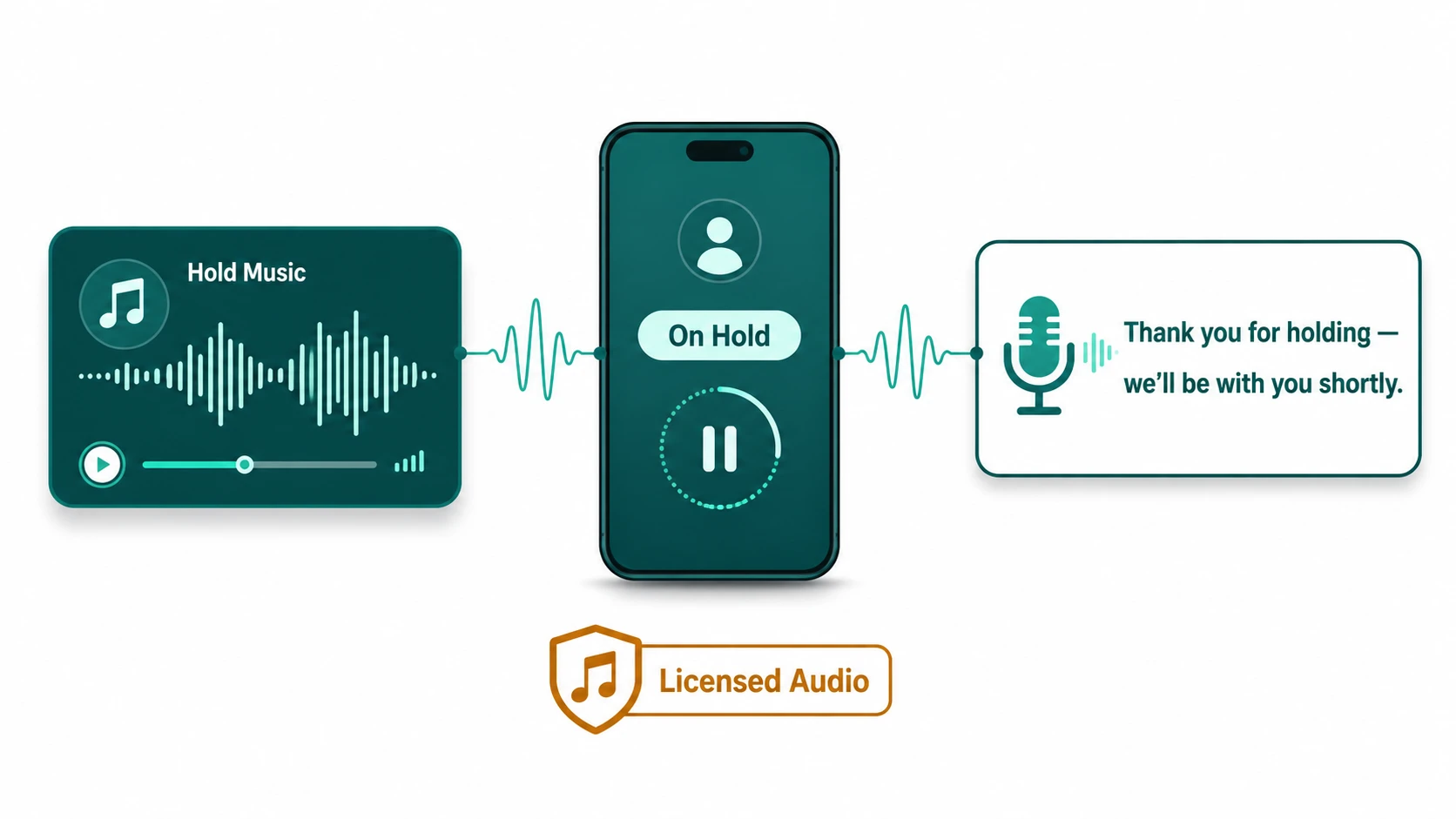
- Brief wait-time acknowledgment — even a generic "thank you for holding, we'll be with you shortly" — reduces perceived wait time and call abandonment.
These are marginal effects individually, but in a high-volume call center environment they compound across thousands of calls per week. For smaller businesses, the main value is preventing the hang-up that costs you a potential customer or forces them to call back.
Music Licensing: The Compliance Issue Most Businesses Miss
This is the section most guides on hold music skip, and it is the one that creates actual legal exposure. Playing copyrighted music on hold in a US business phone system constitutes a public performance under US copyright law. Public performances of copyrighted music require a license from the rights holders.
In the United States, performance rights for most commercially released music are managed by three Performing Rights Organizations (PROs):
- ASCAP (American Society of Composers, Authors and Publishers)
- BMI (Broadcast Music, Inc.)
- SESAC (now also including GMR, Global Music Rights)
Different composers and publishers are affiliated with different PROs. To legally play the broad range of commercially released music, a business would typically need licenses from all three organizations. Each PRO charges separately, and fee structures vary based on factors like the number of phone lines and business size.
The Streaming License Misconception
The most common compliance mistake is assuming that a Spotify, Apple Music, or similar streaming subscription covers on-hold use. It does not. These services license music for personal listening only. Playing music from a streaming service through your phone system's hold audio is not covered by those subscriptions and constitutes unlicensed public performance of the music.
PROs actively monitor for unlicensed use and have pursued enforcement against businesses that play music without proper licensing. The risk is real, and the compliance cost is low compared to potential infringement exposure. Consult legal counsel if you have questions about your specific situation.
Compliant Music Options
Several music options avoid the PRO licensing requirement:
- Royalty-free music libraries — services like Epidemic Sound, Artlist, Musicbed, and others offer libraries where a one-time or annual license grants unlimited use of their catalog, including business hold music. Verify that the specific license tier includes telephone/hold use before purchasing.
- Public domain music — compositions for which copyright has expired are free to use. In the US, compositions published before January 1, 1929 are generally in the public domain. Note that sound recordings of public domain compositions may themselves be separately copyrighted — a 1990s recording of a 1920s composition may have recording copyright even if the underlying composition does not.
- Custom original recordings — commissioning original music or voice recordings for your business results in content you own, with no third-party performance rights required.
- Platform-provided default audio — many cloud phone systems include licensed default hold music. Verify with your provider that their default audio is properly licensed for business hold use.
Configuring On-Hold Messages Effectively
On-hold messaging refers to spoken audio content played to callers during hold, either alternating with music or as standalone spoken segments. The content and format matter for effectiveness:
Keep Messages Short and Specific
A message that runs 60 seconds before repeating will be heard multiple times by a caller waiting 3 minutes. Long messages that repeat frequently become irritating. Messages in the 15–30 second range, alternating with music before repeating, are typically better received than a single long uninterrupted recording.
Include Actionable Information
Effective on-hold messages focus on information that is either time-saving for the caller or directly reduces the call volume your team handles:
- Website URL for account management, order status, or FAQ self-service
- Current business hours (particularly if holiday schedules are in effect)
- Alternative contact channels (live chat, email, support portal)
- Callback or queue position options, if your system supports them — see queue callback for how this works
Update Content Regularly
Static on-hold messages that go unchanged for months or years can create problems: announcing a promotion that ended six months ago, referencing a business hour that has changed, or promoting a product that is discontinued. Set a calendar reminder to review on-hold content quarterly at minimum.
Audio Quality and Format
Most cloud phone platforms accept WAV or MP3 audio files for hold music. The quality of your source recording matters: poorly compressed audio that sounds acceptable on speakers may sound significantly worse after passing through the phone network's narrowband audio codec. Record at a sample rate of 8 kHz or higher and at a reasonable bitrate, then test the result by calling in from an actual phone rather than relying on how it sounds on a computer.
Professional voice recordings for on-hold messages are inexpensive relative to the number of times callers will hear them. A poorly recorded, robotic-sounding on-hold message can undercut the professional impression your team builds on the call itself.
Technical Delivery: How Phone Systems Handle MOH
Phone systems serve hold music through one of two mechanisms:
- Local audio file playback — the most common approach. Your PBX or cloud platform stores an audio file and streams it to held callers. The file loops continuously. Most platforms allow you to upload custom WAV or MP3 files to replace the default.
- External stream — some platforms allow specifying a streaming URL (such as an internet radio stream) as the hold audio source. This approach requires a valid license for the streamed content for business on-hold use and depends on the stream being continuously available.
More capable platforms allow different hold music to be configured for different scenarios: the music a caller hears while waiting in the call queue can differ from what plays when an agent manually places them on hold during a consultation. Queue-specific MOH is particularly useful if you have separate queues for sales and support with different brand tones.
Hold audio is configured separately from the after-hours routing configuration, though both are part of the broader call flow design. When reviewing your hold audio setup, it is worth also confirming that after-hours routing is correctly directing callers to the right destination rather than silent ring or unexpected voicemail.
Wait Time Announcements: A Separate but Related Feature
Queue position or estimated wait time announcements are a distinct feature from MOH, but often configured in the same section of a phone system. These announcements — "You are caller number 4, estimated wait time is approximately 8 minutes" — are served between hold music segments and have a meaningful effect on caller abandonment rates when wait times are accurately communicated.
Announced wait times that turn out to be significantly longer than stated tend to increase abandonment and frustration. If your system can only provide position announcements rather than time estimates, position announcements are still preferable to silence or music alone. For queues where overflow routing handles extreme wait scenarios, announcements can also communicate when alternative options are available.
How to Set Up Hold Music in a Cloud Business Phone System
The exact steps vary by platform, but the general process for configuring hold audio in a cloud phone system follows the same pattern across most modern systems:
- Choose or produce compliant audio. Select royalty-free music, original recordings, or content licensed for business telephone use. Confirm the license explicitly covers on-hold telephone applications.
- Prepare the file. Export as WAV (8 kHz mono recommended for telephone codec compatibility) or MP3. Test by listening through a phone handset, not just computer speakers, before uploading.
- Navigate to the call queue or hold audio settings. In most cloud phone admin portals, hold music configuration is found under Call Queues or Ring Groups. Some systems have a global MOH setting with per-queue overrides.
- Upload the file and set message intervals. If your platform supports on-hold messages alternating with music, configure the interval between spoken segments. Intervals of 60–90 seconds between messages are typically well-tolerated.
- Enable queue position or wait time announcements if available. Configure these separately from the hold audio file — most platforms treat them as a distinct feature.
- Test by placing a real call. Call in from an actual phone number, enter the queue, and listen. Audio problems that aren't audible on a computer often surface through the phone network's audio codec.
For EaseDial specifically, hold audio is configured per call queue from the admin dashboard. See call queues for how queue settings and hold audio interact with routing strategy and callback options.
Hold Music in a Cloud Phone and Call Queue Context
Hold audio is one component of a broader call queue management setup. What callers hear while waiting is configured alongside the other queue behaviors: routing strategy, overflow rules, position announcements, and callback options. The hold experience is not independent — it affects abandonment rate alongside wait time, which in turn affects your measurable service level.
In a cloud business phone system like EaseDial, hold music can be configured per queue. A sales queue and a support queue can present different audio — different brand tone, different messaging content — even when served by overlapping agent pools. This is useful for businesses where different departments have distinct caller expectations. Hold audio that's appropriate for a VIP customer queue may not be right for a general inquiry line.
The EaseDial call queues feature includes hold music and messaging configuration as part of the queue setup, alongside routing strategy, overflow rules, and queue position announcements.
What to Look for in a Hold Music or On-Hold Messaging Solution
For businesses evaluating a cloud phone system partly on its hold audio capabilities — or evaluating a standalone on-hold messaging service — these factors determine whether the solution actually serves your operation:
- Audio licensing included or verified. Does the platform include hold music that is licensed for business telephone use, or are you expected to supply your own? If you supply your own, does the platform verify licensing on upload?
- Per-queue audio configuration. Can you set different hold audio for different queues, or is it a single global setting? Per-queue control matters for businesses with multiple departments or brand segments.
- Message and music interval control. Can you set the interval between spoken messages? Platforms that allow this produce better caller experiences than fixed-interval systems.
- Audio format and quality support. Does the platform accept WAV and MP3? Does it transcode for telephone codec compatibility, or do you need to prepare files yourself?
- Integration with queue position announcements. Hold audio and queue position announcements are distinct features. A platform that integrates both — letting you intersperse position updates within hold audio — reduces abandonment more than music alone.
- Easy updates. On-hold messages go stale. How easy is it to update the audio? A platform requiring a support ticket to replace a hold audio file will result in outdated messaging staying deployed longer than it should.
What On-Hold Messaging and Hold Music Solutions Cost
Hold music and on-hold messaging can be handled by your existing cloud phone platform at no additional cost, or through a standalone on-hold messaging service. The cost depends on which path you take.
Included in your cloud phone platform (most common): Most modern cloud PBX and UCaaS platforms include hold music configuration as part of the base subscription. You supply the audio file; the platform streams it. No added cost, but the platform usually provides minimal production support — you are responsible for sourcing licensed audio and producing any spoken messages. This is the right choice for most businesses that want basic compliant hold audio without a separate vendor relationship.
Royalty-free music libraries: If you need licensed music beyond your platform's default tracks, royalty-free subscription services (Epidemic Sound, Artlist, and similar) offer business-grade plans in the $30–$50/month range that cover commercial use cases. Verify the specific license tier includes telephone/on-hold commercial applications before purchasing — entry-level and creator plans typically cover only online video, not telephone use.
Professional on-hold messaging production services: Standalone on-hold messaging companies handle script writing, voice talent, recording, and music licensing as a bundled service. Pricing is typically one of two models:
- One-time production fee: $150–$600 per recorded message set (typically 3–5 messages), with updates charged separately at $50–$200 per revision. You receive audio files you own and host on your platform.
- Monthly subscription: $25–$75/month covering an initial message set plus quarterly or annual updates. Some include background music licensing in the subscription; others charge licensing separately.
PRO licensing for commercially released music, if you pursue it directly, requires separate licenses from each PRO (ASCAP, BMI, SESAC/GMR). Each charges independently based on phone line count and business size. Total annual cost across all required PROs typically runs $400–$2,000+ for small and mid-size businesses. For most, this cost is hard to justify against the royalty-free alternatives.
The total-cost-of-ownership comparison for most businesses: your cloud phone platform's included hold audio (plus a royalty-free library subscription if needed) delivers compliant hold audio for under $500/year, including production-quality spoken messages if you use a one-time recording service.
Frequently Asked Questions
Use our free On-Hold Cost Calculator to quantify agent hold cost, abandoned revenue, and monthly on-hold spend — no email required.