This is the complete CCaaS reference guide — covering technology, architecture, pricing, compliance, and vendor landscape. For software platform evaluation (omnichannel capabilities, native vs bolted-on channels), see Contact Center Software: Full Platform Guide. To see EaseDial's own contact center platform, visit EaseDial Contact Center.
Your on-premises call center works — technically. Calls arrive, agents answer, queues form. But when you want to add a chat channel, build a self-service bot, let agents work from home, or scale for a seasonal peak, the gap between what you need and what your infrastructure can do becomes expensive to close. Hardware refreshes take months. Software upgrades require IT projects. AI features that competitors already use require integrations your platform was not designed for.
Contact Center as a Service (CCaaS) addresses that gap by moving the entire contact center infrastructure to the cloud — routing engine, agent desktop, workforce management, analytics, compliance recording, and AI capabilities included. This guide explains precisely what CCaaS is, how the technology works, what it costs beyond the headline per-seat price, and what separates a well-chosen platform from a regrettable one.
CCaaS definition: Contact Center as a Service is a cloud delivery model for contact center software in which a vendor hosts, operates, and continuously updates all contact center capabilities — automatic call distribution (ACD), IVR, omnichannel routing, workforce management, analytics, compliance recording, and AI — in exchange for a recurring per-agent subscription fee. Organizations access the platform through a web browser, with no on-premises servers or telephony hardware required. Base pricing typically runs $69 to $299 per agent per month depending on tier and features. The global CCaaS market has grown significantly through 2025, driven by enterprise cloud migration and AI adoption across contact center operations.
What CCaaS is — and what it is not
CCaaS is frequently confused with two older models that look similar on the surface but are architecturally different.
On-premises contact centers place servers, telephony hardware, and software inside the company's own data center. The organization owns the infrastructure, manages upgrades, and absorbs the capital cost. Scaling requires hardware procurement — a process measured in weeks or months, not minutes.
Hosted contact centers are a transitional model: a vendor takes on-premises software (Avaya Aura, Cisco UCCE) and runs it in their data center on the customer's behalf. The software architecture is not cloud-native. Elasticity is limited, the update cycle follows the on-premises software's release schedule, and pricing looks more like traditional licensing than a true subscription. Many organizations in this model think they are using "the cloud" when they are actually renting rack space.
True CCaaS is cloud-native from the ground up — designed for multi-tenancy, elastic compute, continuous deployment, and API-first extensibility. When call volume spikes, the platform provisions additional capacity automatically. When the vendor ships a new AI feature, it appears in your tenant without an upgrade project. The distinction matters because the operational and financial implications are entirely different.
Key terminology at a glance
CCaaS conversations come with a lot of acronyms. Here are the ones you will encounter repeatedly:
| Term | What it means |
|---|---|
| ACD | Automatic Call Distributor — the routing engine that assigns inbound contacts to agents based on skills, availability, and priority rules. |
| IVR | Interactive Voice Response — the automated menu system that greets callers before they reach an agent, collecting intent via keypress or voice. |
| WFM | Workforce Management — forecasting, scheduling, and real-time adherence tools for staffing the contact center. |
| CTI | Computer Telephony Integration — the bridge that connects the phone system to business applications like CRM, enabling screen-pop and automatic call logging. |
| BYOC | Bring Your Own Carrier — a CCaaS deployment option where the organization retains its existing SIP trunk provider rather than buying PSTN access through the CCaaS vendor. |
| FCR | First Contact Resolution — the share of customer interactions fully resolved without a follow-up contact. |
| AHT | Average Handle Time — mean interaction duration including talk time, hold, and after-call work. Industry benchmark: approximately 6 minutes. |
| SBC | Session Border Controller — the network device at the VoIP edge that handles SIP normalization, topology hiding, and media encryption termination. |
How CCaaS works — architecture and call flow
CCaaS operates through four interdependent layers. Understanding this structure helps when evaluating vendors and negotiating SLAs.
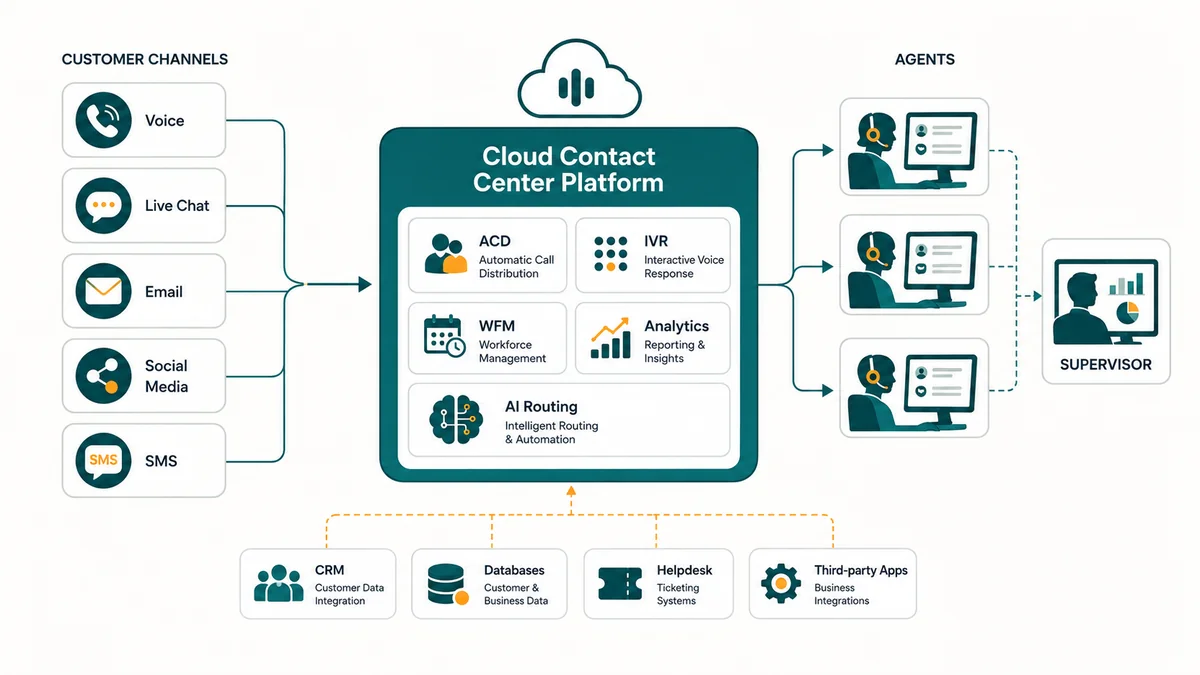
The four layers of a cloud contact center platform, from carrier ingress to analytics output.
- Cloud infrastructure layer: The vendor operates geographically distributed, redundant data centers connected via carrier-grade network fabric. Compute and storage resources scale automatically with demand.
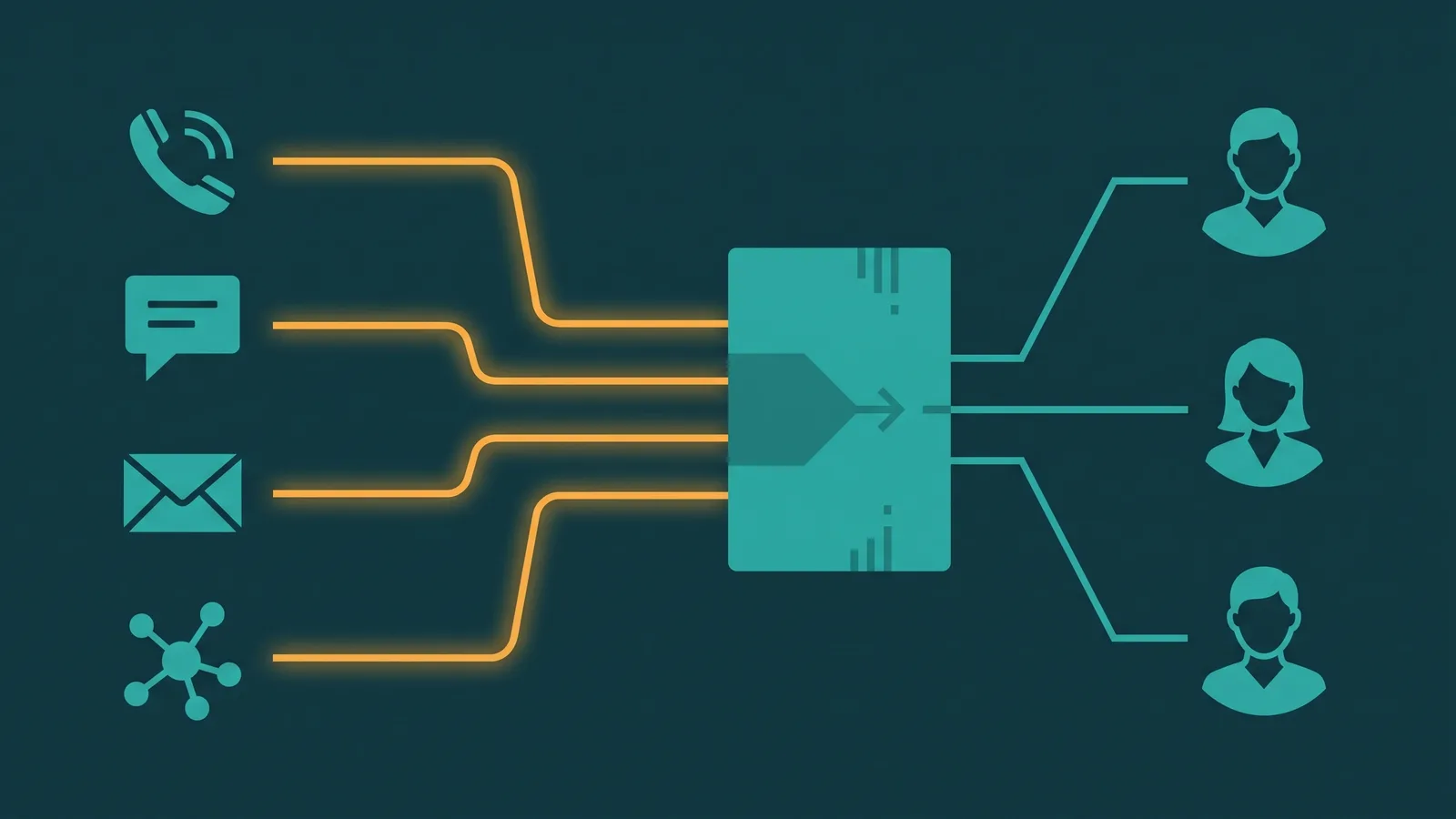
- Communication routing layer: The ACD engine receives contacts from every configured channel — voice, chat, email, SMS, social media — and routes each one to the best available agent or automated treatment using skills-based logic, priority scoring, and optionally AI-driven predictions.
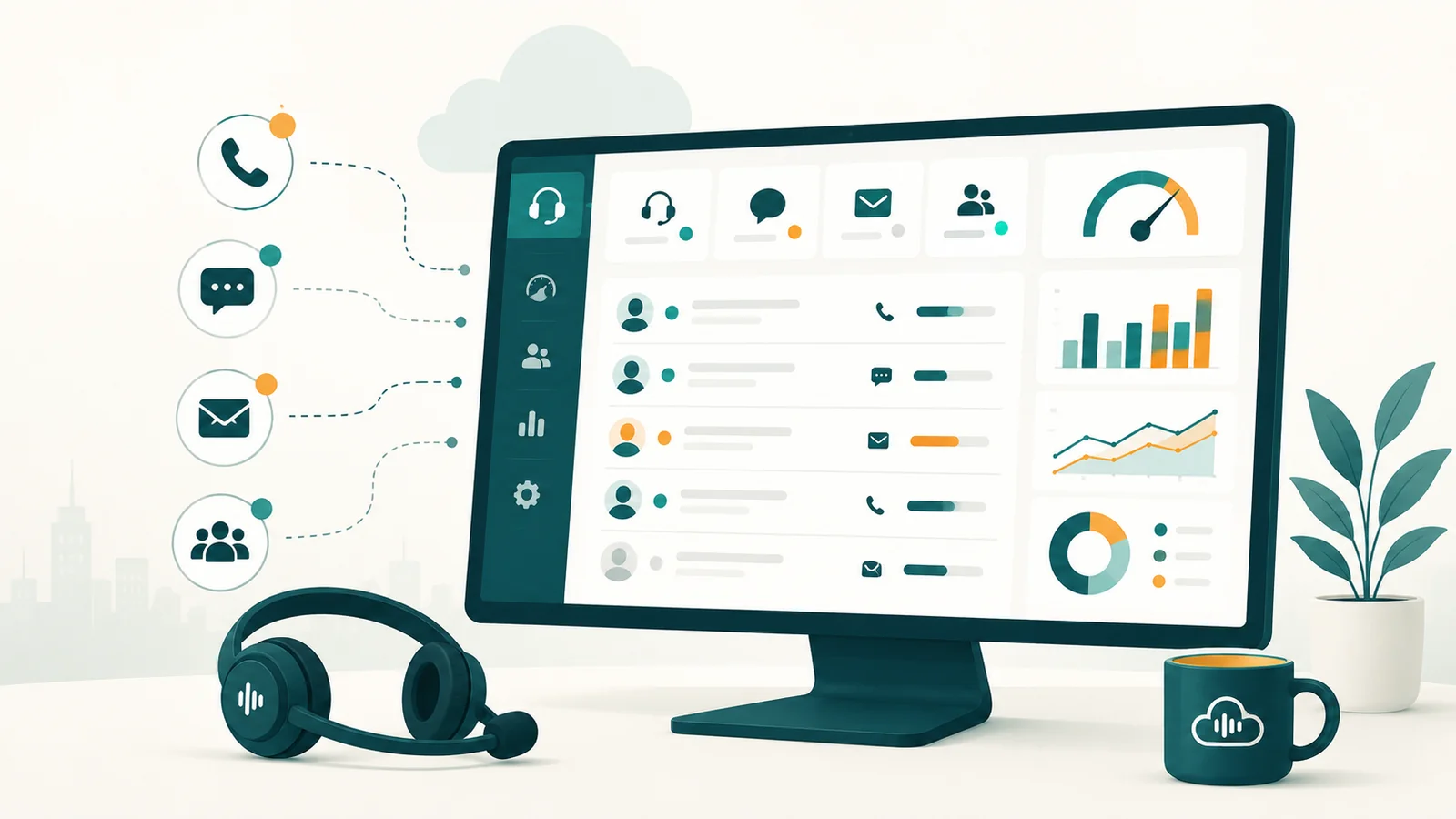
- Agent and supervisor layer: Agents access a unified browser-based desktop that surfaces the incoming interaction, relevant customer history, CRM data, knowledge articles, and AI suggestions simultaneously. Supervisors see real-time dashboards and can listen silently, whisper coaching cues, or join a call directly.
- Analytics and management layer: All interaction data flows to real-time reporting, historical analytics, workforce management, quality management, and speech/text analytics engines.
How a single inbound call travels through the platform
The following sequence applies to a voice call. Digital channels follow the same routing logic after the initial ingress.
- Customer dials: The call travels via the PSTN (Public Switched Telephone Network) and terminates on the CCaaS vendor's SIP trunk. A Session Border Controller at the network edge performs SIP normalization and terminates TLS/SRTP encryption before the call reaches the routing engine.
- IVR treatment: The platform's IVR — or a conversational AI virtual agent — greets the caller, identifies intent through voice or keypress input, and either resolves the inquiry without human involvement (self-service containment) or gathers the information needed for routing.
- Routing decision: The ACD evaluates the dialed number, the caller's phone number, the IVR output, real-time agent skill availability, queue priority, and optionally predictive AI models trained on historical outcome data. It selects the optimal agent or places the contact in queue.
- Queue treatment: If no suitable agent is immediately available, the caller receives an estimated wait time, may be offered a callback, and hears queue messaging. Supervisors see queue depth and wait times on live dashboards.
- Agent receives the interaction: The call is delivered to the selected agent's browser-based desktop. A screen-pop from the CRM surfaces the customer record before the agent speaks. The agent sees interaction history across all prior contacts regardless of channel.
- Agent handles the interaction: The agent resolves the inquiry. AI agent assist surfaces relevant knowledge articles and suggested responses in real time. The agent can place on hold, transfer, escalate to a supervisor, or initiate a three-way call.
- After-call work: The interaction ends. GenAI auto-summarization generates a structured summary and CRM update within seconds, typically eliminating 30 to 90 seconds of manual note-taking.
- Post-interaction processing: The recording is saved to encrypted storage. Speech analytics transcribes and analyzes the interaction for sentiment, topic, and compliance signals. Quality management workflows flag interactions for coaching review.
- Analytics loop: Aggregated interaction data informs the next staffing forecast, coaching priorities, and reporting dashboards. The cycle repeats continuously.
Two decision points are worth noting explicitly. At Step 2, if the virtual agent cannot resolve the inquiry — because the problem is complex, the customer is frustrated, or a regulatory trigger applies — it escalates to a live agent with full context transferred. The customer does not repeat themselves. At Step 3, if no suitably skilled agent is available within a threshold wait time, the ACD applies overflow logic: expand skill requirements, offer a callback, route to a different team, or redirect to after-hours treatment.
Agents reach the platform through WebRTC — a browser-native protocol that transmits encrypted audio without plugins. The industry-standard voice codec for PSTN interoperability is G.711 (64kbps). Acceptable voice quality requires latency below 150ms one-way, jitter below 30ms, and packet loss below 1%.
Core CCaaS capabilities
A production CCaaS deployment spans three capability tiers. Not every vendor includes every item at every pricing tier; the list below gives you a complete map of what you should be asking about.
Foundational features
- ACD and skills-based routing: Distributes inbound contacts using skills tags, priority weighting, and availability data. The core routing engine that replaces a physical PBX.
- IVR and conversational IVR: Automated self-service before agent connection. Modern platforms use Automatic Speech Recognition (ASR) and Natural Language Understanding (NLU) for voice input rather than DTMF keypress only. Conversational IVR typically raises self-service containment from the 60-65% range common with legacy DTMF systems to 80% or higher.
- Omnichannel routing: A unified queue that manages voice, email, chat, SMS, WhatsApp, Facebook Messenger, and other channels with shared customer context. Agents see a single interaction history regardless of channel. See our guide to omnichannel customer service for more on the operational model this enables.
- Agent desktop (unified workspace): A browser-based interface that consolidates the interaction, CRM data, knowledge base, and AI suggestions. Before unified desktops, agents averaged approximately 7 separate application switches per interaction.
- Call recording: Full stereo capture (separate customer and agent audio tracks) for QA and compliance. Enterprise CCaaS platforms typically include audio suppression or DTMF masking capabilities for PCI DSS environments — verify which recording controls a specific vendor includes at each pricing tier.
- Real-time and historical reporting: Live supervisor dashboards, wallboard displays, and BI-grade historical analytics with customizable KPIs.
- CRM integrations: Pre-built connectors for CRMs such as Salesforce, Zendesk, Microsoft Dynamics 365, ServiceNow, and HubSpot — typically enabling screen-pop, click-to-dial, and automatic interaction logging, though specific integration depth varies by vendor and tier.
- Outbound dialing: Preview (agent-initiated), progressive (auto-dial when agent is ready), and predictive (algorithm-driven pacing) modes for outbound campaigns. See our dialer comparison guide for how these modes differ.
- Queue management: Wait time announcements, estimated wait time calculations, virtual hold, and callback options. Detailed in our call queue management guide.
Advanced features
- Workforce management (WFM): AI-powered forecasting using Erlang C queuing models, multi-skill scheduling, real-time adherence monitoring, and shrinkage planning. The industry target for schedule adherence is 85-92%; shrinkage averages approximately 30% in production contact centers. Full detail in our workforce management guide.
- Quality management (QM): Interaction evaluation workflows, calibration, and coaching assignment. Traditionally based on a random sample of interactions; AI-powered QM evaluates 100% of interactions.
- Speech and text analytics: Post-call transcription with topic clustering, sentiment scoring, keyword detection, and compliance flagging across all interaction types.
- Supervisor tools: Silent monitoring, whisper coaching (agent hears the supervisor; customer does not), barge-in, and team performance dashboards.
- Callback and virtual hold: Customers register for a callback rather than waiting on hold. Reduces abandonment and improves satisfaction without additional headcount.
- Knowledge management: Centralized article library accessible by agents and bots, with search, feedback loops, and gap detection. Mature knowledge management deployments are associated with 15-30% AHT reduction and up to 25% FCR improvement (Voiso, 2026).
- BYOC (Bring Your Own Carrier): Connect your existing SIP trunk provider to the CCaaS platform rather than buying PSTN access through the vendor. Preserves carrier relationships and pricing.
AI-powered capabilities
- Conversational virtual agents: LLM-based voice and digital bots that handle multi-turn interactions completely, including authentication, transaction processing, and resolution. Leading platforms achieve sub-second response latencies (500-900ms) via streaming speech-to-text, LLM inference, and text-to-speech pipelines. More on this in our AI voice agent guide.
- Real-time agent assist: AI surfaces knowledge articles, response suggestions, compliance prompts, and next-best-action cues during live interactions. Early adopter benchmarks report 10-20% agent productivity improvement (Voiso, 2026).
- Auto-summarization: GenAI generates structured interaction summaries and CRM updates within seconds of call completion. Gartner early adopters report approximately 80% reduction in case-summary creation time, eliminating most after-call work.
- Sentiment analysis: Real-time and post-call analysis of customer emotional state using NLP, tone, and word choice. Triggers supervisor alerts for high-frustration interactions.
- Predictive routing: ML models trained on historical outcome data route contacts to the agent statistically most likely to achieve good outcomes (FCR, CSAT, conversion) for that specific customer profile.
- Auto-QA: AI evaluates 100% of interactions against quality rubrics, replacing random-sample human evaluation and identifying coaching opportunities across the entire interaction corpus.
- Agentic AI: Autonomous systems that execute multi-step workflows — processing refunds, updating account records, scheduling appointments, resetting credentials — within defined governance guardrails. Gartner projects agentic AI will autonomously resolve 80% of common customer service issues by 2029, with a 30% operational cost reduction.
- Real-time translation: Embedded multilingual support eliminating single-language queue silos. Consolidating multilingual routing is associated with 15-30% staffing cost reduction (Voiso, 2026).
A note on AI in production: demo environments showcase curated best-case scenarios. AI containment rates, summarization accuracy, and sentiment classification in production — with your actual customer vocabulary, domain terminology, background noise, and accent diversity — often underperform what a vendor demo suggests. Test AI features against your own historical data before signing, not with vendor-provided samples. More on this in our guide to AI in contact centers.
CCaaS vs. on-premises, UCaaS, and CPaaS
Three comparisons come up in almost every CCaaS evaluation. The tables below address them directly.
CCaaS vs. on-premises contact center
| Dimension | CCaaS | On-Premises |
|---|---|---|
| Infrastructure ownership | Vendor-owned and operated | Customer-owned |
| Capital expenditure | None | High (servers, PBX, networking hardware) |
| Upgrade cycle | Continuous, automatic | Planned upgrade projects, typically 12-18 months apart |
| Scalability | Elastic — additional capacity in seconds | Hardware-limited; requires procurement and installation |
| Deployment time | 2-4 weeks (basic) to 3-6 months (complex enterprise) | 12-18 months typical |
| Remote agent support | Native — browser-based, no VPN required | Requires VPN and additional softphone infrastructure |
| AI capabilities | Native and continuously updated by vendor | Requires third-party integrations; typically lags CCaaS |
| Security responsibility | Shared — vendor manages platform; customer manages access and data | Customer-owned entirely |
| Ongoing IT requirements | Minimal — platform administration only | Significant infrastructure operations team |
CCaaS vs. UCaaS
UCaaS and CCaaS are complements, not competitors. UCaaS handles internal employee communications — cloud calling, video conferencing, team messaging. CCaaS handles customer-facing operations at volume. They solve different problems for different users. For a full comparison, see our UCaaS vs. CCaaS guide. If your organization is still evaluating the underlying voice layer before reaching the CCaaS decision, our guide to VoIP phone service for business covers how hosted voice works, what it costs, and what to compare across providers — a useful foundation before scoping a full CCaaS deployment. For teams that need a complete business phone service without the contact-center layer, that guide covers the features, pricing models, and provider evaluation checklist specific to that decision.
| Dimension | CCaaS | UCaaS |
|---|---|---|
| Primary users | Customer-facing agents and supervisors | Internal employees across all departments |
| Primary use | High-volume inbound and outbound customer interactions | Employee collaboration (voice, video, messaging, file sharing) |
| Key capabilities | ACD, IVR, omnichannel routing, WFM, QA, analytics, dialers | Cloud calling, video conferencing, messaging, presence |
| Pricing range | $69–$299 per agent per month | $15–$50 per user per month |
| AI focus | Customer journey automation, agent assist, auto-QA | Meeting transcription, summaries, team productivity |
Research on organizations that integrate UCaaS and CCaaS from a unified or tightly connected provider consistently shows improvements in customer experience ratings, agent efficiency, and revenue metrics compared to operating them on entirely separate platforms (Metrigy). The magnitude varies significantly by organization; the more important point is that the integration itself matters — shared context between the business phone layer and the contact center layer reduces friction for agents and for customers. That said, UCaaS covers internal communications and CCaaS covers customer operations — they are different purchasing decisions even when made together.
CCaaS vs. CPaaS
CPaaS (Communications Platform as a Service) provides programmable API building blocks — SMS, voice, video — that developers embed into custom applications. CPaaS is developer-facing raw infrastructure. CCaaS is a complete, configured contact center application you can deploy without writing code. Twilio, Vonage API, and Sinch are CPaaS vendors. They are not contact centers — they are ingredients. Some CCaaS vendors expose CPaaS-style APIs on top of their platform (Genesys, Amazon Connect, Five9), allowing custom application development alongside the out-of-the-box contact center functionality.
CCaaS deployment options
Not all CCaaS deployments look the same. Four architectures cover most production scenarios.
- Multi-tenant cloud-native: All customers share the vendor's cloud infrastructure with logical isolation between tenants. The most common model for mid-market deployments. Lowest cost, fastest updates, highest elasticity.
- Dedicated cloud (single-tenant): The vendor provisions isolated virtual infrastructure for a single customer. Higher cost; suits enterprises with strict data residency or security requirements.
- Hybrid CCaaS: Core routing and agent desktop are cloud-hosted, but specific components — SIP trunk, recording archive, custom application — remain on-premises or in a private cloud. Common during phased migrations from legacy on-premises systems.
- BYOC (Bring Your Own Carrier): The organization connects its existing SIP trunking provider to the CCaaS platform rather than purchasing PSTN access through the CCaaS vendor. Preserves existing carrier contracts and pricing, particularly useful if you have favorable rates or geographic coverage requirements.
CCaaS use cases by business size and industry
CCaaS applies across a wide range of organizations. The relevant questions differ by size.
Small businesses (under 50 agents)
A 12-agent e-commerce team handling order inquiries via phone and chat can replace a PBX and a separate chat widget with a single CCaaS platform. Conversational IVR handles order status inquiries automatically — "where is my order" calls typically represent 25-40% of inbound volume for e-commerce. Agents handle escalations via a unified desktop with order data surfaced through a Shopify integration. During peak season, seats are added in the platform admin panel, not through a hardware order. For tooling considerations specific to retail — seasonal staffing, omnichannel returns handling, and store associate integrations — see the guide to contact center software for retail operations.
A three-location medical practice with eight agents handling patient scheduling, prescription refills, and billing can deploy CCaaS under a HIPAA Business Associate Agreement. After-hours IVR deflects non-urgent calls to secure messaging. SMS appointment reminders go out through the same omnichannel platform, reducing no-shows without separate tooling.
The SMB case for CCaaS is primarily about access: enterprise-grade AI, omnichannel routing, and workforce tools that were previously affordable only for operations with 500+ seats are now available on a per-agent subscription with no minimum commitment on most platforms.
Mid-market businesses (50-500 agents)
A regional insurance company with 120 agents across three sites running separate inbound ACD, outbound dialer, and email platforms can consolidate onto a single CCaaS system. Predictive dialing typically improves agent talk-time utilization from around 45% to 65% for outbound campaigns. Integrated WFM replaces spreadsheet scheduling, reducing overstaffing by 12-15% while holding service level targets.
A SaaS company with 80 agents handling global onboarding calls, technical support chat, and email tickets can use Salesforce integration to auto-log all interactions against the account record. Real-time agent assist reduces AHT by surfacing product documentation contextually during calls. Auto-summarization eliminates post-call note-taking, saving around 45 seconds per interaction at scale.
Enterprise operations (500+ agents)
A global bank with 3,000 agents across 12 countries handling 15 languages can deploy CCaaS with BYOC carrier connections, Salesforce Financial Services Cloud integration, PCI-compliant DTMF masking for card payments, MiFID II-compliant call recording with WORM storage, and real-time translation for multiple language pairs. Auto-QA evaluates 100% of interactions — replacing a large quality team doing random sampling with a focused coaching team acting on AI-prioritized findings.
A healthcare system with a 500-agent patient access center can integrate CCaaS with an Epic EHR system via HL7 FHIR R4, surfacing patient records during scheduling calls. Conversational IVR handles prescription refill requests and appointment reminders, containing approximately 35% of inbound volume without agent involvement.
Government agencies requiring FedRAMP authorization should note that Content Guru achieved FedRAMP High in March 2025 — the only full-stack CCaaS platform at that authorization level as of mid-2026. Amazon Connect GovCloud also holds FedRAMP High. NICE holds FedRAMP Moderate (since 2018). Genesys holds FedRAMP Moderate. Five9 has no FedRAMP authorization as of mid-2026, which is a meaningful gap for US public sector procurement.
CCaaS benefits — what actually improves and by how much
Most vendor benefit claims are stated as ranges without conditions. The table below includes the conditions that determine whether you see the high or low end of the range.
| Benefit area | Measurable range | Required conditions | Source |
|---|---|---|---|
| Capital expenditure | Eliminated on new CCaaS deployments | New deployments; existing legacy asset value varies | Industry-standard CCaaS model |
| Deployment speed | 2-4 weeks (basic) vs. 12-18 months on-premises | Complex enterprise deployments take 3-6 months | NICE (2025) |
| IVR self-service containment | 60-65% (DTMF legacy) → 80%+ (conversational AI) | Requires quality intent model and sufficient training data | Voiso (2026) |
| AHT reduction from AI tools | 18-30% reduction | Speech analytics with coaching delivered within 24 hours; knowledge management deployed | Voiso (2026) |
| After-call work reduction | ~80% reduction in summary creation time | GenAI auto-summarization deployed and agent-adopted | Gartner early adopters via Voiso (2026) |
| Agent productivity (agent assist) | 10-20% improvement | Real-time agent assist with quality knowledge base | Voiso (2026) |
| FCR financial impact | ~$286,000/year saved per 1% FCR improvement | Midsize call center; requires quality program and coaching cadence | SQM Group (2025) |
| UCaaS + CCaaS integration | Measurable improvements in CX ratings, agent efficiency, and revenue metrics | Integrated or tightly connected UCaaS and CCaaS providers; full organizational adoption | Metrigy research (specific figures vary by study; verify current report) |
Note: AHT, FCR, and AI productivity figures in the table above are sourced from third-party analyst and vendor reports (Voiso 2026, SQM Group 2025, Gartner). These figures reflect ranges reported under stated conditions; actual results in production deployments vary significantly. Verify current figures directly with vendors or primary sources before using in internal business cases.
The industry FCR benchmark is 70%. Top performers reach 85%; world-class operations reach 90%. Each percentage point of improvement represents significant financial impact at scale. That context makes the business case for investing in agent coaching, knowledge management, and AI assist more concrete than generic productivity claims.
EaseDial Contact Center
See how EaseDial's CCaaS platform handles routing, AI, and omnichannel in a single workspace.
CCaaS limitations and honest risks
Vendor pages do not spend much time on this section. It is worth reading carefully. CCaaS implementation failures commonly become apparent 3-6 months post-deployment — after contract leverage is gone and the complexity of integrations, training gaps, and total cost has surfaced in production.
Internet and network dependency
Call quality is directly tied to network performance. CCaaS requires latency below 150ms one-way (ITU G.114), jitter below 30ms, and packet loss below 1%. Organizations with unreliable internet infrastructure, remote agents in poor-connectivity areas, or networks without QoS prioritization will experience degraded voice quality. Unlike on-premises PBX, there is no local fallback if internet connectivity is lost. Dedicated, QoS-prioritized network paths — not shared consumer broadband — are the baseline for production CCaaS.
Integration depth gap
When a vendor says "we integrate with Salesforce," they typically mean a pre-built connector exists. Production contact centers typically have many integration touchpoints — custom data mappings, complex business logic, real-time bidirectional sync, and integrations with proprietary or legacy systems — all of which require professional services work not included in base licensing. Integration challenges are consistently cited as a leading cause of CCaaS migration delays and cost overruns.
Hidden total cost of ownership
The headline per-seat price understates total cost of ownership by 2-4x. A 100-agent, 3-year CCaaS deployment realistically costs approximately $1.04 million all-in — roughly 2.6x the base license fee (InflectionCX, 2026). The gap is made up of: professional services for implementation ($75K), telecom and SIP trunking ($180K over 3 years), WFM and AI add-on modules ($99K), agent and administrator training ($50K), ongoing platform administration headcount ($180K), and integration development ($60K). None of these appear in the base license quote. See the pricing section below for per-vendor comparisons.
AI overstatement
Demo AI performance and production AI performance differ. Vendor demos use curated customer vocabularies, clean audio, and optimized prompts. Your actual customers will have domain-specific terminology, diverse accents, background noise, and non-standard phrasing. Test AI features — virtual agents, auto-QA, summarization, sentiment analysis — against your own historical interaction data before contract signing.
Vendor lock-in
Routing configurations, interaction history, analytics schemas, integrations, and compliance recording formats become bound to a vendor's proprietary platform. Contract terms frequently lack data portability guarantees and exit provisions. Once deeply embedded, switching costs are extremely high — and compliance modules built into a proprietary CCaaS platform may not export data in a format usable by a replacement vendor, creating a compliance gap during any future migration.
Migration risk
Number porting — transferring existing inbound numbers to the CCaaS carrier — takes 2-6 weeks for US domestic numbers and longer for international. This must be planned before go-live. Attempting a single-cutover migration of an entire contact center simultaneously multiplies risk. Most successful large migrations take 3-12 months, phased by team, queue type, or geographic location.
Compliance shared responsibility
Vendors manage platform-level security. Organizations are responsible for access management, integration security, data governance, and compliance configuration. Not all CCaaS vendors hold all required certifications. For regulated industries, verify compliance status for every feature you plan to use — not just the platform overall. The compliance certification section below maps this by vendor and standard.
CCaaS pricing and total cost of ownership
Pricing structures vary significantly between vendors. Three dominant models exist: per-seat monthly subscription (most common for inbound service teams), consumption-based billing per minute or per interaction (Amazon Connect charges $0.018/minute for voice), and hybrid models combining a base seat price with AI consumption charges layered on top.
Base licensing by vendor (2026 estimates)
| Vendor | Entry tier | Mid tier | Premium/enterprise tier | Pricing model |
|---|---|---|---|---|
| NICE CXone Mpower | $71/agent/mo | ~$135/agent/mo | $249/agent/mo | Per seat |
| Genesys Cloud CX | $75/agent/mo | ~$115/agent/mo | $240/agent/mo | Per seat |
| Five9 | $119/agent/mo | ~$175/agent/mo | $299/agent/mo | Per seat |
| Talkdesk | $85/agent/mo | ~$115/agent/mo | $165/agent/mo | Per seat |
| Zoom Contact Center | $69/agent/mo | ~$99/agent/mo | $149/agent/mo | Per seat |
| Amazon Connect | $0.038/minute for voice; $0.004/message for chat | Consumption-based | ||
Source: InflectionCX CCaaS Market Guide 2026. Pricing changes frequently; verify directly with vendors before budgeting.
WFM modules, speech analytics, AI features (agent assist, auto-QA, virtual agents), PCI-compliant DTMF masking, premium support tiers, long-term recording storage, and professional services are typically priced separately from the base seat license. When building a budget, request a three-year all-in TCO model from each vendor — not a base license quote.
Concurrent seat pricing
A less-common but important model: pricing based on the maximum number of simultaneously active agents rather than total provisioned users. For shift-based operations where total headcount is 2–3x the number of agents simultaneously logged in, concurrent seat pricing significantly reduces cost compared to named-seat billing. Concurrent pricing is more common in enterprise and BPO contracts and typically requires annual commitment. If your operation runs three shifts with 40 agents each but a total roster of 120, the cost difference versus named-seat pricing is substantial — always ask whether concurrent licensing is available.
Contract flexibility
Multi-year CCaaS contracts are standard — required to access competitive pricing. Before committing, evaluate: what happens if you need to reduce seat count mid-term due to volume changes or workforce reduction? What are the termination fee structures? What is the process for adding channels that were not in the original scope? Can you add seats on a short-term basis for seasonal volume without a long-term commitment? Rigid contracts that cannot accommodate operational changes create significant financial exposure in a business environment where contact center volume and structure can shift substantially within a 3-year period. Negotiate data portability and exit terms up front: require contractual rights to export all interaction data, recordings, and routing configurations in a standard format.
Security and compliance in CCaaS
CCaaS security follows a shared responsibility model. The vendor manages platform infrastructure, network, and application code. The organization manages access control, integration security, data governance, and compliance configuration.
Encryption baseline
Minimum acceptable standards: TLS 1.2 (1.3 preferred) for all signaling and API traffic; SRTP with DTLS-SRTP key exchange for voice media; AES-256 for data at rest. Verify these are enforced by default, not optional configurations.
Compliance certifications — vendor comparison
| Standard | NICE | Genesys | Five9 | Amazon Connect | Talkdesk | Content Guru |
|---|---|---|---|---|---|---|
| SOC 2 Type II | Yes | Yes | Yes | Yes (AWS) | Yes | Yes |
| PCI DSS | Yes | Yes | Yes | Yes | Yes | Yes |
| HIPAA BAA | Yes | Yes | Yes | Yes | Yes | Yes |
| GDPR controls | Yes | Yes | Yes | Yes | Yes | Yes |
| ISO 27001 | Yes | Yes | Yes | Yes (AWS) | Yes | Yes |
| ISO 42001 (AI management) | No (as of mid-2026) | Yes | No | No | Yes (Jan 2026) | No |
| FedRAMP Moderate | Yes (since 2018) | Yes | No | Yes | Yes (Jun 2025) | Yes |
| FedRAMP High | No | No | No | Yes (GovCloud) | No | Yes (Mar 2025) |
| MiFID II recording | Yes | Yes | Yes | Requires configuration | Yes | Yes |
Source: InflectionCX CCaaS Market Guide 2026. Verify current certification status directly with each vendor before procurement decisions.
Two notes of practical importance. For PCI DSS compliance: PCI DSS Requirement 3.3.1 prohibits storing sensitive authentication data (including card validation values) after authorization — including in call recordings. Organizations handling card payments over the phone must design their recording architecture so that sensitive authentication data is not retained. Common approaches include audio suppression/DTMF masking during data entry and pause/resume recording controls, though the specific architecture required depends on your environment and assessment findings — consult a qualified PCI DSS assessor. For FedRAMP: Five9 has no FedRAMP authorization as of mid-2026, making it unsuitable for US federal agency procurement. Content Guru is currently the only full-stack CCaaS platform at FedRAMP High.
The EU AI Act restricts emotion recognition AI in certain public-facing deployment contexts. Organizations using real-time sentiment analysis with EU-based customers must assess compliance for that specific feature. ISO 42001 (AI Management System standard) is becoming an emerging procurement requirement in enterprise RFPs; Genesys and Talkdesk hold it as of early 2026.
For more on security and compliance considerations across cloud communications platforms, see our UCaaS security and compliance guide.
The CCaaS vendor landscape (2025-2026)
The CCaaS market is consolidating. The top five vendors control approximately 60% of the market (InflectionCX, 2026). NICE leads with approximately 22% share; Genesys holds approximately 20%; Five9 approximately 13%. Below is a snapshot of the major platforms and their current positioning.
- NICE CXone Mpower: Largest market share. Eleven consecutive years as a Gartner Magic Quadrant Leader; positioned highest on both Ability to Execute and Completeness of Vision in the 2025 MQ. Acquired Cognigy (conversational AI) for $955 million in September 2025. AI and self-service ARR reached $268 million in Q3 2025, growing 49% year-over-year. FedRAMP Moderate authorized.
- Genesys Cloud CX: Second-largest market share. ARR reached $2.4 billion in Q3 FY2026, growing 33% year-over-year. Received a $1.5 billion joint investment from Salesforce and ServiceNow in July 2025 — a strong indicator of where the CRM-CCaaS convergence trend is heading. Generated 17 million automated AI summaries in July 2025 alone. ISO 42001 certified; FedRAMP Moderate.
- Five9: Pure-play cloud contact center vendor; cloud-native since 2001. Surpassed $1 billion annual revenue. AI bookings grew over 80%. Named a Gartner Leader for the 8th consecutive year in 2025. Ranked highest in product scores in Metrigy MetriRank 2026. Notable gap: no FedRAMP authorization as of mid-2026.
- Amazon Connect: Consumption-based pricing, deep AWS ecosystem integration, and FedRAMP High via GovCloud. Annualized run rate of $1 billion (Q3 2025). Preferred for organizations already standardized on AWS infrastructure or with unpredictable interaction volume where per-minute pricing is more efficient than per-seat.
- Talkdesk: Returned to the Gartner Leaders quadrant in 2025 after a two-year absence. Vertical-specific Experience Clouds (banking, insurance, healthcare, retail) package compliance workflows and integrations for regulated industries. ISO 42001 certified (January 2026). FedRAMP authorized Government Edition (June 2025).
- Content Guru: Moved from Niche Player to Challenger in the 2025 Gartner MQ. The only full-stack CCaaS platform at FedRAMP High authorization (March 2025) — a specific and significant advantage for US federal procurement requirements.
- Cisco Webex Contact Center: Niche Player in the 2025 Gartner MQ but a Strong Performer in the 2025 Forrester Wave. Appears in Metrigy MetriRank 2026 Leaders. Strong fit for organizations already standardized on Cisco infrastructure.
- Zoom Contact Center: Niche Player in the 2025 Gartner MQ (first evaluation year). Bundles native AI at no additional charge — a pricing model that disrupts per-feature billing norms. Strong fit for organizations already using Zoom for UCaaS. Entry pricing at $69/agent/month.
The 2026 Metrigy CCaaS MetriRank Leaders include NICE, Genesys, Cisco, Five9, Amazon Connect, and 8x8. The 2025 Forrester Wave evaluated 10 vendors across 29 criteria; Leaders were NICE (strategy), Genesys (current offering), and Amazon Connect (AI architecture).
For a deeper look at the customer experience and channel architecture that CCaaS enables, see our cloud contact center guide.
How to evaluate and buy CCaaS
The most consistent failure mode in CCaaS selection is choosing a platform before defining required outcomes — then comparing feature lists rather than fit. Here is a structured framework for evaluation, with the most common mistake noted alongside each criterion.
- Define success metrics before issuing RFPs. Document required FCR, AHT, CSAT targets, channel mix, AI containment goals, and integration requirements before speaking with vendors. Avoid: feature-based vendor comparison without a defined outcome baseline.
- Test integrations against your actual data. "Integrates with X" and "has a production-ready integration with X for your data model" are different claims. Require live testing of all critical integrations before contract signing. Avoid: accepting connector compatibility confirmation without validation.
- Request a 3-year all-in TCO model. Include base licensing, all AI modules you require, WFM/QM, compliance recording, professional services, telecom charges, and administration headcount. Avoid: evaluating on base per-seat price alone.
- Test AI with your own historical interaction data. Do not evaluate virtual agents, auto-QA, or agent assist using vendor-provided demo data. Your customers' vocabulary, accents, and domain terminology will produce different results. Avoid: signing AI capability commitments based on demo performance.
- Verify compliance certifications for each feature. Certification of the platform overall does not mean every feature is covered by every certification. For HIPAA, confirm which AI features can be used with PHI. For FedRAMP, confirm the specific authorization level and whether the features you need are in scope. Avoid: assuming platform-level certification covers your specific use case.
- Negotiate data portability and exit terms. Require contractual rights to export all interaction data, recordings, and routing configurations in a standard format. Include performance milestone reviews and reasonable exit conditions before signing. Avoid: long-term contracts without exit provisions or data portability clauses.
- Plan for supervisor adoption, not just agent training. Supervisors who do not use monitoring, coaching, and reporting tools revert to spreadsheet management outside the platform, creating data silos that undermine ROI. Avoid: investing in agent training without a parallel supervisor adoption plan.
- Plan number porting into the project timeline. US domestic number porting takes 2-6 weeks. International numbers take longer. Dual-system operation during porting is common. Avoid: treating number porting as a day-of task.
- Phase the migration. Migrate by team, queue type, or geographic location rather than a simultaneous cutover. Most successful enterprise migrations run 3-12 months. Avoid: single-cutover migrations of entire contact centers.
- Negotiate post-go-live account engagement. Vendor support engagement drops after implementation. A named customer success manager or post-implementation account team is worth negotiating into the contract, not as an afterthought. Avoid: assuming standard SLA support will drive strategic platform optimization.
CCaaS trends in 2025-2026
Three trends are established enough to affect procurement decisions now. Two more are moving fast enough to watch.
Established trends
Cloud is now the default. Nearly three out of four contact center software deployments in 2025 were cloud-based. On-premises systems are increasingly unable to deliver the AI update velocity and elastic scalability modern CX operations require.
AI has become a baseline expectation. Auto-summarization, conversational IVR, real-time agent assist, and auto-QA now appear in enterprise CCaaS RFPs as standard requirements, not differentiators. Platforms that lack native AI are effectively out of contention at enterprise scale.
Market consolidation is accelerating. NICE acquired Cognigy for $955 million. Salesforce and ServiceNow invested $1.5 billion in Genesys. The top five vendors now control approximately 60% of the market. Smaller vendors face pressure to specialize in verticals or merge.
Emerging trends worth tracking
Agentic AI for autonomous resolution. Agentic AI systems — which execute multi-step workflows independently within governance guardrails — are moving from pilot to production in 2026. These are not chatbots that assist humans; they are systems that act: processing refunds, updating records, scheduling appointments, resetting credentials. Gartner projects agentic AI will autonomously resolve 80% of common service issues by 2029. NICE's Cognigy acquisition and Genesys's Large Action Model investment represent serious vendor bets on this capability.
CCaaS and CRM convergence. The boundary between CCaaS and CRM is dissolving. Salesforce's investment in Genesys and its own Service Cloud Voice, ServiceNow's parallel investment in Genesys — these signal a direction where customer data platforms and contact center routing become a unified environment rather than integrated point solutions. The implications for standalone CCaaS procurement are significant over a 3-5 year horizon.